
Pick GitHub Copilot if you want to stay in your current IDE, Cursor if you want an AI-first editor, and Claude Code if you want an agent in your terminal. Copilot Pro is the cheapest paid plan that lists Claude and GPT models, at $10 a month. Prices below are from the three vendor pages on October 20, 2026.
Quick verdict:
- Pick Copilot if you work in VS Code, Visual Studio, Xcode or JetBrains and want autocomplete plus an agent for $10.
- Pick Cursor if you want the editor itself built around an agent, and you accept usage-based model billing.
- Pick Claude Code if you hand off whole tasks: read the repo, edit files, run commands, commit.
- Combine tools if you want both: Claude Code runs inside VS Code, JetBrains and Cursor.
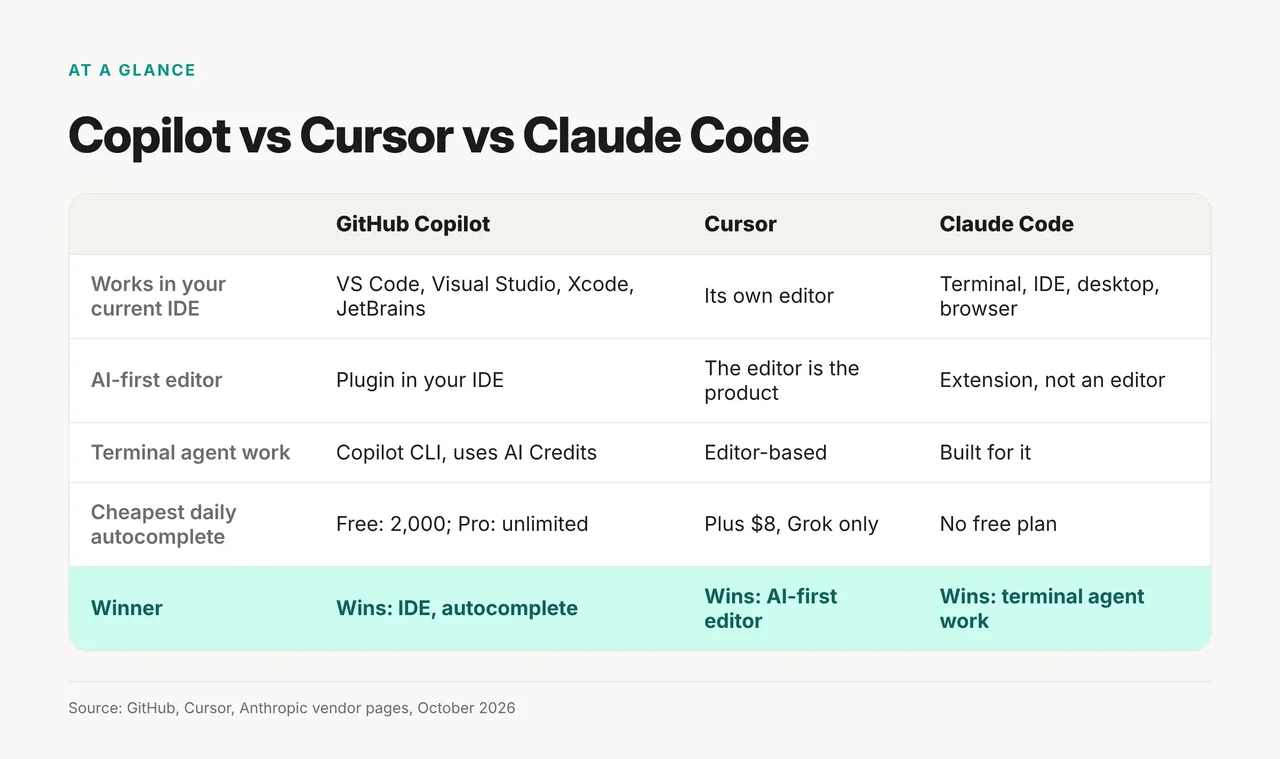
| Axis | Copilot | Cursor | Claude Code | Winner |
|---|---|---|---|---|
| Works in your current IDE | VS Code, Visual Studio, Xcode, JetBrains | Its own editor | Terminal, IDE, desktop, browser | Copilot |
| AI-first editor | Plugin in your IDE | The editor is the product | Extension, not an editor | Cursor |
| Terminal agent work | Copilot CLI, uses AI Credits | Editor-based | Built for it | Claude Code |
| Cheapest daily autocomplete | Free: 2,000 completions; Pro: unlimited | Plus $8 (Grok models only, no Claude or GPT) | No free plan for Claude Code | Copilot |
How we compared
We compared the three tools on where you work, what you pay and what each plan includes. We read the GitHub Copilot plans page, Cursor's pricing page and docs, Claude's pricing page and the Claude Code docs on October 20, 2026. We did not run the tools for this article, so there are no timings or output samples here.
Every plan name, price and limit below comes from those pages. Where a vendor page contradicts itself, we say so.
Copilot wins if you stay in your IDE
Copilot is the pick if you don't want to change editors. GitHub lists VS Code, Visual Studio, Xcode and JetBrains as platforms, which is the widest spread of the three.
The plans, per user per month:
- Free, $0: entry-level models and 2,000 completions a month.
- Pro, $10: unlimited code completion and next edit suggestions, plus 1,500 AI credits ($15 value).
- Pro+, $39: frontier models and $70 of AI credits.
- Max, $100: $200 of AI credits, which GitHub describes as "over 13.3x" Pro.
Completions are unlimited on Pro. Agent work is not. GitHub says "Agent mode, code review, Copilot in the cloud, Copilot CLI, and Copilot app consume GitHub AI Credits." If you run agents daily, budget for Pro+ or Max.
Every individual plan lists Claude, GPT and Gemini models, including Claude Sonnet 5.5 and GPT-5.6 Sol. Business and Enterprise show "Contact sales" with no per-user price. See the current tiers on the Copilot plans page.
Cursor wins if you want an AI editor
Cursor is the pick if you want the whole editor built around an agent. Cursor calls itself "your coding agent for building ambitious software." Our Cursor tool page covers the basics.
The old $20 Pro and $60 Pro+ plans are no longer on the pricing page. Cursor pricing now lists:
- Plus, $8: "Only Grok models are available on this plan."
- Premium, $30: 4x Plus usage, third-party models at API list price.
- Super, $100: 15x Plus usage.
- Ultra, $200: 50x Plus usage.
- Teams, $30+ per user.
Read the fine print: "Third Party model usage in Cursor is not included in the monthly prices shown and must be purchased separately." If you want Claude or GPT models, your bill is the plan plus API usage.
One correction to older write-ups: Cursor does not keep a vector index of your code. Its docs say "it does not store embeddings of your codebase for search" and "Instant Grep builds and queries its index on your machine." For the editor-vs-editor view, see Cursor vs Windsurf.
Claude Code wins for terminal agent work
Claude Code is the pick if you want to hand off a task, not get suggestions. Anthropic describes it as "an agentic coding tool that reads your codebase, edits files, runs commands, and integrates with your development tools." It also works with git directly, including commits and pull requests.
Install on macOS, Linux or WSL:
curl -fsSL https://claude.ai/install.sh | bash
Project rules go in CLAUDE.md: "a markdown file you add to your project root that Claude Code reads at the start of every session." Put build commands and conventions there once.
Claude Code is not on the free Claude plan. Pro costs $20 billed monthly, or $17/mo billed annually with "$200 billed up front" annually. Max starts at $100 a month, with a choice of 5x or 20x Pro's usage. The Claude Code docs list the terminal, IDE, desktop and browser surfaces. For task examples, see what Claude Code can do.
What do the plans cost? Pricing in October 2026
Each tool has an entry plan and a heavy-use plan. Prices are per user per month.
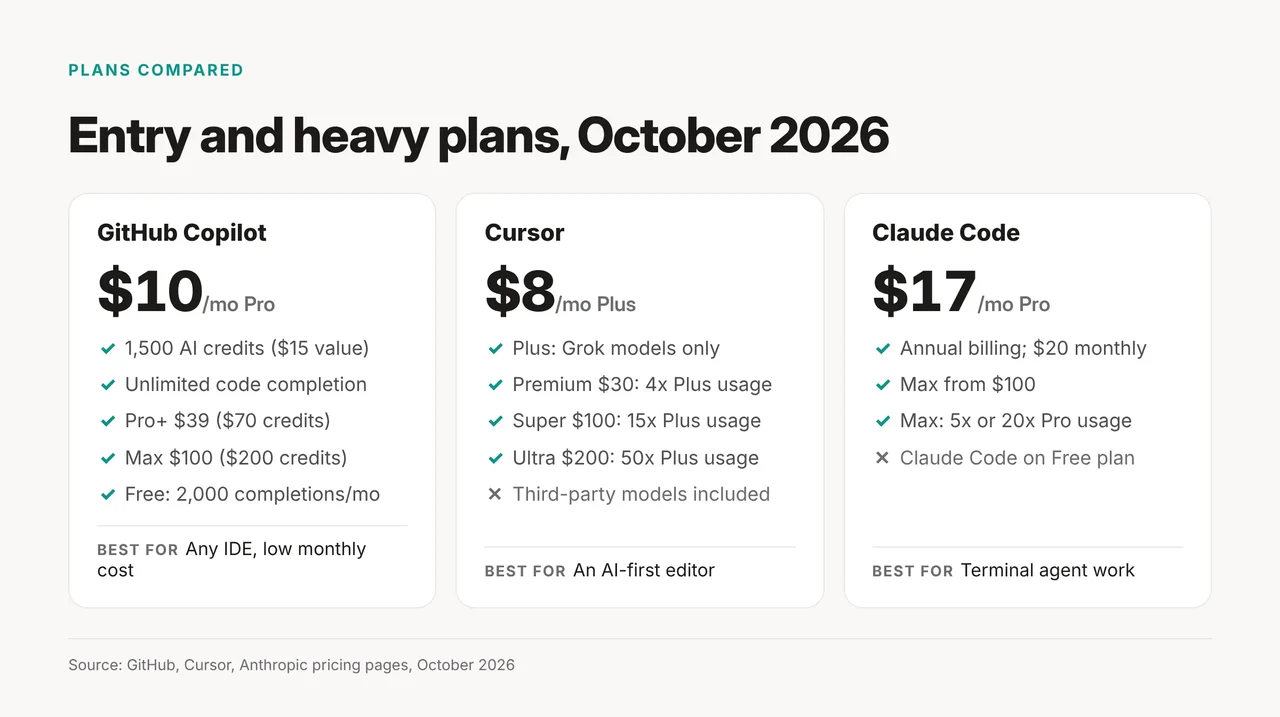
| Tool | Free | Entry plan | Heavy plan | Billed on top |
|---|---|---|---|---|
| GitHub Copilot | $0, 2,000 completions | Pro $10, $15 AI credits | Max $100, $200 AI credits | Agent work past included credits |
| Cursor | $0 | Plus $8 (Grok only); Premium $30 | Super $100; Ultra $200 | Third-party models at API list price |
| Claude Code (Claude plan) | Not included | Pro $20 monthly, or $17/mo billed annually | Max from $100 | None listed |
Monthly cost for a typical user:
- AI editor with Claude or GPT models: Cursor Premium, $30 plus model usage at API list price.
- Terminal agent most days: Claude Pro, $20 monthly, or $17/mo billed annually. Move to Max from $100 when you hit limits.
Which should you pick?
Pick by where you want the work to happen. The rule: IDE you won't leave → Copilot. Editor you'll switch to → Cursor. Terminal and whole tasks → Claude Code. Want both? Run Copilot in your IDE and Claude Code alongside it.
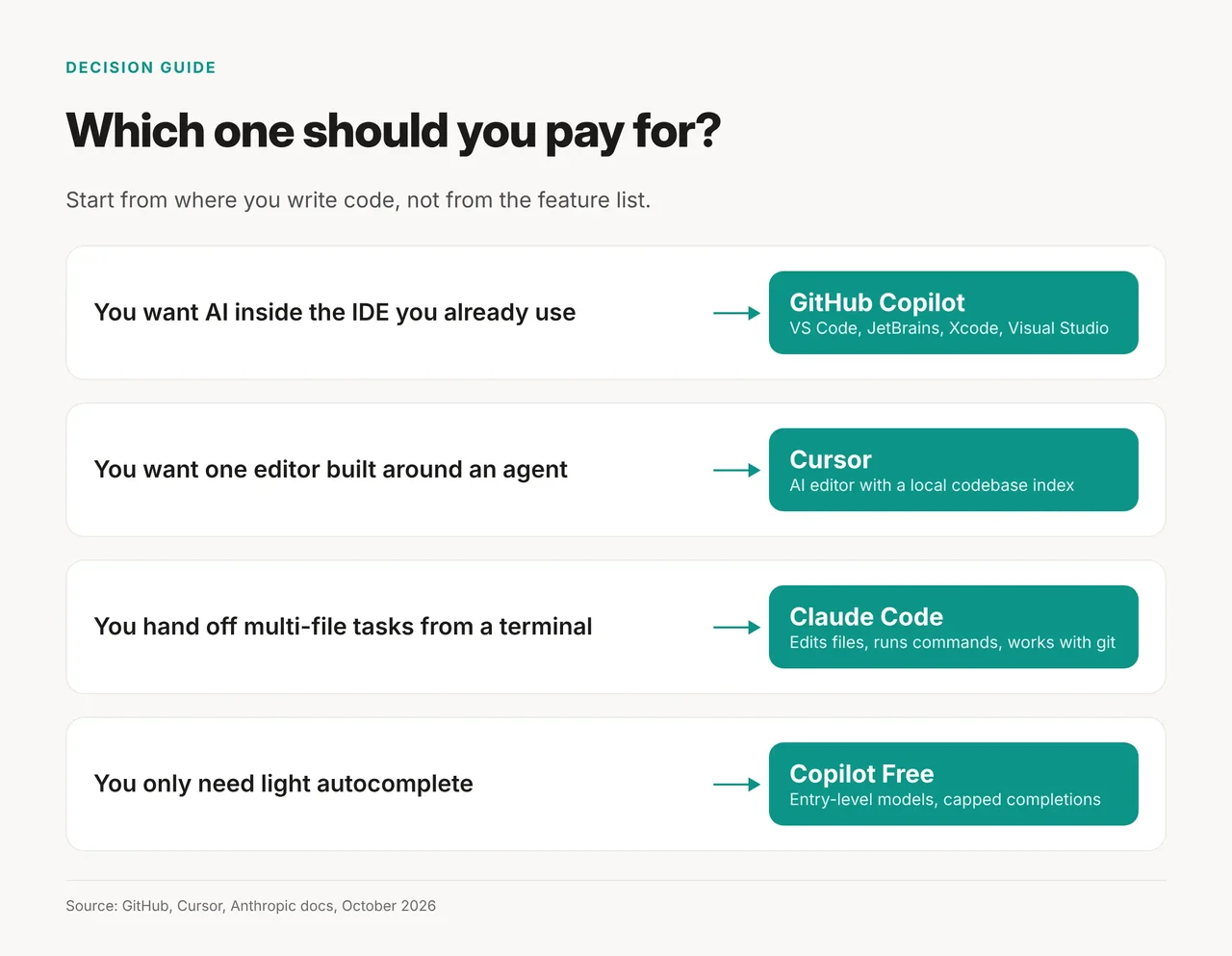
- Do you need to stay in Visual Studio, Xcode or JetBrains? Pick Copilot.
- Do you want the editor itself to be the agent? Pick Cursor.
- Do you want to describe a task and review a commit? Pick Claude Code.
- Only need light autocomplete? Use Copilot Free.
Pick none if the free tiers cover you
Pick none of the three paid plans if you code a few hours a week. Copilot Free gives 2,000 completions a month at $0. Cursor has a $0 tier too. Claude's free plan does not include Claude Code.
If you want a different kind of tool, browse our AI coding assistants category.
FAQ
Can I use Claude Code inside Copilot? GitHub's page is inconsistent. The Pro card lists "Access to 3rd party agents (Claude Code and Codex)". The feature table marks delegation to third-party agents as Pro+ and Max only, and labels it Preview. Plan on Pro+ if you need it.
Does Cursor still have a $20 plan? Cursor no longer sells a $20 plan. Plus is $8 but runs Grok models only. Premium is $30, and third-party models cost extra at API list price. For Claude or GPT models, compare that total with Copilot Pro+ at $39.
Which is cheapest for daily autocomplete? Copilot. Free gives 2,000 completions a month, and Pro at $10 makes completions unlimited.
Can I run Claude Code in Cursor? Yes. The Claude Code docs offer the VS Code extension with an "Install for Cursor" option.