Plagiarism CheckerEducational TechnologyAI Content Detection

Passed.AI

Detect AI-generated content and plagiarism to ensure academic integrity

Monthly Visits: 2.0K
Visit Website
Passed.AI

What is Passed.AI?

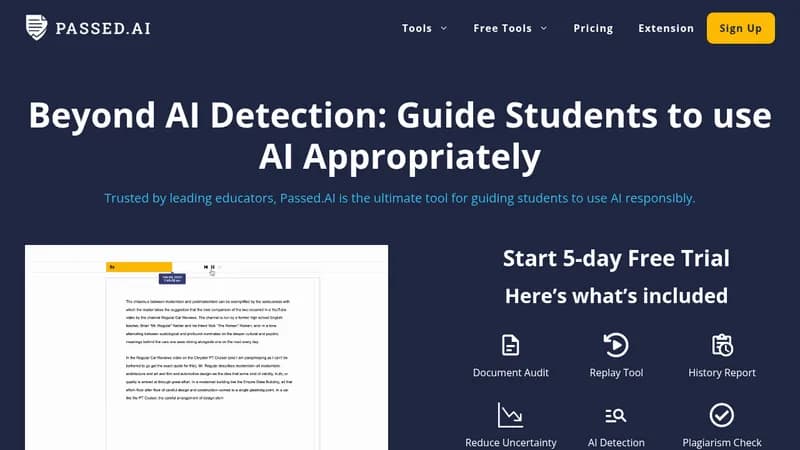
Passed.AI helps educators verify if student work is original by identifying AI-generated text and plagiarism. It uses machine learning to analyze documents and provides detailed reports on metrics like time spent and text fluidity. This tool supports teachers in maintaining fairness and making informed decisions about submissions.

Key Features of Passed.AI

  1. 1

    AI Detection

    Identifies text generated by AI models like ChatGPT and GPT-4

  2. 2

    Plagiarism Check

    Scans for copied content to ensure work originality

  3. 3

    Document Analysis

    Provides metrics on time spent and text flow for insights

  4. 4

    Chrome Extension

    Integrates with Google Docs for seamless analysis

  5. 5

    Secondary Checks

    Reduces false positives and negatives with additional data

Passed.AI Tool Use Cases

  • 🔍
    Verify student assignments for AI use
  • 📝
    Check essays for plagiarism
  • 🕵️
    Detect AI-generated content in submissions
  • 📊
    Analyze document creation history

FAQs from Passed.AI

How does Passed.AI's plagiarism detection and document analysis work?

It uses an in-app tool and Chrome extension to scan text for AI and plagiarism, providing reports with metrics like time spent and flow score.

What are false positives in AI detection?

False positives occur when the tool wrongly identifies human-written text as AI-generated, which Passed.AI mitigates with secondary checks.

Does Passed.AI work in different languages?

The tool suite works regardless of language, but AI detection and plagiarism check are only available for English documents.

Pros & Cons of Passed.AI

Pros (4)

  • Accurate AI and plagiarism detection using advanced machine learning
  • Reduces false positives and negatives with secondary checks
  • Works with multiple languages for document analysis tools
  • Integrates seamlessly with Google Docs via Chrome extension

Cons (2)

  • AI detection and plagiarism check limited to English documents
  • Potential for false positives or negatives without secondary checks

More Info About Passed.AI

Who is using passed.ai?

This tool is best for:

  1. Educators
  2. Teachers
  3. Academic Institutions

Passed.AI's Tags

Explore more niche AI tool websites by clicking on a tag* (works only if it has enough tools).

#EdTech #AIContentDetection #PlagiarismChecker#AcademicIntegrity#OriginalityCheck

Integrate Passed.AI With This App

Passed.AI can be integrated with this app or service:

  • Google Docs

Website Analytics of Passed.AI

Passed.AI Website Traffic & SEO Analysis:

Recent data shows that Passed.AI has 2.0K monthly visits (39.1% increase from the previous month), 37.0% bounce rate, and average 1.06 pages per visit.
Traffic is primarily driven by 6 different sources, with users from 2 countries worldwide, led by United States contributing 57% of total traffic. SEO performance is shown by 5 tracked keywords, with "passed.ai" being the top-performing keyword with 70 monthly searches. See below for more info.

Monthly Visits

2.0K

(+39.1%)

Pages per Visit

1.06

Bounce Rate

37.0%

Traffic Trend(Jul 2025 - Oct 2025)

Loading chart...

Top Keywords

SEO KeywordVolumeCPC
passed.ai
70-
passes ai
220-
signal words detector
40-
ai detector tools affiliate program
50-
passed ai
20-

Traffic Sources Distribution

Traffic Share by Source

Loading chart...

Source Breakdown Details

SourceTraffic Share
Direct
40%
Search
37%
Social
7%
Referrals
14%
Paid Referrals
2%

Global Traffic Distribution

Traffic Share by Country

Loading chart...

Geographic Breakdown Details of top 2 countries

Country NameTraffic Share
United States57%
India43%
Analytics data is estimated (from third-party analytics providers) and for reference only.

🚀 Passed.AI Launch Badge

Promote your Toolbit Launch by using the badge on your website. It can be inserted on your home page or footer easily.

How to use: Simply copy and paste the embed code into your homepage or footer HTML to display it instantly and build community support.

ToolBit badge

Reviews for Passed.AI