





QuestionAid

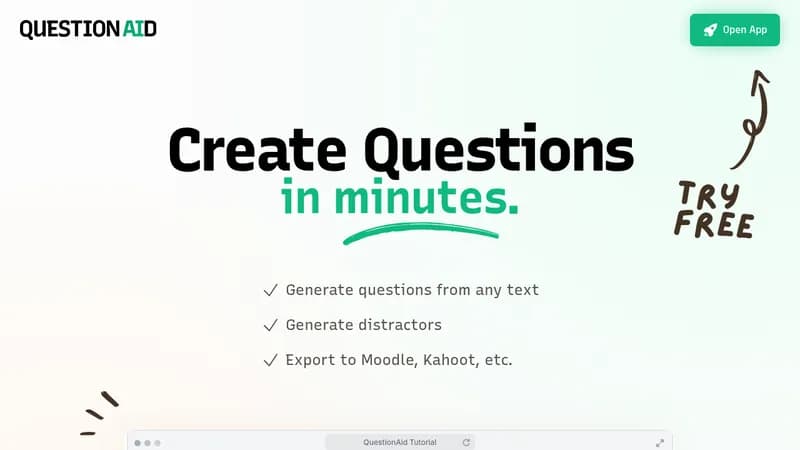
Generate quiz questions and distractors from any text

One-time payment
Visit Website
QuestionAid

What is QuestionAid?

QuestionAid helps you quickly create questions from any text you provide, saving time on manual quiz preparation. It generates multiple-choice questions with distractors, making assessments more engaging and efficient. You can export the results directly to platforms like Moodle and Kahoot for easy integration into your teaching or training workflows.

Key Features of QuestionAid

  1. 1

    Question Generation

    Create questions from any text input in minutes

  2. 2

    Distractor Creation

    Generate multiple-choice options to accompany questions

  3. 3

    Export Options

    Export questions to Moodle, Kahoot, and other platforms

QuestionAid AI Tool Use Cases

  • 📚
    Create educational quizzes
  • 🎯
    Generate assessment questions
  • 💼
    Prepare training materials
  • 🔄
    Export to learning platforms

Pros & Cons of QuestionAid

Pros (4)

  • No subscription required
  • Pay-as-you-go pricing model
  • Generates both questions and distractors
  • Export capabilities to popular platforms

Cons (2)

  • Credit-based system may be costly for frequent users
  • No free version available

QuestionAid's Pricing Plans

Small

one-time
€14.99

Features

  • 10 credits
  • Equals 200 questions
  • or 2,000 distractors

Mid

one-time
€49.90

Features

  • 50 credits
  • Equals 1,000 questions
  • or 10,000 distractors

Large

one-time
€89.00

Features

  • 100 credits
  • Equals 2,000 questions
  • or 20,000 distractors
For the latest pricing info, please visit the official website

More Info About QuestionAid

Who is using questionaid?

This tool is best for:

  1. Educators
  2. Trainers
  3. E-learning content creators

QuestionAid's Tags

Explore more niche AI tool websites by clicking on a tag* (works only if it has enough tools).

#EdTech #AIAssisted#EducationalTools#QuestionAid#QuizGeneration

Integrate QuestionAid With These Apps

QuestionAid can be integrated with these apps and services:

  • Moodle
  • Kahoot

🚀 QuestionAid Launch Badge

Promote your Toolbit Launch by using the badge on your website. It can be inserted on your home page or footer easily.

How to use: Simply copy and paste the embed code into your homepage or footer HTML to display it instantly and build community support.

ToolBit badge

Reviews for QuestionAid


