Speakable

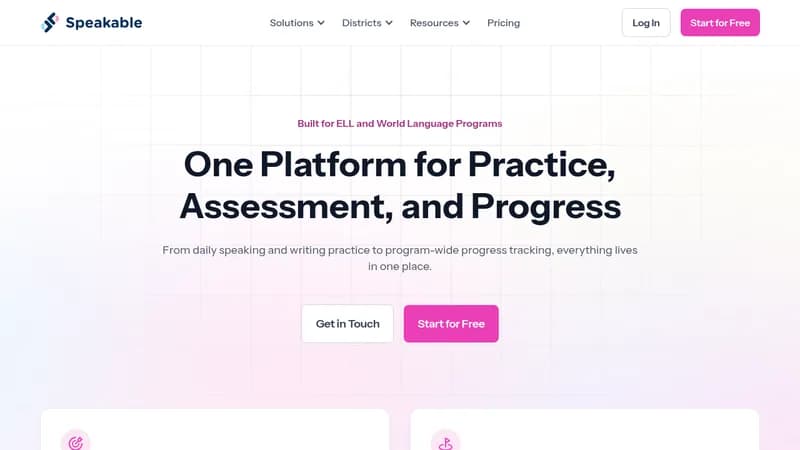
Automate grading while enhancing language learning engagement.

Monthly Visits: 225.5K
Freemium
Free Version
Visit Website
Speakable

What is Speakable?

Speakable is an innovative platform designed to help students improve their language skills through interactive activities. It provides instant feedback on pronunciation, grammar, and fluency, making learning more engaging and effective. Teachers can save time on grading with AI-powered tools that also track student progress.

Key Features of Speakable

  1. 1

    Instant Feedback

    Students receive immediate feedback on their language activities.

  2. 2

    AI Grading

    Automate the grading process for speaking and writing tasks.

  3. 3

    Proficiency Tracking

    Monitor student progress and proficiency over time.

  4. 4

    Collaborative Resources

    Share and manage activities within educational departments.

  5. 5

    Integration Support

    Seamlessly connect with tools like Google and LMS.

Speakable AI Tool Use Cases

  • 🗣️
    Practice speaking with instant feedback
  • ✍️
    Improve writing skills through AI-assisted grading
  • 📚
    Create interactive language activities
  • 📈
    Track student progress and proficiency
  • 🤝
    Collaborate on shared educational resources

FAQs from Speakable

What types of activities can I create?

You can create speaking, writing, and comprehension activities with instant feedback.

How does the AI grading work?

The AI grades speaking and writing tasks based on customizable rubrics.

Is there a free version available?

Yes, Speakable offers a free plan with access to basic features.

Pros & Cons of Speakable

Pros (4)

  • Engages students with interactive learning activities.
  • Saves teachers time with automated grading.
  • Provides immediate feedback to enhance learning.
  • Tracks student progress and proficiency effectively.

Cons (2)

  • Limited features may still be in development.
  • Requires integration with other platforms for full functionality.

Speakable's Pricing Plans

Free Plan

monthly
$0

Features

  • Access to basic features
  • Instant feedback on activities
  • AI grading for limited tasks
For the latest pricing info, please visit the official website

More Info About Speakable

Who is using speakable?

This tool is best for:

  1. Language Teachers
  2. ESL Instructors
  3. Educational Administrators
  4. Curriculum Developers

Integrate Speakable With These Apps

Speakable can be integrated with these apps and services:

  • Google
  • Clever
  • LTI

Speakable Social Media

Visit Speakable on social media to stay updated with the latest news and features.

Website Analytics of Speakable

Speakable Website Traffic & SEO Analysis:

Recent data shows that Speakable has 225.5K monthly visits (34.7% increase from the previous month), 12.0% bounce rate, and average 10.15 pages per visit.
Traffic is primarily driven by 6 different sources, with users from 1 countries worldwide, led by United States contributing 99% of total traffic. SEO performance is shown by 5 tracked keywords, with "speakable" being the top-performing keyword with 2.7K monthly searches. See below for more info.

Monthly Visits

225.5K

(+34.7%)

Pages per Visit

10.15

Bounce Rate

12.0%

Average Time on Site

5m 19s

Traffic Trend(Apr 2025 - Oct 2025)

Loading chart...

Top Keywords

SEO KeywordVolumeCPC
speakable
2.7K$1.30
speakable logo
230-
how to create listening exercises on quizlet
150-
"speakable"
100-
tech for world language teachers
50-

Traffic Sources Distribution

Traffic Share by Source

Loading chart...

Source Breakdown Details

SourceTraffic Share
Direct
56%
Search
35%
Social
3%
Referrals
6%

Global Traffic Distribution

Traffic Share by Country

Loading chart...

Geographic Breakdown Details of top 1 country

Country NameTraffic Share
United States99%
Analytics data is estimated (from third-party analytics providers) and for reference only.

🚀 Speakable Launch Badge

Promote your Toolbit Launch by using the badge on your website. It can be inserted on your home page or footer easily.

How to use: Simply copy and paste the embed code into your homepage or footer HTML to display it instantly and build community support.

ToolBit badge

Reviews for Speakable