Tutorly

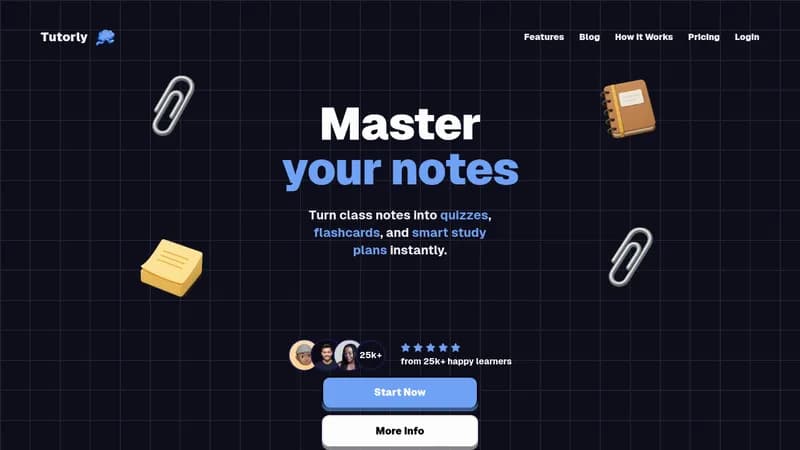
Generate customized quizzes from your study notes

Monthly Visits: 1.4K
Freemium
Free Version
Visit Website
Tutorly

What is Tutorly?

Tutorly transforms your study materials into personalized quizzes using AI. Simply upload your notes and get interactive questions that adapt to your learning style. Speak your answers aloud to practice verbal reasoning, with bank-grade security protecting all your uploaded materials.

Key Features of Tutorly

  1. 1

    Custom Tutor Creation

    Choose premade tutors or create your own learning coach

  2. 2

    Verbal Reasoning

    Practice speaking answers to boost critical thinking skills

  3. 3

    Secure Uploads

    Military-grade encryption protects study materials

  4. 4

    Unlimited Questions

    Get instant answers without usage restrictions

  5. 5

    Document Chat

    Discuss course materials directly with AI tutor

Tutorly AI Tool Use Cases

  • 🧠
    Create study quizzes from lecture notes
  • πŸ“š
    Prepare for final exams efficiently
  • πŸ—£οΈ
    Practice verbal exam responses
  • πŸ“‘
    Self-test with generated questions

FAQs from Tutorly

How do I create quizzes from my notes?

Upload your study materials and the AI tutor automatically generates personalized quiz questions based on your content.

What are the free plan limits?

Free users get 10 daily messages with GPT-4o, 3 file uploads/day, and 5MB max file size.

Is my data secure?

All uploads and chats are protected with state-of-the-art encryption services.

Pros & Cons of Tutorly

Pros (4)

  • 60% learning improvement through verbal practice
  • Flexible pricing for different study needs
  • Real-time interaction with study materials
  • Bank-level security for uploaded documents

Cons (3)

  • Free plan limits messages/file uploads
  • Maximum file sizes restrict long documents
  • No desktop app available (web-only)

Tutorly's Pricing Plans

Free

monthly
$0

Features

  • 10 daily GPT-4o messages
  • 3 file uploads/day
  • 5MB max file size
  • 2-day chat history

Plus

monthly

Features

  • 50 daily GPT-4o messages
  • 6 file uploads/day
  • 10MB max file size
  • Beta gamemodes access

Pro

monthly

Features

  • Unlimited GPT-4o access
  • 25 file uploads/day
  • 20MB max file size
  • 4-month chat history
For the latest pricing info, pleaseΒ visit the official website

More Info About Tutorly

Who is using tutorly?

This tool is best for:

  1. College students
  2. Lifelong learners
  3. Exam preparers
  4. Educators (supplementary materials)

Tutorly's Tags

Explore more niche AI tool websites by clicking on a tag* (works only if it has enough tools).

#StudySmart #QuizGenerator#AILearningAssistant#VerbalReasoning

Website Analytics of Tutorly

Tutorly Website Traffic & SEO Analysis:

Recent data shows that Tutorly has 1.4K monthly visits (-53.2% decrease from the previous month), 27.0% bounce rate, and average 2.04 pages per visit.
Traffic is primarily driven by 6 different sources, with users from 1 countries worldwide, led by Malaysia contributing 100% of total traffic. SEO performance is shown by 3 tracked keywords, with "tutorly.us" being the top-performing keyword with 230 monthly searches. See below for more info.

Monthly Visits

1.4K

(-53.2%)

Pages per Visit

2.04

Bounce Rate

27.0%

Average Time on Site

28s

Traffic Trend(Apr 2025 - Oct 2025)

Loading chart...

Top Keywords

SEO KeywordVolumeCPC
tutorly.us
230-
can you use a steam iron as a steamer
60-
studyly ai
550-

Traffic Sources Distribution

Traffic Share by Source

Loading chart...

Source Breakdown Details

SourceTraffic Share
Direct
100%

Global Traffic Distribution

Traffic Share by Country

Loading chart...

Geographic Breakdown Details of top 1 country

Country NameTraffic Share
Malaysia100%
Analytics data is estimated (from third-party analytics providers) and for reference only.

πŸš€ Tutorly Launch Badge

Promote your Toolbit Launch by using the badge on your website. It can be inserted on your home page or footer easily.

How to use: Simply copy and paste the embed code into your homepage or footer HTML to display it instantly and build community support.

ToolBit badge

Reviews for Tutorly