AI CopywritingFigma PluginsUX Writing

UX Writing Assistant

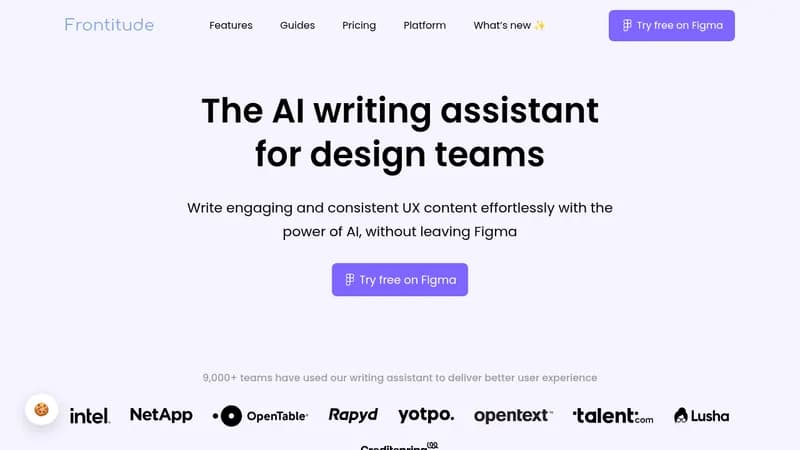
Write perfect UX copy with AI assistance in Figma

Monthly Visits: 955
Freemium
Free Version
Visit Website
UX Writing Assistant

What is UX Writing Assistant?

This AI tool integrates directly into Figma to help design teams craft better user experience text without switching apps. It suggests copy based on your design context and content guidelines, saving hours of writing time each week. By embedding guidelines into your design system, it ensures all text is consistent and on-brand, streamlining reviews and boosting productivity.

Key Features of UX Writing Assistant

  1. 1

    Copy Suggestions

    Get AI-generated text ideas based on design context and trends

  2. 2

    Guideline Integration

    Embed content rules into design components for consistency

  3. 3

    Violation Scanning

    Quickly check designs for content guideline issues

  4. 4

    Figma Plugin

    Work seamlessly in Figma without copying and pasting

  5. 5

    Team Collaboration

    Share guidelines to ensure everyone writes consistently

UX Writing Assistant AI Tool Use Cases

  • ✍️
    Write UI copy for buttons and labels
  • 🔍
    Review designs for content consistency
  • 💡
    Brainstorm ideas for error messages
  • 📝
    Apply style guides to text elements
  • 🔄
    Streamline design review processes

FAQs from UX Writing Assistant

How is UX Writing Assistant different from other AI tools?

It focuses on UX copy, uses business and design context from a survey and Figma elements, and is built by experts in UX copy management.

What data is shared with the UX Writing Assistant?

Only selected texts from Figma are used for suggestions; data is not used to train the model, ensuring privacy.

Does the UX Writing Assistant use my content to learn and improve?

No, all content is kept private and not used to improve the model.

What languages are currently supported?

Only English is supported now, with plans to add more languages in the future.

Do I need to sign in to use the plugin?

Yes, you must sign in to your Frontitude account to use the tool.

Pros & Cons of UX Writing Assistant

Pros (4)

  • Saves hours of writing time each week
  • Ensures consistent UX content across teams
  • Seamlessly integrates with Figma design workflow
  • Protects user data and does not use it for training

Cons (3)

  • Only supports English language currently
  • Requires a paid seat for full team access to certain features
  • Not fully integrated with Frontitude platform yet

More Info About UX Writing Assistant

Who is using ux writing assistant?

This tool is best for:

  1. Product designers
  2. UX writers
  3. Content designers
  4. Design teams

UX Writing Assistant's Tags

Explore more niche AI tool websites by clicking on a tag* (works only if it has enough tools).

#UXDesign#AICopywriting#FigmaPlugin#ContentConsistency#UXWritingAssistant#Frontitude

Integrate UX Writing Assistant With These Apps

UX Writing Assistant can be integrated with these apps and services:

  • Figma
  • Frontitude Platform

Website Analytics of UX Writing Assistant

UX Writing Assistant Website Traffic & SEO Analysis:

Recent data shows that UX Writing Assistant has 0 monthly visits (NaN% decrease from the previous month), 0.0% bounce rate, and average 0.00 pages per visit.
Traffic is primarily driven by 6 different sources.

Pages per Visit

0.00

Bounce Rate

0.0%

Traffic Trend(Aug 2025 - Oct 2025)

Loading chart...
Analytics data is estimated (from third-party analytics providers) and for reference only.

🚀 UX Writing Assistant Launch Badge

Promote your Toolbit Launch by using the badge on your website. It can be inserted on your home page or footer easily.

How to use: Simply copy and paste the embed code into your homepage or footer HTML to display it instantly and build community support.

ToolBit badge

Reviews for UX Writing Assistant