Zetta

Automate business insights without technical expertise

Monthly Visits: 1.8K
Tiered
Visit Website
Zetta

What is Zetta?

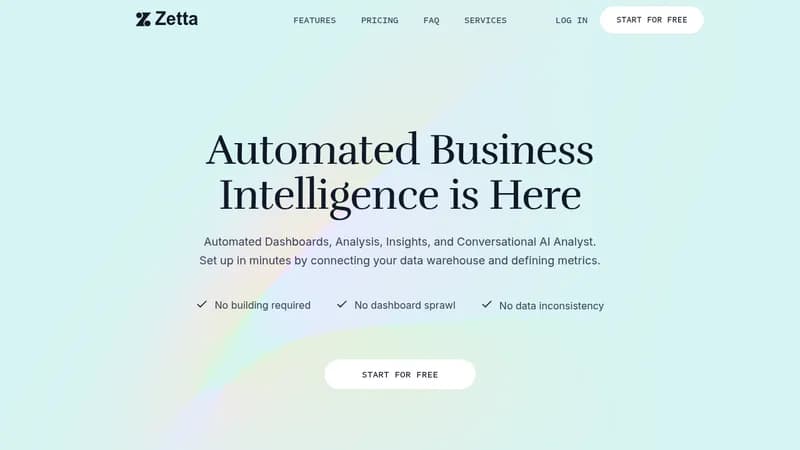
Zetta helps startups understand their data through AI-powered analytics – no data team required. It combines dashboards, automated insights, and a data warehouse in one platform. Simply connect your data sources and get instant visibility into revenue, growth metrics, and operational performance.

Key Features of Zetta

  1. 1

    AI Data Analyst

    Ask questions in plain language about your business metrics

  2. 2

    Automated Insights

    Get root cause analysis and trend predictions automatically

  3. 3

    Unified Data Platform

    Combine analytics, warehousing & visualization in one tool

  4. 4

    Pre-built Connectors

    Integrate with 350+ sources like Stripe and Salesforce

Zetta AI Tool Use Cases

  • πŸ“Š
    Track SaaS revenue metrics (MRR/ARR)
  • πŸ“ˆ
    Analyze marketing/sales funnel performance
  • πŸ’Ό
    Prepare investor board reports
  • πŸ”—
    Centralize company-wide data sources

FAQs from Zetta

Can I access my data after canceling?

Yes, you retain access to your data even if you cancel your subscription

How quickly can I start getting insights?

Most users begin seeing insights within minutes of connecting data sources

Can I build custom dashboards?

Yes, through direct data queries and AI Analyst interactions

Pros & Cons of Zetta

Pros (4)

  • All-in-one solution replaces multiple data tools
  • Designed specifically for startup growth stages
  • Includes dedicated customer success support
  • No infrastructure setup required

Cons (3)

  • High entry price ($100/mo starter plan)
  • Limited customization in lower tiers
  • Primarily focused on SaaS/revenue metrics

Zetta's Pricing Plans

Starter

monthly (billed annually)
$100

Features

  • SaaS revenue analytics
  • Stripe/Chargebee integrations
  • 1B rows data capacity
  • 1K AI queries/month

Growth

monthly (billed annually)
$3,000

Features

  • Company-wide analytics
  • 350+ data connectors
  • Dedicated support manager
  • 10K AI queries/month

Enterprise

Custom

Features

  • Custom data modeling
  • Unlimited data capacity
  • Fundraising preparation
  • Direct warehouse access
For the latest pricing info, pleaseΒ visit the official website

More Info About Zetta

Who is using zetta?

This tool is best for:

  1. Early-stage startups
  2. SaaS companies
  3. Growth-stage startups
  4. Startup executives

Zetta's Tags

Explore more niche AI tool websites by clicking on a tag* (works only if it has enough tools).

#AIDataAnalysis #SaaSMetrics#StartupAnalytics#DataClarity

Integrate Zetta With These Apps

Zetta can be integrated with these apps and services:

  • Stripe
  • Chargebee
  • Hubspot
  • Salesforce
  • Segment

Website Analytics of Zetta

Zetta Website Traffic & SEO Analysis:

Recent data shows that Zetta has 1.8K monthly visits (-34.0% decrease from the previous month), 36.0% bounce rate, and average 1.91 pages per visit.
Traffic is primarily driven by 6 different sources, with users from 2 countries worldwide, led by United States contributing 83% of total traffic. SEO performance is shown by 5 tracked keywords, with "zetta" being the top-performing keyword with 7.5K monthly searches. See below for more info.

Monthly Visits

1.8K

(-34.0%)

Pages per Visit

1.91

Bounce Rate

36.0%

Average Time on Site

45s

Traffic Trend(Apr 2025 - Oct 2025)

Loading chart...

Top Keywords

SEO KeywordVolumeCPC
zetta
7.5K$0.40
zetta ai
140-
zeltadata
3.0K-
zetta services
150-
zettaai
70-

Traffic Sources Distribution

Traffic Share by Source

Loading chart...

Source Breakdown Details

SourceTraffic Share
Direct
41%
Search
35%
Social
9%
Referrals
13%
Paid Referrals
1%

Global Traffic Distribution

Traffic Share by Country

Loading chart...

Geographic Breakdown Details of top 2 countries

Country NameTraffic Share
United States83%
India17%
Analytics data is estimated (from third-party analytics providers) and for reference only.

πŸš€ Zetta Launch Badge

Promote your Toolbit Launch by using the badge on your website. It can be inserted on your home page or footer easily.

How to use: Simply copy and paste the embed code into your homepage or footer HTML to display it instantly and build community support.

ToolBit badge

Reviews for Zetta