







Educational TechnologyAssessment Tools
EduEase favicon

EduEase

Generate quantitative assessments to enhance learning engagement

Monthly Visits: 174
Visit Website
EduEase screenshot

What is EduEase?

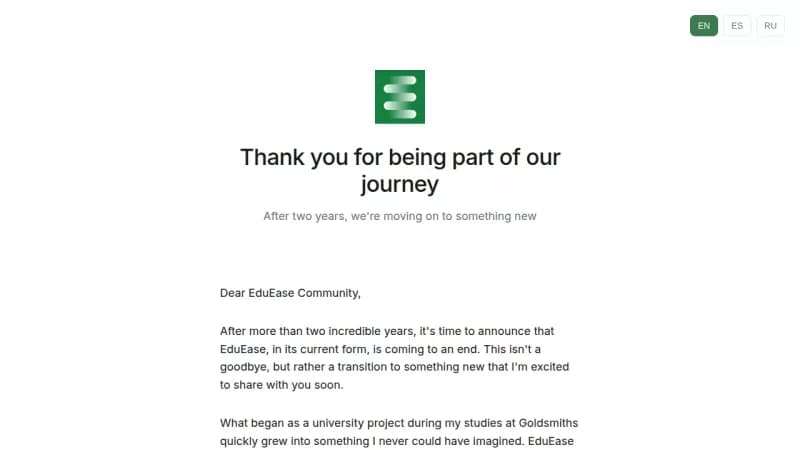
EduEase was a tool that helped educators create engaging quantitative assessments for students. It automated the process of generating questions, making learning more accessible and saving teachers time. Over two years, it created 600,000 questions and supported countless classrooms.

Key Features of EduEase

  1. 1

    Question Generation

    Automatically create quantitative assessments for educational use

EduEase AI Tool Use Cases

  • 🏫
    Generate classroom assessments
  • 📚
    Enhance student learning experiences
  • 👨‍🏫
    Support educator workflows

Pros & Cons of EduEase

Pros (4)

  • Generated over 600,000 questions
  • Made learning more engaging and accessible
  • Supported educators in classroom settings
  • Originated from an innovative university project

Cons (2)

  • Service is ending in current form
  • Details on new product are unspecified

More Info About EduEase

Who is using eduease?

This tool is best for:

  1. Educators
  2. Students
  3. School Administrators

EduEase's Tags

Explore more niche AI tool websites by clicking on a tag* (works only if it has enough tools).

#LearningTools#EducationTechnology#EduEase#AssessmentGeneration

EduEase Social Media

Visit EduEase on social media to stay updated with the latest news and features.

Website Analytics of EduEase

EduEase Website Traffic & SEO Analysis:

Recent data shows that EduEase has 0 monthly visits (-100.0% decrease from the previous month), 0.0% bounce rate, and average 0.00 pages per visit.
Traffic is primarily driven by 6 different sources.

Pages per Visit

0.00

Bounce Rate

0.0%

Traffic Trend(Jul 2025 - Oct 2025)

Loading chart...
Analytics data is estimated (from third-party analytics providers) and for reference only.

🚀 EduEase Launch Badge

Promote your Toolbit Launch by using the badge on your website. It can be inserted on your home page or footer easily.

How to use: Simply copy and paste the embed code into your homepage or footer HTML to display it instantly and build community support.

ToolBit badge

Reviews for EduEase