LinkedRadar

Automate LinkedIn outreach with AI-powered personalization

Monthly Visits: 56.2K
Freemium
Free Version
Visit Website
LinkedRadar

What is LinkedRadar?

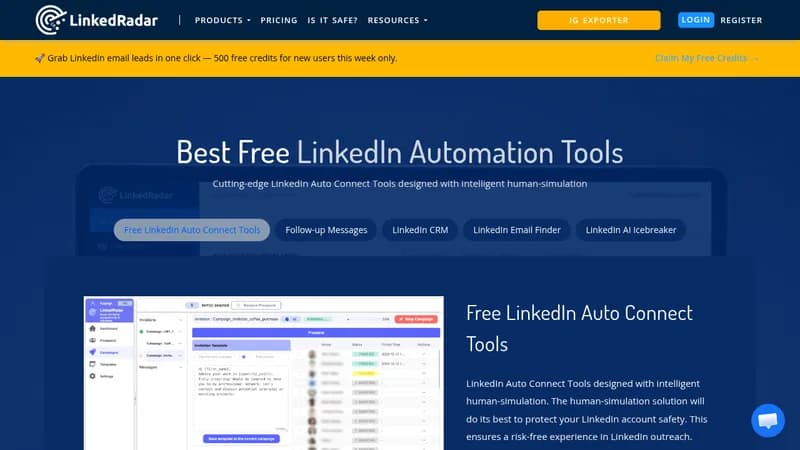
LinkedRadar helps you automate repetitive tasks on LinkedIn, like sending connection requests and messages, so you can focus on building relationships. It uses AI to generate personalized icebreakers and manage leads, reducing the risk of account restrictions. This makes it ideal for sales and marketing professionals looking to grow their network efficiently.

Key Features of LinkedRadar

  1. 1

    AI Connect

    Generate personalized LinkedIn invitations using AI

  2. 2

    Automated Messaging

    Send bulk messages with customized templates effortlessly

  3. 3

    CRM Integration

    Organize and manage LinkedIn leads with grouping features

  4. 4

    Email Finder

    Find B2B email addresses from multiple channels quickly

  5. 5

    Human-Simulation

    Mimic human behavior to reduce account risk safely

LinkedRadar AI Tool Use Cases

  • 🤝
    Automate LinkedIn connection requests
  • ✉️
    Send personalized follow-up messages
  • 📊
    Manage leads with CRM features
  • 📧
    Find and verify business email addresses

FAQs from LinkedRadar

How does LinkedRadar enhance LinkedIn lead management?

LinkedRadar streamlines lead management by providing features like advanced tagging, list creation, and AI-driven icebreakers, making it easier to organize and communicate with prospects effectively.

Can I customize my invitation messages with LinkedRadar?

Yes, LinkedRadar allows you to customize your invitation messages using personalized templates, and you can even leverage AI to generate compelling and tailored icebreaker messages.

Is LinkedRadar safe to use for LinkedIn automation?

Absolutely. LinkedRadar prioritizes account safety and recommends settings like a daily limit of 15 invitations and a 5-minute interval, ensuring a secure and risk-free LinkedIn automation experience.

Pros & Cons of LinkedRadar

Pros (4)

  • Free version available for basic automation
  • AI-powered personalization for higher engagement
  • Human-simulation features to enhance account safety
  • Cost-effective with various templates and tools

Cons (3)

  • Daily limits on invitations and messages may restrict heavy users
  • Relies on Chrome extension, limiting cross-platform use
  • Potential compliance risks with LinkedIn's terms of service

More Info About LinkedRadar

Who is using linkedradar?

This tool is best for:

  1. Sales professionals
  2. Marketing teams
  3. B2B businesses
  4. Freelancers and entrepreneurs

LinkedRadar's Tags

Explore more niche AI tool websites by clicking on a tag* (works only if it has enough tools).

#B2BOutreach#LinkedInGrowth#LinkedInAutomation#AILeadGeneration#FreeMarketingTools

Website Analytics of LinkedRadar

LinkedRadar Website Traffic & SEO Analysis:

Recent data shows that LinkedRadar has 56.2K monthly visits (-23.3% decrease from the previous month), 40.0% bounce rate, and average 2.35 pages per visit.
Traffic is primarily driven by 6 different sources, with users from 5 countries worldwide, led by India contributing 23% of total traffic. SEO performance is shown by 5 tracked keywords, with "linkedradar" being the top-performing keyword with 1.3K monthly searches. See below for more info.

Monthly Visits

56.2K

(-23.3%)

Pages per Visit

2.35

Bounce Rate

40.0%

Average Time on Site

36s

Traffic Trend(Jul 2025 - Oct 2025)

Loading chart...

Top Keywords

SEO KeywordVolumeCPC
linkedradar
1.3K$1.55
linked radar
450-
youtube video to ogg
680-
instagram ig follower export tool
310-
linkedin radar
310$1.09

Traffic Sources Distribution

Traffic Share by Source

Loading chart...

Source Breakdown Details

SourceTraffic Share
Direct
42%
Search
45%
Social
6%
Referrals
7%
Paid Referrals
1%

Global Traffic Distribution

Traffic Share by Country

Loading chart...

Geographic Breakdown Details of top 5 countries

Country NameTraffic Share
India23%
United States13%
France7%
United Kingdom5%
Nigeria5%
Analytics data is estimated (from third-party analytics providers) and for reference only.

🚀 LinkedRadar Launch Badge

Promote your Toolbit Launch by using the badge on your website. It can be inserted on your home page or footer easily.

How to use: Simply copy and paste the embed code into your homepage or footer HTML to display it instantly and build community support.

ToolBit badge

Reviews for LinkedRadar