







MindStudio

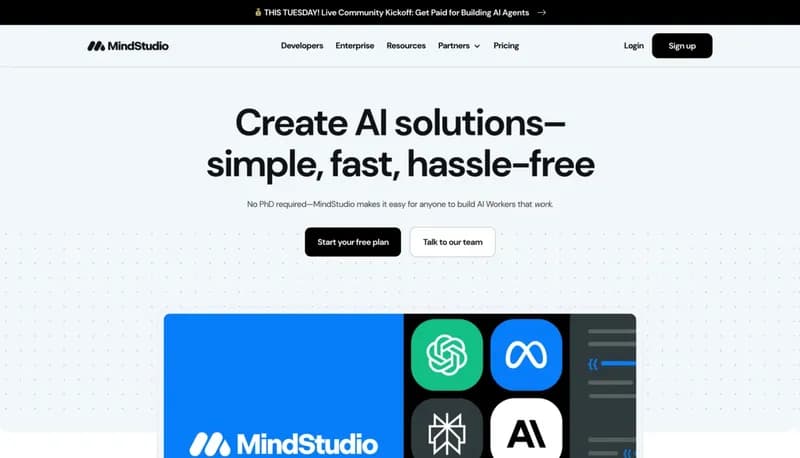
Create AI solutions quickly and hassle-free

Monthly Visits: 198.0K
Freemium
Free Version
API Available
Visit Website
MindStudio

What is MindStudio?

MindStudio allows you to build AI Workers without needing any coding skills. You can create workflows using various models and deploy them as user-friendly apps and automations. This means anyone can leverage the power of AI to enhance their business processes.

Key Features of MindStudio

  1. 1

    No-Code Building

    Create sophisticated workflows without writing any code.

  2. 2

    Custom Models

    Use your own data to enhance AI performance effortlessly.

  3. 3

    Enterprise Monitoring

    Track and optimize AI Workers with enterprise-grade reliability.

  4. 4

    Integration Capabilities

    Connect seamlessly to over 7,000 apps and automation platforms.

  5. 5

    Flexible Pricing

    Pay only for the AI Workers when they're in action.

MindStudio AI Tool Use Cases

  • πŸ“±
    Deploy user-friendly AI apps
  • πŸ”—
    Automate tasks with existing tools
  • πŸ“Š
    Monitor AI performance and costs
  • 🧩
    Create workflows with language and image models
  • πŸ”
    Leverage custom data to improve AI outputs

FAQs from MindStudio

Do I need coding skills to use MindStudio?

No, MindStudio is designed for users without any coding skills.

What types of models can I use?

You can experiment with over 50 models, including those from OpenAI and Anthropic.

Is my data secure with MindStudio?

Yes, MindStudio meets SOC 2 standards and allows for self-hosting to ensure data security.

Pros & Cons of MindStudio

Pros (4)

  • User-friendly interface for non-technical users
  • Wide range of models and customization options
  • Strong integration capabilities with existing tools
  • Flexible pricing model reduces upfront costs

Cons (2)

  • Might lack advanced features for experienced developers
  • Limited information on specific models available

MindStudio's Pricing Plans

Community Plan

Free

Features

  • No upfront costs
  • Pay only for results
  • Access to tutorials and support
For the latest pricing info, pleaseΒ visit the official website

More Info About MindStudio

Who is using mindstudio?

This tool is best for:

  1. Small business owners
  2. Marketing professionals
  3. Project managers
  4. Non-technical users

MindStudio's Tags

Explore more niche AI tool websites by clicking on a tag* (works only if it has enough tools).

Integrate MindStudio With These Apps

MindStudio can be integrated with these apps and services:

  • Zapier
  • Make
  • MuleSoft

Website Analytics of MindStudio

MindStudio Website Traffic & SEO Analysis:

Recent data shows that MindStudio has 198.0K monthly visits (-11.7% decrease from the previous month), 42.0% bounce rate, and average 3.65 pages per visit.
Traffic is primarily driven by 6 different sources, with users from 5 countries worldwide, led by United States contributing 27% of total traffic. SEO performance is shown by 5 tracked keywords, with "mindstudio" being the top-performing keyword with 14.6K monthly searches. See below for more info.

Monthly Visits

198.0K

(-11.7%)

Pages per Visit

3.65

Bounce Rate

42.0%

Average Time on Site

2m 16s

Traffic Trend(Apr 2025 - Oct 2025)

Loading chart...

Top Keywords

SEO KeywordVolumeCPC
mindstudio
14.6K$2.31
mind studio
2.7K$4.39
mindstudio ai
1.3K$8.12
ai agent builder
10.6K$16.08
mind studio login
420-

Traffic Sources Distribution

Traffic Share by Source

Loading chart...

Source Breakdown Details

SourceTraffic Share
Direct
43%
Search
44%
Social
7%
Referrals
6%
Paid Referrals
1%

Global Traffic Distribution

Traffic Share by Country

Loading chart...

Geographic Breakdown Details of top 5 countries

Country NameTraffic Share
United States27%
Ethiopia11%
Thailand6%
Vietnam6%
Philippines4%
Analytics data is estimated (from third-party analytics providers) and for reference only.

πŸš€ MindStudio Launch Badge

Promote your Toolbit Launch by using the badge on your website. It can be inserted on your home page or footer easily.

How to use: Simply copy and paste the embed code into your homepage or footer HTML to display it instantly and build community support.

ToolBit badge

Reviews for MindStudio