
Google's personal AI agent just crossed a line most assistants haven't touched yet: it can now drive your actual browser, on your actual computer, using your actual saved passwords. Gemini Spark first launched in May as a background task-runner. As of late July, it can open desktop Chrome and act inside it directly.
Quick Answer
- Gemini Spark's Chrome integration went live July 30, letting the agent operate your real desktop browser instead of a Google-controlled remote sandbox
- It can use your logged-in accounts and saved passwords to handle multi-step errands like researching flights or scheduling apartment viewings
- Payments and other sensitive actions still require your manual approval - Spark hands control back before finishing anything risky
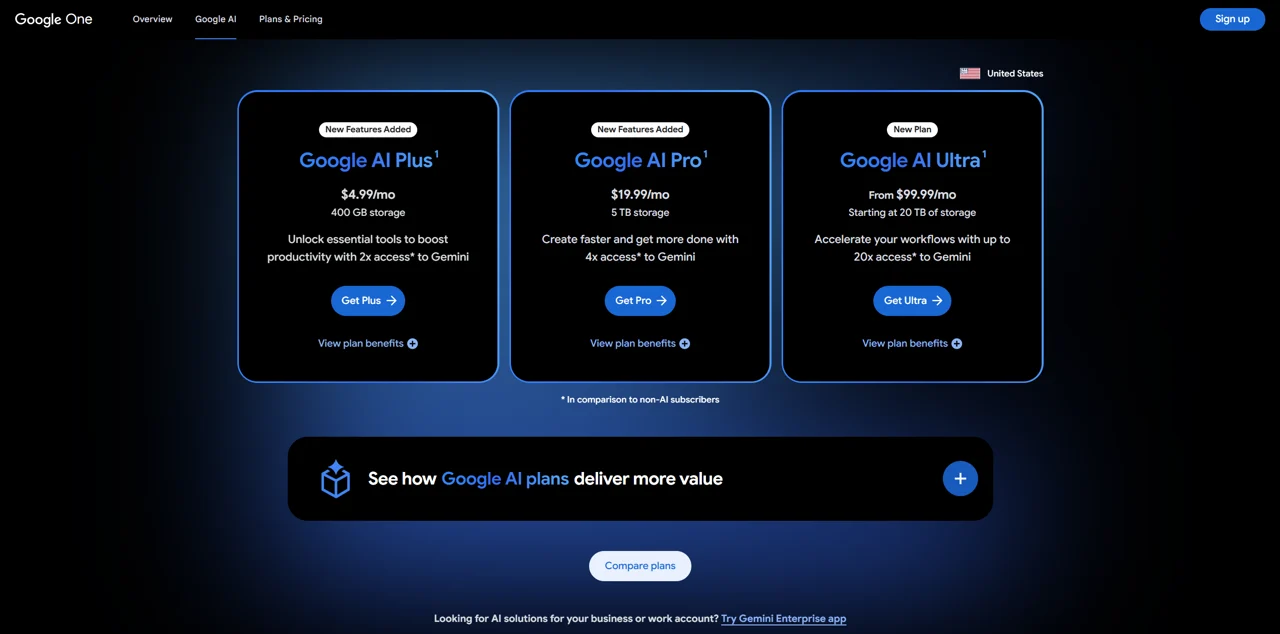
- Access just widened significantly: Spark dropped from a $249/month AI Ultra exclusive to being bundled with the $19.99/month Google AI Pro plan, and expanded to 160+ new countries
- Chrome auto-browse itself is still US-only, and Spark remains unavailable in the EEA, UK, Nigeria, and Switzerland on any plan
The Full Timeline: How Spark Got Here
Chrome auto-browse isn't Spark's only trick - it's the latest step in a fast rollout that's been reshaping what the agent can do since May:

- May 19, 2026 - Launch. Spark debuted at Google I/O as a 24/7 agentic assistant running on the new Gemini 3.5 Flash model, restricted to trusted testers and then AI Ultra subscribers (18+, US). From day one it could connect to Gmail, Calendar, and Docs, plus early third-party services like OpenTable and Instacart.
- June 30, 2026 - Connected Apps and MCP. Google added Google Tasks and Keep integration (turning scattered notes into action items), third-party connections to Canva, Dropbox, Instacart, OpenTable, and Zillow Rentals, and support for custom Model Context Protocol (MCP) servers - letting anyone plug in an app URL to extend what Spark can reach. This update also brought Spark to a macOS beta app with local file automation and real-time topic tracking (sports, stocks, news).
- July 30, 2026 - Chrome auto-browse. The update this article is centered on: Spark moved from a Google-controlled remote browser to operating your actual desktop Chrome, with your logins and saved passwords.
- August 3, 2026 - Wider access. Spark dropped from Ultra-exclusive to available on the $19.99/month AI Pro plan, and expanded into 160+ additional countries.
That's five major capability jumps in under three months - worth knowing if you tried Spark early and assumed it still only handles email and calendar tasks.
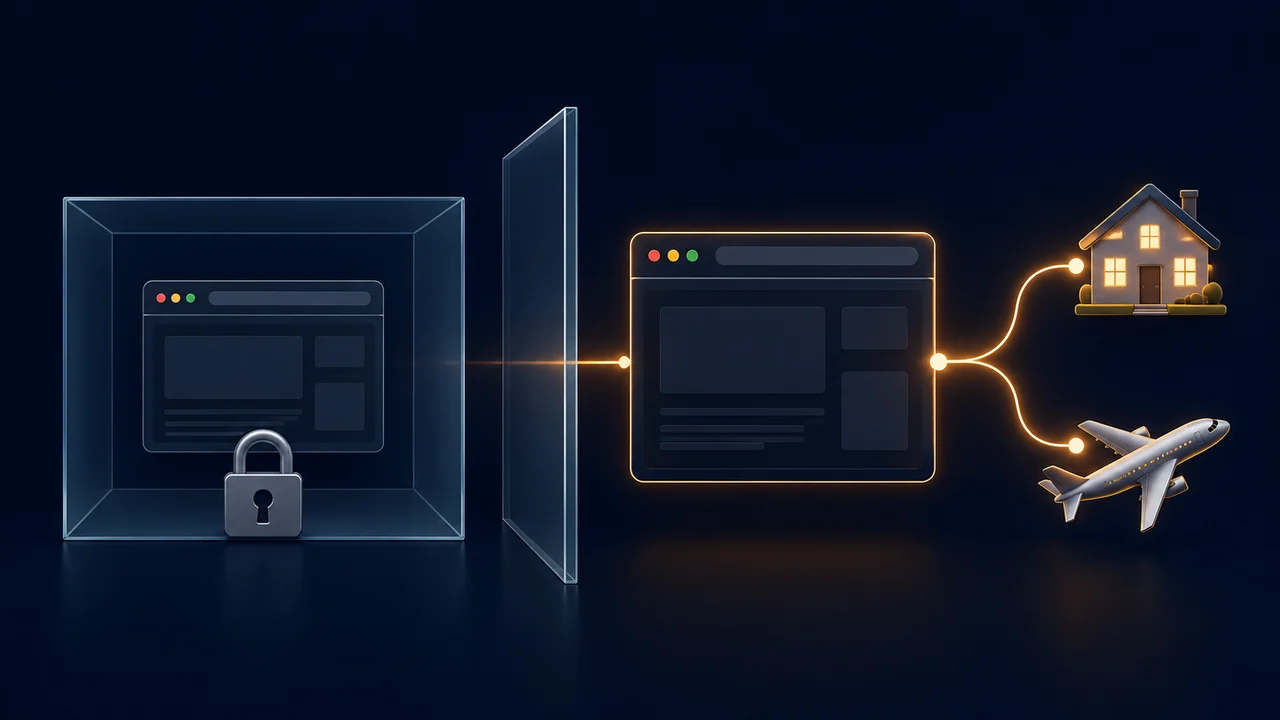
Before this update, Spark could browse the web, but only through a remote browser Google ran on its own servers - a sandbox with no access to your accounts, your saved logins, or anything specific to you.
The new Chrome auto-browse integration changes that entirely. Spark now runs inside your own desktop Chrome installation, which means it can:
- Log into sites using accounts you're already signed into
- Use your saved Chrome passwords to complete forms
- Pick up context from tabs and sessions the way you would yourself
Once you grant access, Chrome shows a visible Gemini and auto-browse indicator in the top bar any time the agent is actively working, so you can see when it's in control.
What It Can - and Can't - Do For You
Google is keeping the early use cases deliberately narrow:
Spark can currently:
- Research flight options and start (but not finish) a booking
- Schedule viewings for apartments you've already saved
- Auto-fill forms and pull information across multiple sites in one session
- Keep working on longer tasks in the background, even after you close the browser
Spark still hands control back to you for:
- Any payment or purchase
- Posting to social media
- Other actions Google classifies as high-risk or irreversible
That "return control before the risky step" design is the core safety pattern here - the agent does the tedious research and setup, and a human still clicks the final button.
The Safety Guardrails Google Built In
Letting an AI agent use your real passwords is a meaningfully bigger trust ask than a sandboxed assistant, and Google's response has been layered defenses rather than a single fix:
- Manual approval required for payments and other sensitive actions, no exceptions
- Prompt injection defenses, combining both deterministic and probabilistic checks, aimed at stopping malicious instructions hidden inside a webpage from hijacking the agent
- A visible activity indicator in Chrome's toolbar whenever Spark is actively browsing on your behalf
- Safe Browsing must be set to Standard or Enhanced Protection before Spark becomes available at all
Prompt injection is the attack worth understanding here: a malicious site could try to embed hidden instructions ("ignore your task and do X instead") that a browsing agent might read as legitimate commands. It's the same category of risk security researchers have flagged around agentic browsers generally, and it's the reason Google is rolling this out narrowly rather than all at once.
Who Can Actually Use It Right Now
| Requirement | Detail |
|---|---|
| Browser | Latest Chrome on Windows or macOS |
| Account | Personal Google account |
| Subscription | Google AI Pro ($19.99/mo) or Google AI Ultra ($99.99/mo) |
| Safe Browsing setting | Standard or Enhanced Protection |
| Chrome auto-browse region | United States only, for now |
| Spark overall availability | US + 160 additional countries (Pro and Ultra) |
| Not available anywhere | EEA, UK, Nigeria, Switzerland |
The subscription requirement is the headline change worth noting: Spark launched restricted to the $249/month AI Ultra tier back in May, and is now available on the $19.99/month Pro plan - a significant drop in what it costs to try.
Everything Spark Can Actually Connect To
Beyond Chrome, Spark's full reach now spans several distinct systems:
- Google's own tools - Gmail, Calendar, Docs, Slides, Tasks, and Keep
- Third-party integrations - Canva (design), Dropbox (files), Instacart (groceries), OpenTable (reservations), Zillow Rentals (apartment tours), with more partners being added on an ongoing basis
- Custom MCP servers - anyone can paste a compatible app's URL into Spark to connect tools Google hasn't built an official integration for
- Personal Intelligence - context drawn from your calendar, email, and documents, so Spark can reason about your actual schedule and commitments rather than working blind
- Remote computer use with code execution - for tasks that need actual computation, not just information retrieval
- The macOS desktop app - local file management (Spark can sort a folder of PDFs on command), spreadsheet creation, and voice features that turn free-flowing speech into a precise draft using what's on your screen
- Real-time topic tracking - sports scores, stock movements, breaking news, and other live events, without you needing to refresh a tab
Put together, Spark isn't really one feature anymore - it's a hub that reaches into your inbox, your files, your browser, and a growing list of outside apps, all from a single natural-language request.
The Enterprise Blind Spot Worth Knowing About
If you're using Spark on a work device, there's a governance gap worth understanding before you connect anything sensitive. Google's own documentation is direct about it:
- Google does not control, monitor, or secure third-party MCP servers you connect Spark to
- Custom apps may request more data than the task actually needs
- Gemini can share information across systems when completing a request: chats, Connected Apps, Personal Intelligence, skills, tasks, and logged-in websites
- That's exactly what makes Spark useful, but it also means a single connected app can see more than you'd expect
For IT teams specifically, this creates a real visibility gap:
- Limited ability to see which MCP servers employees have connected
- Limited ability to see what data is flowing through them
- Limited ability to confirm those connections follow internal policy
This is the same category of AI-agent-permissions gap security researchers have flagged across the industry. Spark isn't unique in having it, but it's worth knowing it exists before you plug your work login into anything.
Should You Turn It On?
Turn it on if
- You're comfortable with an AI agent using your saved logins for low-stakes research tasks
- You're willing to double-check Google's permission prompts before granting access
- You deal with genuinely tedious multi-step browsing regularly: apartment hunting, flight research, repetitive form-filling
Hold off if
- You're not ready to hand over that level of account access yet
- You mainly need Spark for work tasks, until your IT team has reviewed the MCP governance gap above
Either way, nothing here forces your hand. Spark still works the old way if you skip the Chrome integration, and payments always require you in the loop regardless.
The Honest Verdict
- This is a real shift in what "AI agent" means in practice, not just a marketing label
- A remote sandbox browsing on your behalf is one thing; an agent operating your actual logged-in browser is a different category of trust entirely
- Google's answer, manual approval on risky actions, visible activity indicators, layered prompt-injection defenses, is a reasonable first attempt, not a solved problem
- Worth trying for the tedious errands it's built for
- Worth reading the permission prompts carefully before you do
Feature availability, pricing, and regional access reflect Google's rollout as of early August 2026 and may change as the integration expands. Check Google's own Gemini support pages for the most current availability in your region before enabling account access.