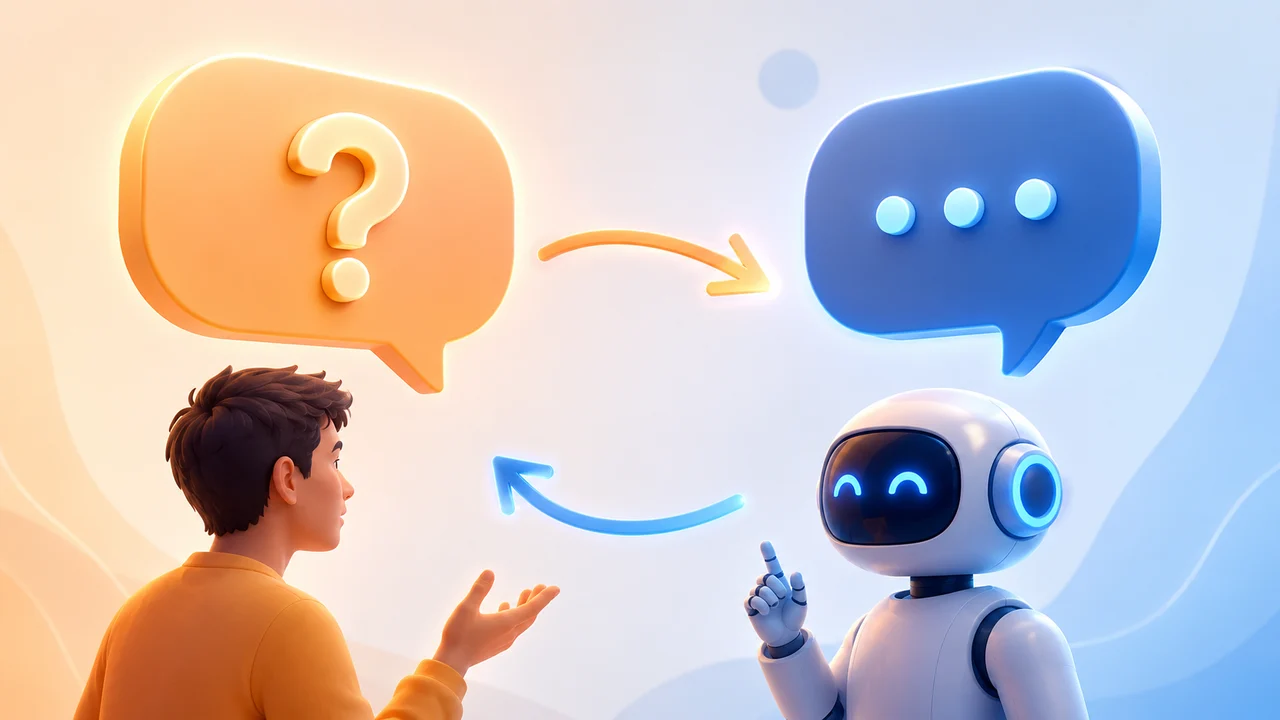
Ask a broad question in a modern AI tool and there's a good chance you won't get an answer right away. You'll get a question back. That's not a glitch, and it's not the model being difficult. It's a deliberate shift in how these tools are built, and knowing how to respond to it well is quietly becoming its own small skill.
This Isn't a Bug, It's a Design Choice
The Problem It's Solving: Task Ambiguity
Researchers have a name for the thing that used to make AI answers frustrating: task ambiguity, when a request could reasonably mean several different things, and the model has no way to know which one you meant. This idea sits at the center of the STaR-GATE research on training language models to ask clarifying questions, published as part of a broader push to move models away from silent guessing.
A few examples of what task ambiguity actually looks like in practice:
- A request for a pasta recipe could depend on dietary restrictions, skill level, or what's already in the fridge
- "Write a description for our product" could mean four very different things depending on audience, tone, length, and platform
- "Summarize this document" could mean a two-line summary or a detailed section-by-section breakdown, depending on what it's for
For years, the standard response to all of this was to just guess. Now, more tools are built to ask instead.
Where This Shows Up Right Now
This isn't a research paper concept anymore, it's already in products people use daily:
- Claude, according to a 2026 review comparing Claude and ChatGPT, often asks clarifying questions when given a broad request, and speeds up the back-and-forth by offering predefined answers you can select instead of typing
- Claude Cowork, per one builder's detailed breakdown of the tool, is built to ask clarifying questions before starting a task rather than guessing wrong and doing the work twice
- ChatGPT made a similar move from a different angle: a June 2026 update to its default model was built specifically to better identify the underlying goal behind a question and handle requests with multiple conditions without silently dropping one

The Research Behind the Behavior
Teaching Models to Ask Better Questions
This shift didn't happen by accident. Researchers have spent the last two years specifically training models to ask useful clarifying questions rather than defaulting to a best guess, an approach the STaR-GATE paper calls generative active task elicitation. The idea is simple: instead of treating a prompt as a fixed instruction to execute immediately, the model treats it as the start of a conversation that might need one more exchange before it can actually help.
Why It Actually Works
In controlled testing, the STaR-GATE researchers found that after training a model specifically to ask better clarifying questions, its responses were preferred over the original model's answers in 72% of tasks. A separate paper on preference elicitation with large language models adds a useful detail about how to ask well:
- Ask a general question first, before narrowing into specifics
- Let each answer inform what the next, more specific question should be
- Avoid asking several detailed questions at once, since that recreates the same overload problem clarifying questions are meant to solve
That funneling pattern, general to specific, is why a good clarifying question usually feels quick rather than like a whole new form to fill out.
Two Ways a Prompt Can Go
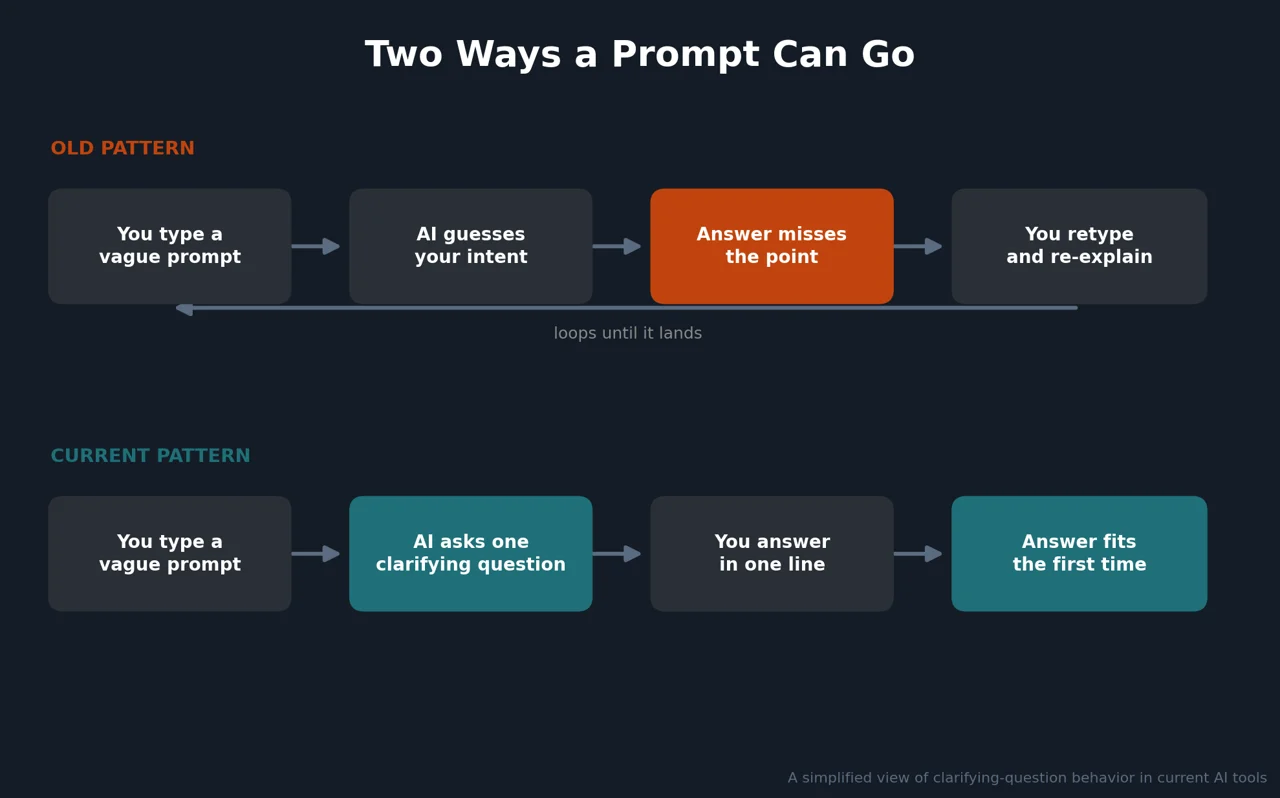
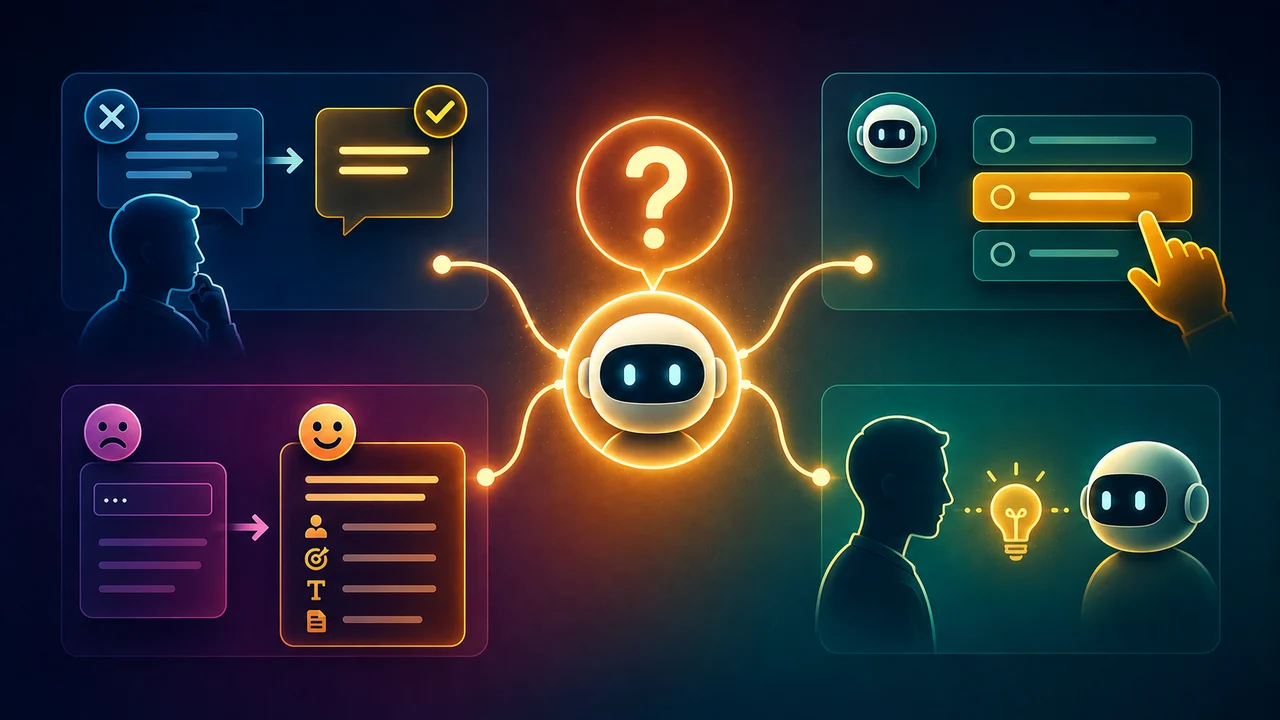
The old pattern wastes a full round trip every time a guess lands wrong. The current pattern trades that entire loop for a single short question, answered once.
How Different Tools Currently Handle This
Not every tool asks the same way, and knowing the pattern for the tool you're using helps you respond faster:
| Tool | How it typically asks | What works best in response |
|---|---|---|
| Claude (chat) | A follow-up question, often with predefined quick-select options | Pick an option when offered, or answer in one short line |
| Claude Cowork | A structured set of questions before starting a longer task | Fill in the form once, upfront, rather than mid-task |
| ChatGPT (June 2026 update) | Infers your underlying goal rather than always asking outright | Front-load a clear, multi-part instruction, since it's built to catch every condition without dropping one |
How to Answer Clarifying Questions Well
Answer the Question Being Asked, Not a Different One
It's tempting to respond to a clarifying question by restating your whole original request in different words. That defeats the purpose. If the model asks "who's this document for," answer that specific question in a few words. The more directly you answer, the fewer follow-up questions you'll get.
Use the Shortcuts When They're Offered
When a tool offers predefined options or a quick-select menu instead of a blank text box, that's usually the faster and more accurate path. Those options were generated based on your actual request, not a generic list, so picking one is rarely a downgrade from typing a custom answer.
Give Enough Detail Upfront to Reduce the Back-and-Forth
Answering well isn't only about the follow-up question, it also starts with your first message. A few extra words in the original prompt, audience, purpose, or format, can eliminate a clarifying question altogether:
- Weak: "Write a product description"
- Better: "Write a product description for returning customers, casual tone, under 100 words"
Don't Treat It as a Failure
A clarifying question isn't the model failing to understand you. It's usually the opposite: it understood your request well enough to recognize it could mean more than one thing, and is checking before doing the work twice.
When AI Should Have Asked But Didn't
The Silent Wrong Guess
Not every tool asks before guessing, and even the ones that do won't catch every ambiguous request. When that happens, you get a confident, well-written answer to the wrong question, which is often harder to notice than an obviously bad answer would have been.
How to Prompt for More Questions Upfront
There's a simple fix: ask for the questions yourself, before the model starts. This is close to the actual workflow described in Ruben Hassid's breakdown of Claude Cowork, where adding one instruction at the start of a task shifts the model into checking mode for the entire task, not just the first message.
A prompt you can reuse: "Before you start, ask me any clarifying questions you have. Don't begin the task until we've aligned on the approach."
It's a small addition with an outsized effect on tasks that have real room for misinterpretation, especially longer or multi-step ones.
A Composite Example
Scenario: A marketer asks an AI tool to "write a description for our new product."
What could go wrong: Without more context, the model has to guess the audience, tone, length, and platform, four separate assumptions stacked on top of each other.
What happened instead: The tool asked one question: who's the primary audience for this description. The marketer answered in four words. The resulting draft matched the intended tone on the first try, instead of needing two rounds of "make it more casual" and "make it shorter."
The lesson: One well-placed question replaced what used to be several rounds of manual correction.
Common Mistakes When Responding to Clarifying Questions
Where People Go Wrong
- Answering a completely different question than the one actually asked, usually by restating the original request instead of the specific detail requested
- Typing a long explanation when a short, direct answer would resolve it faster
- Getting frustrated and abandoning the task, instead of just answering the one question in front of them
- Assuming the tool is being difficult, rather than recognizing it's trying to avoid a wrong guess
Why This Matters
Every one of these turns a process built to save time back into the slower, guess-and-correct loop it was designed to replace.
What's Next
Where This Is Headed
Expect this behavior to keep expanding beyond chat windows into agent-style tools that work on longer, multi-step tasks, where the cost of a wrong guess compounds over hours instead of one reply. The tools getting the most credit for feeling "smart" in 2026 aren't just answering faster. They're recognizing exactly when not to answer yet.
The Real Takeaway
The best prompt isn't always the one written perfectly on the first try. Increasingly, it's the one that leaves room for the model to ask what it actually needs to know.
Figures and product details reflect research and reporting current as of mid-2026. AI product behavior changes frequently between updates, so confirm current functionality directly with each source linked above before relying on specifics in this piece.