



End-to-End TestingAI Testing ToolsAutomated Testing

Carbonate

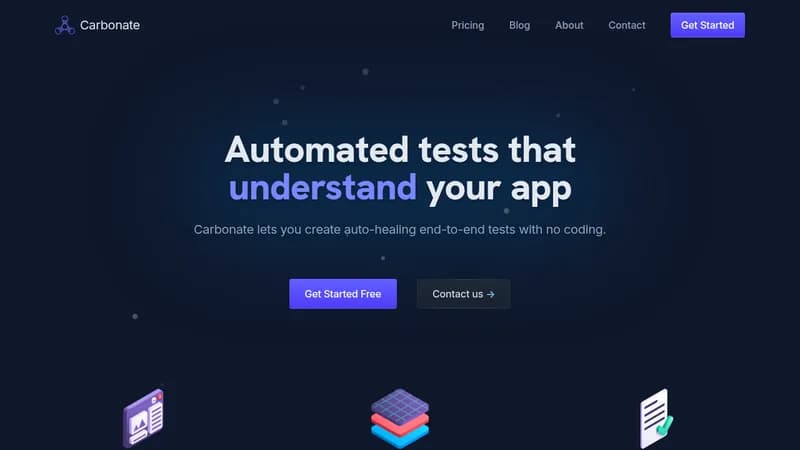
Create auto-healing end-to-end tests without coding

Monthly Visits: 1.5K
Visit Website
Carbonate

What is Carbonate?

Carbonate lets you build automated tests by simply using your web application as a normal user would, with no coding required. Its AI engine generates tests that can heal themselves when your app changes, saving you time on maintenance. You can run tests quickly in the cloud or integrate them into your own CI/CD pipelines for seamless testing.

Key Features of Carbonate

  1. 1

    No-Code Recording

    Record tests by interacting with your app in a browser

  2. 2

    Auto-Healing

    AI updates tests automatically when application changes

  3. 3

    Cloud Execution

    Run tests in parallel with video and network logs

  4. 4

    Multi-Language Export

    Export tests for PHP, Python, JavaScript CI/CD

  5. 5

    Shadow DOM Support

    Full support for shadow DOM and complex browser features

Carbonate AI Tool Use Cases

  • 🔍
    Record end-to-end tests
  • 🐛
    Debug test failures with logs
  • 🔄
    Test dynamically rendered pages
  • 💻
    Test local applications with ngrok
  • ⚙️
    Integrate into CI/CD pipelines

FAQs from Carbonate

Do I need coding knowledge to use this product?

Not at all! We've designed Carbonate to be as easy to use as possible, so you can get up and running in minutes.

Will this slow down our test suite?

Carbonate only uses AI to generate your tests. The subsequently generated tests will run as fast as traditional, hand-written, tests.

How do I debug no-code tests?

All test runs are recorded along with their network, and console logs. If that's not enough, you can run the test live in our recorder and debug the test interactively.

What if my page is dynamically rendered?

No problem, as long as your HTML has some semantic meaning, Carbonate can work out the difference between a change in UI and simple rendering differences.

Pros & Cons of Carbonate

Pros (4)

  • No coding knowledge required for test creation
  • Tests automatically heal when application UI changes
  • Fast test execution with detailed debugging capabilities
  • No vendor lock-in with support for multiple programming languages

Cons (2)

  • May not work well if HTML lacks semantic meaning
  • Local testing requires additional setup like ngrok

More Info About Carbonate

Who is using carbonate?

This tool is best for:

  1. Software developers
  2. QA engineers
  3. DevOps teams

Carbonate's Tags

Explore more niche AI tool websites by clicking on a tag* (works only if it has enough tools).

#AITesting #NoCodeTesting #AutomatedTesting#EndToEndTesting#Carbonate

Website Analytics of Carbonate

Carbonate Website Traffic & SEO Analysis:

Recent data shows that Carbonate has 0 monthly visits (-100.0% decrease from the previous month), 0.0% bounce rate, and average 0.00 pages per visit.
Traffic is primarily driven by 6 different sources. SEO performance is shown by 5 tracked keywords, with "vitest jest migration guide" being the top-performing keyword with 50 monthly searches. See below for more info.

Pages per Visit

0.00

Bounce Rate

0.0%

Traffic Trend(Aug 2025 - Oct 2025)

Loading chart...

Top Keywords

SEO KeywordVolumeCPC
vitest jest migration guide
50-
vitest mock middleware
50-
carbonate
81.7K$0.74
jest vs vitest
660-
carbonate app
220-
Analytics data is estimated (from third-party analytics providers) and for reference only.

🚀 Carbonate Launch Badge

Promote your Toolbit Launch by using the badge on your website. It can be inserted on your home page or footer easily.

How to use: Simply copy and paste the embed code into your homepage or footer HTML to display it instantly and build community support.

ToolBit badge

Reviews for Carbonate