ChatGPT Wallet lets your dot (the ChatGPT agent that Wallet works through) pay for things with a card you saved. It only pays after you review each order and approve it with a security check like Face ID or a fingerprint. As of November 2026, it's limited to ChatGPT Pro subscribers in the US who are 18 or older and have an eligible US-issued card, and access is rolling out gradually.
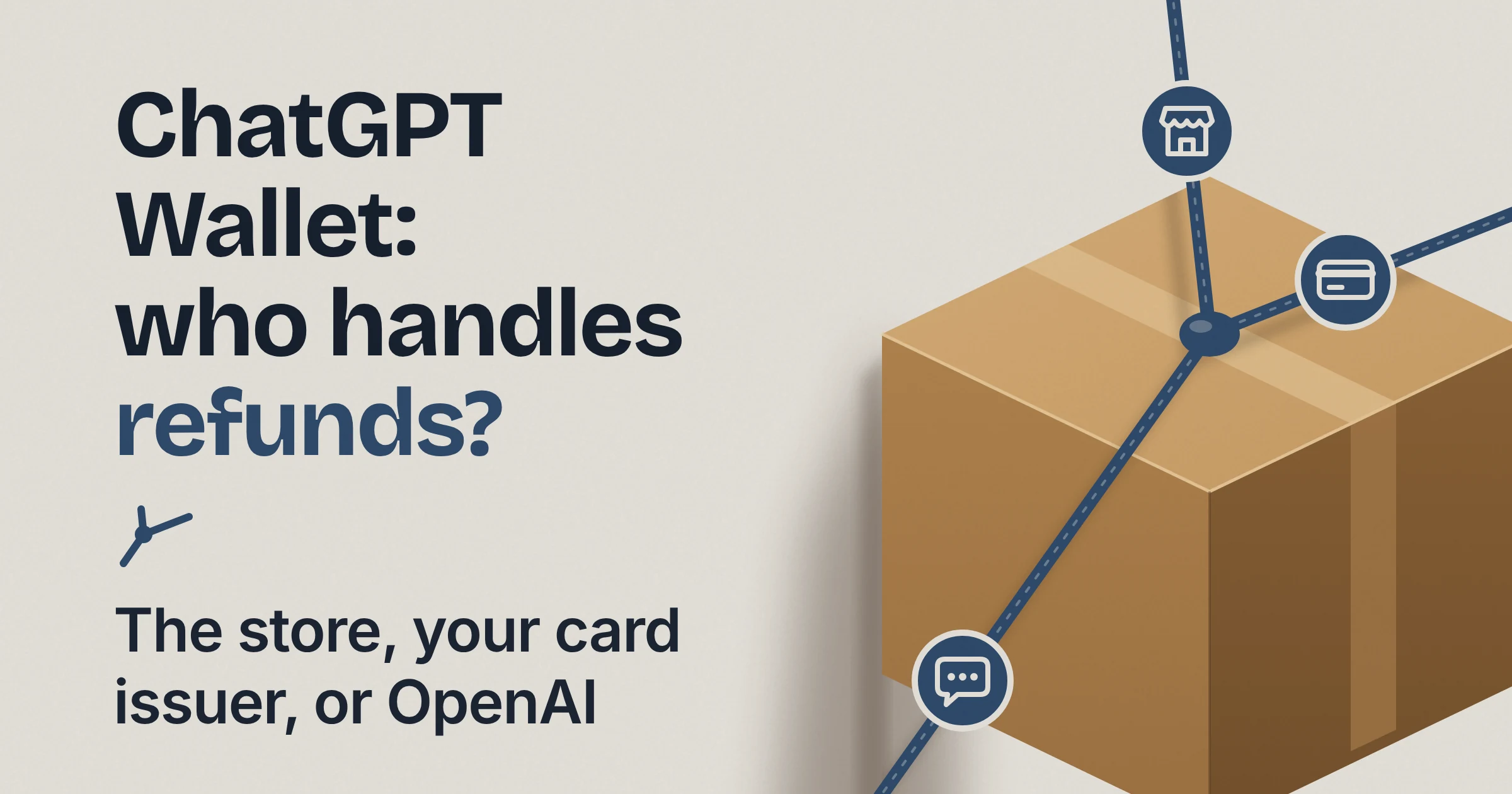
When an order goes wrong, the right contact depends on what went wrong:
- The merchant handles refunds and returns.
- Your card issuer handles disputed or unrecognized charges.
- OpenAI Support handles Wallet errors and purchases that don't match what you approved.
Who can use ChatGPT Wallet, and is it free?
As of November 2026, ChatGPT Wallet is limited to ChatGPT Pro subscribers who are 18 or older, live in the US, and have an eligible US-issued card. OpenAI started the rollout on November 13, 2026, and its help page warns that even eligible US Pro users "might not have access yet."
On cost: OpenAI hasn't published any separate fee for Wallet, but you need a Pro subscription to get it. Your card's own terms still apply, including any interest and fees your issuer charges.
Eligibility checklist
Tick every box before you go hunting for the Wallet setting:
- You have a ChatGPT Pro subscription.
- You are 18 or older and live in the US.
- Your card is an eligible US-issued American Express, Chase, Mastercard or Visa card.
- The card has a US billing address.
- For a Chase card, you are the primary cardholder, not an authorized user.
- For a Chase card, the Chase app is installed on your phone and you're signed in with biometrics.
- You've set up a dot, because Wallet only works in conversations with your dot.
- You have a supported device that can do biometric verification, such as Face ID or Touch ID.
- Wallet has actually reached your account. The gradual rollout means ticking every other box still doesn't guarantee access.
The Chase lines add extra requirements. If your partner's Chase card lists you as an authorized user, that card won't qualify for you.
Does it work outside the US or in regular chat?
Not as of November 2026. OpenAI's help page says Wallet isn't available in Chat, Work, or standalone Codex threads, only in conversations with your dot. If you mostly use Chat or Work, our comparison of ChatGPT Work and other AI agent modes explains how they differ from a dot.
OpenAI hasn't published a date for other countries or other plans. TechCrunch reports that the limited launch lets OpenAI test and improve the feature before rolling it out more broadly.
What happens when you add a card to ChatGPT Wallet?
Per OpenAI's help page and Wallet terms (November 2026), you add an eligible card once through a secure form. Your bank may ask you to verify it, and you may see a temporary verification authorization that gets reversed. A few details are worth knowing before you start:
- Type card details in the secure form, never in chat. OpenAI's help page says your card number, expiration date and security code go in the secure form, not in the conversation. So "here's my Visa, it's 4..." is exactly the message not to send.
- Your bank may want to verify the card. You might see a temporary verification authorization. Wallet's terms say this "is not a completed purchase and will be reversed."
- It's a separate card slot. The card you save in Wallet is separate from the card that pays for your ChatGPT subscription, and separate from any gift card or prepaid balance.
- It's not a bank account. The terms say Wallet doesn't create a bank account or stored balance, extend credit, transfer funds, or change your relationship with your card issuer.
Does ChatGPT Wallet share your real card number with the agent or the store?
No. OpenAI says that once you approve a ChatGPT Wallet purchase, the payment network supplies a payment token, and neither the business nor the agent receives your actual card details. A payment token is a stand-in number that charges your card without revealing the real one, a kind of stunt double for your card number.
That's why OpenAI's help page notes that the number entered at checkout may differ from the number on your physical card. If a store's receipt shows card digits you don't recognize, the token may explain it, but report any charge you don't recognize to your card issuer promptly.
Here's who gets what, based on OpenAI's announcement, its Wallet terms and TechCrunch's report:
| Who | Doesn't get | Does get |
|---|---|---|
| The merchant | Your actual card details (per OpenAI) | The payment token, plus your shipping address and contact information from the dot so it can fulfill the order (per TechCrunch, citing OpenAI) |
| Your dot (the agent) | Your actual card details (per OpenAI) | Not detailed by OpenAI |
| OpenAI | Your fingerprint or face scan, when the check runs locally on your device (per Wallet terms) | A record of each purchase you approved |
Do you have to approve every ChatGPT Wallet purchase?
Yes, as of November 2026. Before each ChatGPT Wallet purchase, you review the items, total and selected card, then approve with a biometric check on a supported device. You add your card once, but every purchase gets its own approval, and each approval creates a record of what you authorized.

If a material detail changes before the order is submitted, Wallet asks you to approve the updated purchase rather than going ahead. Say you approved a lamp and the price changes before checkout: you'll be asked again. If you change your mind before approving, just decline.
Is there an autopilot mode with spending limits?
Not yet. OpenAI says it expects "over time" to let you hand purchases over entirely by setting limits such as spending caps, purchase categories or time periods. Wallet's terms already mention granting ChatGPT authority to approve in advance, but OpenAI's launch materials describe full delegation as a future step. OpenAI hasn't published any per-purchase spending cap today.
What does "Ready to check out" actually mean?
Per OpenAI's help page, "Ready to check out" means your approval went through. It does not confirm that the merchant placed your order. If the result is unclear, look for a confirmation from the merchant before trying again, or you may end up with two of everything.
Some orders may fail even when you did everything right. OpenAI warns that some sites may unintentionally block agent purchases, and that risk systems may flag legitimate agent purchases, which can lead to declines or cancellations.
What does your approval cover, and what isn't OpenAI responsible for?
Per ChatGPT Wallet's terms, your approval covers only what you were shown: the merchant, items or services, amount, card, recipient, delivery details and other terms. OpenAI is not the seller, bank or lender, and it doesn't decide or fund refunds or chargebacks unless the law requires it or OpenAI separately promises to.
Think of each approval as signing one specific receipt, not handing over a blank check. The flip side: a mistake you approved is still a purchase you approved. The Wallet terms say it bluntly: "AI systems can make mistakes. Do not approve a purchase unless the details are correct and you want the merchant to receive the order."
| Party | Its role, per OpenAI | What it handles for you |
|---|---|---|
| Merchant | Seller and merchant of record | Pricing, fulfillment, order status, cancellations, returns, refunds and customer service, under its own policy |
| Card issuer and payment network | Your cardholder agreement and network rules keep applying | Interest, fees, rewards, currency conversion, disputes and unauthorized-transaction rights. The network also supplies the payment token |
| OpenAI | Runs Wallet. It is not a bank, card issuer, payment network, lender or merchant, and doesn't hold your purchase funds | Showing purchase details, asking for your approval, and providing Wallet records or reasonable help. It may also set limits and decline or block transactions |
On limits, the terms say OpenAI may set transaction, merchant, category, card, account, device or geographic limits.
The agent bought the wrong thing: who do you contact?
For ChatGPT Wallet purchases, OpenAI's help page (November 2026) routes returns and refunds to the merchant, charge problems to your card issuer, and Wallet errors to OpenAI Support. Use this map to find the right door first time.
| What went wrong | Contact first | Why |
|---|---|---|
| Wrong size, wrong color, or you changed your mind after the order went through | Merchant | Merchants handle cancellations, returns and refunds under their own policy |
| You want to cancel a subscription or repeat charge you agreed to | Merchant | Under a recurring plan, the merchant may store the payment credential and charge it again |
| Not sure the order was placed | Merchant (check for its confirmation) | "Ready to check out" only confirms your approval |
| Item is defective and you want to dispute the charge | Card issuer | Your card's protections for eligible disputes still apply |
| Charge is declined, pending or disputed, or your bank's verification is failing | Card issuer | OpenAI's help page sends these to the issuer |
| A charge you don't recognize | Card issuer, promptly | OpenAI says to report unrecognized charges promptly |
| Card lost or stolen | Card issuer | Per Wallet's terms |
| The purchase differs from what you approved | OpenAI Support | Your approval only covered the details you were shown |
| Wallet itself glitched | OpenAI Support | Wallet errors go to OpenAI |
| You think someone got into your ChatGPT account | OpenAI Support, promptly | The terms ask you to tell OpenAI promptly if your account or Wallet is compromised |
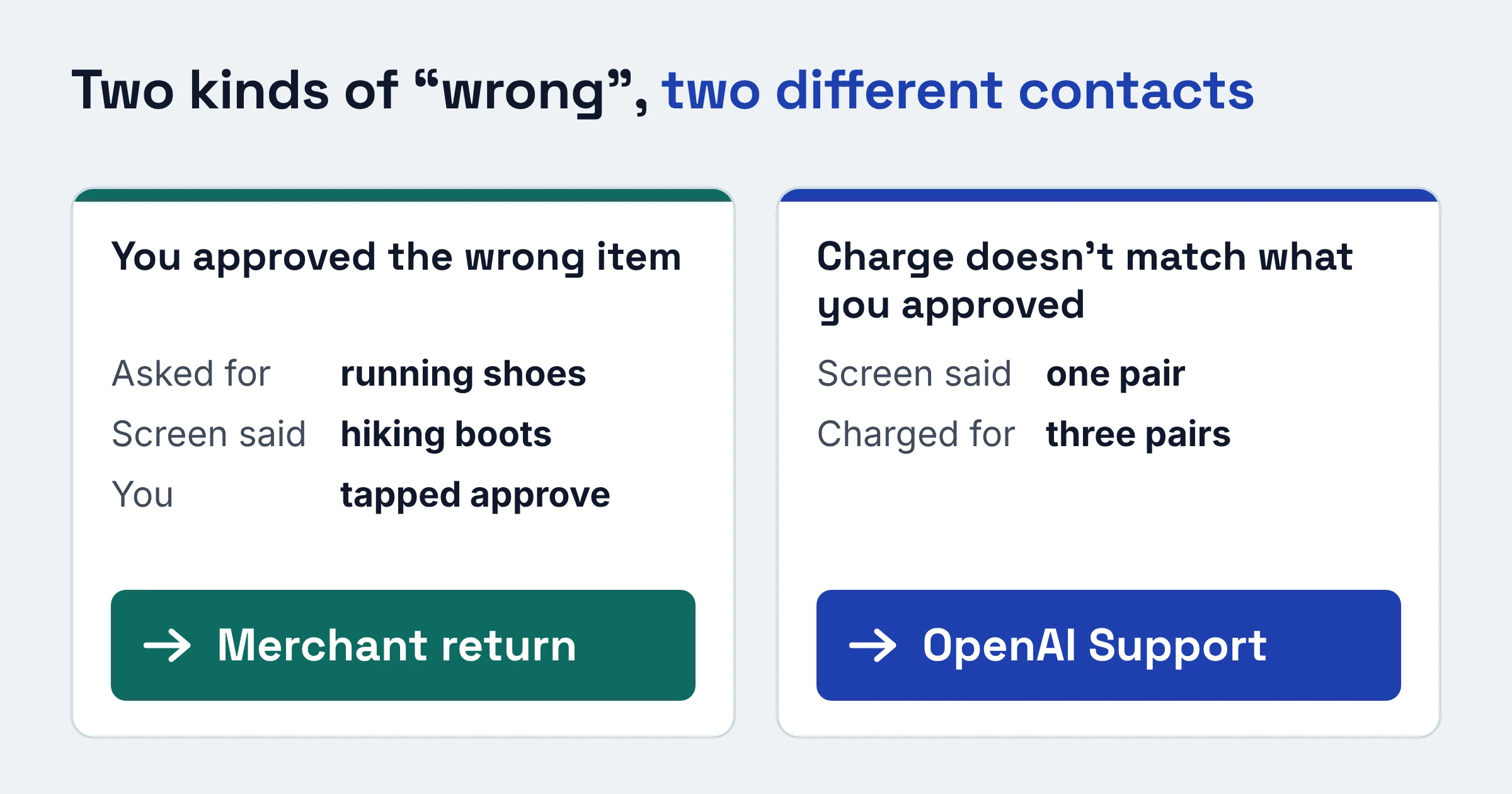
The trickiest call is telling two kinds of "wrong" apart:
- The agent picked the wrong item and you approved it anyway. You ordered running shoes, the screen said hiking boots, you tapped approve. That's a merchant return.
- What got charged doesn't match the screen you approved. The screen said one pair, you were charged for three. That's an OpenAI Support case.
Can you dispute a ChatGPT Wallet charge with your bank?
Yes. OpenAI says ChatGPT Wallet preserves your card's existing rewards and protections for eligible disputes, such as a defective item, and Wallet's terms confirm that your cardholder agreement's dispute and unauthorized-transaction rights still apply. You file the dispute with your card issuer, as you would for any card purchase.
OpenAI may provide Wallet records to help, and the approval record created for each purchase shows what you authorized. But the terms say OpenAI does not decide or fund chargebacks unless the law requires it or OpenAI separately promises otherwise.
How do you remove a card from ChatGPT Wallet, and what keeps running afterward?
Per OpenAI's help page, removing a card from ChatGPT Wallet stops new Wallet payments with that card. It doesn't cancel past purchases, close the card with your bank, or delete your Wallet data or OpenAI account.
Three things to know before you remove a card:
- Recurring charges may continue. If you agreed to a recurring plan, the merchant may keep charging the stored credential. Cancel with the merchant.
- Some data stays. Wallet's terms say OpenAI and its service providers may keep certain Wallet information after you remove a card or close Wallet, for needs like completing a transaction, resolving a dispute, preventing fraud, complying with law, or enforcing the agreement.
- A lost or stolen card is a bank problem. Removing it from Wallet isn't enough. Contact your issuer as well.
What should you check before you tap approve?
OpenAI's help page lists what to review before every ChatGPT Wallet purchase: the merchant, items, total, selected card, and any shipping or recurring-payment terms. If you don't recognize the purchase or trust the seller, decline. Here's a copy-ready version.
Before you approve:
- I recognize this merchant and trust it.
- The items are exactly what I asked for: right product, size and quantity.
- The total (or maximum price) includes the known taxes, fees and shipping.
- The right card is selected.
- The recipient and delivery address are correct.
- I've read whether this creates a recurring charge, deposit or authorization hold.
- If anything looks off, I decline and ask the dot again.
After you approve:
- I wait for the merchant's confirmation before retrying an unclear order.
- I check my card statement and report any unrecognized charge to my issuer promptly.
Is ChatGPT Wallet worth setting up today?
ChatGPT Wallet is worth setting up now if you already pay for Pro, use a dot, and don't mind approving every order yourself. If you were hoping for hands-off shopping, it isn't there yet.
Set it up if:
- You already pay for Pro and use a dot.
- You hold an eligible US card (as the primary cardholder, for Chase).
- You're happy to review and approve every order with a biometric check on a supported device.
- You like that stores and the agent never get your real card number.
Wait if:
- You want true hands-off buying with spending limits. That's still a future plan.
- You live outside the US.
- Occasional site blocks or declines on agent purchases would annoy you more than they'd save you time.
Do this next:
- Run the eligibility checklist above. If you use Chase, set up the Chase app with biometrics first.
- Add your card through the secure form, and expect a possible temporary verification authorization that gets reversed.
- Save the "who to contact" table somewhere handy, then try a small, low-stakes order so you learn what the approval screen shows before anything expensive.
Curious how ChatGPT handles your money beyond checkout? Claude Personal Finance vs ChatGPT Finances covers what each assistant can see.
Eligibility, card rules and support routes were checked on OpenAI's pages in November 2026. Expect them to change as Wallet expands.