Machine Learning DeploymentCross-Platform ToolsModel Inference

Carton

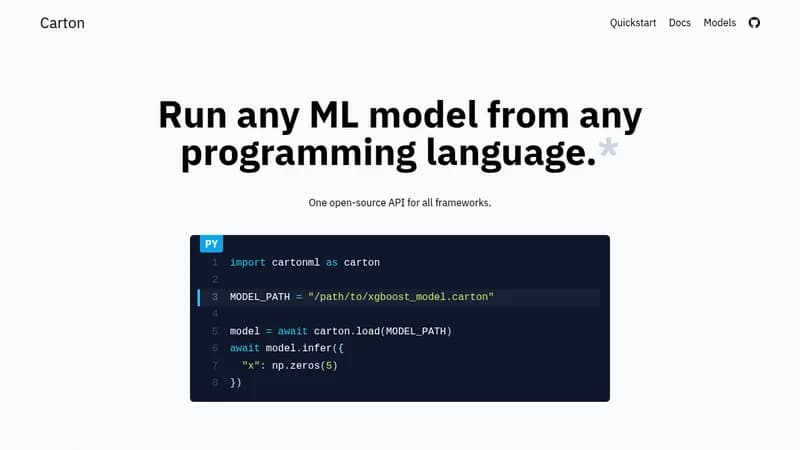
Run any ML model from any programming language

Visit Website
Carton

What is Carton?

Carton lets you execute machine learning models without being locked into specific frameworks like PyTorch or TensorFlow. This decoupling makes it easy to deploy and experiment with models across different platforms. By wrapping models instead of converting them, it reduces errors and speeds up development cycles.

Key Features of Carton

  1. 1

    Framework Agnostic

    Run models without tying to specific ML frameworks

  2. 2

    Low Overhead

    Minimal delay with optimized async Rust code

  3. 3

    Multi-Platform

    Supports various OS and architectures including WebAssembly

  4. 4

    No Conversion

    Wraps models directly without error-prone conversions

  5. 5

    Custom Ops

    Use custom operations and TensorRT easily

Carton AI Tool Use Cases

  • 🤖
    Deploy ML models in production
  • 🔬
    Experiment with different ML frameworks
  • 🌐
    Run models on web browsers with WASM
  • 💻
    Integrate ML into various programming languages

FAQs from Carton

Why not use Torch, TF, etc. directly?

Ideally, the ML framework used to run a model should just be an implementation detail. By decoupling your inference code from specific frameworks, you can easily keep up with the cutting-edge.

How much overhead does Carton have?

Most of Carton is implemented in optimized async Rust code. Preliminary benchmarks with small inputs show an overhead of less than 100 microseconds (0.0001 seconds) per inference call. We're still optimizing things further with better use of Shared Memory.

What platforms does Carton support?

Currently, Carton supports x86_64 Linux and macOS, aarch64 Linux (e.g., Linux on AWS Graviton), aarch64 macOS (e.g., M1 and M2 Apple Silicon chips), and WebAssembly (metadata access only for now, but WebGPU runners are coming soon).

What is 'a carton'?

A carton is the output of the packing step. It is a zip file that contains your original model and some metadata. It does not modify the original model, avoiding error-prone conversion steps.

Why use Carton instead of ONNX?

ONNX converts models while Carton wraps them. Carton uses the underlying framework (e.g., PyTorch) to actually execute a model under the hood. This is important because it makes it easy to use custom ops, TensorRT, etc without changes. For some sophisticated models, 'conversion' steps (e.g., to ONNX) can be problematic and require validation. By removing these conversion steps, Carton enables faster experimentation, deployment, and iteration.

Pros & Cons of Carton

Pros (4)

  • Decouples inference from specific ML frameworks for flexibility
  • Low overhead per inference call (less than 100 microseconds)
  • Supports multiple platforms including Linux, macOS, and WebAssembly
  • No model conversion needed, reducing errors and speeding up deployment

Cons (2)

  • WebAssembly support is currently limited to metadata access only
  • Only supports specific architectures (x86_64 and aarch64) and not all operating systems like Windows

More Info About Carton

Who is using carton?

This tool is best for:

  1. ML Engineers
  2. Data Scientists
  3. Software Developers

Carton's Tags

Explore more niche AI tool websites by clicking on a tag* (works only if it has enough tools).

#MachineLearning #AIDeployment#CrossPlatform#MLModels#Carton

Platforms & Device Support

Use Carton on your favorite device - available across multiple platforms for flexibility.

Desktop App

Mac
✓ Available
Linux
✓ Available

🚀 Carton Launch Badge

Promote your Toolbit Launch by using the badge on your website. It can be inserted on your home page or footer easily.

How to use: Simply copy and paste the embed code into your homepage or footer HTML to display it instantly and build community support.

ToolBit badge

Reviews for Carton