Text ConversionHandwriting GenerationContent Personalization

Text to Handwriting

Convert digital text into realistic handwritten documents

Monthly Visits: 237.4K
Free
Free Version
Visit Website
Text to Handwriting

What is Text to Handwriting?

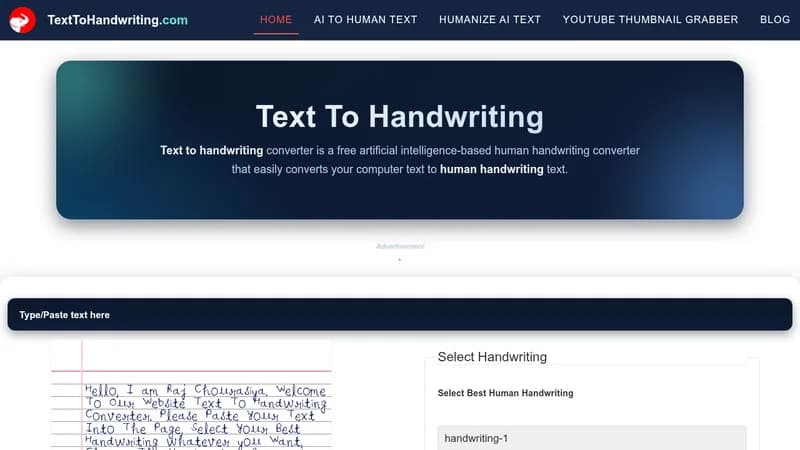
This tool transforms your typed text into handwriting that looks like it was written by hand. It saves you the hassle of writing and scanning physical paper, making it quick and easy. Perfect for adding a personal, nostalgic touch to digital content or notes.

Key Features of Text to Handwriting

  1. 1

    Handwriting Styles

    Choose from 8 different types of handwriting fonts

  2. 2

    Size Customization

    Adjust heading and content text sizes as needed

  3. 3

    Pen Colors

    Select ink color from blue, red, or black options

  4. 4

    Free Download

    Download the output as an image file for easy use

  5. 5

    Easy Interface

    Simple steps to enter text and customize settings

Text to Handwriting AI Tool Use Cases

  • ✍️
    Write personalized letters and notes
  • 📄
    Create unique web content
  • 🎁
    Send birthday or special occasion messages
  • 📢
    Enhance marketing materials with nostalgic appeal

FAQs from Text to Handwriting

How do I use the Text to Handwriting tool?

Enter text for the heading and content, choose from 8 handwriting styles, adjust sizes, select pen color, and download as an image file.

Is the tool free to use?

Yes, it is completely free to use without any charges.

What formats can I download the output in?

You can download the handwritten content as an image file.

Can I customize the handwriting appearance?

Yes, you can choose handwriting styles, adjust text sizes, and select from blue, red, or black pen colors.

Pros & Cons of Text to Handwriting

Pros (4)

  • Completely free to use with no hidden costs
  • Easy and fast to generate handwritten content
  • Customizable handwriting styles, sizes, and colors
  • Adds a nostalgic and personal touch to digital content

Cons (3)

  • Limited to only 8 handwriting styles
  • Only basic pen colors available (blue, red, black)
  • Output is restricted to image format only

More Info About Text to Handwriting

Who is using text to handwriting?

This tool is best for:

  1. Content creators
  2. Marketers
  3. Individuals sending personal messages

Text to Handwriting's Tags

Explore more niche AI tool websites by clicking on a tag* (works only if it has enough tools).

#ContentCreation #NostalgicContent#TextToHandwriting#HandwritingConverter#DigitalHandwriting

Website Analytics of Text to Handwriting

Text to Handwriting Website Traffic & SEO Analysis:

Recent data shows that Text to Handwriting has 237.4K monthly visits (77.0% increase from the previous month), 36.0% bounce rate, and average 4.38 pages per visit.
Traffic is primarily driven by 6 different sources, with users from 5 countries worldwide, led by India contributing 41% of total traffic. SEO performance is shown by 5 tracked keywords, with "text to handwriting" being the top-performing keyword with 24.3K monthly searches. See below for more info.

Monthly Visits

237.4K

(+77.0%)

Pages per Visit

4.38

Bounce Rate

36.0%

Average Time on Site

2m 30s

Traffic Trend(Aug 2025 - Oct 2025)

Loading chart...

Top Keywords

SEO KeywordVolumeCPC
text to handwriting
24.3K$2.27
text to handwriting ai
2.5K$0.37
handwriting ai
1.8K$0.43
handwritten ai
2.1K$0.43
text to handwriting converter
7.1K$1.04

Traffic Sources Distribution

Traffic Share by Source

Loading chart...

Source Breakdown Details

SourceTraffic Share
Direct
32%
Search
62%
Social
1%
Referrals
4%
Paid Referrals
1%

Global Traffic Distribution

Traffic Share by Country

Loading chart...

Geographic Breakdown Details of top 5 countries

Country NameTraffic Share
India41%
Pakistan11%
United States9%
Indonesia7%
Philippines3%
Analytics data is estimated (from third-party analytics providers) and for reference only.

🚀 Text to Handwriting Launch Badge

Promote your Toolbit Launch by using the badge on your website. It can be inserted on your home page or footer easily.

How to use: Simply copy and paste the embed code into your homepage or footer HTML to display it instantly and build community support.

ToolBit badge

Reviews for Text to Handwriting