AI Calling AssistantAutomated Phone TasksBill Negotiation Tool

Vibrato

Automate phone calls to negotiate bills and save time

Monthly Visits: 15.5K
Subscription
Free Version
API Available
Visit Website
Vibrato

What is Vibrato?

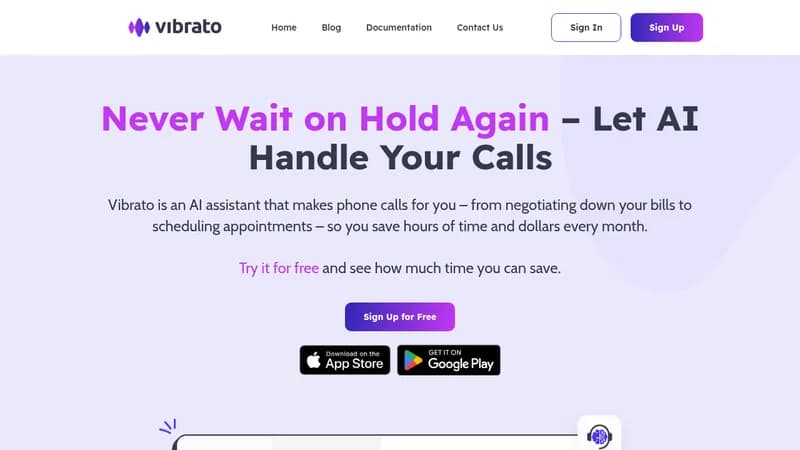
Vibrato is an AI assistant that handles phone calls for tasks like bill negotiation and appointment scheduling. It saves you hours by avoiding long hold times and can even reduce your monthly expenses. You can monitor calls or take over anytime, making it flexible and easy to use.

Key Features of Vibrato

  1. 1

    Bill Negotiation

    Lowers your utility bills through AI-powered negotiation

  2. 2

    Appointment Scheduling

    Books doctor visits and reservations without manual effort

  3. 3

    Dispute Handling

    Resolves credit card and service provider disputes quickly

  4. 4

    Subscription Cancellation

    Cancels unwanted subscriptions to save money and time

  5. 5

    Barrier-Free Calling

    Provides clear communication for accessibility needs

Vibrato AI Tool Use Cases

  • 💰
    Negotiate utility bills
  • 📅
    Schedule appointments
  • 🛡️
    Dispute charges
  • Cancel subscriptions

Pros & Cons of Vibrato

Pros (4)

  • Saves time by automating phone calls
  • Reduces monthly bills through negotiation
  • Handles frustrating tasks like hold times
  • Accessible for hearing-impaired and non-native speakers

Cons (3)

  • Limited to phone-based tasks
  • May not work with all service providers
  • Requires initial setup and monitoring

Vibrato's Pricing Plans

Vibrato Lite

monthly
$4.99

Features

  • 20 minutes of AI-powered calls monthly
  • Pay $0.25/min after included minutes
  • Your own dedicated phone number
  • Save 3 favorite conversation templates
  • Basic AI voice customization

Vibrato Standard

monthly
$9.99

Features

  • 50 minutes of AI-powered calls monthly
  • Pay $0.20/min after included minutes
  • Your own dedicated phone number
  • Save 4 conversation templates
  • Voice cloning technology included

Vibrato Plus

monthly
$19.99

Features

  • Unlimited AI calls for personal use
  • Create your own custom AI voice
  • Store up to 50 contact profiles
  • Save 5 conversation templates
  • Full API access for integrations
  • Priority support
For the latest pricing info, please visit the official website

More Info About Vibrato

Who is using vibrato?

This tool is best for:

  1. Personal users
  2. Small business owners
  3. Hearing-impaired individuals
  4. Non-native speakers

Vibrato's Tags

Explore more niche AI tool websites by clicking on a tag* (works only if it has enough tools).

#TimeSaving #PhoneAutomation#AICalling#PersonalAssistant#BillNegotiation

Website Analytics of Vibrato

Vibrato Website Traffic & SEO Analysis:

Recent data shows that Vibrato has 15.5K monthly visits (-36.7% decrease from the previous month), 49.0% bounce rate, and average 2.09 pages per visit.
Traffic is primarily driven by 6 different sources, with users from 3 countries worldwide, led by United States contributing 84% of total traffic. SEO performance is shown by 5 tracked keywords, with "columbia view water pay my bill" being the top-performing keyword with 260 monthly searches. See below for more info.

Monthly Visits

15.5K

(-36.7%)

Pages per Visit

2.09

Bounce Rate

49.0%

Average Time on Site

34s

Traffic Trend(Jul 2025 - Oct 2025)

Loading chart...

Top Keywords

SEO KeywordVolumeCPC
columbia view water pay my bill
260-
59 transfer station rd hiawassee ga
150-
stinky's garbage removal
460-
mizpah sewer bill pay
70-
green mountain power
11.3K$5.92

Traffic Sources Distribution

Traffic Share by Source

Loading chart...

Source Breakdown Details

SourceTraffic Share
Direct
42%
Search
41%
Social
10%
Referrals
6%
Paid Referrals
2%

Global Traffic Distribution

Traffic Share by Country

Loading chart...

Geographic Breakdown Details of top 3 countries

Country NameTraffic Share
United States84%
India8%
Philippines7%
Analytics data is estimated (from third-party analytics providers) and for reference only.

🚀 Vibrato Launch Badge

Promote your Toolbit Launch by using the badge on your website. It can be inserted on your home page or footer easily.

How to use: Simply copy and paste the embed code into your homepage or footer HTML to display it instantly and build community support.

ToolBit badge

Reviews for Vibrato