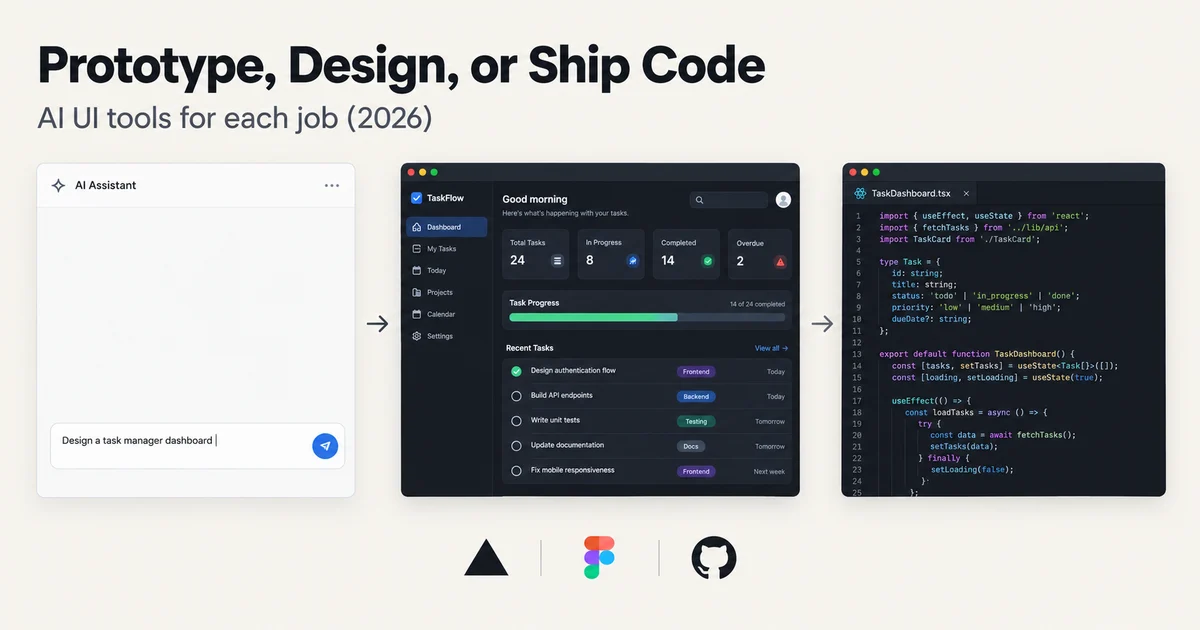
You can now type "a settings screen with a dark theme, a profile card, and a tab bar" into a text box and get a working interface in about thirty seconds. That part of the AI design story is solved. What is not solved, and what most comparison articles quietly avoid, is that "AI UI prototyping" is actually three different jobs wearing the same name.
There's the throwaway prototype: a clickable multi-screen demo you build to win a meeting, and delete on Friday. There's editable design iteration: screens that need to survive five rounds of stakeholder feedback while respecting your actual design system. And there's code handoff: React components your engineers will actually merge instead of rewriting. In September 2026, no single tool is the best at all three, and the expensive mistakes I keep seeing come from buying for one job and expecting the other two for free.
So instead of another ranked list, this guide splits the category by job. For each job I'll name the tools that genuinely serve it, what they cost right now, and where they fall short. Then we'll run the whole field through the test that actually separates them: a multi-screen brief with edge states, a real design system, and code handoff at the end.
Job one: the throwaway prototype
The scenario never changes. You have a product idea, a pitch, or an internal concept. You need something clickable by tomorrow that looks plausible enough that people react to the idea rather than the pixels. Nobody will ever maintain this artifact. It exists to provoke a yes or a no.
For this job, speed and zero learning curve matter more than anything else, and the prompt-to-app builders are untouchable.
Lovable has become the default answer here. You describe the app, it builds a working multi-screen product with a real backend (Supabase integration, authentication, a database), and you iterate in chat. Its free plan gives you 5 build credits a day capped at 30 a month, which is enough to validate whether the workflow clicks for you; Pro starts at $25 a month for 100 credits. One 2026 detail worth knowing: since June, Lovable runs a single credit balance that covers building, hosting, and any AI features your deployed app uses, so a heavy build week can eat the credits your live prototype needs to stay up. If your throwaway has a demo deadline attached, top up first.
Bolt.new plays the same game from a different angle: everything runs in the browser, and the 2026 release added Bolt Cloud with built-in databases, auth, and hosting. The free tier (1M tokens a month, 300K daily cap) is genuinely enough for a small prototype. The catch is that Bolt bills in tokens, and tokens are consumed by reading your codebase, so the same edit costs more in week four than in week one. For a two-day throwaway, that curve never bites you. For anything longer, it will.
v0, Vercel's builder, produces the most polished output of the prompt-first tools because it generates React with Tailwind and shadcn/ui, the component library that has quietly become the default aesthetic of modern web apps. Its free plan now includes visual editing with Design Mode and GitHub sync alongside $5 of monthly credits and a 7 message per day cap. v0 is also the tool most likely to sneak into job three, which we'll get to.
If you are not a developer at all, Uizard is still the fastest route from sentence to screen. Its Autodesigner takes a plain-English description and generates a multi-screen, editable mockup in seconds, and the Screenshot and Wireframe Scanners turn existing screenshots or napkin sketches into editable screens. At $12 a month on the Pro plan (500 AI generations), it's the cheapest serious option in the whole category. But there's a caveat I'll flag now and expand on later: Uizard hasn't shipped a major update since Autodesigner 2.0 in 2024, and it shows.
The honest summary of job one: every tool named above passes. Pick by price and taste, not by feature lists. A throwaway prototype is the lowest-stakes artifact in software, and the entire 2026 field clears the bar.
Job two: editable design iteration
The throwaway dies after the meeting. But sometimes the meeting goes well, and now the prototype has to become a design. Screens need naming, edge cases need adding, the design system needs obeying, and five people need to leave comments without breaking anything. This is where the tools diverge hard, because it turns out "generate a screen" and "be a design tool" are almost unrelated capabilities.
Figma Make is the most interesting answer in 2026 because it meets designers where they already are. You start from a frame in an existing Figma file, prompt your way to a functional prototype, and when the AI's output is close, you copy the preview back into Figma as real, editable design layers. The April 2026 update added Make kits and attachments, which means prototypes can start from your actual components, data, and constraints instead of a generic blank canvas. That last part matters more than it sounds: a prototype generated inside your design system is a design artifact. A prototype generated from nothing is a picture of one.
Framer Agents, launched June 16, is Framer's bet on the same job from the website side. The agents work directly inside a live Framer project, editing pages, components, styles, CMS content, and even SEO settings, with every change staying visible and editable on the canvas. Framer's own launch positioning is pointed: unlike tools that generate static mockups or throwaway prototypes, agents work on the real thing. If your artifact is a marketing site or a product page that will ship on Framer, this collapses jobs two and three into one flow, because the canvas and the production site are the same object.
Uizard serves a specific slice of this job well: non-designers who need something more editable than a screenshot. Every generated screen is a real editable mockup with components, themes, and interactive prototype links. The problem is what happens when you push it. Hands-on reviews through 2026 keep finding the same issues: blocky, generic-looking output, visible misalignment in multi-screen flows, and a component model that's coarser than Figma's. The AI Design Review feature (a "what works vs. what needs improvement" critique) is genuinely unique and worth a try on the free plan. But a team with in-house design talent will hit Uizard's ceiling fast.
Figma itself deserves a mention as the default. If your team already lives in Figma, the question isn't whether to switch to an AI design tool; it's whether Make's prompt-first flow beats Figma's own improving AI features for your specific loop. Often the honest answer is: keep your design system in Figma, use Make for the fuzzy early exploration, and hand off to humans for anything a stakeholder will sign off on.
The failure mode to avoid in job two is treating editability as a checkbox. Every tool in this article produces something you can technically click and change. Very few produce something a designer wants to inherit after the third feedback round. Test that specifically: generate a screen, ask three people for contradictory changes, and see how the tool holds up. That's the real job-two benchmark, not the thirty-second demo.
Job three: production component code
Now the uncomfortable one. The demo worked, the design survived iteration, and someone has to ship it. The industry term is "handoff," and the 2026 reality is that handoff quality splits the category into three architectural camps that no feature list will tell you apart.
The first camp is the translation layer: tools like Anima ($20 to $40 per seat per month) that take a finished Figma file and export React, Vue, or HTML. Anima has the longest track record, integrations with Bolt.new and Replit, and a stubborn limitation: each export is a probabilistic snapshot. The AI re-runs every time, so the same design can produce different code twice, component names are generated rather than mapped to your codebase, and an engineer still reconciles the output by hand. Translation layers are bridges, not destinations.
The second camp is prompt-to-code builders that happen to write real code. v0 is the leader for React work: its output is genuine Next.js with Tailwind and shadcn/ui, it syncs to GitHub with branches and pull requests, and engineers treat its output as a starting point rather than a joke. Lovable exports full React plus TypeScript, which is why developers take it seriously as an MVP tool rather than a toy. These tools blur jobs one and three: the throwaway can become the codebase. The risk is the opposite of a translation layer, since the code is generated first and the design system adherence is whatever you prompted. Without a strong brief, you get shadcn-styled defaults that look like every other AI-built app in 2026.
The third camp is the one most teams haven't evaluated yet: code-native design tools and prompt libraries.
Subframe ($29 a month per editor) is the clearest example of code-native: every design on its canvas is already a React and Tailwind component. There's no export step where fidelity degrades, the output is deterministic (same design, same code, every time), and a CLI syncs your component library directly into your codebase. Its MCP server lets coding agents like Cursor or Claude Code read and generate against your live component library instead of a static file. This is the architecture that actually closes the design-to-code gap, and it's why engineering teams take it seriously where they wouldn't touch an export tool.
21st.dev attacks the same problem from the opposite direction, and its 2026 repositioning is one of the smartest moves in the category. Instead of generating UI from scratch, it gives your AI taste: a library of over 12,000 designer-made components where every component ships with both the code and the prompt behind it. You browse, copy the prompt, and paste it into Claude Code, Cursor, or Lovable, and your agent rebuilds the component in your stack. Its MCP server (which grew out of the Magic MCP tool and is now called 21st AI) lets an agent search the library and pull components into context without leaving the editor. Browsing is free; the Builder plan is $6 a month, and Builder + AI with 500 generation credits is $15 a month. For teams whose UI quality problem is really a prompt-context problem, this is the cheapest high-leverage fix available.
The edge-state test: how the field handles reality
Here is the test I run before trusting any of these tools with real work. It's a short brief, deliberately hostile:
Build a five-screen product tour for a task manager: dashboard, task list, task detail, settings, and empty account state. Use our design system (I'll attach tokens and two example components). Every screen needs a loading skeleton and an error state. The task list needs an empty state with a primary call to action. Accessibility: 4.5:1 contrast minimum, visible focus rings, semantic headings.
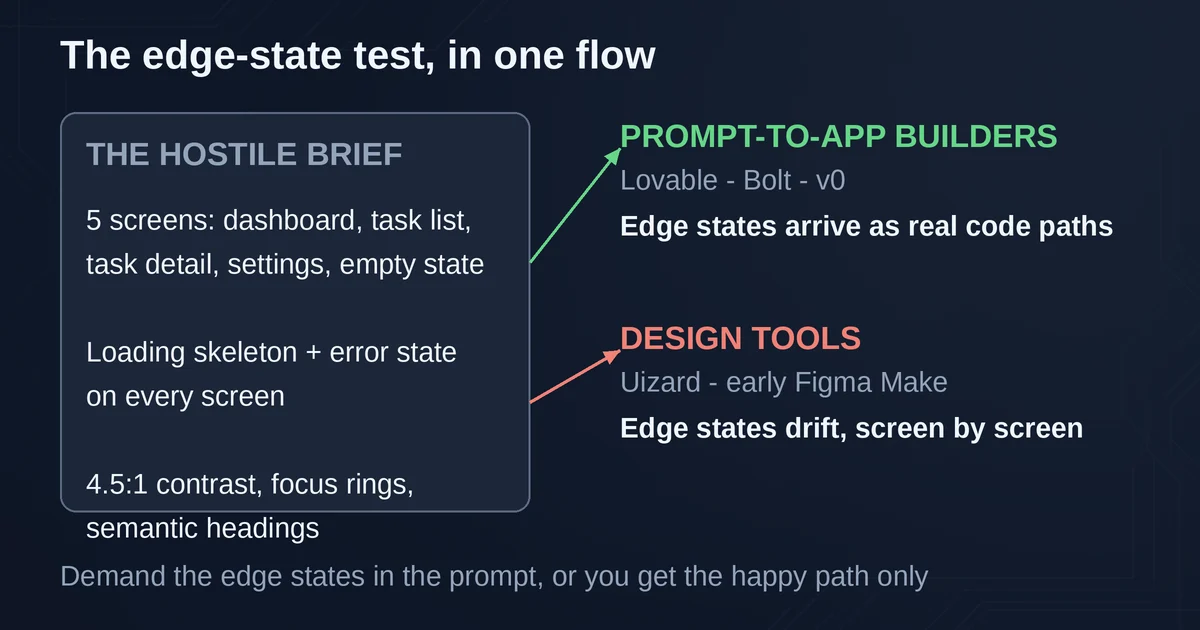
What makes this brief hard isn't the five screens. Every tool aces the happy path; that's the demo they all show you. The test is everything after "and": the edge states, the empty account, the error screens, the loading skeletons, and the design system compliance.
The pattern across the whole field:
Prompt-to-app builders (Lovable, Bolt, v0) handle it best, because they write real code with conditional rendering. Edge states are code paths, and if your prompt demands them, they arrive as actual logic, not extra screenshots. The failure mode is that you must demand them. Leave "loading skeleton" out of the prompt and you'll get a beautiful dashboard that has never once considered what happens before data arrives.
Design tools (Uizard, early Figma Make) handle it worst, because to them an edge state is just another screen. You'll prompt your empty state separately, your error state separately, each drifting stylistically from the happy path. Uizard's multi-screen generation is also where its alignment problems show up most, and edge states are exactly the screens nobody checks carefully.
Design-system adherence is the real differentiator in 2026. Generic tools invent plausible-looking styles that match nothing you ship. The fixes all arrived this year: Figma Make kits (April 2026) feed your real components and constraints into generation, Subframe's MCP server serves an agent your full design system, and 21st.dev hands the AI a designer-vetted component prompt. Same problem, three architectures. Pick based on where your team already works.
The accessibility line is where honesty is required. Every tool will claim accessibility support. None of them reliably hits 4.5:1 contrast or correct heading hierarchy unprompted. Keep it in the brief, keep it in review, and don't let a generated artifact skip the audit that a human-made one wouldn't.
Run this test yourself before paying for anything. It takes ten minutes of prompting and it will tell you more than any feature comparison table, because it tests the job you actually have rather than the demo the vendor designed for.
What each tool actually costs (September 2026)
Prices move constantly in this category, so here's the field at a glance, with the caveat that all of these are as published by the vendor and worth re-checking before you buy.
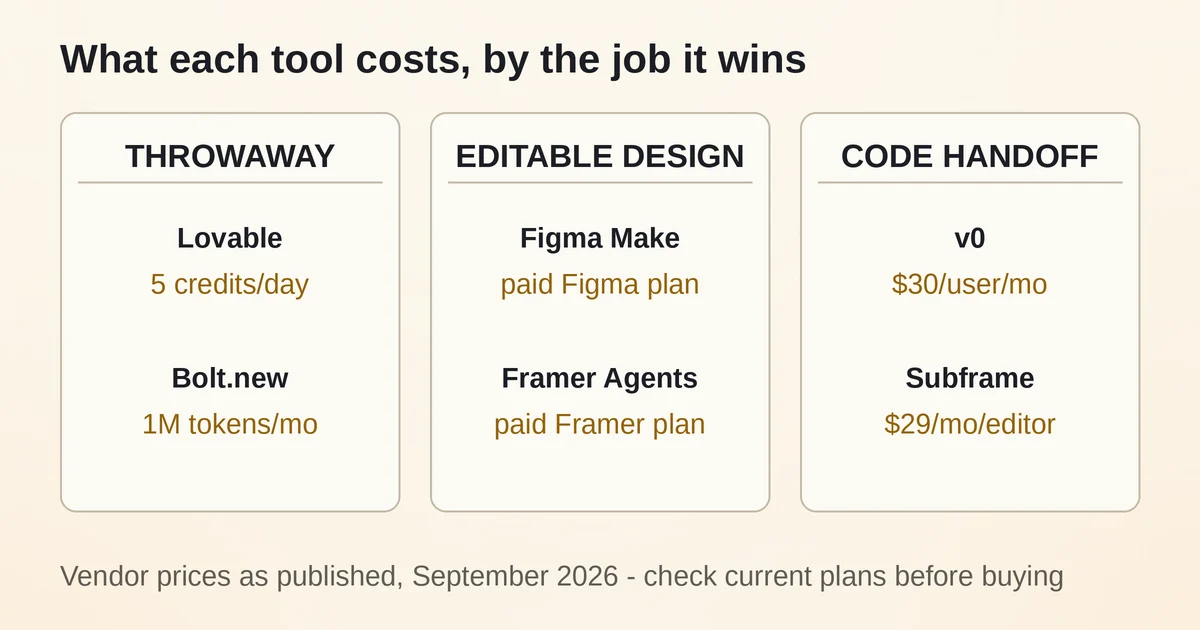
| Tool | Job it wins | Free tier | Paid entry |
|---|---|---|---|
| Lovable | Throwaway + MVP | 5 credits/day, 30/mo | $25/mo, 100 credits |
| Bolt.new | Throwaway, full-stack | 1M tokens/mo | $25/mo, 10M tokens |
| v0 | Prompt-to-code, React | $5 credits, 7 msgs/day | $30/user/mo (Plus) |
| Uizard | Non-designer mockups | 3 generations/mo | $12/mo (annual) |
| Figma Make | Editable design in Figma | Starter plan | Paid Figma plan |
| Framer Agents | Live site editing | With Framer free | Framer paid plans |
| Subframe | Code-native design | Free tier | $29/mo per editor |
| 21st.dev | AI component taste | Free browsing | $6 to $15/mo |
| Anima | Figma-to-code export | 5 code gens | $20/seat/mo |
Three cost notes that surprise people. First, v0 has no individual plan between its free tier and the $30 per seat Plus plan anymore; the old $20 Premium tier is gone. A solo developer who outgrows the 7 messages per day cap is paying the team rate for one seat. Second, Lovable's credits now cover hosting and AI runtime too, so your build budget and your live-app budget share one number. Third, 21st.dev's free tier is genuinely free for browsing and copying a couple of components a day; the paid plans mostly buy unlimited copies and AI generation, and the library alone is worth it.
Pricing and plan details are as published by the vendor around September 2026 and can change, so confirm on the official site before committing.
The decision, in three questions
Forget feature matrices. Ask these instead.
Who touches this after me? If the answer is "nobody, it's for a demo," any prompt-to-app builder works; take the cheapest free tier and ship the demo. If a designer inherits it, you need Figma Make or Framer Agents, tools whose output lives where designers work. If an engineer inherits it, you need job-three output: v0 for React, Subframe if the design system is serious, or 21st.dev prompts if the team already lives in Cursor or Claude Code.
Does the design system exist yet? If it does, every generation step must feed it: Make kits, Subframe's MCP, or 21st.dev component prompts. If it doesn't, don't let the tool invent one silently; generated defaults are how teams end up shipping a design system nobody chose. (For more on this workflow, see our guide to why developers are using three AI programming tools instead of one.)
How long will this artifact live? Under a month: throwaway economics apply, spend almost nothing. One to six months: editable design matters more than code quality, and translation layers are a trap because you'll re-export constantly. Over six months: the code camp is the only sane choice, and the earlier you move to code-native tooling the less you'll pay in rework. The teams that struggle are the ones that let a throwaway slowly become the product. That's also why MCP-connected workflows are becoming the default glue for this category: when your design tool, your coding agent, and your component library speak the same protocol, the handoff stops being a human job.
If you're evaluating this category as part of a broader AI tooling decision for your team, our guide to picking the right AI model covers the layer underneath all of these tools, since the model is what actually generates your UI.
Two honest answers
Which single tool should a small team start with? v0 if you're React-native and developer-led, Lovable if you want the fastest full-stack path, Figma Make if a designer will own the output. If budget is the deciding factor, 21st.dev's free browsing plus the AI coding tools you already pay for is the highest-quality-per-dollar setup in 2026.
Is Uizard still worth it? For non-designers producing first-draft mockups, yes; it's fast, cheap, and the scanners are still useful. For anything beyond that, no. Two years without a major update in a category moving this fast is a verdict in itself. Watch whether Miro restarts its investment before building a workflow on it.
The category will look different in six months; it looked different six months ago. But the three-jobs split will hold, because it's not about features. It's about who inherits the artifact, and that question doesn't go away.