Your Thursday keeps getting rearranged. You block out two hours for deep work, and by 10am it has been carved into four thirty-minute fragments by a standup that grew, a 1:1 that moved, and a "quick sync" someone dropped on you. You are not disorganized. You are using a tool that optimizes the wrong object.
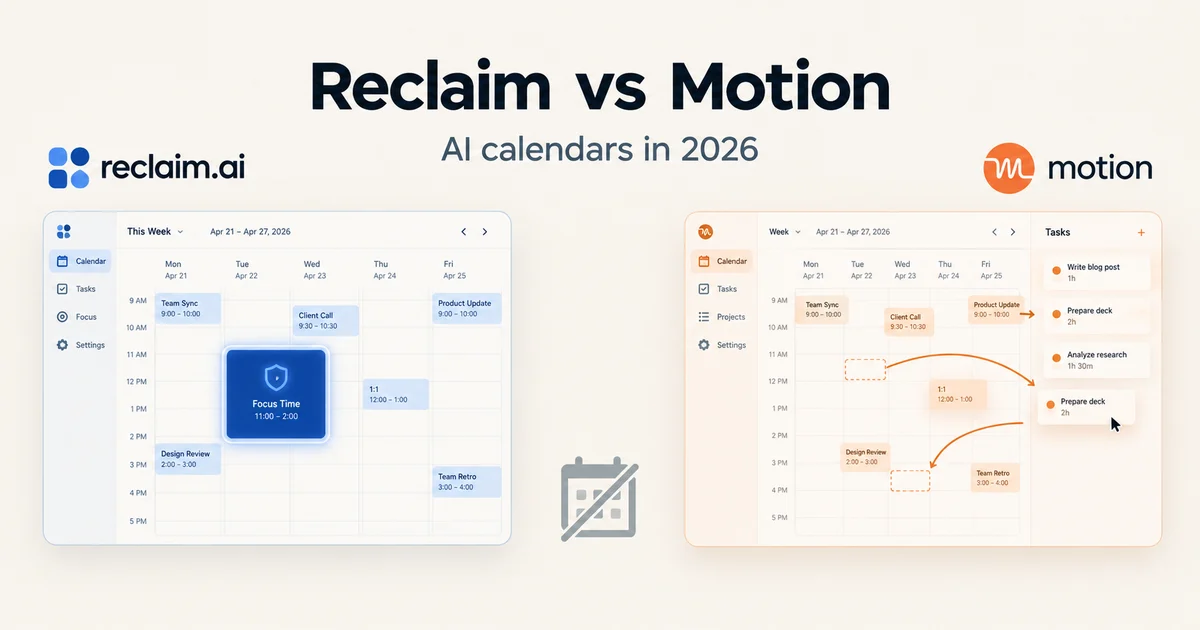
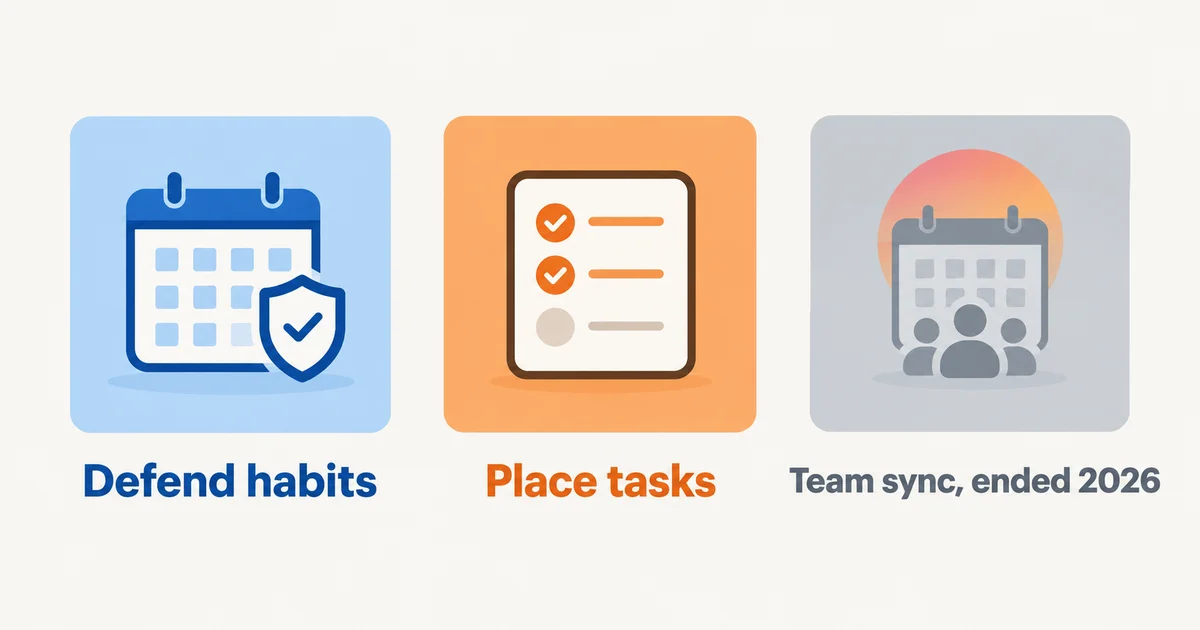
Most comparisons of AI calendars read like feature checklists. That is the wrong frame, because Reclaim, Motion, and Clockwise were never three flavors of the same thing. They optimize different objects: Reclaim defends your habits, Motion places your tasks, and Clockwise coordinated your team's meetings. Pick the one whose object matches what is actually wrecking your week, and the calendar starts working for you. Pick wrong, and every day feels like the calendar is fighting you.
One thing changed in 2026 that you need to know before anything else: Clockwise shut down on March 27, 2026. Salesforce hired the team for its Agentforce push, the product went dark, and every Clockwise-managed Focus Time block, flexible meeting, and scheduling link stopped working. Clockwise's own notice pointed users to Reclaim, which ran a one-year price match for displaced customers through June 30, 2026. That offer has lapsed; if you are arriving from Clockwise today, you sign up as a new user like everyone else.
So this is not a three-way bake-off anymore. It is a two-way decision between two tools with different philosophies, plus one unsolved problem the dead tool used to handle. Here is what each one actually does, and how to choose.
The three jobs, and who is left standing
The original framing still holds, so let us keep it and update the cast.
Job one: defend the ground you already claimed. Reclaim's whole model is that your calendar fills with other people's requests unless something fights back. You give it standing instructions, like "I want three hours of focus time a day," "lunch exists," or "I need fifteen minutes of buffer after every video call," and it continuously finds, schedules, and re-defends those blocks around whatever meetings land on you. The object being optimized is your personal time structure, the things that recur and keep getting steamrolled.
Job two: decide what to do and when. Motion starts from your task list, not your calendar. You give every task a duration, a deadline, and a priority, and Motion places it in a real slot. When a meeting appears on top, Motion reshuffles the plan automatically. The object being optimized is your workload, the set of things that must get done by a date.
Job three: coordinate the meeting surface for a whole team. This was Clockwise's job. It marked internal meetings as flexible, then its engine tested millions of arrangements per day across everyone's calendars to consolidate fragmented slots into big shared focus blocks. The object being optimized was not any individual's day, it was the organization's collective calendar. With Clockwise gone, no dedicated specialist sells this anymore. Reclaim's team features (shared priority rules, No-Meeting Days, Team OOO calendars, team scheduling links) are the closest active approximation, and Motion's Business tier covers a different need, workload visibility, not org-wide calendar defragmentation.
If your pain is "my habits and focus time keep getting eaten," that is job one, and Reclaim is built for it. If your pain is "I have forty tasks and no idea when any of them happen," that is job two, Motion's home turf. If your pain is "our whole team's calendars are shattered into confetti," job three, you now have to assemble the answer from parts.
The decision table
| Your situation | What is actually hurting | Pick | Why |
|---|---|---|---|
| Solo, your habits and focus time keep getting steamrolled | Recurring self-commitments lose to meetings | Reclaim (free Lite, paid from $10/seat/mo) | Habits, buffers, and focus-time defense are its core object |
| Solo or freelancer with a long task list and hard deadlines | You plan nothing; work just happens | Motion (from $19/seat/mo annual) | It places tasks by deadline and priority and reshuffles around meetings |
| You mostly need people to book you | Not scheduling chaos, just back-and-forth emails | A booking link (Cal.com free tier, Calendly) | Do not buy an auto-scheduler to solve a link problem |
| Team that lost Clockwise | Org-wide calendar fragmentation | Reclaim Business ($15/seat/mo) or rethink the workflow | The specialist is gone; Reclaim's team rules are the nearest live option |
| You want AI to run everything, including meetings | Everything at once | Stop. No tool should touch client meetings | External commitments stay under human control, always |
Reclaim: the defender
Reclaim, now part of Dropbox since its 2024 acquisition, has spent 2026 leaning hard into the agents framing. The product now describes itself around AI Agents, one per job: a Focus Time agent that hits your weekly goal and defends the blocks, a Habits agent for recurring routines like lunch, gym, or weekly planning, a Buffer Time agent that adds recovery and prep after calls, a Smart Meetings agent that resolves conflicts across your recurring meetings, and a Meeting Quality agent that nags you about invites needing a response. A universal priority system now lets you tag any calendar event from P1 (critical) to P4 (low), so the system knows what it may move and what it must never touch.
What Reclaim is genuinely good at: the defense loop. You set a focus-time goal, Reclaim schedules it into open space, and when a meeting tries to take the slot, the block migrates rather than dies. Habits work the same way: your lunch becomes a smart commitment that flexes within rules instead of a static recurring event you manually drag around all week. The free Lite plan is real, five agents and a one-week scheduling horizon, enough for one person to find out if the model fits their brain before paying. Starter at $10 per seat monthly (billed annually) extends the horizon to eight weeks, which matters more than you would think: a one-week window means the AI cannot protect next week's deep work today.
Where it is weaker: Reclaim does not manage your work as work. It will schedule tasks synced from Todoist, Asana, ClickUp, Jira, or Linear, but task placement is not the product's center of gravity the way it is at Motion. If your problem is "when does this deliverable actually happen," a habit defender answers a different question. Reclaim also has no mobile app of its own; the results show up in your phone's calendar, but you manage the system from the web.
The honest caveat about any auto-defender, including this one: aggressive defense only works if the AI knows what is sacred. Which brings us to the part most people skip.
Motion: the task placer
Motion's pitch is that humans are bad at planning their own day, so hand the whole problem over. You enter tasks with duration estimates, deadlines, and priorities (ASAP down to Low), and the auto-scheduling engine builds your calendar: high-priority work in your best windows, low-priority work in the gaps, everything reshuffled silently whenever a meeting lands on it.
The 2026 reality is more complicated. In December 2025, Motion repositioned from "AI calendar" to an "AI SuperApp for work," adding AI chat, meeting notes, docs, sheets, and a roster of named AI Employees (Alfred the executive assistant, Millie the project manager, Chip for sales, and others). By mid-2026, third-party reviews report the AI Employee layer retreating from the website and the pricing page, and user complaints about credit metering and heavy setup. The scheduling core, meanwhile, remains mature and is the reason to buy.
That core has real teeth, and one behavior you must know about before you trust it: Motion's official hierarchy says tasks with hard deadlines get scheduled outside your working hours if that is the only way to hit the deadline. If your 9-to-5 is full and something is due today, Motion will put it at 6pm. Some people consider this a feature, deadline protection at all costs. If you have ever burned out by "just one more thing after dinner," you need to know the tool will do this on purpose, and you should use soft deadlines wherever you can.
The other 2026 gotcha is pricing. Motion has no free plan, only a 7-day trial that wants a card. Pro AI is $19 per seat monthly on annual billing ($29 if you pay monthly, and annual is charged up front as one lump sum). Beyond the subscription, advanced AI features are metered in credits: 7,500 per seat monthly on Pro, 15,000 on Business, with overage billed per 100 credits. If you only use the scheduler, you will never notice the meter. If you lean on the AI chat, notetaker, and docs, you might.
Where Motion is weak: it is not cheap, it is not simple, and its aggression is aimed entirely at your own task blocks. Motion moves your tasks around your meetings. It does not reorganize the meetings themselves, and it definitely does not touch meetings organized by other people. If your problem is the meeting load rather than the task placement, Motion reshuffles deck chairs on a crowded ship, very efficiently.
Clockwise: the specialist who left
A short obituary, because it matters. Clockwise's insight was that an individual cannot defragment a team. If eight people each protect their own focus time while their shared meetings scatter randomly across the week, everyone still loses. Clockwise optimized the collective: internal meetings marked flexible, an engine that tested millions of arrangements across all calendars daily, focus time created where it aligned for the whole team.
In March 2026, that product stopped existing. The team joined Salesforce to work on Agentforce; the product shut down March 27; customer data was deleted rather than transferred; Smart Holds and Focus Time blocks were stripped from users' calendars, and scheduling links went dark with roughly a week's notice.
Two lessons are worth keeping. First, if a tool can write to your calendar, ask what happens to your calendar if the tool dies: the meeting events themselves survived because they lived in Google Calendar, but the scheduling intelligence and links did not. Second, the team-defragmentation job did not die with the vendor. It just no longer has a specialist. Reclaim's Business tier (No-Meeting Days, team scheduling links, shared priority rules) and plain organizational policy, like actually enforcing meeting-free days, are what is left.
What to lock so the AI cannot move it
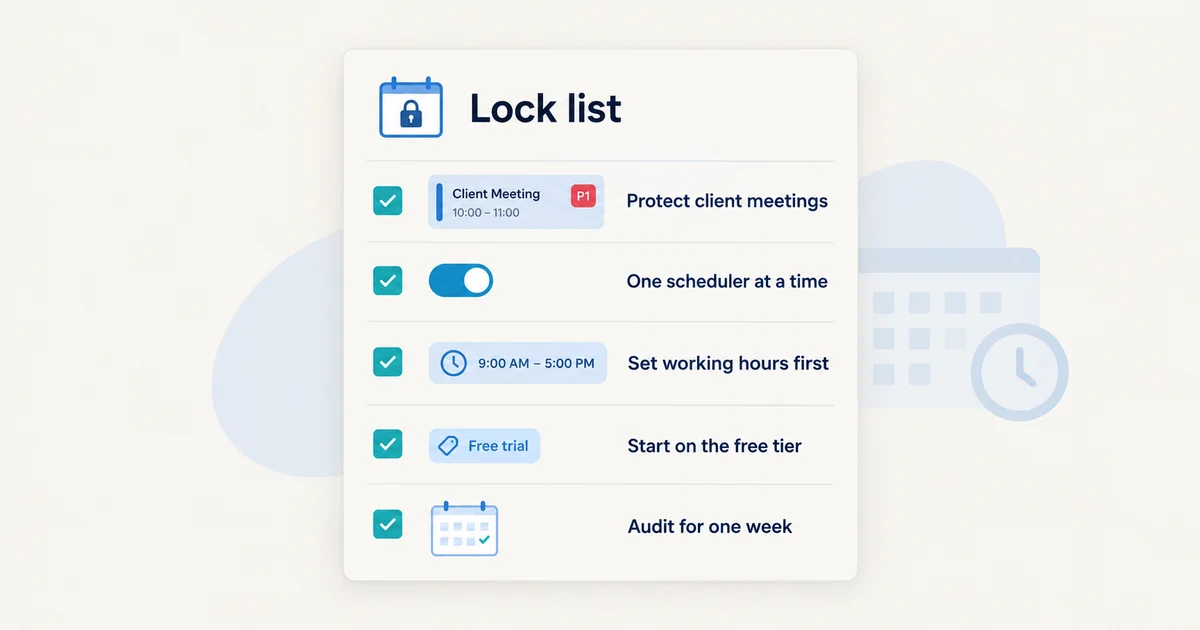
Any of these tools is only as safe as its lock list, the settings that tell the AI what is sacred. Before you give any scheduler write access to your calendar, do these five things:
- Protect client and external meetings with the highest priority available. In Reclaim, that is the P1/Critical priority tier applied to the events themselves. In Motion, do not give client calls a deadline the scheduler can reason about at all: take them out of the task system entirely and let them live as fixed calendar events. This is the one rule with no exceptions. A tool that auto-declines, auto-reschedules, or double-books a client meeting does not just cost you money; it costs you the relationship. No scheduling AI in September 2026 should ever be allowed to touch an external commitment without a human in the loop.
- Run one auto-scheduler at a time. Reclaim's own help center warns against running two calendar-optimizing tools simultaneously because each reads the other's blocks as meetings and you get a reshuffling war. If you trial Motion while on Reclaim, disconnect one first.
- Set working hours before anything else. Motion will schedule outside them to save a hard deadline, so if 6pm work appalls you, fix the deadline type, not just the hours.
- Start with the free or trial tier and a small surface. Reclaim's free Lite plan and Motion's 7-day trial both let you wire up one calendar and a handful of habits or tasks. Do not connect five task tools on day one; you will not be able to tell which integration caused the weird Tuesday.
- Do the one-week audit. For one week, write down every time the tool moved something you did not want moved. Three or fewer incidents means you have a configuration problem, fixable with priorities and lock rules. Ten or more means the tool's object does not match your problem, and no amount of settings will fix choosing the wrong optimizer.
If your only actual problem is that people keep asking "when are you free," you do not need any of this. A booking link solves that. Cal.com's free individual tier still offers unlimited event types, though note that in April 2026 Cal.com took its production codebase private (a community fork called cal.diy keeps a self-hostable version alive), so the "open source" label it built its reputation on now applies to the fork, not the main product.
FAQ
Does Motion reschedule meetings by itself? No. Motion reshuffles your tasks around your meetings automatically. Meetings, especially ones organized by other people, are fixed inputs to it. Reclaim's Smart Meetings can adjust the timing of internal recurring meetings you own within rules, but you should never enable anything that auto-reschedules or declines external commitments. If you see that setting, turn it off.
Is Motion worth it for a freelancer? If your work is deadline-driven and task-shaped (client deliverables, writing, development), the auto-scheduling core genuinely earns its $19 per month on annual billing, but budget realistically: no free plan, a 7-day trial that wants a card, and a credit meter if you use the AI extras. If your work is meeting-shaped (coaching, calls, sales), a habit defender with a good booking link serves you better for less.
Clockwise vs Reclaim for a team, which one? This question, still searched constantly, now has a short answer: Clockwise. On March 27, 2026, Clockwise shut down after its team joined Salesforce. Reclaim is what it named as the successor, and its Business plan ($15 per seat monthly on annual billing) carries the team features closest to what Clockwise did, but org-wide calendar defragmentation as a dedicated product no longer exists. If that was the job you were buying for, expect to combine Reclaim's team rules with your own meeting policy.
Pricing and plan details are as published by the vendor around September 2026 and can change, confirm on the official site.