The laptop on your desk right now can run a genuinely useful AI chatbot. No subscription, no data leaving your machine, no "content policy" deciding what you're allowed to discuss. Three free apps have made this almost boringly easy: LM Studio, Ollama, and Jan.
Here's the problem: they're not three flavors of the same thing. Each assumes a different person is holding the mouse, and most comparisons drown you in feature tables instead of just telling you which one is yours. The differences under the hood have collapsed (two of the three literally share an inference engine), so the choice is really about you: how you feel about a terminal, whether open source matters, and what you want to do with the thing next month.
So instead of a tour, a decision. Find yourself in this table, take the recommendation, and read only your section. I'll finish with the model I'd actually load first on a normal laptop, and the parts where every one of these tools still loses to Claude.
If it turns out you want the other thing, the deep hardware walkthroughs, exactly how much RAM each model size eats, the full install steps, that lives in our guide to running AI locally on your PC: https://www.toolbit.ai/blog/run-ai-locally-guide
Who Should Pick Which
| If you are... | Install this | Why |
|---|---|---|
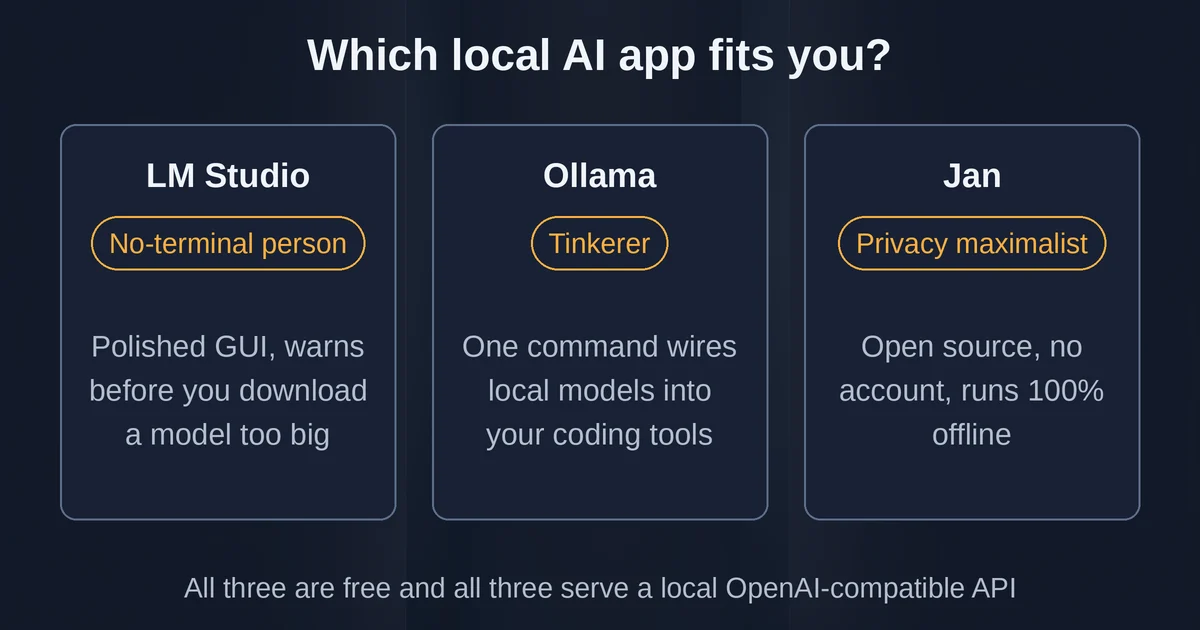
| The no-terminal person ("I just want an app") | LM Studio | Polished GUI, warns you before downloading a model too big for your machine |
| The tinkerer (scripts, coding agents, automations) | Ollama | The plumbing layer of local AI; one command wires models into Claude Code, OpenClaw, VS Code |
| The privacy maximalist (open source, no account, fully auditable) | Jan | Open-source ChatGPT lookalike, runs 100% offline, no pricing page even exists |
All three are free, all three run on Windows, macOS, and Linux, and all three serve an OpenAI-compatible local API in case you outgrow the chat window. Nobody is disqualified. It's about which one you'll actually still be using in a month.
For the No-Terminal Person: LM Studio
Install LM Studio from lmstudio.ai and it behaves like software, not a science project. Search for a model the way you'd browse an app store, see the file size before committing, get a warning if your machine can't hold it, and start chatting within minutes. There is no step where you type a command.
Under the hood it runs the same open engines as everything else (llama.cpp, and Apple's MLX on Apple Silicon). The 2026 story is that Element Labs, the company behind it, has been building a layer called Bionic on top of that runtime: an agent that edits documents with you and transcribes your voice locally, in real time, rather than just a chat box. The classic app is still there, currently version 0.4.23, and the core local functionality is free.
Two honest caveats. First, LM Studio is closed source, free for personal use but not auditable; if "but what is it really doing" is a question you ask, this is not your app. Second, it's the heaviest of the three on memory, which matters if you're on a 16GB laptop where the model is already competing with your browser. The Bionic direction also means the product is drifting from "model runner" toward "agent platform"; if you want a quiet chat window, some of that momentum is noise you'll be skipping past.
If that's you, jump ahead to the model recommendation; you don't need to read about terminals at all.
For the Tinkerer: Ollama
Ollama won 2026. The one-command model runner, ollama run gemma4 and you're chatting, became the default way developers touch local models, and this year it grew around that core in three directions that matter for exactly one kind of person.
The person who connects things. ollama launch is now a small ecosystem: one command points tools like Claude Code, OpenClaw, or VS Code at your local models, and since late August (v0.33), Claude Desktop can use Ollama as its model provider: the cloud app's interface, your hardware's brain. If you're building anything with local inference, this is the on-ramp.
The person who was afraid of the dark rectangle, a little. The bare ollama command now opens an interactive menu instead of an error: pick a model, start a chat, launch a tool. The September release (v0.34.2) even added a first-run screen that asks whether you want to sign in or continue fully locally, and then leaves you alone. The terminal is still the terminal, but Ollama stopped assuming you were born knowing shell syntax.
The person with a modest laptop. No GUI competing with your model for every megabyte of RAM. Ollama is the lightest of the three, MIT-licensed, with 180,000+ GitHub stars and a development pace in 2026 that borders on ferocious (multiple releases per month at times; great for features, occasionally bumpy on day one).
The trade: there's no built-in graphical chat. Day to day you're either in the terminal or you've paired it with something else, and for the no-terminal person that "something else" is exactly the deal-breaker. That's fine; that's why the table has three rows.
For the Privacy Maximalist: Jan
Jan is the option most older comparisons miss, and it answers a specific question: what if the thing looked and felt exactly like ChatGPT, and everything about it was public, and none of it touched the internet?
Jan is a desktop app from Menlo Research that looks like a consumer product: conversation sidebar, a model hub with download buttons, settings you can find without a manual. It's open source under an Apache 2.0-based license, there is no account, and there isn't even a pricing page. Download a model once and you can pull the ethernet cable and keep chatting.
First, the question every skeptical reader has: is it still maintained? Yes, and 2026 has been its busiest stretch yet. An MLX engine for Apple Silicon arrived in February, an AMD ROCm backend in June, and v0.8.4 in late July added native web search, an OpenAI-compatible gateway, and moved stored credentials into your operating system's keyring. The site reports over 4 million downloads. This is not abandonware.
The honest trade-offs: smallest community of the three (fewer tutorials, more "check the GitHub issue"), a medium memory footprint from the app itself, and a roadmap drifting toward an agent-and-backend ecosystem that may eventually reshape the desktop app. But if your reason for going local is "I don't trust black boxes," Jan is the only row of the table where trust is structurally possible rather than granted.
One transferable detail worth knowing even if you pick a different app: Jan speaks MCP, the same open protocol cloud assistants use for connecting to tools, so skills and habits you build here travel.
The Model I'd Load First (And What It Won't Do)
Whichever app you chose, the first download makes or breaks the experience. Grab something too big and you'll conclude local AI is a scam; this is where expectations need to be honest.
On a normal 16GB laptop, start with gpt-oss-20b. It's OpenAI's first model family actually designed to run locally: 21 billion parameters total, but with a mixture-of-experts design that only activates 3.6B of them per token, which is the specific trick that lets it fit in 16GB of memory. It has a 128k context window and it reasons in visible steps, closer to OpenAI's older o3-mini behavior than to a plain chatbot. On an 8GB machine, drop down to Gemma 4 E2B or E4B, roughly a 4-6.5GB download, still perfectly useful for drafting and questions. And on a 24GB+ Mac, Meta's Muse Glimmer 30B, released in August, is the current "it runs entirely on my laptop" marvel.
In any of the three apps the ritual is the same: search the model's name, check the size warning, download, chat. In Ollama it's ollama run gpt-oss:20b, one line and you're off.
Now the expectations part. Here's what a laptop model still does worse than Claude or ChatGPT in September 2026:
- Multi-step reasoning. A local model that's impressive on everyday questions will confidently walk down the wrong path on a contract clause with three interdependent conditions. Frontier models are simply bigger and trained harder on holding subtle instructions.
- Anything recent. Your model's knowledge froze on its training date. Jan, Ollama, and LM Studio all bolted on web search this year, but a small model reading fresh pages is not a large model with a curated index.
- Very long documents at high quality. The spec sheet says 128k; your 4B model will start inventing details somewhere deep in a 90-page PDF long before that.
- Frontier coding. Fine for explaining code and writing functions. A messy multi-file refactor is still cloud work, which is exactly why Ollama's most-loved 2026 feature runs the other direction: Claude Code using your cheap local model for easy tasks and the cloud for hard ones.
So the recurring question, "will this replace my ChatGPT subscription?", gets a real answer: it replaces the tier of usage you'd be embarrassed to pay for. Throwaway drafts, sensitive documents, offline work, 2am curiosity questions. The hard problems stay in the cloud for now, and the strongest setup in 2026 uses both deliberately. If you're deciding which cloud assistant deserves the subscription for those hard problems, our Claude vs ChatGPT breakdown is the honest version: https://www.toolbit.ai/blog/claude-vs-chatgpt-ai
That split is also where these three tools quietly converge: all of them now offer optional cloud connectors (LM Studio's pay-as-you-go credits, Ollama's :cloud model suffixes, Jan's provider settings). Local means local only if you leave the toggles off. The apps won't nag you, but it's worth knowing the door is there before you assume you're fully offline.
Pricing and plan details are as published by the vendors around September 2026 and can change: confirm on the official sites.
For the rest, the memory math, the quantization explainers, what each model size actually costs in RAM: https://www.toolbit.ai/blog/run-ai-locally-guide