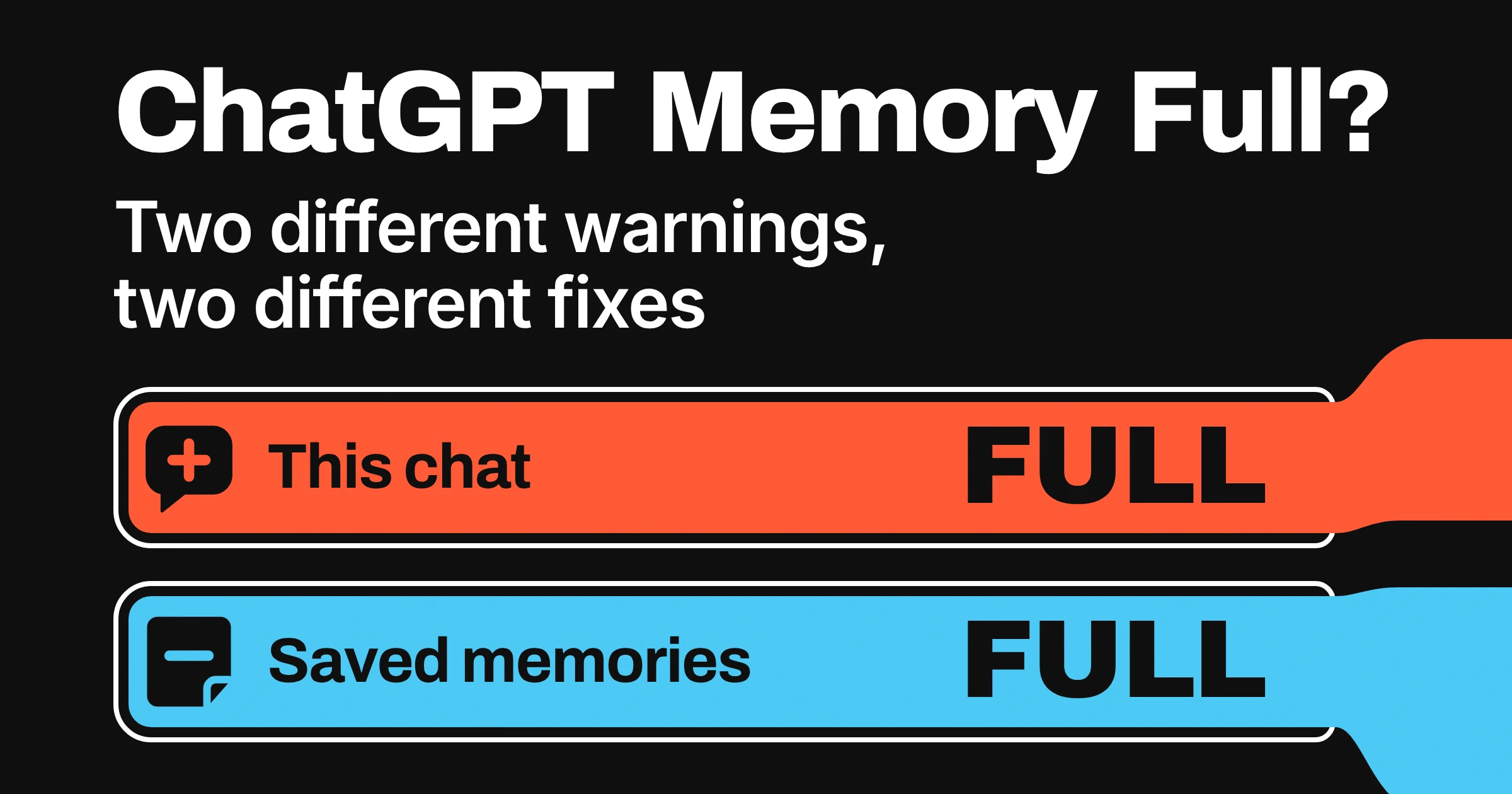
ChatGPT memory full can mean two different things, and each one needs its own fix. If ChatGPT says "Context window full" or "Chat memory full" inside a conversation, that one chat is out of room. Start a new chat: OpenAI says deleting saved memories won't free any space there.
If the warning is about your saved memories, the list of details ChatGPT keeps about you is full. Back it up, then clean it with a quick keep, merge, delete pass, so you free space without losing the memories that make ChatGPT useful. And if a brand-new chat says it's full after a message or two, check OpenAI Status before you delete anything.
What does ChatGPT memory full mean?
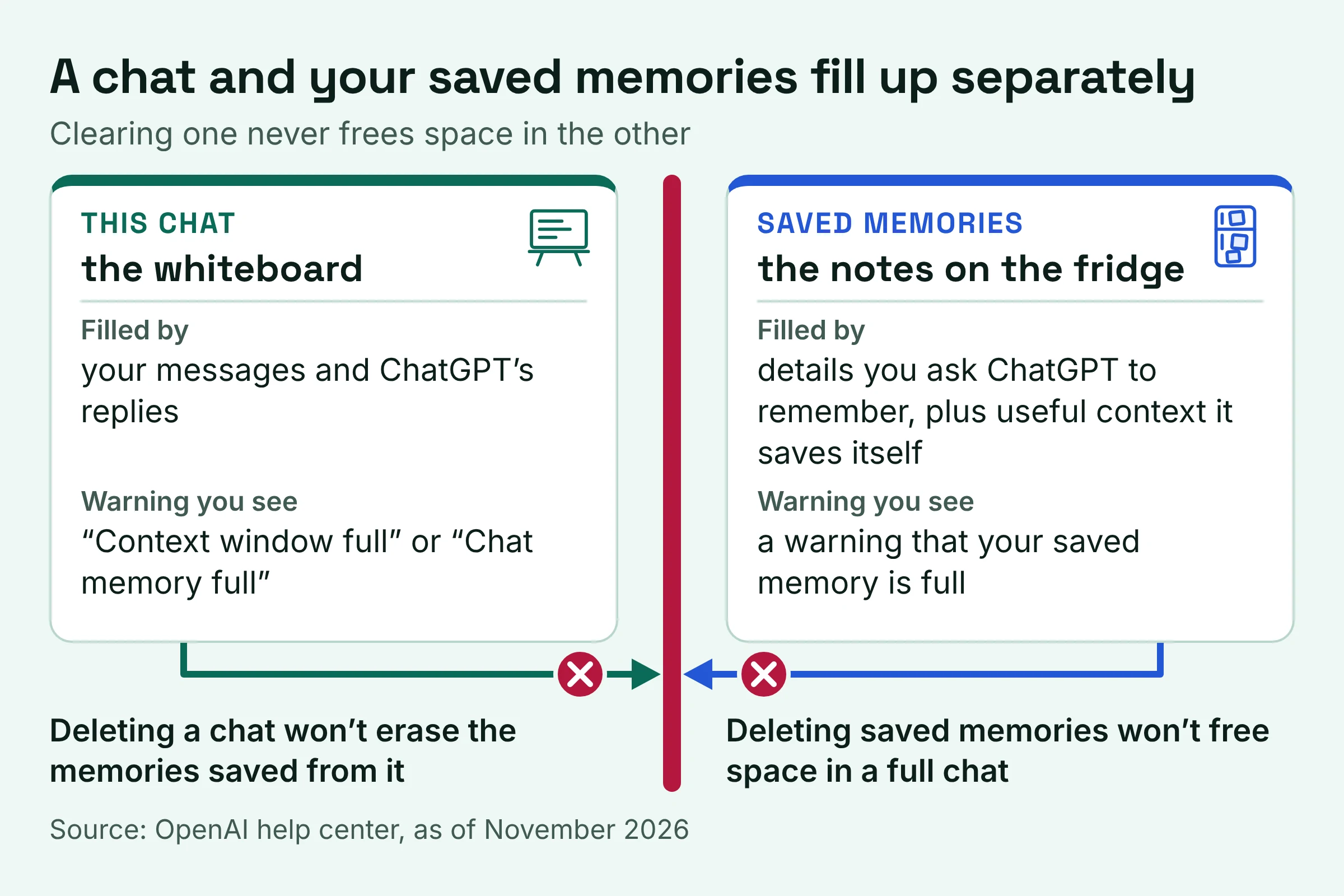
As of November 2026, ChatGPT memory full means one of two things: a single chat has filled up, or your list of saved memories has. OpenAI keeps saved memories separate from your chats, and it says deleting them won't make more room in a full chat.
Which warning do you have?
| What you see | What is actually full | Do this | Skip this |
|---|---|---|---|
| "Context window full" or "Chat memory full" in a conversation | That one chat, which your messages and ChatGPT's replies both fill | Start a new chat, using the summary if offered | Deleting saved memories |
| A warning that your saved memory is full | Your list of saved memories | Run the keep, merge, delete cleanup below | Deleting old chats, which leaves their memories behind |
| A full notice in a brand-new chat after one or a few short messages | Maybe nothing you did: it could be an OpenAI incident | Check OpenAI Status, then test in a private browser window | Clearing chats or memories |
The quick tell: Chat memory full is about the chat, despite the word memory. Only a warning about your saved memories points at the notes ChatGPT keeps on you.
Picture a whiteboard and a fridge door. The chat is the whiteboard, and when it's full you need a fresh one. Saved memories are the notes stuck to the fridge, and taking them down won't clear the whiteboard.
What does context window full mean in ChatGPT?
Context window full means the ChatGPT chat you're in has run out of room. As of November 2026, OpenAI says that on the Free plan ChatGPT can show either Context window full or Chat memory full when a conversation fills up. The context window is the space one chat has for your messages and ChatGPT's replies.
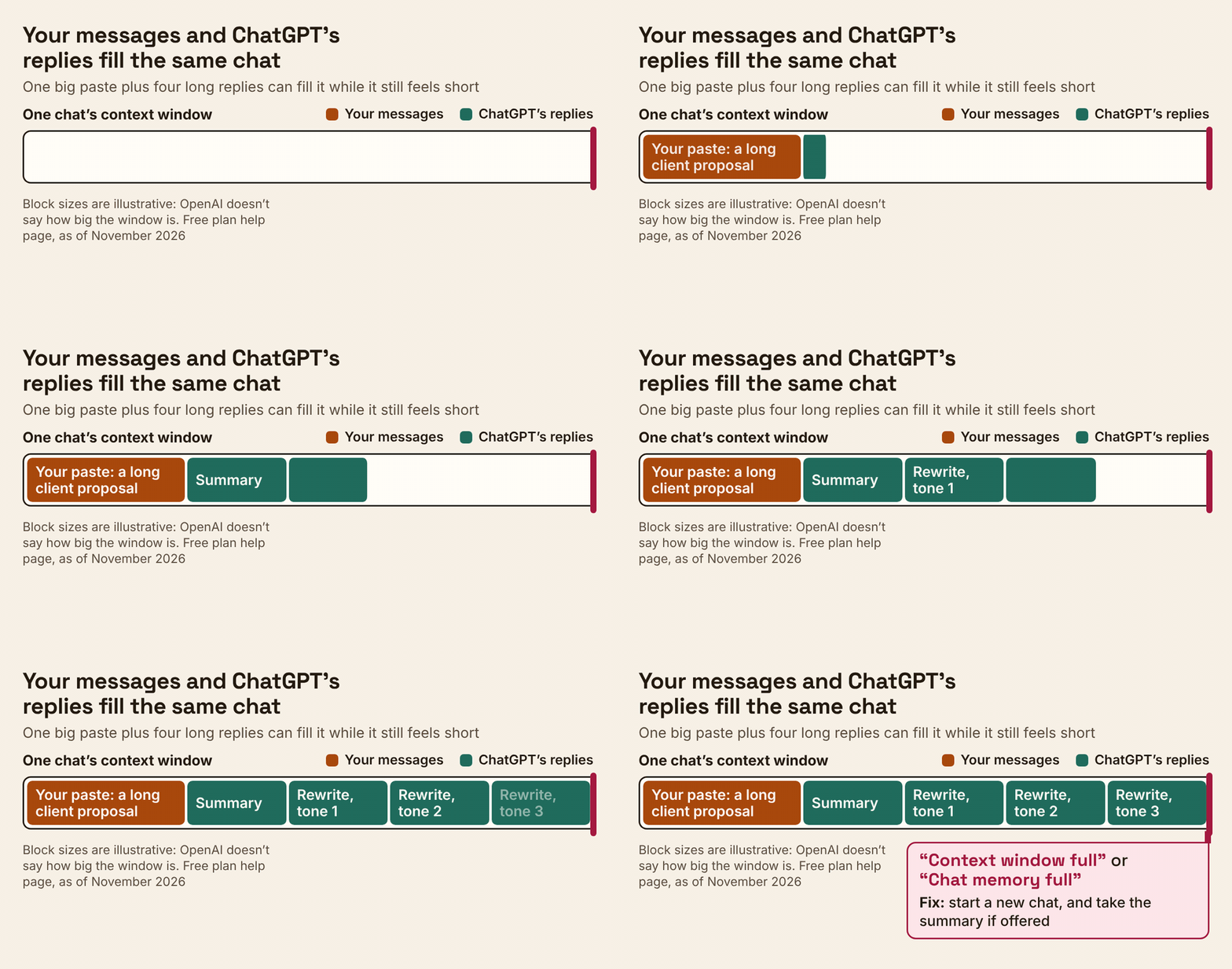
OpenAI's help page on the two notices explains why it can come sooner than you expect: "Your messages and ChatGPT's replies both take up space, so a few long exchanges can fill a chat." So the size of each exchange counts, not just the number of messages.
Say you paste a long client proposal, ask for a summary, then ask for three rewrites in different tones. That's one big paste plus four long replies in one chat. It can fill up while it still feels short.
The notice can also greet you the moment you reopen an older chat, even if no warning appeared before. OpenAI's page doesn't say how big the window is. It's written for the Free plan, so it doesn't say whether paid plans see these notices at all.
If you also use Claude, our guide to Claude's context window by model and long-chat fixes covers its version of the same problem.
What happens when a chat is full, and how do you keep going?
You can't fix a full ChatGPT chat by cleaning up memory. As of November 2026, OpenAI's answer is a new chat, which you can start right away for free. If the notice offers an upgrade, that option lets you stay in the original chat.
If the chat filled up after real work
- Take the summary when it's offered. A new chat with a summary lets you pick up where you left off.
- Fill the gaps by hand. OpenAI warns that "A summary may leave out details." If the old chat is still in your history, reopen it and copy over what matters, like the final draft or the decisions you made.
- If the summary chat fills up too, start fresh. OpenAI's advice is to choose New chat in the sidebar. This time, paste in only the essentials.
To avoid a repeat, give each big job its own chat: one for research, one for the draft, one for the email. Focused chats hold less, so they fill up more slowly.
If a fresh chat says full after a message or two
A notice in a brand-new chat after one or a few short messages is a different problem. OpenAI has a separate checklist for it.
- Test with something tiny. In a separate new chat, send a short message such as "What's the capital of France?"
- Check OpenAI Status. If there's an incident affecting ChatGPT conversations, try again after it's resolved.
- Rule out your browser. If there's no incident, sign in to the same account in a private browser window and try the same short message in a new chat.
- Contact Support if it keeps happening, even if it only happens in the app. Include your app or browser version, the time and time zone, and about how many messages you sent. OpenAI says you can keep your original conversation private.
Why does saved memory fill up, and what is the limit?
Saved memory fills up because the details ChatGPT saves about you pile up on one list, and as of November 2026 OpenAI's memory help pages don't say how many saved memories any plan can hold. That list holds what you ask ChatGPT to remember, plus useful context it saves itself when that behavior is available. As TechRadar put it, before automatic memory management, skipping manual cleanup meant running into a memory full message.
For Plus and Pro, OpenAI's answer is to retire the warning. In an announcement reported by TechRadar, OpenAI said ChatGPT "can now automatically manage your saved memories", with no more memory full message. It said this was rolling out to Plus and Pro users on the web globally.
The same update lets you search and sort memories by recency, pick which ones to re-prioritize, and roll memories back to earlier versions. OpenAI's help center confirms that search, sorting, automatic prioritization and version history exist "depending on your plan and platform". Announced isn't the same as switched on, though: if you can't see a setting, OpenAI says it may not be available for your account yet.
So what is the actual limit?
OpenAI's help pages don't give one. Beyond the missing saved-memory count, they don't say whether Free users or the mobile apps still see the old saved-memory warning. Treat any exact number you read elsewhere with care.
The one firm statement is about chat history: "There is no separate storage limit for what ChatGPT can reference through chat history." So the space to watch is your saved memories and the chat you're in, not your old chats.
How do you clear ChatGPT memory without losing what matters?
As of November 2026, you clear ChatGPT's saved memory under Settings > Personalization > Memory, or you simply tell ChatGPT to forget something. Back up first, then prune instead of wiping everything.
Back to that fridge door: it's useful until the note that matters is buried under a takeaway menu from last spring.
The keep, merge, delete rule
| If a memory... | Example | Do this |
|---|---|---|
| Shapes most of your answers | Writes the newsletter for a family dental clinic, likes a warm tone | Keep it |
| Repeats something already saved | Has a dog, Dog is a beagle, Dog is called Biscuit | Merge: edit one to hold all three, delete the rest |
| Belongs to a finished task | Planning a surprise party for Sam | Delete it |
| Is wrong or out of date | Works at [old employer] | Tell ChatGPT it's outdated, or edit it |
| Is private and you regret sharing it | A health detail from one late-night chat | Delete the memory and the chat you shared it in |
The cleanup routine
- Back it up. Ask ChatGPT What do you remember about me? and paste the answer into a note. OpenAI says you can ask what it remembers, and that copy is your safety net.
- Open the list. In Settings > Personalization > Memory, find your saved memories, which OpenAI says you can delete from Memory settings. Depending on your memory experience, you may see Memory summary, Manage or Saved memories. Note that selecting Saved memories switches you to the legacy experience, and Try improved memory takes you back to improved Memory.
- Sort each memory with the table. To merge, edit the best one so it holds the combined detail, then delete the duplicates. If editing isn't available, ask ChatGPT to remember the combined version and forget the old ones.
- Use the newer controls if you have them. Sort by recency, re-prioritize the memories you kept, and use version history to roll a memory back to an earlier version.
- Check your work. Ask ChatGPT what it remembers again and compare it with your backup.
Before you hit delete, know two things. Deleting a chat doesn't erase the memories saved from it, so delete the memory itself. And OpenAI may retain logs of deleted saved memories for up to 30 days for safety and debugging purposes.
Want to wipe the memory summary and switch memory off instead? Delete and turn off memory, in the more options menu (•••), deletes the remembered information shown in the summary and turns Memory off. Turning Memory off doesn't delete your past chats.
For a privacy-first clear-out across assistants, see how to delete what ChatGPT, Claude and Gemini remember.
ChatGPT memory vs chat history: what is stored where?
As of November 2026, ChatGPT stores saved memories separately from chat history, so deleting one won't necessarily remove the other. ChatGPT can also reference your past chats, and OpenAI's Memory in ChatGPT help page says there's no separate storage limit for that.
| Kind of memory | What it holds | Can it fill up? | How to clear it | Best for |
|---|---|---|---|---|
| Saved memories | Details you asked ChatGPT to remember, or that it saved as useful context | Yes, this is the old memory full warning; OpenAI announced automatic management for Plus and Pro on the web | Delete in Memory settings, or ask ChatGPT to forget | Facts that should follow you into every chat |
| Reference chat history | Context ChatGPT draws from past chats | No separate storage limit, per OpenAI | Turn off Reference chat history; what it remembered from past chats is scheduled for deletion within 30 days | Picking up earlier work without re-explaining |
| The chat you're in | Your messages and ChatGPT's replies | Yes: Context window full or Chat memory full | Start a new chat | The task in front of you |
- To remove something completely, delete the saved memory and the chat where you first shared it.
- Turning off Reference chat history doesn't delete your saved memories. If your settings include Reference saved memories, turning that off also turns off Reference chat history.
- Turning off Memory, or switching memory experience, doesn't delete your past chats or chat history.
- Temporary chats don't create or update memories, even with personalization on, and they won't appear in history. You can choose beforehand whether one uses your existing memories, which makes it a good home for one-offs, like a resignation letter you'd rather not have shaping next month's answers.
For every off switch in one place, read what ChatGPT actually remembers and how to turn it off.
ChatGPT Free vs Plus: does upgrading fix memory full?
As of November 2026, moving from ChatGPT Free to Plus fixes memory full only in part. OpenAI announced automatic memory management, with no more memory full message, for Plus and Pro on the web, and on Free a chat-full notice may offer an upgrade that lets you continue in the original chat. OpenAI's help pages give no saved-memory count for any plan.
OpenAI also describes the plans' memory differently. In its June 3, 2025 memory update, OpenAI described Free users' memory improvements as a lightweight version that provides short term continuity across conversations. Memory for Plus and Pro, OpenAI says, "provides a longer term understanding of the user."
| Plan | What OpenAI says about memory | Saved-memory full warning | Chat full notice | Best for |
|---|---|---|---|---|
| Free | Lightweight, short term continuity across conversations | Not stated whether it still appears | Covered on OpenAI's help page | Short tasks you can restart in a new chat |
| Plus and Pro | Longer term understanding of you | Automatic management announced for the web | Not mentioned on that help page | Ongoing work where ChatGPT should know your context |
| Team and Enterprise | Memory available since OpenAI's September 5, 2024 update | Not stated | Not mentioned on that help page | Workplaces; on Enterprise, owners can turn memory off for the organization |
Workplace settings matter too. In ChatGPT for Healthcare and ChatGPT Enterprise with Regulated Workspace, improved memory is disabled by default.
OpenAI's memory announcement page lists the dated changes that got us here:
- September 5, 2024: OpenAI said Memory was available to ChatGPT Free, Plus, Team and Enterprise users.
- April 10, 2025: Memory got more comprehensive: ChatGPT began referencing your past conversations as well as saved memories, first for Plus and Pro users, with Team, Enterprise and Edu following in a few weeks.
- June 3, 2025: Memory improvements started rolling out to free users.
Do this next
Pick your fix from the exact words on your screen.
- Context window full or Chat memory full: take the summary into a new chat, copy over anything it missed, and give big jobs their own chats from now on.
- A saved-memory full warning: back up with What do you remember about me?, run the keep, merge, delete pass, then look for sorting and prioritization in your memory settings.
- Full in a fresh chat after a short message or two: check OpenAI Status and test in a private window. If it keeps happening, contact Support with your app or browser version, the time, your time zone and roughly how many messages you sent.
Pick Plus or Pro if you'd rather have the automatic memory management OpenAI announced for those plans on the web than a regular pruning session. On Free, if a chat-full notice offers an upgrade, that's the option that keeps you in the original chat.
OpenAI says memory features and controls can vary by plan, region, platform and workspace settings. We checked its help pages in November 2026, and they change often.