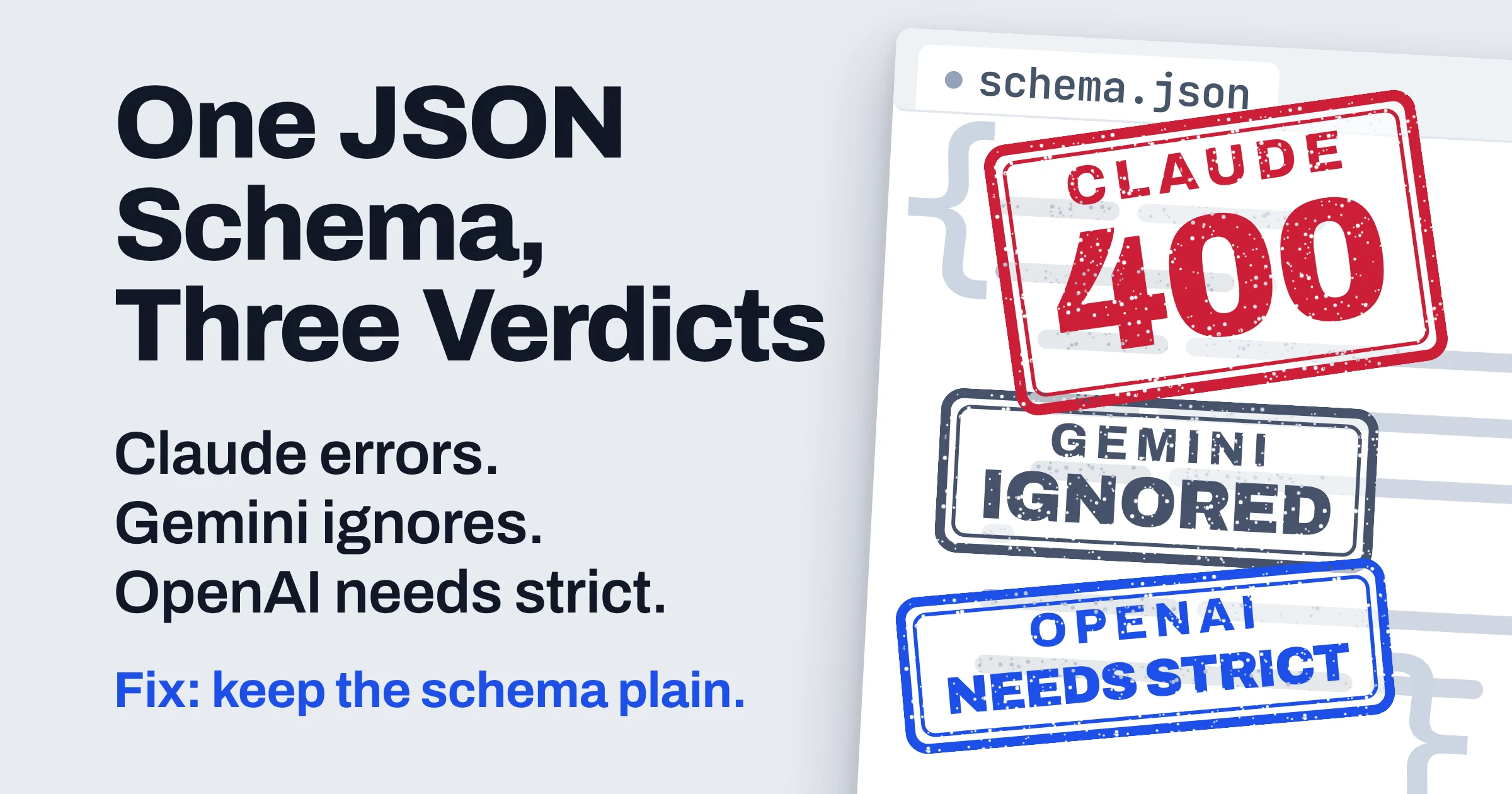
LLM structured output with JSON Schema works on OpenAI, Claude and Gemini, but each provider accepts a different subset of the spec and fails in its own way. Claude returns a 400 error for an unsupported keyword, Google says Gemini ignores it, and OpenAI's Responses API can quietly fall back to best effort when you leave strict off.
The schema most likely to pass on all three is deliberately plain:
- Close every object with
additionalProperties: false. - Mark every property required, and make the optional ones nullable.
- Leave out range, length and array-size keywords.
- Skip
oneOf,$refand recursion. - Set
strict: trueon OpenAI, and enforce the rules you dropped in your own validator.
If JSON mode versus schema-enforced output is new to you, start with our explainer on LLM structured output, from JSON mode to schemas.
Which JSON Schema features does each LLM's structured output accept?
As of November 2026, OpenAI, Claude, Gemini and Azure OpenAI each document only a subset of JSON Schema for structured output, and the subsets disagree on basics like additionalProperties, optional fields and numeric ranges. No vendor publishes a cross-provider table, so the grids below are built from each vendor's own docs, and the Portable choice column is our synthesis.
Two reading notes. The OpenAI column means strict mode (strict: true), which OpenAI says makes function calls reliably adhere to your schema instead of being best effort. Not confirmed means we couldn't verify that point on the vendor's page, so treat it as unknown, not unsupported.
Structural rules
| Rule | OpenAI (strict mode) | Claude | Gemini | Azure OpenAI | Portable choice |
|---|---|---|---|---|---|
additionalProperties | Must be false on every object | Must be false on objects | Boolean or a schema | Not confirmed | false on every object |
| Optional fields | All properties required; add null as a type | Allowed, up to 24 per request | Add null to the type array | All required; union with null | Required plus nullable type |
| Output key order | Schema order | Required keys first, then optional | Schema order; Gemini 2.0 needs propertyOrdering | Schema order | Make every key required |
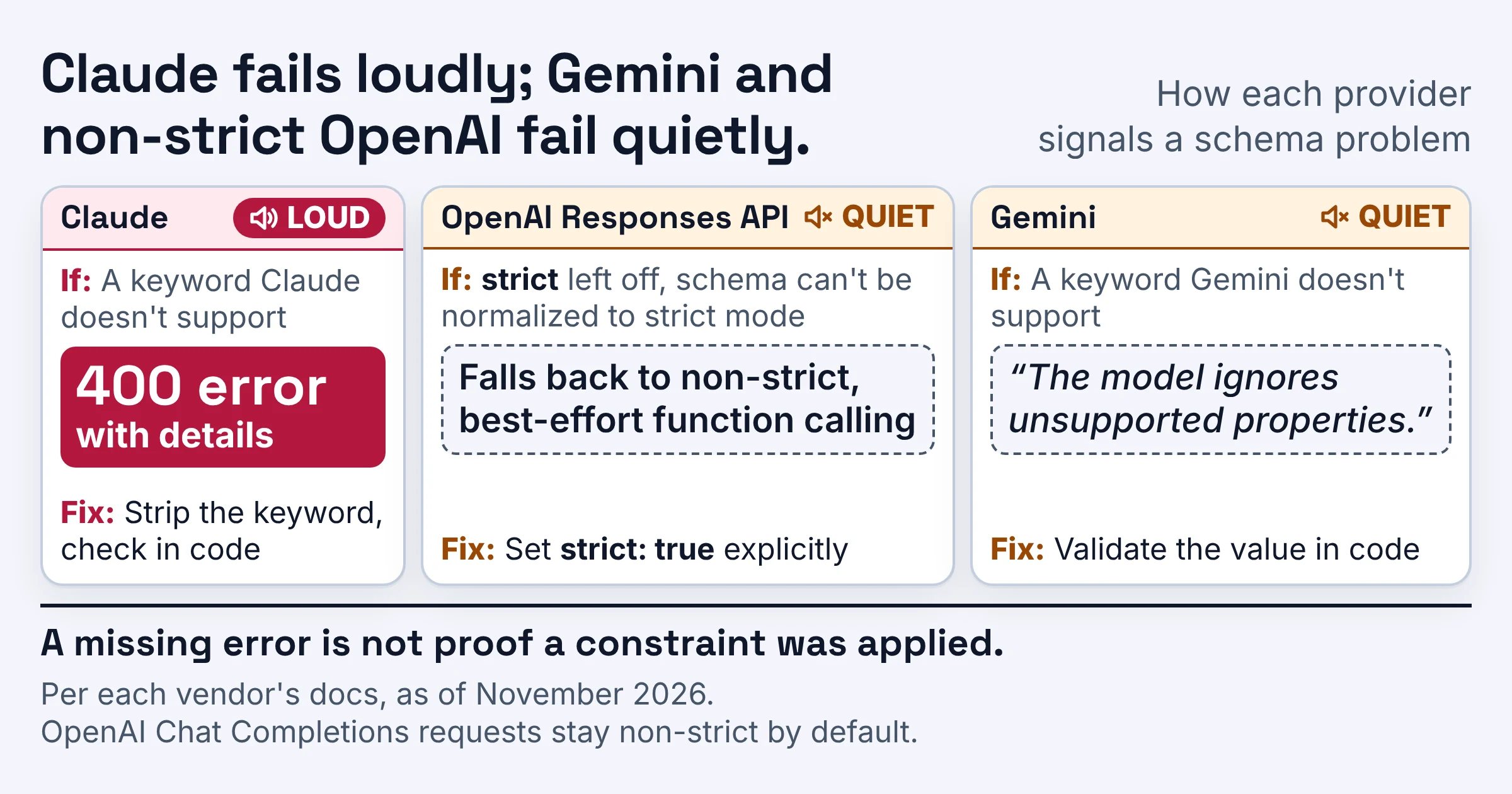
| Unsupported keyword | Some features unsupported; without strict, Responses may fall back to best effort | 400 error with details | Ignored by the model | Not confirmed | Strip it before sending |
| Published size limits | See OpenAI's supported-schemas section | 20 strict tools, 24 optional and 16 union parameters per request | No numbers; very large or deeply nested schemas may be rejected | 100 object properties, 5 nesting levels | Small and shallow |
| First request with a new schema | Not confirmed | Grammar compiles, then cached 24 hours from last use | Not confirmed | Not confirmed | Warm it up before launch |
Constraint keywords
OpenAI's keyword list lives in a supported-schemas section that its function-calling guide links to, and we couldn't confirm its contents. Rather than guess, OpenAI sits out this grid, so read that section before you rely on any keyword below with OpenAI.
| Keyword | Claude | Gemini | Azure OpenAI | Portable choice |
|---|---|---|---|---|
minimum, maximum, multipleOf | Not supported | minimum and maximum supported, inclusive | Not supported | Check in code |
minLength, maxLength | Not supported | Not confirmed | Not supported | Check in code |
pattern | Simple patterns work; complex ones may return 400 | Not confirmed | Not supported | Check in code |
format | date-time, time, date, duration, email, hostname, uri, ipv4, ipv6, uuid | Supported, such as date-time, date, time | Not supported | Plain string, check in code |
minItems, maxItems | minItems of 0 or 1 only | Both supported | Not supported | Check in code |
enum on strings | Works; capitalization not guaranteed | Supported | Not confirmed | String enum, normalize case in code |
anyOf | Supported, but not beside type or properties in one object | Not in Google's documented list | Not allowed at the root | Avoid; use an enum plus nullable fields |
oneOf | Not supported; use anyOf | Not in Google's documented list | Not confirmed | Never |
$ref, $defs | Supported | Not in Google's documented list | Not confirmed | Inline the definitions |
| Recursive schemas | Not supported | Not confirmed | Supported | Flatten to a fixed depth |
Read the grid as a warning, not a menu. A 1-to-5 priority score with minimum and maximum shows the trap: Gemini accepts both keywords, Azure lists them as unsupported, and Claude answers with a 400.
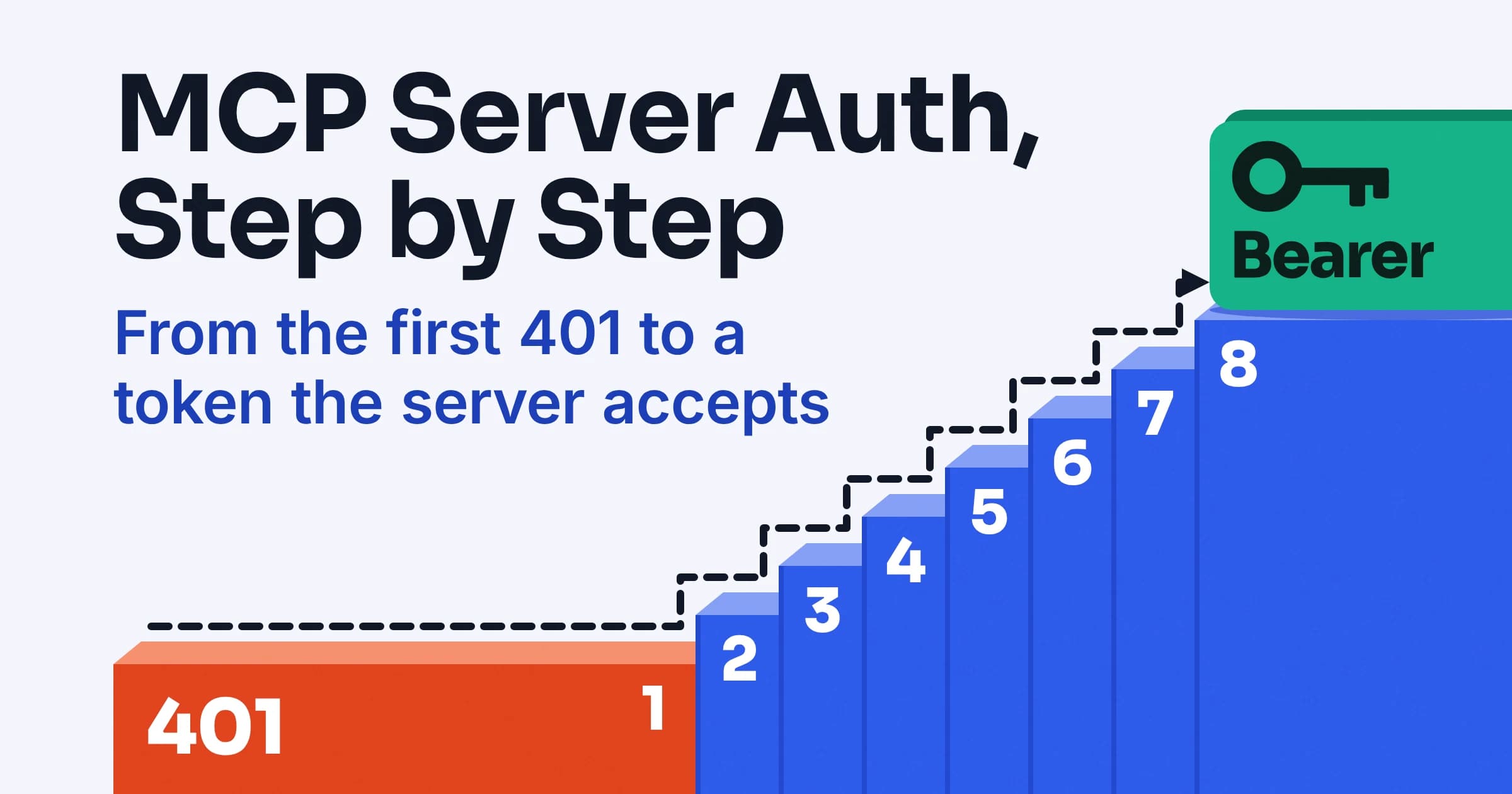
Why does my JSON schema get a 400 error?
On Claude, Anthropic's docs tie 400 errors from structured outputs to a short list of causes, as of November 2026: a schema feature it doesn't support (the error includes details), a schema too complex for Claude to compile (it turns each schema into a grammar first), or a clash with another option such as citations. Anthropic's structured outputs docs say JSON outputs and strict tool use share the same limitations, so a schema that fails in one mode fails in the other.
| If your schema has | Claude's documented rule | Fix |
|---|---|---|
minimum, maximum, multipleOf, minLength or maxLength | Numerical and string constraints not supported | Remove; check in code |
oneOf, or anyOf beside type or properties | Not supported | Use anyOf in its own object |
| A schema that refers to itself | Recursive schemas not supported | Flatten to a fixed depth |
minItems of 2 or more | Only 0 and 1 supported | Use 1 and count items in code |
A long, clever pattern regex | Complex patterns might return 400 | Simplify, or check in code |
| Many optional fields | Each roughly doubles part of the grammar, which can hit internal size limits | Make fields required, or split the schema |
Citations plus output_config.format | Returns 400 | One or the other per request |
The grammar-size case has its own message: "Schema is too complex for compilation." Anthropic also enforces a 180-second compilation timeout, which is one more reason to keep schemas lean.
The opposite problem: no error at all
OpenAI and Gemini can fail quietly instead of loudly:
- OpenAI: per its function-calling guide, if you omit
strict, Responses requests try to normalize your schema into strict mode and fall back to non-strict, best-effort function calling when they can't. Chat Completions requests stay non-strict by default. - Gemini: Google's docs are blunter: "The model ignores unsupported properties."
If Claude treats your schema the way a compiler treats code, Gemini treats it the way a browser treats an HTML attribute it doesn't recognize: it skips it and keeps going. So a missing error is not proof a constraint was applied.
OpenAI recommends always enabling strict mode. Per OpenAI's Structured Outputs guide, the feature is available starting with GPT-4o, and unlike JSON mode it ensures schema adherence, not just valid JSON.
Do you need additionalProperties false for structured output?
Yes for OpenAI strict mode and Claude, as of November 2026: OpenAI requires additionalProperties: false on every object in the parameters, and Anthropic says it must be false for objects. Gemini accepts a boolean or a schema there, so false everywhere is the one setting all three accept.
The catch is unknown keys. Because the value must be false, Claude can only return the keys you list, so a score per competitor object, with competitor names you don't know yet, can't be a free-form map. Anthropic's docs suggest an array instead, giving each item a key and a value:
"scores": {
  "type": "array",
  "items": {
    "type": "object",
    "properties": {
      "key": { "type": "string" },
      "value": { "type": "number" }
    },
    "required": ["key", "value"],
    "additionalProperties": false
  }
}
Turning that array back into a dictionary takes one line on your side. The same shape also fits OpenAI's strict rules, since it closes the object and requires both fields.
How do optional fields work in OpenAI structured outputs?
In OpenAI's strict mode, every field in properties must be marked required, and you denote an optional field by adding null as a type option, so the key is always present and holds null when there's no value (as of November 2026). Microsoft gives the same advice for Azure OpenAI: include all fields as required and emulate optional ones with a union type with null.
Say you're pulling contact details from email signatures and half of them have no phone number. Instead of leaving phone out of required, declare it as "type": ["string", "null"] and keep it in the list. Gemini accepts the same nullable type array, so this is the pattern that travels.
Claude also lets you leave a field out of required, up to 24 optional parameters per request, but that choice has two costs. Claude writes required properties first and optional ones after, and Anthropic says each optional parameter roughly doubles a portion of the grammar's state space.
Going all-required and nullable keeps your key order, but it has its own cap. Claude allows 16 parameters with union types, meaning fields typed with anyOf or a type array such as ["string", "null"], so more than 16 nullable fields is a hint to split the schema into two calls.
What else limits Claude's structured outputs?
As of November 2026, Claude's structured outputs allow at most 20 tools with strict: true per request, 24 optional parameters in total across strict tool and JSON output schemas, and 16 parameters with union types across all strict schemas. They're available on every Claude model. If you ship a large toolkit, split it across calls to stay under the 20-tool cap.
Four more cases need handling in your calling code:
- Refusals: if Claude refuses, the refusal takes precedence and the output might not match your schema.
- Token limit: if it stops at
max_tokens, the output might be incomplete. - Prefill: prefilling the assistant turn is incompatible with JSON outputs.
- Citations: enabling citations together with
output_config.formatreturns a 400 error.
Housekeeping: the old output_format parameter moved to output_config.format, and beta headers are no longer required. Structured outputs also work with batch processing at a 50 percent discount.
Why is the first request with a new schema slow?
Anthropic's docs say the first Claude request with a new schema adds latency while the grammar compiles, and compiled grammars are then cached for 24 hours from last use. Editing only name or description fields keeps the cached grammar, so you can reword a field hint without paying that first-request cost again.
OpenAI's figure comes from its August 2024 Structured Outputs launch post, which said typical schemas took under 10 seconds to process on the first request and complex ones up to a minute. Treat that as a launch-time figure, and send each new schema once before real traffic arrives.
Which JSON Schema keywords does Gemini support?
As of November 2026, Google's Gemini API structured output docs list a subset of JSON Schema that includes enum for strings, format (such as date-time, date and time), minimum, maximum, minItems, maxItems and prefixItems for tuple-like arrays. You allow null by adding it to the type array, and additionalProperties can be a boolean or a schema.
What the list leaves out matters as much. anyOf, oneOf, $ref and $defs don't appear in Google's documented keywords, and we couldn't confirm how Gemini treats recursive schemas, so don't assume Gemini handles any of them either way.
The API may still reject very large or deeply nested schemas, and Google's suggested fix is shorter property names, less nesting or fewer constraints. One more Gemini detail: Google's docs say streamed chunks arrive as valid partial JSON strings, which helps if you render fields as they land.
Does Gemini enforce minimum and maximum?
Google lists minimum and maximum as supported inclusive bounds, which makes Gemini the only provider in the constraint grid above that accepts them. Google's stated guarantee stops at syntax, though: its docs say structured output guarantees syntactically correct JSON, not semantically correct values, and add "Always validate the final output in your application code before using it."
So keep the bounds in a Gemini-only schema if they help, and still check the number in code. If you call Gemini through a wrapper SDK or a compatibility layer, log the schema that actually reaches the API, because a keyword dropped on the way produces no error either.
Does Azure OpenAI accept the same schema as OpenAI?
Not automatically: as of November 2026, Microsoft documents Azure-specific limits for Azure OpenAI structured outputs, including up to 100 object properties in total and up to five levels of nesting, on both the Chat Completions API and the Responses API. Microsoft's Azure OpenAI structured outputs guide also lists minimum, maximum, multipleOf, minLength, maxLength, pattern, format, minItems, maxItems and uniqueItems as unsupported.
The root object can't be an anyOf, but recursive schemas are supported, which Claude doesn't allow. If one schema has to serve both OpenAI's own API and Azure, check it against both vendors' lists before you ship.
Can one Pydantic model work for OpenAI, Claude and Gemini?
Yes, if you split it into two layers: a plain wire schema that stays inside every provider's documented subset, and your full Pydantic (or Zod) model, with its ranges and formats, as the validator in code. Think of the wire schema as a shipping label every carrier will take, and the full model as the person who opens the box and checks what's inside.
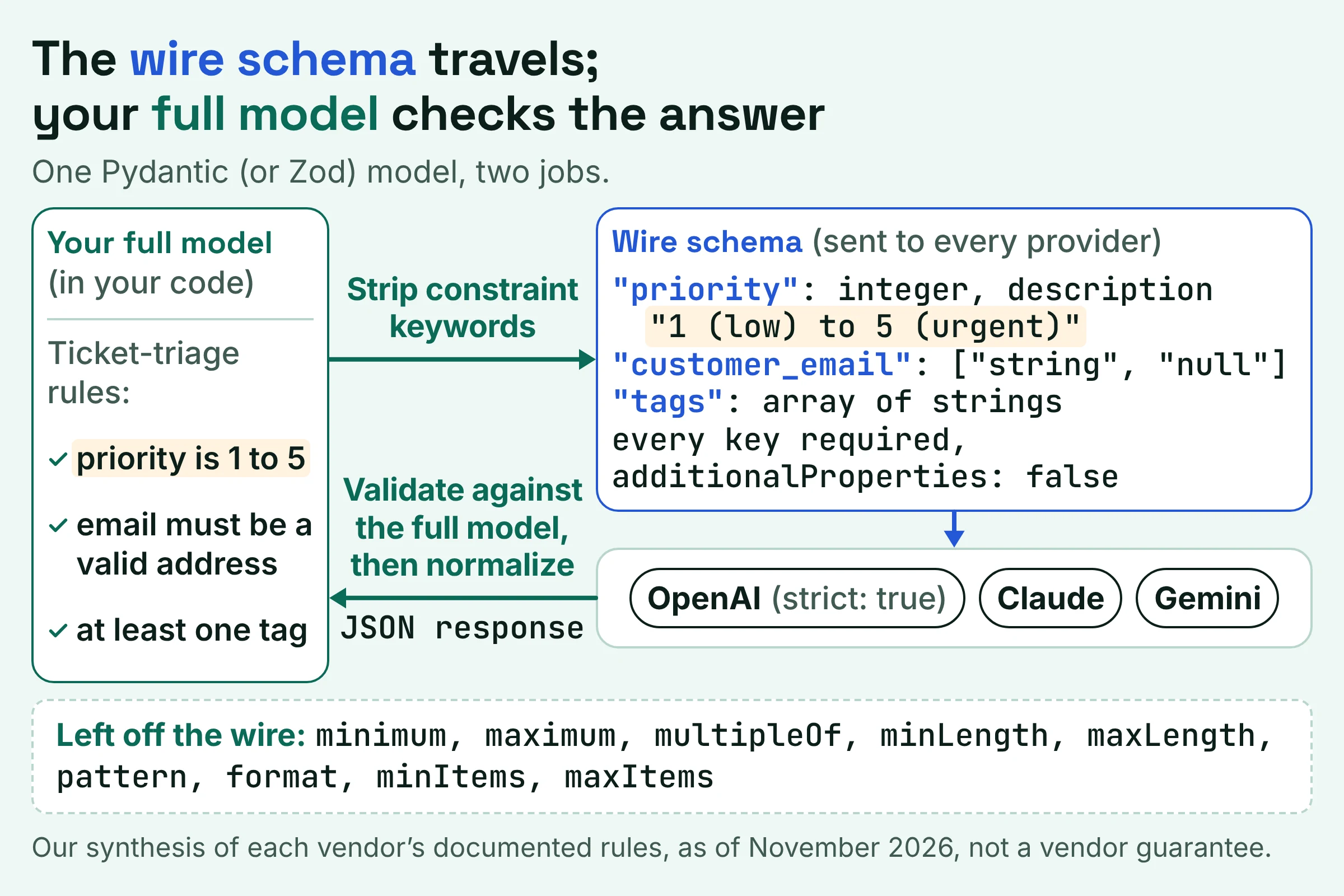
Anthropic's SDK helpers already work this way, sending Claude a simplified schema while a validating helper enforces every original constraint in your code. The recipe below applies that idea to all three providers, and it is our synthesis of the documented rules, not a vendor guarantee.
The portable schema recipe
- Close every object. Set
additionalProperties: falseon each one; OpenAI strict mode and Claude require it, and Gemini accepts it. - Require every property. Make optional fields nullable with a type array, and keep them to 16 or fewer so Claude's union-parameter cap holds.
- Strip constraint keywords from the wire schema. Leave out
minimum,maximum,multipleOf,minLength,maxLength,pattern,format,minItemsandmaxItems; Azure lists all of them as unsupported, and Claude rejects the range and length ones. - Use string enums for categories, and normalize case in code, since Claude doesn't guarantee capitalization.
- Avoid unions. No
oneOf, and noanyOfat the root or besidetypeorproperties; akindenum plus nullable fields covers most either-or shapes. - Inline everything. No
$ref,$defsor recursion; repeat small sub-objects or cap the tree at a fixed depth. - Use key and value arrays for unknown keys, as Anthropic's docs suggest.
- Stay small and shallow. Azure stops at 100 object properties and five levels of nesting, and Google's fix for rejected schemas is shorter names, less nesting and fewer constraints.
Print the JSON Schema your library generates from the model and compare it with this list before sending, especially for optional fields and nested models.
Worked example: one ticket-triage schema for all three
Here's a support-ticket schema written to the recipe. Your validation model still says priority is 1 to 5, email must be a valid address and at least one tag; the wire schema just doesn't ask the provider to enforce those rules.
{
  "type": "object",
  "properties": {
    "kind": { "type": "string", "enum": ["refund", "bug", "question"] },
    "priority": { "type": "integer", "description": "1 (low) to 5 (urgent)" },
    "customer_email": { "type": ["string", "null"] },
    "order_id": { "type": ["string", "null"] },
    "tags": { "type": "array", "items": { "type": "string" } },
    "extra_fields": {
      "type": "array",
      "items": {
        "type": "object",
        "properties": {
          "key": { "type": "string" },
          "value": { "type": "string" }
        },
        "required": ["key", "value"],
        "additionalProperties": false
      }
    }
  },
  "required": ["kind", "priority", "customer_email", "order_id", "tags", "extra_fields"],
  "additionalProperties": false
}
The priority range lives in the description, not in minimum and maximum, so this is the 1-to-5 trap from the keyword grid, avoided: no 400 from Claude, and nothing Azure lists as unsupported. The model still gets the hint, and your validator enforces the rule.
What should your code check before trusting the JSON?
OpenAI's and Google's documented guarantees stop at shape: OpenAI says Structured Outputs constrains completed, non-refusal output to your schema, and Google says Gemini's structured output guarantees syntactically correct JSON but not semantically correct values (as of November 2026). So use one validation rule everywhere: check how the response ended, validate against the full model, then normalize.
- Check how it ended. Handle refusals, incomplete responses and API errors before parsing; OpenAI says your app still has to, and Anthropic says a refusal or a
max_tokensstop can produce output that doesn't match the schema. - Validate against the full model. Run the strict version with every range, length, format and item count you stripped from the wire schema, then retry or flag on failure.
- Normalize, then use. Fix enum case, turn key and value arrays back into maps, and treat
nullas not provided.
Log validation failures with the provider name attached, so a jump on one provider shows up quickly. For the wider reliability stack, see our guide to AI prompt testing and structured output tools.
Which structured output setup should you pick?
As of November 2026, pick by how you want failures to look. Claude fails loudly with a 400 on unsupported keywords, and Gemini accepts range and array-size keywords but ignores the ones it doesn't support. OpenAI says strict mode makes function calls reliably adhere to the schema; the price is that every field is required and every object is closed.
- Pick Claude if you want schema mistakes to surface as errors during development, and your schema fits within 24 optional and 16 union-type parameters.
- Pick Gemini if you want
minimum,maximum,minItemsormaxItemsin the schema itself, and you will validate in code anyway. - Pick OpenAI strict mode if you can model every optional field as nullable, and you set
strictexplicitly rather than relying on Responses to normalize it. - Pick Azure OpenAI if you need recursive schemas, which Azure documents and Claude doesn't support, and your schema fits 100 object properties and five nesting levels.
Do this next:
- Run your current schema down the two grids above and mark every keyword that needs stripping.
- Split your model into a wire schema and a validation model, following the eight-step recipe.
- Send one request per provider with the new schema, time the first call, and confirm the result passes your validator.
Keyword lists, limits and the batch discount were checked against each vendor's docs in November 2026, and they can change, so recheck them before a big schema migration.