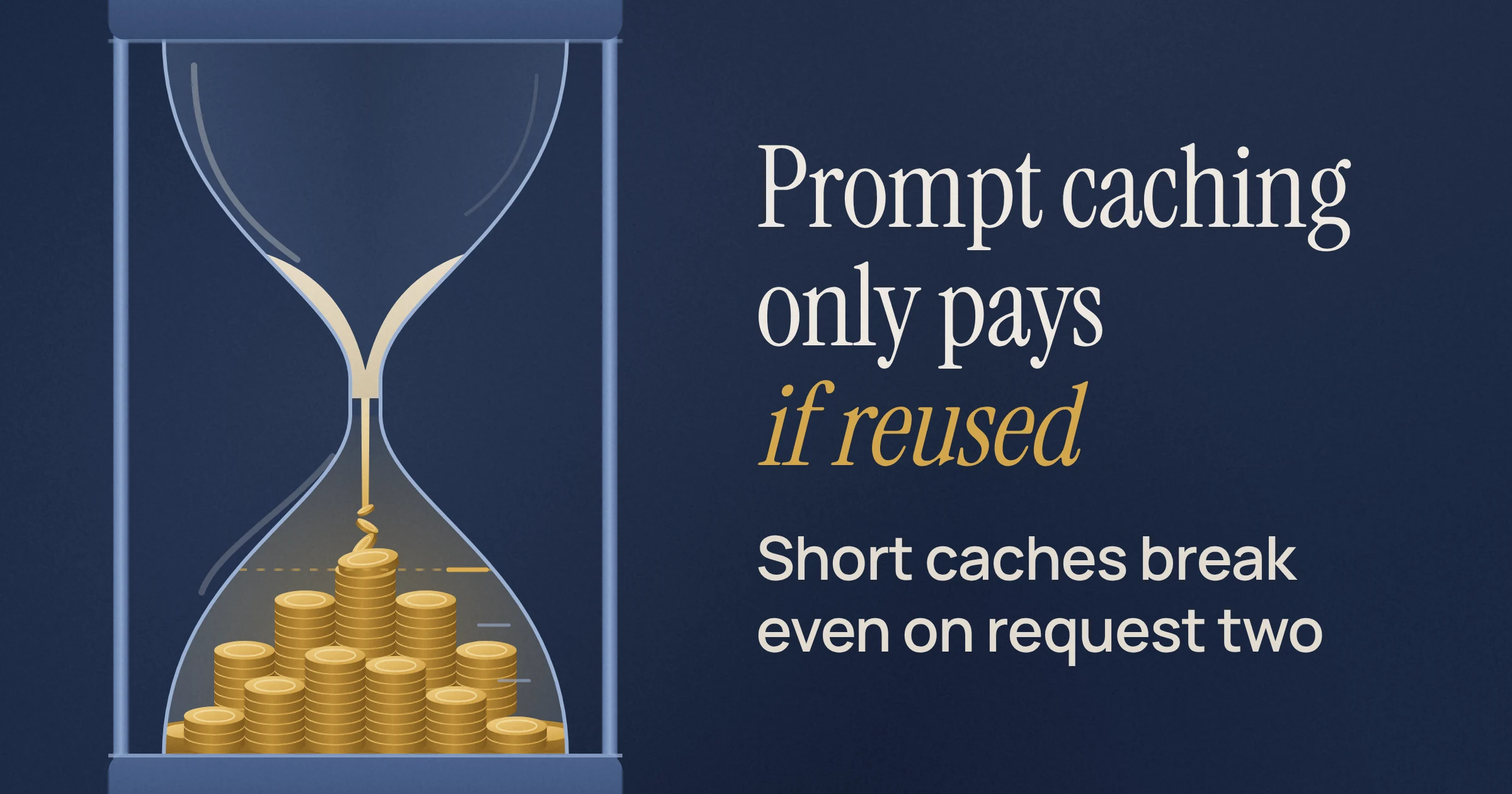
Yes, prompt caching reduces cost, but only after you reuse a prefix enough times to pay back the write fee. As of November 2026, a Claude 5-minute or OpenAI 30-minute cache write pays for itself on the second request, while the pricier Claude 1-hour and OpenAI 12-hour writes break even on the third. Google's pricing page lists no cache-write price for Gemini 4, but you can't create an explicit cache, so every saving depends on an implicit hit.
Prompt caching means the provider stores the processed form of a repeated prompt prefix (system prompt, tool definitions, long documents). Later requests then read that prefix at a discount instead of paying the full input price. Think of the write fee as a cover charge: it only makes sense if you come back. Our guide to keeping the static part of the prompt first covers how to build the prefix. This post is about the money.
Does prompt caching reduce cost on Claude, OpenAI and Gemini 4?
Yes on all three as of November 2026, but the pricing works differently on each. Claude and OpenAI GPT-5.6 and later charge a premium to write a cache and a tenth (sometimes a twentieth) of the input price to read it, while Gemini 4 lists only a discounted cached-input price with no write price. Every multiplier below is relative to the model's base input price.
| Option | Cache write | Cache read | Lifetime | Minimum prefix | Rate limits | Best for |
|---|---|---|---|---|---|---|
| Claude, 5-minute cache | 1.25x | 0.1x (0.05x on Claude Opus 5.5 and Claude Sonnet 5.5) | 5 min, refreshed free on each use | 512 to 4,096 tokens, by model | Hits not deducted | Prompts reused more often than every 5 min |
| Claude, 1-hour cache | 2x | Same as 5-minute | 1 hour | 512 to 4,096 tokens, by model | Hits not deducted | Reuse every 5 to 60 min |
| OpenAI GPT-5.6+, 30-minute default | 1.25x | 0.1x (0.05x on GPT-6.1 Sol and Terra) | 30 min | 1,024 tokens | Cached tokens still count | Steady traffic with short gaps |
| OpenAI GPT-5.6+, 12-hour (Responses API) | 2.5x | Same as 30-minute | 12 hours | 1,024 tokens | Cached tokens still count | Reuse spread across a working day |
| Gemini 4 (Hydrogen, Argon), implicit | No write price listed | 0.05x | Not published | 4,096 tokens (Hydrogen) | Not checked | Zero-config apps that repeat prefixes quickly |
Sources: Anthropic's prompt caching docs, OpenAI's prompt caching guide, and Google's pricing page. On that page, Gemini 4 Hydrogen lists $0.075 per million cached tokens against $1.50 uncached, which is where the 0.05x comes from.
The rate-limit column is easy to skim past, so don't. Anthropic says cache hits are not deducted against your rate limit. OpenAI says cached input tokens still count toward TPM (tokens-per-minute) limits. If your problem is throttling rather than budget, that difference can matter more than any multiplier.
How many requests until a cache write pays off?
With reads at 0.1x or 0.05x, a cache write pays off on request 2 when it costs 1.25x, and on request 3 when it costs 2x or 2.5x. To compare options, count cost in "uncached passes over the prefix": N requests with caching cost write + (N - 1) x read, and N requests without caching cost N.
| Option | Write | Read | 2 requests | 3 requests | 10 requests | Pays off from |
|---|---|---|---|---|---|---|
| No cache (baseline) | - | - | 2 | 3 | 10 | - |
| Claude 5-minute or OpenAI 30-minute | 1.25x | 0.1x | 1.35 | 1.45 | 2.15 | Request 2 |
| Same, on 0.05x-read models | 1.25x | 0.05x | 1.30 | 1.35 | 1.70 | Request 2 |
| Claude 1-hour | 2x | 0.1x | 2.10 | 2.20 | 2.90 | Request 3 |
| Claude 1-hour, Opus 5.5 or Sonnet 5.5 | 2x | 0.05x | 2.05 | 2.10 | 2.45 | Request 3 |
| OpenAI 12-hour | 2.5x | 0.1x | 2.60 | 2.70 | 3.40 | Request 3 |
| OpenAI 12-hour, GPT-6.1 Sol or Terra | 2.5x | 0.05x | 2.55 | 2.60 | 2.95 | Request 3 |
| Gemini 4 implicit, if every repeat hits | none listed | 0.05x | 1.05 | 1.10 | 1.45 | Request 2 |
OpenAI publishes its own check on this arithmetic. One write plus one full reuse costs 1.35x versus 2x uncached, and one write plus nine reads costs 2.15x versus 10x. For any other multipliers, caching wins once N is greater than (write - read) / (1 - read).
Every row assumes two things. Each repeat must be a full hit inside the cache lifetime, and the prefix must clear the provider's minimum. Also, the part of each request after the cached prefix gets no read discount, so a short prefix followed by a long question saves less than the table suggests.
Is the 1-hour Claude cache or the 12-hour OpenAI cache worth the higher write price?
The longer cache is worth it when the gaps between your requests outlast the default lifetime. Claude's 1-hour cache beats the 5-minute cache as soon as you expect one gap between 5 and 60 minutes, though it only beats no caching from the third request. OpenAI's 12-hour cache pays off once you expect two or more gaps longer than 30 minutes.
This choice matters because of one trap: a cache that expires between every request is worse than no cache. You pay the 1.25x write each time and never collect a read. It's like a gym membership you renew at the door on every visit.
Claude: 5-minute vs 1-hour
Picture an internal tool that sends the same long system prompt every 10 minutes for an hour, so 6 requests. With the 5-minute cache, every request arrives after expiry and rewrites: 6 x 1.25 = 7.5 passes, against 6 with no caching at all. With the 1-hour cache, it's one write plus five reads: 2 + 5 x 0.1 = 2.5.
The general rule follows from that. The 1-hour write costs 0.75 more than a 5-minute write, and each 5-minute expiry you avoid swaps a 1.25 rewrite for a 0.1 read, saving 1.15. One avoided expiry covers the premium.
Anthropic's guidance agrees. Stay on the 5-minute cache if you send a prompt more often than every 5 minutes, since it keeps refreshing at no charge. Use the 1-hour cache for prompts reused less often than that but more often than hourly.
OpenAI: 30-minute vs 12-hour
OpenAI's 12-hour lifetime is available on the Responses API at a 2.5x write rate, and read rates are the same for both lifetimes. OpenAI's advice is to compare that higher write rate with the cost of rewriting the prefix after 30-minute coverage expires.
Here is that comparison. The 12-hour premium is 1.25, and each avoided rewrite saves 1.15. With one long gap (two requests), the 30-minute path costs 2.5 and the 12-hour path costs 2.6, a near tie. With two long gaps, it's 3.75 versus 2.7, and the 12-hour cache pulls further ahead with each gap after that.
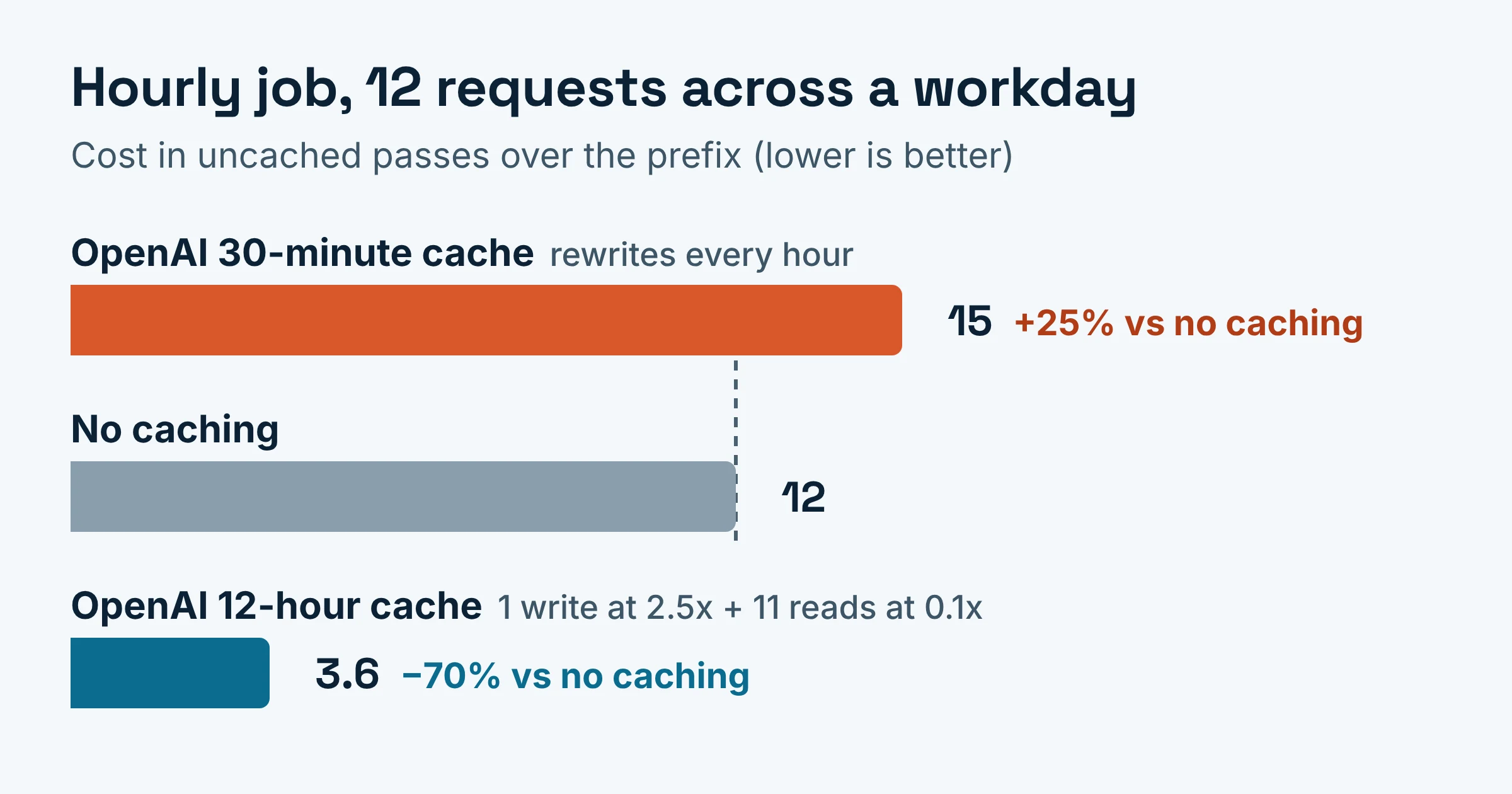
An hourly job across a workday shows the extreme case. Its 12 requests cost 12 x 1.25 = 15 on 30-minute caching, 12 uncached, and 2.5 + 11 x 0.1 = 3.6 on the 12-hour cache.
Can I enable explicit caching on Gemini 4?
No. As of November 2026, Google's context caching docs say explicit caching (creating and managing cache objects yourself) is not supported for Gemini 4 models or in the Interactions API. Gemini 4 relies on implicit caching, which is on by default for Gemini 2.5 and newer, and Google says it passes on savings automatically with nothing to configure.
What that changes in your cost model:
- No write fee to recover. Google's pricing page lists a cached-input price and no write price for Gemini 4 Hydrogen and Gemini 4 Argon. Because no write price is listed, a miss should cost the same as an uncached request, so there's no write fee to lose on the cache itself.
- No control either. You can't pick a lifetime, and Google hasn't published how long implicit entries live. The docs describe savings when a request hits a cache, not a guarantee that it will.
- A higher floor. Gemini 4 Hydrogen's implicit cache minimum is 4,096 tokens.
- The Argon price change keeps the ratio. Gemini 4 Argon input is $2.00 per million tokens through November 30, 2026 and $4.00 from December 1, 2026; cached input moves from $0.10 to $0.20 on the same dates. That's 0.05x before and after.
- Small turns get partly reprocessed. On Gemini 4, the full previous request is cached only if the new request adds at least 2,050 tokens. For smaller additions, Gemini reprocesses the last 2,050 tokens of the previous request at the standard input rate. Chatty agent loops that add a sentence per turn feel this most.
To improve your odds, Google suggests putting large, common content at the start of the prompt and sending requests with a similar prefix within a short window. If you need explicit cache objects on Gemini, you'll need a model from before Gemini 4. Gemini 3.8 Flash's explicit caching adds a storage price of $0.50 per million tokens per hour through December 31, 2026, per Google's pricing page.
How do I check that the cache actually hit?
Send the identical request twice and read the usage object on both responses. On the repeat, Claude should report cache_read_input_tokens, OpenAI a non-zero cached_tokens, and Gemini 4 a non-zero usage.total_cached_tokens.
- Claude: total input equals
cache_read_input_tokens+cache_creation_input_tokens+input_tokens. Expect creation tokens on the first call and read tokens on the second. If both stay at zero, suspect a prefix under the minimum. If creation tokens appear again on the second call, suspect the prefix changed. - OpenAI:
cached_tokenscounts billed reads and excludes tokens charged as writes, so zero on the first call is normal. - Gemini 4: zero on the repeat means you paid the standard rate for that request.
What quietly cancels the savings?
Cache misses are often silent. Claude processes under-minimum prompts without caching and returns no error, and a changed prefix (such as edited tool definitions) forces a fresh write that shows up only in the usage fields or on the bill.
- Too-short prefixes on Claude. Minimums run from 512 tokens on the newest models such as Claude Fable 5.2, to 1,024 on Claude Sonnet 5 and Claude Opus 4.8, to 4,096 on Claude Haiku 4.5.
- Too-short prefixes on OpenAI. OpenAI warns that a prefix below the 1,024-token minimum can cost more uncached than expanding it to the minimum cacheable length.
- Parallel fan-out on Claude. A cache entry only becomes available after the first response starts. Send one request, wait for its response to begin, then fan out.
- Editing tools on Claude. Changing tool names, descriptions or parameters invalidates the entire cache.
- Workspace boundaries. Claude caches are isolated by workspace, so two workspaces sharing a prompt each pay their own write.
- Writing the tail on OpenAI. OpenAI's explicit-only mode lets you choose where cache writes end. Content after the last breakpoint is billed at the uncached rate with no write charge, so you don't pay the write premium on per-request text like a user's question.
Which cache setting should you pick?
Match the cache lifetime to the gaps in your real traffic, not to the cheapest-looking write price. Then confirm hits in the usage fields before you count the savings.
- Pick Claude's 5-minute cache if the same prefix arrives more often than every 5 minutes.
- Pick Claude's 1-hour cache if reuse happens every 5 to 60 minutes, or you are bumping into rate limits.
- Pick OpenAI's 30-minute default if traffic is steady with gaps under 30 minutes.
- Pick OpenAI's 12-hour cache if you expect two or more gaps longer than 30 minutes within 12 hours and you're on the Responses API.
- Pick Gemini 4 if you want zero setup and can keep prefixes above 4,096 tokens on Hydrogen. Budget as if some repeats will miss.
Do this next:
- Log the time between requests that share a prefix over one day of real traffic.
- Use the break-even table to choose a lifetime. Then turn the multipliers into dollars with each model's base input price, using our API price comparison for Opus 5.5, GPT-6 Sol and Luna as a starting point.
- Ship it, and check the usage fields on the first repeated request.
Multipliers, prices and minimums were checked on Anthropic, OpenAI and Google pages in November 2026; they change often.