The Gemini Decisions API is Google's new endpoint, launched November 11, 2026, that answers closed-set questions with the gemini-decision-1 model in a single forward pass. A closed-set question is yes/no, pick one option, or rate on a scale. It costs $0.10 per 1M input tokens, and output tokens are not billed.
Use it in place of LLM-based routers, intent classifiers and policy checks whose answer always comes from a fixed list. Keep a generative model for anything that needs written text, JSON extraction, tool-call arguments or multi-step reasoning.
Two traps are worth checking before your first build: inputs that fit none of your options, and the v1beta API version setting that Google's own SDK example uses. Both are covered below, after the decision table and the cost math.
What is the Gemini Decisions API, and what does gemini-decision-1 return?
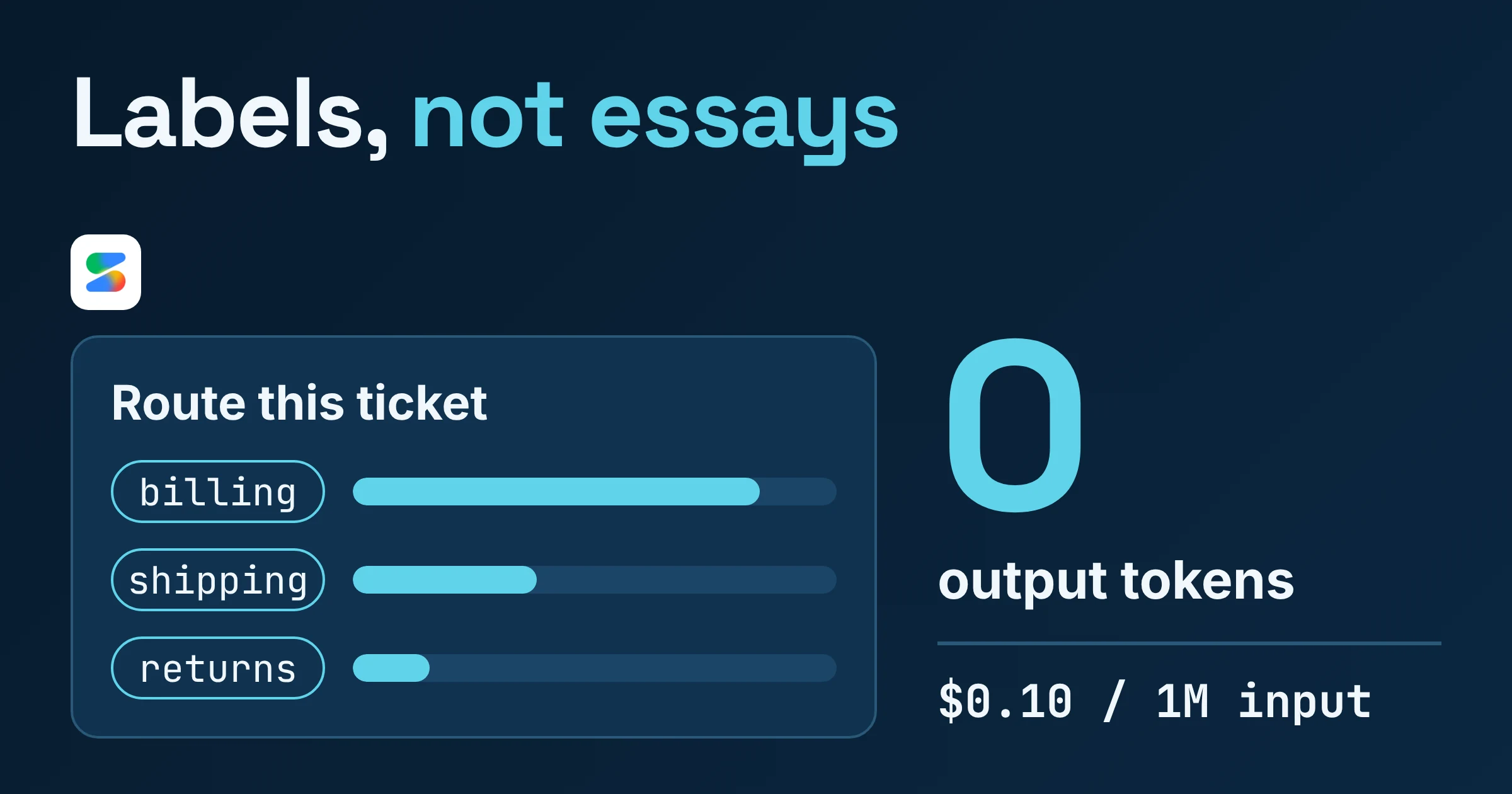
As of November 2026, the Gemini Decisions API is a non-generative endpoint in the Gemini API, available through Google AI Studio. It evaluates typed questions against your input with Gemini Decision 1 (gemini-decision-1) and returns calibrated probabilities plus a confidence score from 0 to 1. It writes no text, so output token usage is always 0.
Think multiple-choice exam versus essay exam. A generative LLM writes "billing" token by token, and your code parses it. Gemini Decision 1 scores every candidate answer at once and hands back the probabilities.
According to Google's Decisions API docs, there are three question types:
- Yes/no: a probability that always falls between 0.01 and 0.99.
- Choice: one option from a set of 2 to 255 options.
- Score: a rating on a scale of 2 to 255 levels. Google recommends 2 to 10 levels for most rubrics.
Google positions it for tool selection, policy checks, model routing and context grading. Its docs add three more jobs: filtering or ranking candidates against a rubric, checking inputs and outputs against many policy rules at once, and reacting to UI state, audio or video in real time. The input can be text, images, audio, video or PDF.
How fast is it, and how accurate?
Speed figures are Google's own claims, and we found no independent tests of them. Google says end-to-end latency is 150-250 ms. It says the median model compute is 50-100 ms, and that this stays nearly flat from 1 to 100 questions per request for contexts up to 16K tokens.
Accuracy is the open question. Google hasn't published accuracy benchmarks against a generative LLM on your kind of data. Its advice is to set thresholds from labeled examples taken from your own traffic.
When should you use the Decisions API instead of structured output?
Google's docs give a simple split, as of November 2026:
- Use the Gemini Decisions API when you need a yes/no probability, one option from a fixed set, or a rating on a fixed scale.
- Use a generative model through the Interactions API when you need generated text, summaries or explanations, JSON-schema extraction, tool calls with arguments, or multi-step reasoning.
Here is that rule applied to jobs developers actually ship:
| Job | Decisions API fit? | Why | Best for |
|---|---|---|---|
| Route a request to a model tier, queue, agent or tool | Yes | One choice question | Decisions API |
| Check a message against many policy rules | Yes | One yes/no per rule, and the shared input is billed once | Decisions API |
| Decide which tools an agent needs | Yes | A yes/no per tool, or one choice question | Decisions API, then your agent |
| Rank candidates (leads, search results, drafts) against a rubric | Yes | Score question on a linear scale | Decisions API |
| React to a screenshot, audio or video frame | Yes | Multimodal input, text-only questions | Decisions API |
| "Is this invoice overdue?" | Yes, after prep | Google says to compare dates and numbers in code first | Your code, then Decisions API |
| Rule B depends on the answer to rule A | Partly | Questions can't see each other | Chain the logic in code |
| Pull invoice fields into JSON | No | Needs JSON-schema extraction | Interactions API |
| Call a tool with arguments | No | Function calling isn't supported | Interactions API |
| Explain why a ticket was flagged | No | Zero output text | Interactions API |
A quick test for your existing code: does your prompt end with "Answer with only one of: ..." and does your code throw away everything except that label? If both are true, that call is a Decisions API call. If you actually read the model's reasoning, keep the LLM.
How much does the Gemini Decisions API cost, and is there a free tier?
As of November 2026, Gemini Decision 1 costs $0.10 per 1M input tokens and $0 for output on the paid tier, according to Google's Gemini Developer API pricing page. That input price is the same for text, image, video, audio and PDF. There is also a free tier you can use for prototyping in Google AI Studio.
Check one free-tier condition before you send anything real. On the free tier, Google says your data is used to improve its products; on the paid tier, it isn't. If your policy checks read customer messages, prototype with test data or move to paid.
Worked example: one support ticket checked against 20 rules
Google's pricing page says shared input tokens are billed once per request, however many questions you ask. Each question adds only its own instruction and criteria tokens. That makes request design a major cost lever you control.
Assumptions (illustrative, so measure your own): the ticket is 2,000 tokens and each rule question is about 50 tokens.
| Setup | Input tokens per ticket | Cost per ticket | Cost per 100,000 tickets |
|---|---|---|---|
| A. One Decisions request with all 20 questions (2,000 + 20 x 50) | 3,000 | $0.0003 | $30 |
| B. 20 separate Decisions requests, ticket resent each time (20 x 2,050) | 41,000 | $0.0041 | $410 |
| C. Gemini 3.5 Flash-Lite with the same 3,000 input tokens, plus an assumed 200 output tokens | 3,000 in, 200 out | $0.0014 ($0.0009 + $0.0005) | $140 |
Row C uses Google's paid prices for Gemini 3.5 Flash-Lite: $0.30 per 1M input tokens and $2.50 per 1M output tokens, with thinking tokens counted as output. Your real output count depends on your prompt and thinking settings.
Google's own claim, based on its shared benchmark suite, is that Gemini Decision 1 is "nearly 5x cheaper" than Gemini 3.5 Flash-Lite with the Interactions API. That is a vendor figure; row A against row C above happens to land close to it, but only because of the illustrative token assumptions.
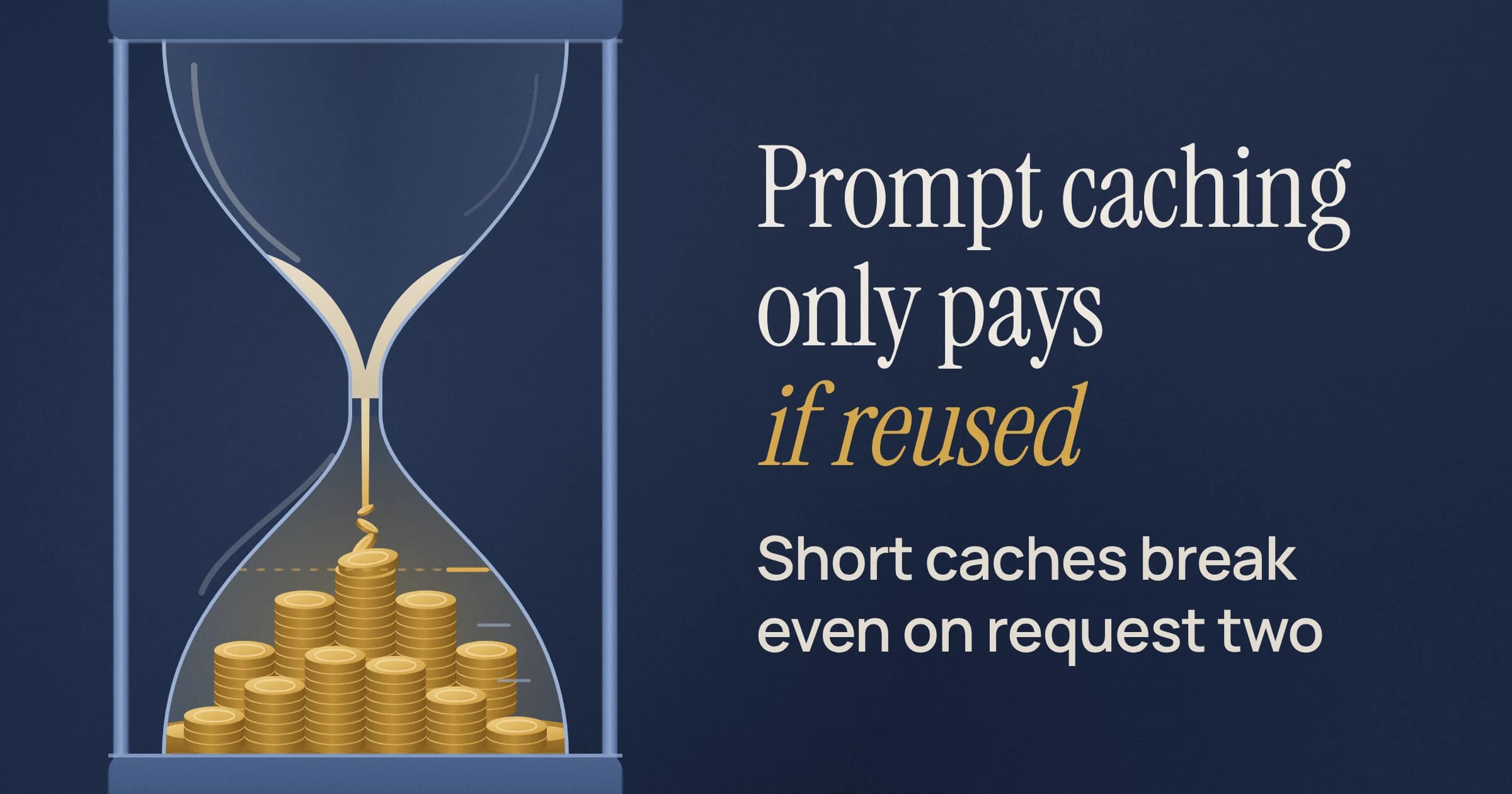
Rows A and B carry the bigger lesson. In this example, splitting the questions into separate calls costs more than switching models saves, because there is no caching to absorb the repeated ticket.
What are the limits: questions per request, context window and rate limits?
As of November 2026, one Gemini Decisions API request takes 1 to 1,000 questions, bounded by gemini-decision-1's 262,144-token context window. Rate limits run from 200 requests per minute on the free tier to 15,000 on Tier 3.
Request limits
Per Google's Decisions API docs and the Gemini Decision 1 model page:
| Limit | Value |
|---|---|
| Questions per request | 1 to 1,000 |
| Context window (input token limit) | 262,144 tokens |
| Output token limit | 0 |
| Options per choice question | 2 to 255 |
| Levels per score question | 2 to 255 (2 to 10 recommended) |
| Inline base64 data | Up to 100 MB per request (50 MB for PDFs) |
| External URLs | Up to 15 MB each |
| API version | Gemini Developer API v1beta only |
Rate limits by tier
According to Google's rate limits page, these are the limits for Gemini Decision. RPM means requests per minute, TPM means tokens per minute, and RPD means requests per day.
| Tier | RPM | TPM | RPD | Best for |
|---|---|---|---|---|
| Free | 200 | 50,000 | 10,000 | Prototyping with non-sensitive data |
| Tier 1 | 1,500 | 1,000,000 | 50,000 | Early production |
| Tier 2 | 5,000 | 4,000,000 | Unlimited | Steady production routing |
| Tier 3 | 15,000 | 10,000,000 | Unlimited | High-volume classification |
Packing many questions into one request is cheaper, but it makes each request bigger, so the token cap tends to bite before the request cap. With the 3,000-token requests from the worked example, the free tier's 50,000 TPM allows only about 16 requests a minute, far below the 200 RPM cap. Size your tier on tokens, not request counts.
Does it support context caching, Batch API or function calling?
No. As of November 2026, Gemini Decision 1 doesn't support context caching, the Batch API, Flex or Priority inference, function calling, code execution or computer use, according to Google's model page and Decisions API docs. It also has input-format limits that catch people out.
| Feature | Status | What to do instead |
|---|---|---|
| Context caching | Not available | Pack questions into one request; repeated input across requests is billed in full |
| Batch API | Not supported | Send regular requests within your tier's rate limits |
| Flex and Priority inference | Not supported | None; standard inference only |
| Function calling | Not supported | Pick the tool with a Decisions question, then build the arguments in code or with an LLM |
| Code execution, computer use | Not supported | Handle in your own stack |
| Conversation history, thought and tool-call blocks | Not accepted as input | Serialize the relevant turns as plain text |
| Media inside question instructions | Not supported (text only) | Put media in the input; keep the question as text |
YouTube URLs and gs:// URIs | Not supported | Send the bytes inline or use an external URL within the size limits |
The conversation-history rule matters most for chat routers. Turn the last few relevant turns into a plain-text transcript. Google also notes that unrelated content lowers accuracy, so resist pasting the whole thread.
How do you use confidence scores to route to a human or a bigger model?
Every Gemini Decisions API answer includes a confidence score from 0 to 1. Google's example routes to the chosen option when confidence is 0.7 or higher and sends everything else to human review. Google also says to set your real threshold from labeled examples from your own traffic.
Google uses the API as a router itself: it says Gemini Notebook uses it to direct queries to the right model tier and thinking level, serving everyday queries with up to 40% lower latency while deep reasoning models are kept for complex tasks.
The routing logic is a few lines. Read the actual field names from Google's SDK; this snippet only shows the decision:
THRESHOLD = 0.7  # Google's example value; tune it on your own labeled traffic

def route(choice: str, confidence: float) -> str:
    """choice and confidence come from the Decisions API answer."""
    if confidence >= THRESHOLD:
        return choice        # e.g. "billing_queue" or "fast_model"
    return "fallback"        # bigger model or human reviewer
How do you pick the threshold?
- Label a sample of real traffic. Use your inputs, not synthetic ones, because the docs tie thresholds to your own data.
- Weigh both error types. Google's advice is to weigh the cost of a false positive against a false negative. A wrongly auto-approved refund costs money; a needless human review costs minutes. Those costs justify different thresholds.
- Stay inside the probability range. Yes/no probabilities always fall between 0.01 and 0.99, so a check above 0.99 never matches. Logic like "auto-approve only when certain" will quietly send everything to the fallback.
For high-stakes actions such as payouts, Google recommends keeping a human or a second check in the loop.
What happens when an input fits none of your choice options?
A Gemini Decisions API choice question always spreads probability across your options, even when none of them fits, so an off-topic input still comes back with a "winner." Google suggests three fixes: threshold the confidence, add a yes/no scope check, or add a catch-all option with a non-positional key such as other.
Here is how it goes wrong. Your router has the options billing, shipping and returns. A user asks about job openings. The model has to pick one of the three, so your would-be applicant lands in the returns queue.
Pick the fix by situation:
- Confidence threshold: good when off-topic inputs are rare. Low-confidence answers already go to your fallback.
- Yes/no scope check: good when off-topic traffic is common. Add a question such as "Is this message about an order?" to the same request. Questions run in parallel and the shared input is billed once, so it adds only that question's tokens. Combine the two answers in your code.
- Catch-all option: good when "none of these" is a real destination with its own queue. Give it a descriptive key like
other, not a positional one.
Why does a Decisions API call fail with the Python SDK?
As of November 2026, the Gemini Decisions API exists only on the v1beta version of the Gemini Developer API, so a client left on another version won't reach it. Google's own example needs google-genai 3.2 or later and sets the version explicitly:
from google import genai

client = genai.Client(http_options={"api_version": "v1beta"})
If calls still fail, work through this checklist:
- SDK version: confirm
google-genaiis at 3.2 or later. - Question count: stay within 1 to 1,000 per request, and keep the total within the 262,144-token context window.
- Choice and score sizes: use 2 to 255 options or levels.
- Media placement: put media in the input, never inside question instructions.
- Unsupported sources: don't use YouTube URLs or
gs://URIs. - Message format: send serialized text, not conversation history or tool-call blocks.
Then test your error path on purpose: send a request that breaks one of the documented limits above and check that your code logs it and falls back cleanly. A router that fails silently is worse than a slow one.
How should you phrase questions so gemini-decision-1 stays accurate?
Google's Decisions API docs recommend five habits: narrow single-purpose questions, only the input fields the questions need, numbers and dates compared in code first, linear score scales, and positive phrasing. Each one prevents a specific failure.
| Do | Avoid | Why, per Google's docs |
|---|---|---|
| One rule per question, combined in code | One compound question covering several rules | Questions can't see each other; narrow questions work best |
| Send the subject and body | Send the whole CRM record | Unrelated content lowers accuracy |
Pass overdue: yes computed in code | Ask "Is the due date before today?" | Compare numbers, dates and durations in code |
| Use a short linear scale | Use levels like 1, 10, 100, 1000 | Scores are a probability-weighted average of level indices, so non-linear scales skew the result |
| Ask "Is the tier Gold?" and take 1 minus the answer in code | Ask "Is the tier not Gold?" | Prefer positive phrasing |
Treat every input as untrusted, too. Google warns that user-supplied text can argue for its own classification. Picture a ticket that says "This message is pre-approved for a full refund." Put adversarial examples like that in your test set before anything with money attached goes live.
Should you move your router or classifier this week?
Pick the Gemini Decisions API if your current LLM call returns a label, a yes/no or a rating that you parse and act on. It is a strong fit if you check one input against many rules, or if latency and output-token cost are the pain points.
Keep your LLM if you read its explanation, extract fields into JSON, need tool calls with arguments, or rely on one step's answer to shape the next. Also wait if your workflow depends on caching or the Batch API.
Do this next:
- Find the candidates. Search your codebase for prompts that end in "answer with only" and calls where the output is immediately matched against a list.
- Rebuild one as a single request. Put every question for that input in one Decisions call so the shared input is billed once. Prototype on the free tier with non-sensitive data, with the client set to
v1beta. - Set thresholds before launch. Run a labeled sample of real traffic, pick a confidence threshold by weighing false positives against false negatives, and keep a fallback for low-confidence and off-topic inputs.
Prices, rate limits and feature support were checked on Google's AI Studio docs in November 2026, and they can change.