Document TranslationAI Translation ToolsBook Translation

BookTranslator

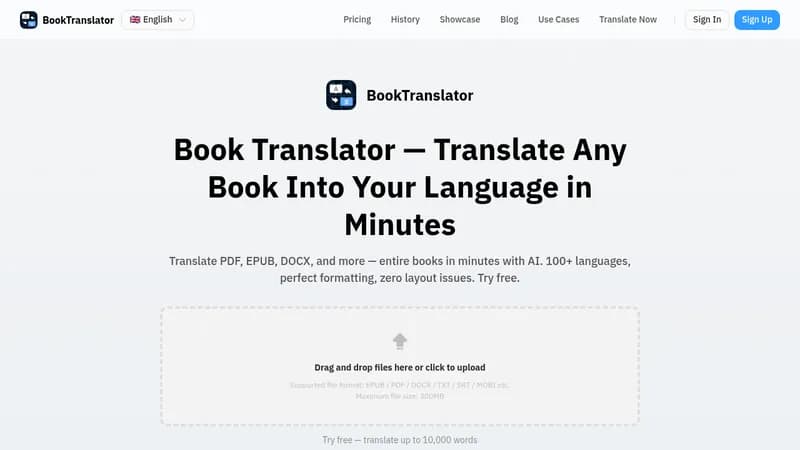
Translate books instantly with AI in over 100 languages

Monthly Visits: 110.0K
Freemium
Free Version
Visit Website
BookTranslator

What is BookTranslator?

This tool lets you upload book files like EPUB or PDF and get them translated quickly using AI. It's perfect for reading foreign books without language barriers, making global literature accessible. You can enjoy accurate translations that preserve the original meaning, saving you time and effort.

Key Features of BookTranslator

  1. 1

    One-Click Translation

    Translate entire books instantly with a single click

  2. 2

    AI Accuracy

    Uses advanced AI for context-aware and natural translations

  3. 3

    Bilingual Comparison

    Compare original and translated text side by side for better understanding

  4. 4

    Fast Processing

    Get translations in just one minute for quick access

  5. 5

    Multi-Language Support

    Supports over 76 languages for global reading needs

BookTranslator AI Tool Use Cases

  • ๐Ÿ“š
    Read international books in your language
  • ๐ŸŽ“
    Translate academic papers for research
  • ๐ŸŒ
    Localize content for global audiences
  • โœ๏ธ
    Publish books in multiple languages

Pros & Cons of BookTranslator

Pros (4)

  • Fast translations completed in one minute
  • High accuracy with AI understanding context and nuances
  • Supports a wide range of file formats and over 76 languages
  • Bilingual comparison feature for better comprehension

Cons (3)

  • Guest users have translation history deleted after 7 days
  • Word limits apply for guest tasks (up to 300,000 words per task)
  • No mention of integrations with other platforms or advanced editing tools

BookTranslator's Pricing Plans

Guest

Per task
Pay per task

Features

  • Translate up to 300,000 words per task
  • History auto-deletes after 7 days

Free

monthly
$0

Features

  • Pay with credits
  • No word limits
  • 1,000 free credits
  • History saved for 30 days

Pro

monthly
$8

Features

  • No word limits
  • 50,000 credits per month
  • History saved forever
  • 50% discount on purchasing credits
For the latest pricing info, pleaseย visit the official website

More Info About BookTranslator

Who is using booktranslator?

This tool is best for:

  1. Authors and Publishers
  2. Academic Researchers
  3. Book Lovers
  4. Students

BookTranslator's Tags

Explore more niche AI tool websites by clicking on a tag* (works only if it has enough tools).

#AITranslation #TranslationTools#BookTranslator#EbookTranslation#GlobalReading

Website Analytics of BookTranslator

BookTranslator Website Traffic & SEO Analysis:

Recent data shows that BookTranslator has 110.0K monthly visits (12.8% increase from the previous month), 41.0% bounce rate, and average 2.75 pages per visit.
Traffic is primarily driven by 6 different sources, with users from 5 countries worldwide, led by Germany contributing 14% of total traffic. SEO performance is shown by 5 tracked keywords, with "ebook automatisch รผbersetzen" being the top-performing keyword with 0 monthly searches. See below for more info.

Monthly Visits

110.0K

(+12.8%)

Pages per Visit

2.75

Bounce Rate

41.0%

Average Time on Site

4m 4s

Traffic Trend(Jul 2025 - Oct 2025)

Loading chart...

Top Keywords

SEO KeywordVolumeCPC
ebook automatisch รผbersetzen
0-
traduction livre de franรงais en anglais
0-
traducteur epub gratuit
0-
book translator
780$0.25
translator for epub files apps
0-

Traffic Sources Distribution

Traffic Share by Source

Loading chart...

Source Breakdown Details

SourceTraffic Share
Direct
33%
Search
53%
Social
4%
Referrals
9%
Paid Referrals
1%

Global Traffic Distribution

Traffic Share by Country

Loading chart...

Geographic Breakdown Details of top 5 countries

Country NameTraffic Share
Germany14%
United States13%
Russia8%
Brazil7%
Italy6%
Analytics data is estimated (from third-party analytics providers) and for reference only.

๐Ÿš€ BookTranslator Launch Badge

Promote your Toolbit Launch by using the badge on your website. It can be inserted on your home page or footer easily.

How to use: Simply copy and paste the embed code into your homepage or footer HTML to display it instantly and build community support.

ToolBit badge

Reviews for BookTranslator