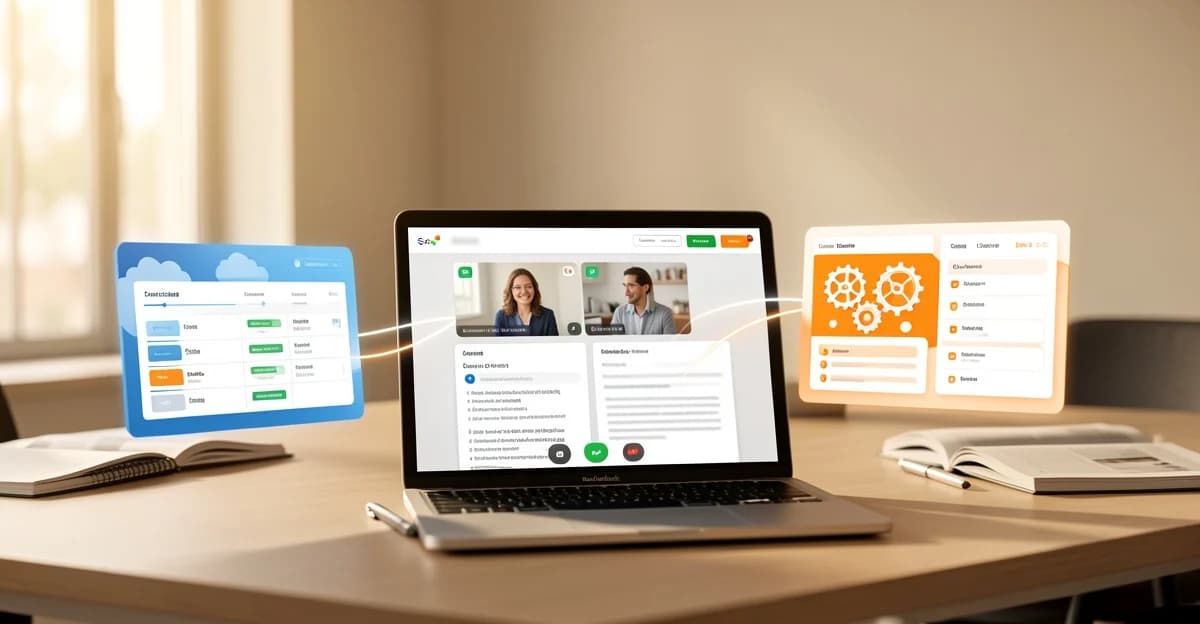
Two conversations happen in every multinational call. The first is the meeting itself. The second is the quiet, low-grade negotiation over audio: whose fan is that, why does the Mumbai office sound like a fish market, and is anyone going to admit they only caught half of what the colleague from Hamburg just said. Somewhere in that second conversation, the words "accent" and "localization" get mentioned, and someone goes looking for AI to fix it.
Krisp and Zoom are the two names that come up. They solve different halves of the problem, one of them actually touches accents, and neither is quite what the marketing implies. Here is what each one genuinely does, as of September 2026.
What real-time audio cleanup actually does
Before touching the accent question, it helps to know what meeting audio AI can and cannot do. The boring, well-established parts are real and genuinely useful:
- Noise suppression. A model listens to your microphone in real time and subtracts non-speech sound: keyboards, fans, traffic, a dog two rooms away. This is mature technology, and both tools do it well.
- Echo cancellation. Your speaker's output gets removed from your microphone's input, so nobody hears themselves twice. Zoom does this by default on every call.
- Level and clarity processing. Quieter voices get boosted, harsh ones smoothed, room reverb tamed. Zoom's "personalized audio isolation" goes further: you record a short voiceprint, and the app locks onto your voice shape, suppressing everything else. It is built for exactly the open-plan-office scenario that makes multinational calls painful.
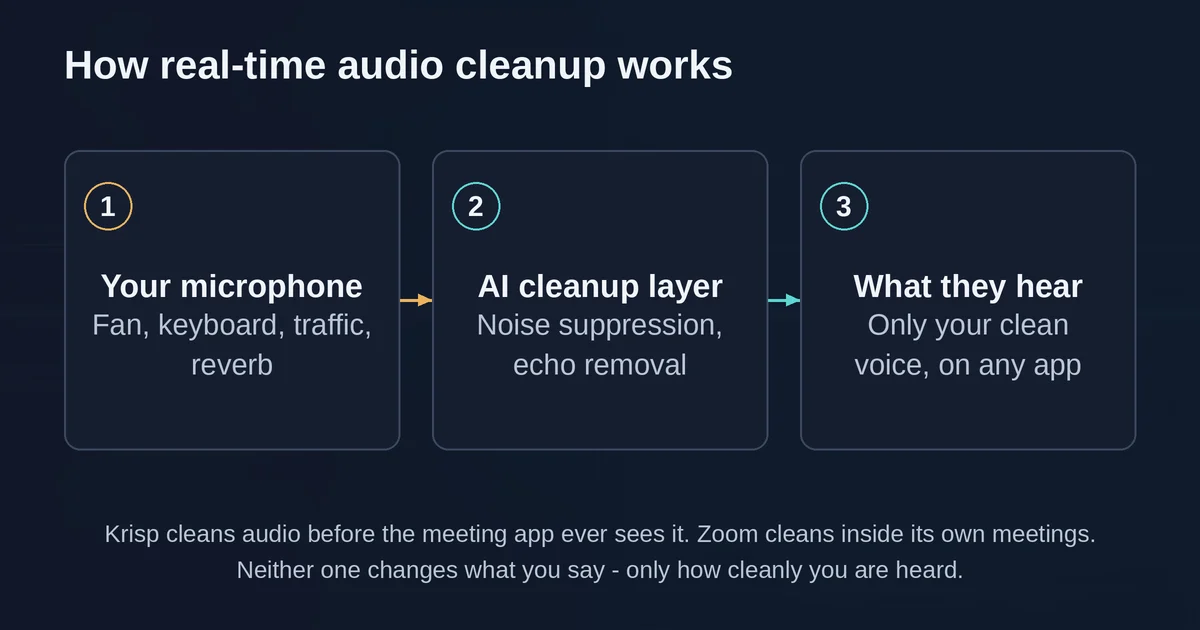
None of that changes what you say. It changes how cleanly you are heard. That distinction matters, because the accent question is where the marketing tends to run ahead of the physics.
The accent claim, examined honestly
The phrase you will see in vendor copy is some variation of "accent localization" or "accent smoothing." Here is the honest version.
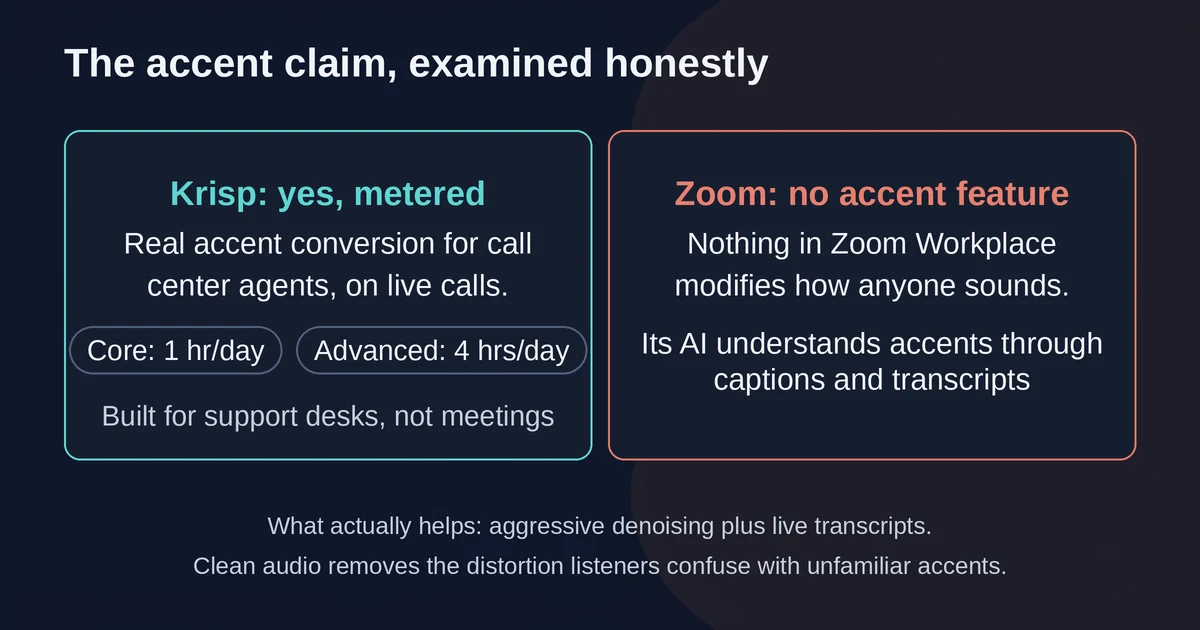
What exists: Krisp Accent Conversion is real, and it is not a meeting feature. Krisp's accent conversion page is explicit about the target market: it reduces and converts the accent of call center agents, in real time, on live customer calls. It ships in Krisp's Call Center AI product and, in limited metered form, in its Meeting AI plans (more on the metering below). The feature genuinely re-renders a speaker's accent toward a target that is easier for the listener to parse. Call centers buy it because comprehension drives handle times.
What does not exist: general accent smoothing in meetings. Zoom has no accent feature at all. Its audio stack stops at noise suppression, echo cancellation, and voiceprint isolation. Nothing in Zoom's Workplace settings modifies how anyone sounds, and its meeting AI (summaries, transcription, captions) is built to understand accents, not erase them.
What actually helps cross-accent meetings is less exciting and more effective: aggressive denoising removes the distortion listeners confuse with unfamiliar accents, and accent-robust transcription gives people a live text fallback. "I couldn't hear you" and "I couldn't parse your accent" feel identical to the listener, and the first one is far more common. Fix the audio path and much of the perceived accent problem quietly disappears.
There is also a question worth asking before deploying accent conversion on your own team: whether you want your colleagues' voices altered so you can be more comfortable. Companies do make that choice, and call centers make it under metrics pressure. For internal meetings, most teams that try the feature conclude the metered hours are better spent on captions and cleaner audio.
Krisp: the specialist layer
Krisp started as a noise cancellation app that sits between your microphone and any conferencing tool, and that is still its core value. Install it, pick "Krisp Microphone" in Zoom, Teams, Meet, Webex, or a browser tab, and the audio is cleaned before the meeting app ever sees it. If your company runs calls across four different platforms, that portability is the whole point.
The meeting assistant built on top is solid rather than dazzling: bot-free transcription and recording, AI notes and action items, in-person meeting support, transcripts in 16+ languages, and custom vocabulary for the industry terms generic transcription butchers. Krisp's FAQ confirms noise cancellation is in every plan, and you can disable the note-taker entirely if you only want clean audio, which is a refreshing admission that the two products serve different needs.
The accent conversion metering is where buyers get surprised. On the pricing page, the Core plan includes 1 hour per day of accent conversion; the Advanced plan raises that to 4 hours per day on the speaker side, with unlimited listener-side conversion. That structure tells you who the feature is really for: a support agent on an eight-hour shift burns through it, a sales rep joining three calls does not.
One freshness note: older reviews still describe a permanent free Krisp plan with 60 minutes of daily noise cancellation. That is gone. Krisp now offers a 7-day free trial with all premium features, then it is paid.
Zoom Workplace: the built-in answer
Zoom's story changed in 2026, and half the comparison articles on the internet have not caught up. The "Zoom AI Companion" brand, as a standalone thing you evaluate, has been folded into the product: meeting summaries, chat compose, transcription, and call summaries are now native Zoom Workplace features, included with eligible paid plans under plain functional names. The new flagship is ZoomMate, a separate agentic add-on that reads meeting context and takes actions, drafting follow-ups and updating records. If you already pay for Workplace Pro or above, the meeting AI you were comparing against Krisp is effectively free, and per Zoom's own announcement its AI Companion monthly active users more than tripled year over year.
On the audio side, Zoom's noise suppression is better than people give it credit for. The default "Noise removal" mode auto-adjusts, and the manual levels are well documented: Medium handles fans and pen tapping, High will eliminate background speech from other people in your room, at the cost of some CPU. Personalized audio isolation, the voiceprint feature, is the closest thing any mainstream meeting tool has to Krisp-grade isolation, and it is a checkbox away for anyone on a crowded floor.
What Zoom cannot do is leave Zoom. The audio cleanup only applies to Zoom meetings, and there is no accent feature. If your team lives in Zoom and nowhere else, that is not a limitation you will ever feel.
Side by side
| Krisp Meeting AI | Zoom Workplace | |
|---|---|---|
| Noise suppression | Works across any conferencing app | Zoom meetings only |
| Echo cancellation | Yes, cross-app | Yes, on by default |
| Voiceprint isolation | No | Yes (personalized audio isolation) |
| Accent conversion | Yes, metered (1-4 hrs/day) | None |
| Meeting notes and summaries | Included, bot-free | Included with paid Workplace plans |
| Entry price | Core $8/user/mo (annual) | Pro $14.16/user/mo (annual) |
| Free option | 7-day trial only | Free Basic tier, 40-min group meetings |
Which one you should actually use
You live in Zoom. Use Zoom's own audio stack first. Set noise suppression to High for loud rooms, record the voiceprint for personalized isolation, and let the built-in summaries replace any thought of a second subscription. Adding Krisp on top of a Zoom-only workflow is paying twice for one job.
Your meetings are scattered across platforms. Krisp is the only one of the two that cleans audio in Meet, Teams, Webex, and a browser webinar at once. That, not the meeting notes, is what justifies the seat.
You run a call center and comprehension metrics matter. Krisp's Call Center AI with accent conversion is the only option here that addresses accents directly. Evaluate it as an operations decision, with your agents' consent as part of the conversation, not as a meeting upgrade.
You want better cross-accent meetings without altering anyone's voice. Turn on Zoom's live captions and transcription, or Krisp's 16+ language transcripts, and fix the audio path. A transcript is a far better accent bridge than any real-time voice transformation, because it shows what was said without deciding how anyone should sound.
And if you are choosing a note-taker rather than an audio tool, we compared bot-free meeting notes options separately, since that decision has more to do with privacy and CRM integrations than with sound. If your audio problem is closer to dictation than meetings, our piece on AI dictation tools for fast talkers covers the voice-to-text side of the house.
Pricing and plan details are as published by the vendors around September 2026 and can change, and Zoom's list prices vary by region and promotion, so confirm on the official sites.
FAQ
Does Zoom AI Companion change your accent? No. Zoom's audio features are noise suppression, echo cancellation, and optional voiceprint-based voice isolation. Nothing in Zoom Workplace modifies accents. As of 2026 the AI Companion features also live natively inside Zoom Workplace rather than as a separate product.
Can Krisp and Zoom be used together? Yes, and it is a common setup. Krisp installs as a virtual microphone and speaker, so you can select Krisp Microphone inside Zoom and let it clean the audio before Zoom's own processing sees it. Teams with challenging environments often stack them this way.