The moment that kills most AI notetakers isn't the transcript quality. It's the join. You're 30 seconds into a first sales call, building trust with someone who doesn't know you yet, and a participant named "Fathom Notetaker" appears in the attendee list. The prospect goes quiet for a beat. "Oh, we're being recorded?" Now the meeting is about the recording.
That's why a whole category of tools now sells itself on a single word: bot-free. No extra participant, no "recording started" banner, nothing to admit from a waiting room. Your laptop or phone captures the audio you already hear, and the notes quietly build themselves somewhere else.
But "bot-free" is doing a lot of vague work in marketing copy. Two tools can both skip the bot and still handle your meeting audio in completely different ways, with completely different privacy consequences. This guide compares three genuinely different answers to the same problem: Granola, Fathom, and Meetily, an open-source option most roundups skip entirely. The whole decision comes down to three questions, so let's start there.
What bot-free actually means (and what it doesn't)
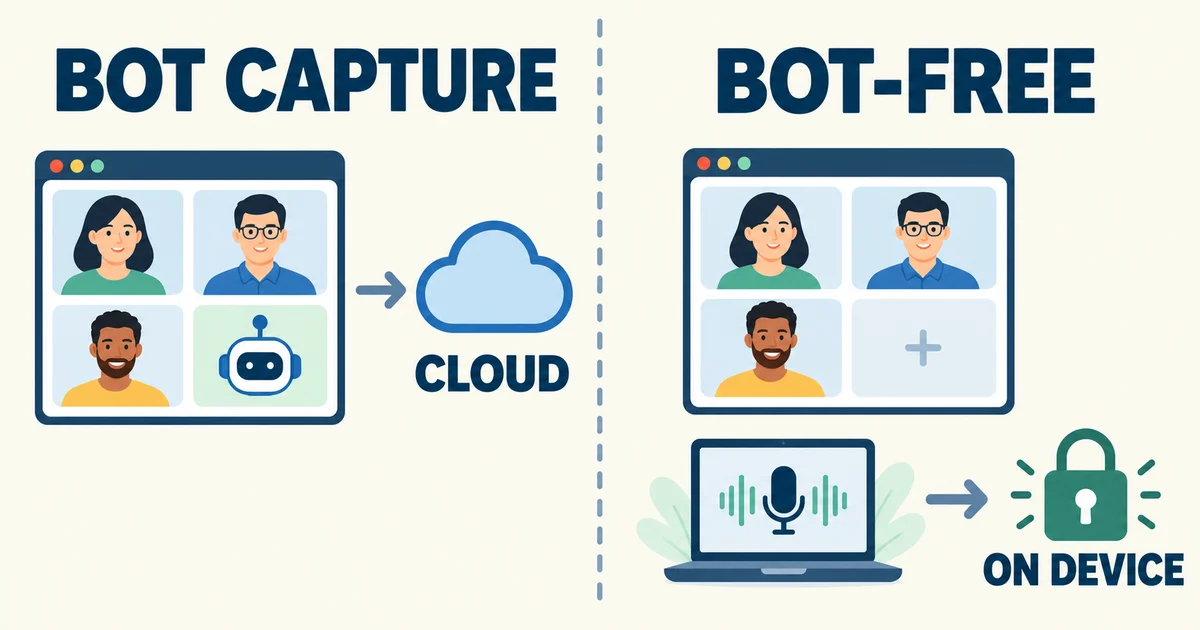
A traditional AI notetaker joins your call as a participant. The meeting platform treats it like any other guest: it shows in the attendee list, it may trigger a "participant joined" chime, and on some platforms it requests admission. That bot receives its own audio streams from the server, which is why bot-based tools can label speakers so cleanly: the platform has already separated every voice before the notetaker hears anything.
A bot-free tool takes a different path. It runs as an app on your computer or phone and captures two local audio streams: whatever your microphone picks up, and whatever your speakers or headphones are playing, which is everyone else on the call mixed into a single channel. Nothing joins the meeting. The meeting platform has no idea it's happening.
That difference cuts both ways, and honest coverage of this category is rare:
- The good: no visible participant, no admission prompt, works on any platform (it just listens to audio), and works on things bots can't join, like Slack Huddles, phone calls, and in-person conversations.
- The tradeoff: everyone else's audio arrives as one mixed stream. Splitting your voice from the rest is easy, which is why bot-free tools universally offer a "Me / Them" transcript. Figuring out who inside "Them" said what is a genuinely hard signal-processing problem, and every tool in this comparison handles it differently.
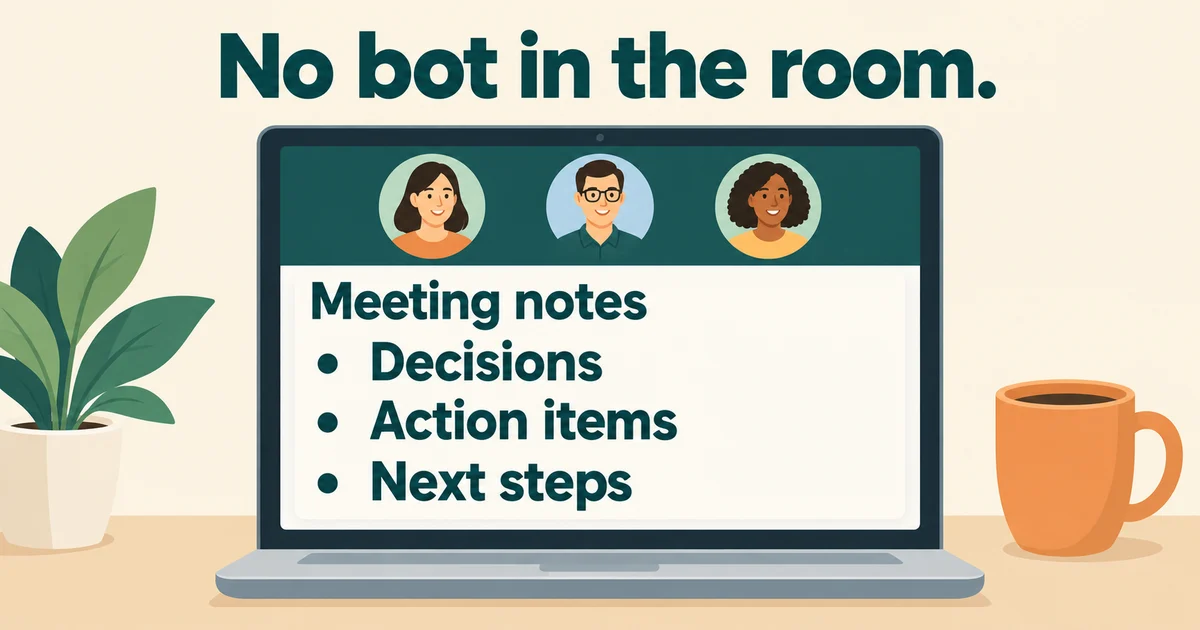
One more thing bot-free does not mean: private. Most bot-free tools still ship your audio or transcript to cloud APIs for processing. Invisible to the meeting is not the same as invisible to the internet. If local processing is your actual requirement, only one of the three tools below delivers it, and even that one has a caveat worth understanding.
Here's how the three stack up on the questions that matter:
| Granola | Fathom | Meetily | |
|---|---|---|---|
| Does a bot join? | Never | Your choice, per meeting | Never |
| Capture method | Device audio (mic + system) | Desktop app capture, no participant | Device audio, on-device |
| Where audio is processed | Cloud transcription (Deepgram, AssemblyAI), cloud AI models (OpenAI, Anthropic) | Fathom's cloud | Locally, on your machine |
| Speaker names | Display names via speaker tags on Google Meet and Zoom; otherwise Me/Them | Speaker attribution across modes (vendor-claimed, bot-free) | Local diarization; anonymous speaker buckets unless configured |
| Platforms (Sep 2026) | macOS, Windows, iOS, Android | Bot-free: Mac desktop app; Windows "coming soon" | macOS, Windows; Linux from source |
| Open source | No | No | Yes, MIT license |
| Price to start | Free plan, then $14/user/mo | Free plan, then $15-20/user/mo | Free (you run it yourself) |
Granola: the notepad that listens
Granola's founding idea is that you take notes and the AI fills the gaps. During the call you type short, rough bullets into Granola's notepad, the way you'd jot in a scratch doc anyway. When the meeting ends, Granola merges your notes with the transcript and produces a clean, structured summary in seconds. It's the only one of the three built around the habit of typing while you talk, and for people who already do that, the output feels distinctly more personal than a summary written cold.
On the bot question, Granola is unambiguous: it never joins your meetings, on any platform. Capture happens on your device, and the security page states plainly that Granola "does not add a bot to your video call." That same page is also the honest answer to the "is it private?" question: transcription runs through providers like Deepgram and AssemblyAI, summaries through OpenAI and Anthropic, and notes are stored encrypted in Granola's US-hosted cloud. Granola doesn't keep the audio, only transcripts and notes, and you can opt out of model training in settings. But the audio does leave your machine. If your requirement is "nothing ever touches the cloud," Granola is not that tool.
The speaker question is where Granola's documentation deserves real credit for honesty. By default, the transcript shows two labels: Me and Them. With speaker tags set up, Granola can use real display names on Google Meet (via a browser extension on Mac and Windows) and on Zoom (via the Mac app, reading active-speaker info from the Zoom interface). Granola's own docs list where this breaks down: several people sharing one meeting-room device, overlapping speech, or audio playing elsewhere on your computer. Where names aren't available, the AI infers speakers from context, and you can correct names manually or ask Granola's chat to fix them. In practice: a client one-on-one reads beautifully; a rowdy five-person call is usable but you'll want to skim before forwarding anything.
Pricing is unusually legible. The free Basic plan gives you unlimited note-taking with limited history (roughly a 30-day window; older notes stay stored but locked until you upgrade). Business is $14 per user per month with unlimited history, integrations into Notion, Slack, HubSpot, Attio, Affinity, and Zapier, plus API and MCP access so your notes can flow into Claude, ChatGPT, or whatever agent you're wiring up. Enterprise adds SSO and admin controls at $35. There's no annual discount, which is unusual but at least means the sticker price is the real price.
Pick Granola if: you live in back-to-back meetings, you like jotting your own context while you talk, and you want the most mature "notes-plus-transcript" experience in the bot-free category. Skip it if: you need on-device processing, or you're on a platform where the free tier's history window frustrates you and $14/month doesn't fit the budget.
If you're weighing this choice as part of a bigger stack decision, it pairs naturally with the thinking in how to pick the right AI model for the job, since the summary quality of any notetaker is mostly a function of the model behind it.
Fathom: bot or no bot, your call per meeting
Fathom spent years as a classic bot-based notetaker, one of the most loved ones, and in 2026 it shipped its biggest update yet: bot-free capture. The announcement page describes a per-meeting capture picker in the redesigned desktop app with four modes: the traditional bot with full video and audio, bot-free video (a limited beta for Zoom at the time of writing), bot-free audio plus transcript, and bot-free transcript-only for sensitive calls. A toolbar indicator shows which mode is active, so you never have to guess whether the bot is in the room.
This hybrid approach is Fathom's differentiator, and it's more interesting than it first sounds. Bot mode gives you platform-separated audio streams and effortless speaker attribution. Bot-free mode gives you invisibility and access to places bots can't go, which is how Fathom suddenly works in Slack Huddles, arguably where a lot of real work actually happens. You can run the bot for your team's internal all-hands, where nobody cares, and go bot-free for the client call. Admins can even disable bot-free capture org-wide if their compliance team would rather have the visible, auditable bot, an option documented in the Fathom help center.
Fathom claims speaker attribution and "mute acknowledgement" survive in bot-free mode, so you still get named speakers rather than an "unusable block of text" (their words, and a fair jab at lazier bot-free implementations). We couldn't independently verify attribution quality across every bot-free mode, so treat that as vendor-reported and test it on your own calls, which takes one meeting.
The catches: bot-free capture lives in the Mac desktop app, and the what's-new page puts Windows users "up next" rather than live today. If you're on Windows and set on bot-free, Granola currently has the more mature story there. Fathom's free plan is famously generous, with unlimited recordings, transcription, and instant call summaries, and it now even includes the bot-free capture option in beta; advanced summaries and action items start at Premium ($20/month, or $16 billed annually) for individuals, with Team at $19 per user monthly ($15 annual, two-seat minimum) and Business at $34 for CRM sync and custom retention. Like everything in this space, the free tier is the evaluation tier: great for testing, thin for living in.
Pick Fathom if: you want maximum flexibility, one tool that can be loud when nobody minds and silent when they would, and Slack Huddles capture matters to you. Skip it if: you're on Windows waiting for bot-free, or you want open source and local processing.
Meetily: the open-source one your IT team will actually like
Here's the tool most "best AI meeting notes" roundups skip, because it doesn't have an affiliate program. Meetily, built by Zackriya Solutions, is a free, MIT-licensed, open-source meeting assistant that runs on your machine. At around 30,000 GitHub stars it's hardly obscure, and it's actively maintained: version 0.4.0 shipped in June 2026 with multi-language summaries, faster local transcription, and built-in Qwen models for on-device summarization.
What makes Meetily different is where the work happens. Transcription runs locally using Whisper or NVIDIA's Parakeet models, directly on your GPU or CPU. Speaker diarization runs locally. Recordings and transcripts are stored locally. Nothing joins your meeting, and by default nothing leaves your computer. After years of tools that say "privacy-first" while shipping your audio to four different APIs, this is the real thing, and it's the honest answer to the long-tail search "AI notes for client calls that stay on my laptop."
But read the fine print, because this is exactly where the "fully offline" claims need care. Meetily's transcription and storage are always local. Summarization is a configuration choice: you point it at Ollama running a local model (the project's recommended, fully offline path), or you can connect Claude, Groq, OpenRouter, or any OpenAI-compatible endpoint for potentially better summaries. Choose a cloud model and the transcript leaves your machine for the summary step. The local-only claim is true only if you configure it that way, which is worth saying out loud because vendor marketing usually isn't this careful, even when the underlying product is.
The practical tradeoffs are the usual open-source ones. You're the support team: installation is a Windows installer or macOS download today (Linux builds from source), but you're updating it, you're picking the model, and the polish of a Granola or Fathom isn't there. Speaker labels are diarization buckets (Speaker 1, Speaker 2) rather than named participants, so expect to annotate who's who on calls where it matters. There's no cloud dashboard, no team folders, no CRM sync, no mobile app. In exchange you get zero subscription cost, zero vendor lock-in, and a privacy posture no cloud tool can match: for legal, healthcare, HR, or defense-adjacent work, that's not a nice-to-have, it's the requirement.
Pick Meetily if: data sovereignty is the actual requirement, you're comfortable running and occasionally troubleshooting a local app, or you want to build meeting notes into your own workflows. Skip it if: you want polish and integrations and a support number to call.
For teams that like the idea but want the AI reasoning to happen elsewhere, this is the same instinct behind our guide to building your first AI automation: start with the smallest self-hosted loop that delivers value.
Which one should you pick?
Three tools, three genuinely different philosophies. A quick decision path:
- You want the best everyday notes and don't mind the cloud. Granola. The notepad-plus-AI workflow is the strongest writing experience of the three, it runs bot-free on every major platform, and speaker tags cover the platforms where names matter most.
- You want one tool for every context, bot or no bot. Fathom. Being able to choose per meeting, and the Slack Huddles capture that comes with it, is unique among the three. Just check whether bot-free mode has reached your platform yet.
- Nothing may leave the machine. Meetily, configured with Ollama for summaries. It's the only option here where "local" means the whole pipeline, and it's free.
If you're still unsure, run the same test we'd run: take one real 20-minute call (or a recorded one) through each tool you're considering and check three things, whether the transcript names the speakers, whether the action items would survive being forwarded to a colleague without edits, and what a guest would have seen during the call. One meeting tells you more than any comparison table, including ours.
Worth naming two runners-up briefly. Krisp pairs bot-free capture with its signature noise cancellation, which makes it the pick for noisy rooms and international calls where accents and bandwidth punish transcription. Wispr's Flow Notetaker, launched in 2026, is Mac-only for now but puts heavy emphasis on getting names and speakers right and exposing notes over MCP to your AI tools. Neither is for everyone, but if the three main options miss your use case, that's where the shortlist continues, and the comparison habits from our guide to comparing AI tools across job roles apply here too.
Privacy, consent, and the part nobody puts in the pricing table
Here is the uncomfortable truth about bot-free notetakers: they make recording less visible, and that is a double-edged sword.
In roughly a dozen US states, including California, Florida, Illinois, Maryland, Massachusetts, and Pennsylvania, recording a private conversation requires the consent of every party, and courts and employment lawyers have been clear that video meetings and AI transcription tools fall under these statutes. California class actions have targeted recording practices with per-participant statutory damages, and a December 2025 Illinois lawsuit against an AI meeting assistant argued that speaker-recognition features create biometric voiceprints covered by BIPA, the state's biometric privacy law. That case was dismissed in early 2026 without a ruling on the merits, so it settles nothing legally, but it tells you exactly which direction the wind is blowing: lawyers have noticed that meeting AI creates voiceprints, and voiceprints are regulated in at least one populous state.
A bot joining the call is, whatever else you think of it, a consent signal. Everyone sees "Fathom Notetaker" and can object. A bot-free tool has no such signal. If you record a call without consent using a bot-based tool, that's a compliance failure. If you record the same call without consent using a bot-free tool, it's the same compliance failure, minus the visible evidence, which can make it worse: California's statute specifically penalizes surreptitious recording.
So the practical rules, whatever tool you choose:
- In all-party consent states, get consent for recording regardless of capture method. Say it on the call or put it in the invite. Bot-free is not a consent loophole.
- For client work, disclosure is usually the better move even in one-party states. "I take notes with an AI assistant, is that okay?" costs you five seconds and buys you trust no transcription feature can.
- If biometric privacy is in scope for your org, ask vendors whether their speaker-recognition features create voiceprints, and where they're processed. Granola, for the record, makes transcripts rather than voiceprints, and Meetily's diarization never leaves your machine. Fathom's speaker attribution in bot-free modes is worth a direct question to their team.
- Prefer vendors with clear retention controls: Granola stores no audio at all, Fathom's Business tier adds custom data retention, and Meetily means you set your own retention by managing your own files.
None of this is legal advice, and recording law varies by state and situation. But the pattern is durable: the law cares that you recorded, not whether a robot was visible while you did it.
Pricing and plan details are as published by the vendor around September 2026 and can change - confirm on the official site.
FAQ
Does Granola join the meeting as a bot? No. Granola never joins your calls as a participant on any platform. It captures audio from your device (microphone plus system audio) and transcribes it in the background. Your guests see nothing.
Is Fathom bot-free on Windows? Not yet. As of September 2026, Fathom's bot-free capture runs in its Mac desktop app, with the company listing Windows as "coming soon." Fathom's traditional bot mode works everywhere it always did. If you need bot-free on Windows today, Granola is the stronger option.
Is Meetily actually fully offline? Transcription, diarization, and storage are fully local, always. Summarization is your choice: run it offline via Ollama (the project's recommended setup) or point it at Claude, Groq, OpenRouter, or an OpenAI-compatible endpoint, in which case the transcript leaves your machine for that step. Fully offline is real but it is a configuration choice, not a default guarantee.
Do I still need consent if the tool is bot-free? Yes. All-party consent states like California and Illinois require consent from every participant before recording a private conversation, and that applies to a desktop app capturing audio just as much as to a visible bot. Bot-free removes the notification, not the obligation.
Which one has the best free plan? Depends on what you need. Fathom's free plan gives unlimited recordings and transcripts, with advanced AI summaries and action items from the Premium tier. Granola's free plan gives unlimited note-taking with a limited history window. Meetily is free entirely, with the cost being your time and hardware.
Which tool names speakers best? Fathom's bot mode, when the platform feeds it separated audio streams, is the strongest attribution setup. Among bot-free modes, Granola's speaker tags (Google Meet and Zoom) attach real display names where configured; Meetily labels speakers anonymously by default. None of them is perfect on a chaotic multi-person call, so test with your own meetings.