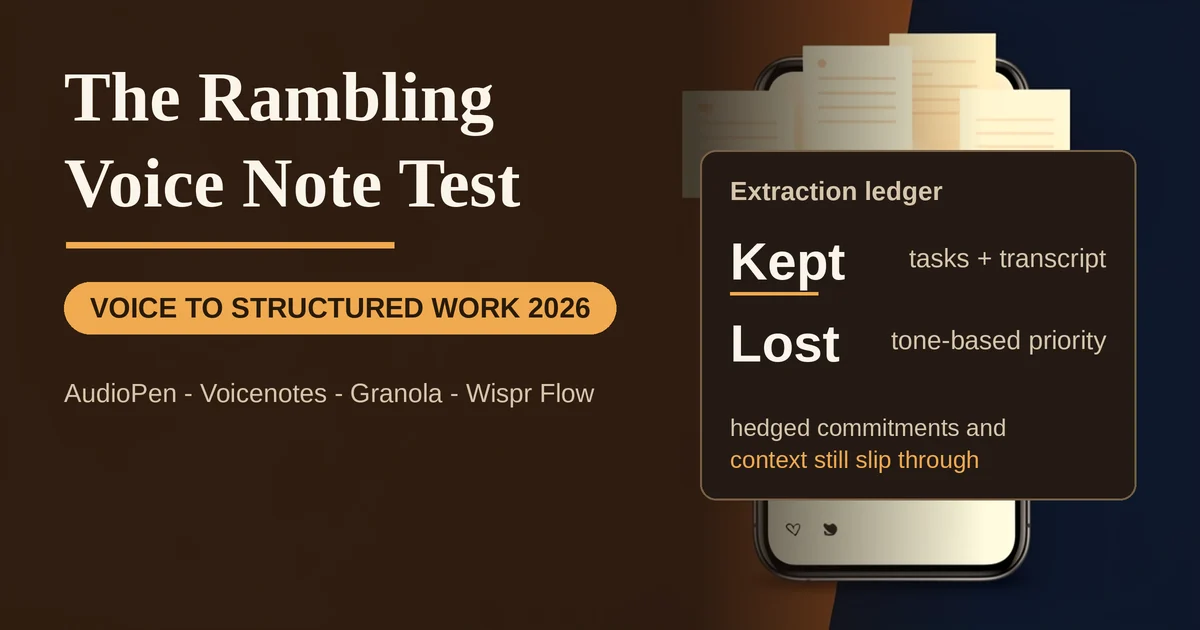
Your best ideas do not arrive at your desk. They arrive mid-walk, mid-shower, mid-commute, when your hands are busy and your phone is buried in a pocket. For years the answer was a voice memo: a rambling, three-minute stream of half-thoughts that you would never, ever go back and listen to. The graveyard of unplayed voice memos might be the largest untapped knowledge reserve on earth.
The promise of the current crop of AI voice note tools is that you no longer have to replay anything. You talk, messily and honestly, with context switches and detours, and the software hands back something structured: a clean transcript, a set of action items, maybe an organized summary you can actually work from.
The pitch sounds too good, so it deserves a proper test. What happens when you feed these tools the way people actually think out loud, jumping between topics, muttering reminders to yourself, mixing a task with the story behind the task? That is what this article examines: which tools hold up, where extraction is genuinely strong, and where the machines quietly drop things you actually cared about.
The rambling-input test
Nobody speaks in well-formed paragraphs. A real voice note sounds more like this: "OK so two things, actually three. I need to email Sarah about the contract, the one we discussed, not the old one. Also I keep thinking about the pricing page, it's too crowded. Oh and call the dentist. Actually the contract thing, remind me why we dropped the second clause? Anyway the pricing thing is more urgent."
That is one sentence of signal, one of context, one of genuine rambling, and one loop back. The test is whether a tool can tell the difference between "call the dentist" (a task) and "remind me why we dropped the second clause" (context, not an action), while keeping the emotional priority marker ("more urgent") intact.
I ran versions of this through the current leaders in voice capture: AudioPen, Voicenotes, Granola, and Wispr Flow's Notetaker. All four are alive and actively shipping as of September 2026, which is worth stating plainly because the voice-notes space has more than its share of stalled and abandoned apps.
What extraction gets right
The transcription layer is largely a solved problem. Modern tools run on Whisper-class and equivalent speech models, and they handle accents, filler words, and mid-sentence interruptions far better than the voice-memo-to-text tools of two years ago. On a clear recording, word-level accuracy is rarely the bottleneck anymore.
The cleanup layer is where the real progress lives. All four tools strip the "ums" and false starts, fix run-on sentences, and produce readable text from genuinely messy input. AudioPen's entire product is built on this: its pitch is going "from fuzzy thought to clear text," and it lets you choose how aggressively the rewrite happens, from a light grammatical cleanup to a full restructure. That intensity slider matters more than it sounds. With a heavy rewrite you get polish; with a light one you get fidelity. The right setting depends on whether you are capturing a to-do or drafting something you intend to publish.
Task extraction, the specific thing this test targets, is better than expected across the board. All four tools correctly pulled "email Sarah about the contract" and "call the dentist" out of the noise and converted them into discrete action items. Voicenotes summarizes recordings into short takeaways and lets you ask the AI later to recall details, dates, and decisions, which effectively turns your note archive into a searchable memory. Wispr Flow's Notetaker does the same for voice memos and meetings, with speaker identification and the ability to ask questions across everything you have recorded.
What extraction loses
The failures are subtler, and they cluster in three places.
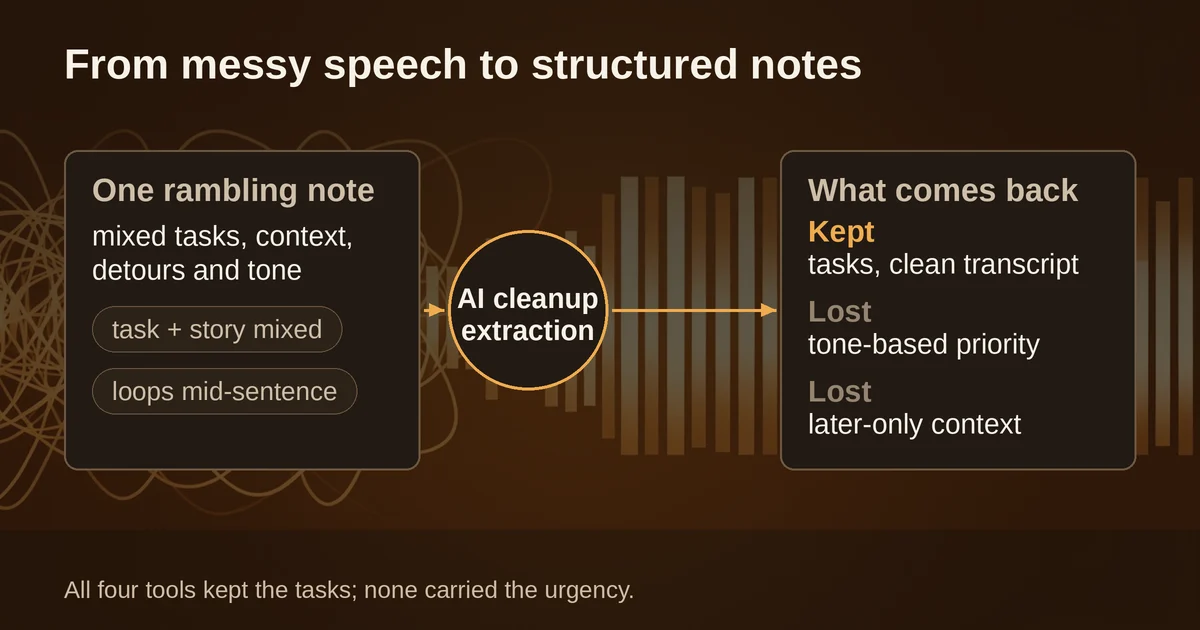
First, hedged commitments. "I should probably email Sarah this week" is not technically a task, but it is not nothing either. Extraction tools tend to either promote it to a hard task (wrong, you hedged for a reason) or drop it entirely (also wrong, you did say it). One long-time AudioPen reviewer put it well on the App Store: the rewrites "often left out a little bit of nuance and information." That has been the trade-off since these tools appeared, and it persists.
Second, priority by tone. You said the pricing issue was "more urgent," and no tool in this test carried that urgency flag into its output. The action items came back as an evenly weighted list, which quietly flattens the difference between "send the invoice" and "call the dentist." If you speak priorities, expect to re-add them yourself.
Third, context that only matters later. "The one we discussed, not the old one" survived in transcripts but was dropped from most summaries, because summarizers treat disambiguating detail as noise. That is fine until three weeks later, when you cannot remember which contract you meant.
Granola has the most thoughtful answer to this problem, though it comes from the meeting-notes world: during capture you jot your own short notes, and the AI expands them against the full transcript, showing your words in black and AI additions in gray with links back to the source lines. You can audit exactly what the machine inferred. Voice-first tools would benefit from the same pattern: never let the summary fully replace the raw transcript, and make it one tap to check the original.
The organization layer
Turning a spoken note into a clean paragraph is no longer the hard part. The hard part is what happens next: where does this note live, how do you find it in a month, and does anything in it turn into action?
This is where the four tools genuinely diverge.
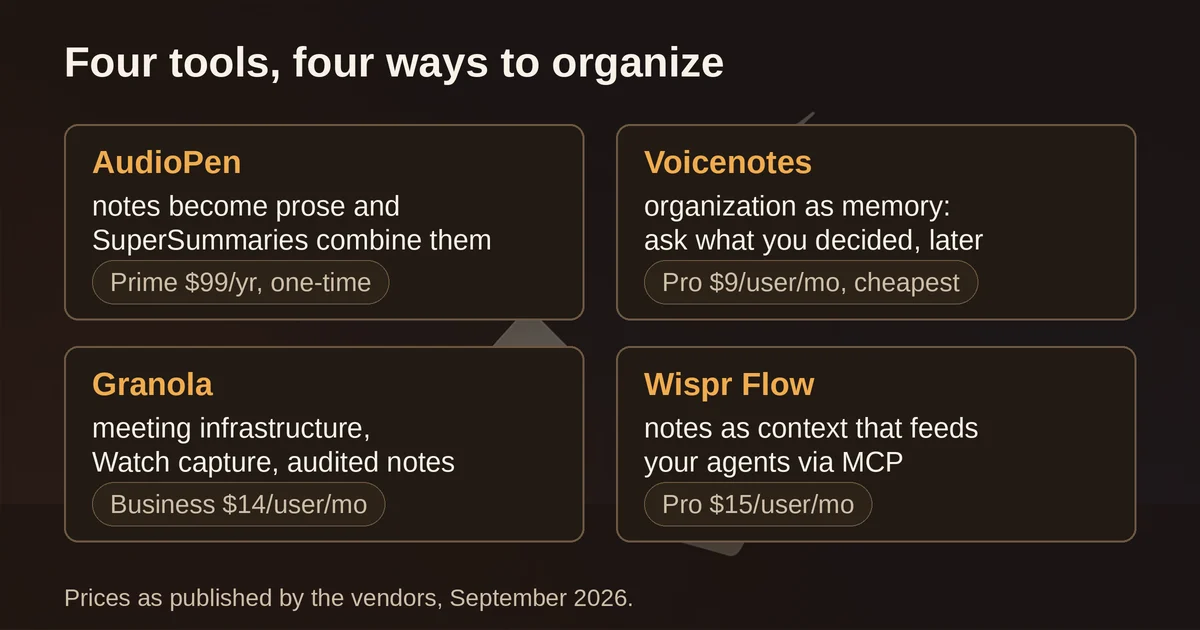
AudioPen treats organization as text management. Prime members can combine multiple notes into what the company calls SuperSummaries, restyle old notes, and upload existing audio files to be processed. It connects to Zapier and webhooks, so tasks can flow into whatever system you actually use. It is the most writerly of the four: built for people whose voice notes become prose, not project plans.
Voicenotes treats organization as memory. The whole design pushes toward recording everything, then querying it later: "what did I decide about the pricing page?" Its Pro plan includes live transcription and an MCP integration, and it plugs into Notion, Todoist, and Readwise. It never trains models on your recordings, on any plan, which the company states as a core position. At $9/user/month for Pro it is the cheapest paid tier in this comparison.
Granola treats organization as meeting infrastructure. It is a notetaker for back-to-back meetings first (we compare it head-to-head with Fathom and Meetily in our bot-free meeting notes comparison), with voice capture as a mobile extension: the iOS and Android apps (Android arrived July 2026) are built for in-person conversations, and the Apple Watch app lets you start a recording from your wrist, with offline capture that syncs later. It produces summaries with highlights, decisions, and action items, and its Business plan ($14/user/month) adds Notion, HubSpot, and Zapier integrations plus API and MCP access. For solo brain-dumps it is heavier than you need. For anyone whose spoken notes are mostly conversations, it is the most complete option.
Wispr Flow Notetaker treats organization as plumbing into other AI tools. Your notes are queryable, and MCP support means the things you say show up as context in Claude, ChatGPT, or whatever agent you work with. The free plan includes the Notetaker with a weekly meeting limit; Pro is $15/user/month. Its parent product, Wispr Flow dictation, is covered separately in our comparison of AI dictation tools, so this article focuses on the notes side.
The tool landscape, September 2026
A quick state of the market, because it has moved:
- AudioPen: free to start; Prime is a one-time pass, $33 for three months, $99 for a year, or $159 for two years, and it never auto-renews. One-time pricing is nearly extinct in this category, which alone makes it worth a look.
- Voicenotes: free plan with unlimited recordings and 100 weekly transcription minutes; Pro $9/user/month; Enterprise $24.
- Granola: free Basic plan; Business $14/user/month; Enterprise $35. Mobile and Watch apps included everywhere.
- Wispr Flow: free tier with real limits (2,000 words per week on desktop); Pro $15/user/month.
Two honest warnings. One: this category has spawned lookalike apps with confusingly similar names in the app stores. If you want Wispr Flow, it lives at wisprflow.ai; a search for "wispr notes" will surface several unrelated apps that are not it. Two: the Watch is the sleeper form factor. Granola, AudioPen, and others all ship wrist apps now, and the reason is behavioral: the friction of pulling out a phone mid-walk is exactly what kills capture. A tap on the wrist survives it.
Verdict
If your voice notes are meetings and conversations, Granola is the strongest organizer, and its mobile apps close the gap between desk and street. If your voice notes are thoughts, half-formed ideas, and self-reminders, AudioPen remains the best pure converter of noise into text, with the friendliest pricing model in the category. Voicenotes wins on recall, if your real problem is not writing things down but finding them again months later. Wispr Flow Notetaker wins if your notes are destined to become context for other AI tools rather than documents you read yourself.
The general finding is more useful than any single pick: transcription is solved, and even task extraction is now reliable on messy input. What these tools still lose is nuance, tone-based priority, and context that only proves its worth later. The discipline that makes them work is small: say your action items out loud in plain form ("task: email Sarah"), name the thing you are discussing when you switch topics, and never delete the raw transcript. Do that, and the rambling-thoughts-to-structured-work pipeline genuinely holds up.
Pricing and plan details are as published by the vendors around September 2026 and can change; confirm on the official sites before committing.