You have just finished recording a 30-minute conversation. Two speakers, one of them slightly too far from the mic, the usual scattered "ums", a tangent about routers that nobody will miss. What sits on your hard drive is raw audio. What your listeners expect is a polished episode with chapters, show notes, a few clips for social, and consistent loudness across every platform.
The pitch you have heard a hundred times is that AI turns that gap into minutes. The honest answer is more interesting: in September 2026, the tools genuinely do eat the mechanical work, but they hand you back a different job, checking. Filler-word removal creates a listen-through. Generated chapters need renaming. AI show notes invent facts. Clips cut the qualifier off your best claim. So the real question is not "which tool edits my podcast" but "which combination saves me the most time after I subtract the correction work". Here is the ledger, run on the same 30-minute recording every step of the way.
The honest time math for one 30-minute episode
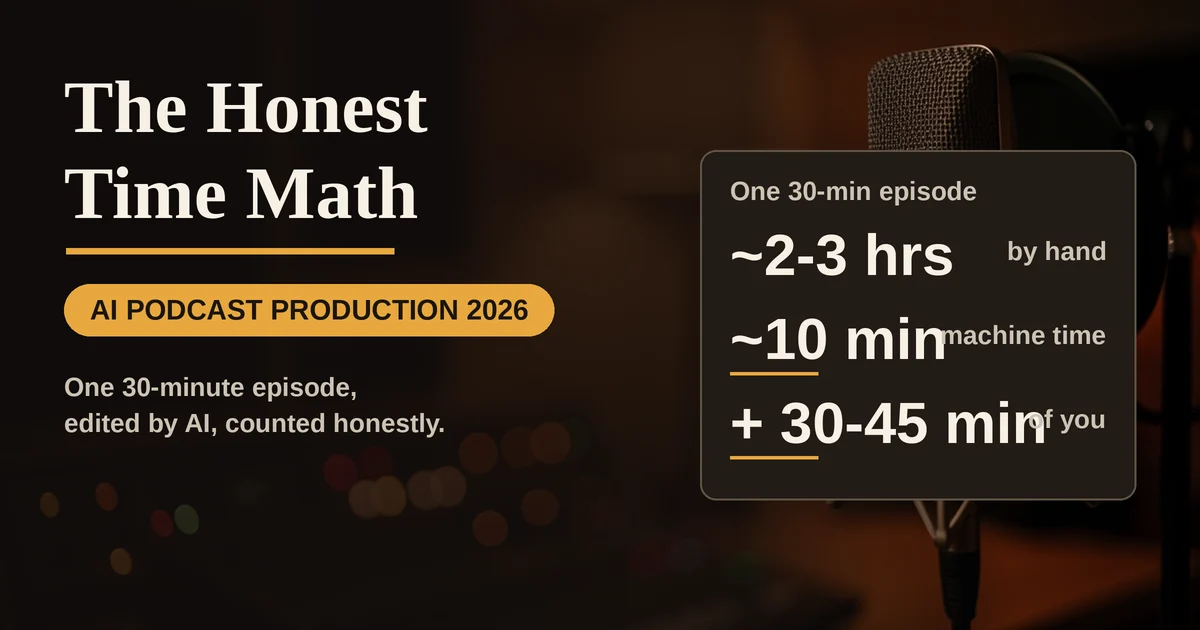
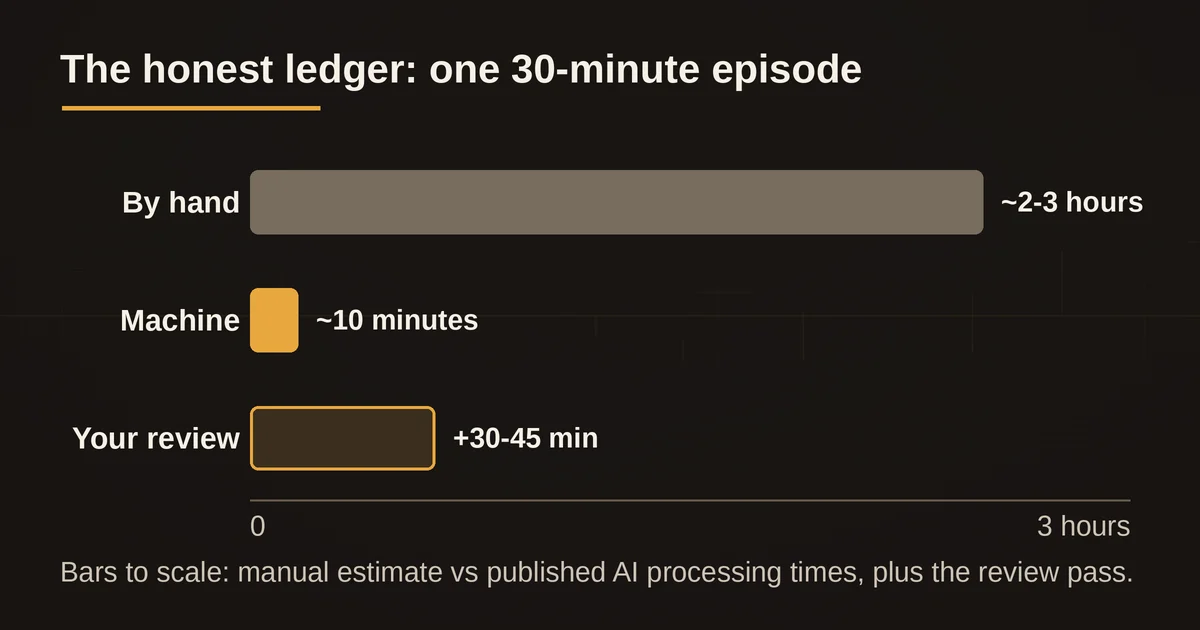
First, the manual baseline, as a budget estimate rather than a stopwatch claim. If you do every job by hand in a classic editor: careful noise cleanup and leveling, 30 to 45 minutes. Cutting filler words one at a time, a job most shows quietly skip because it eats an evening. Chapters by relistening and note-taking, 15 to 20 minutes. Show notes written properly, 20 to 30 minutes. Three social clips cut, captioned, and exported, easily an hour. Add it up and the 30-minute recording costs two to three hours of after-work, which is exactly why so many indie episodes ship with none of it.
Now the AI route, using the processing times vendors themselves publish. Transcription runs first and takes about one to two minutes for a file this length, Descript says a 60-minute episode transcribes in roughly two to three minutes. Cleanup, chapters, and notes then generate while you get coffee:
| Job | Manual estimate | AI processing | Correction work you add back |
|---|---|---|---|
| Cleanup and leveling | 30-45 min | ~1-2 min (Auphonic, see below) | 3-5 min spot check |
| Filler word removal | usually skipped | instant, one click | 5-10 min review pass |
| Chapters | 15-20 min | under a minute | ~5 min renaming |
| Show notes | 20-30 min | under a minute | 5-10 min fact check |
| Three clips | 60-90 min | a few minutes batch | 10-15 min vetting |
| Total | ~2-3 hours | ~10 minutes machine time | ~30-45 minutes of you |
That is the real shape of the saving. Roughly two hours of mechanics collapse to around ten minutes of machine time, and what replaces them is half an hour of judgment calls. It is a genuinely good trade, the kind you make every week without resenting it. But it is not zero work, and the quality of the result depends almost entirely on how well you do the right-hand column.
Cleanup: one pass, three different problems
Audio cleanup is not one job, it is three, and no single tool is best at all of them.
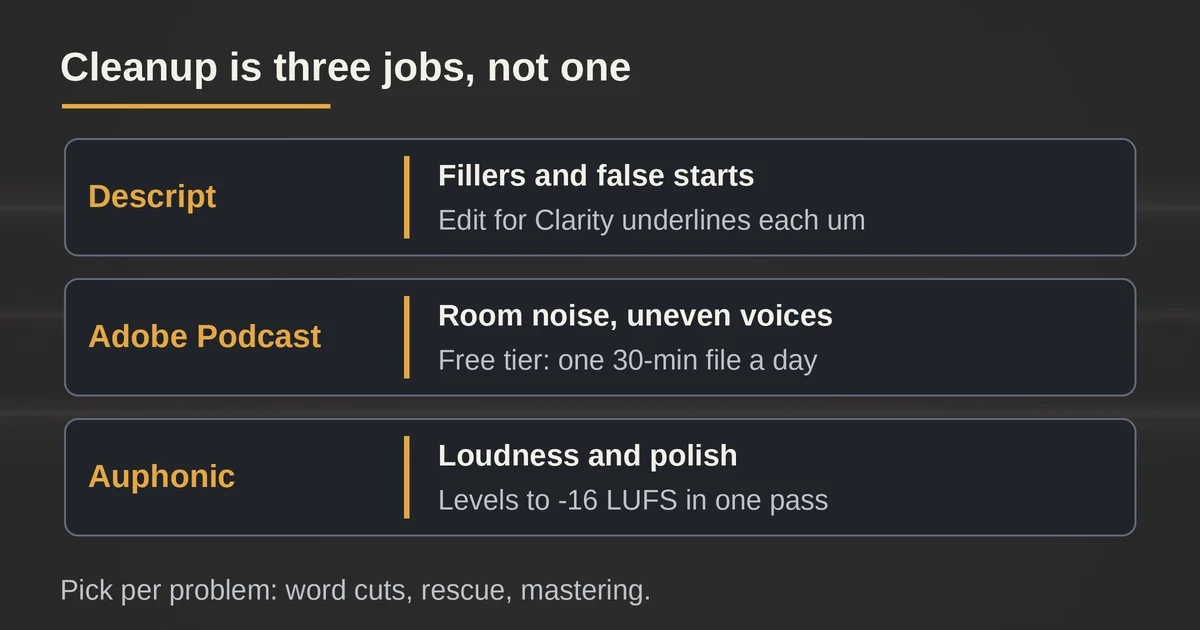
The first is word-level scruff: filler words, silences, coughs, false starts. Descript's Edit for Clarity detects "um", "uh", and "like" in the transcript, underlines them, and removes them in bulk or one by one, crossfading the joins automatically. The catch is Descript's own, stated in its own editing guide: you still have to choose which fillers to remove and listen afterward to confirm the edit sounds right. Bulk-removing every flagged word on a lively two-speaker conversation produces audio with the natural breathing knocked out of it. The time saved is real; the five-to-ten-minute review pass is the price.
The second is room noise and uneven voices. This is where Adobe's Enhance Speech lives, and where the biggest landscape shift of the year happened: since August 30, 2026, Adobe no longer sells Podcast Premium as its own subscription to new customers. Checkout now routes to the Firefly Pro plan at $19.99 a month, which bundles all the Podcast features, including Enhance Speech and Podcast Studio, together with Firefly's image, video, and audio generation tools. If you only ever wanted noise removal, that is more than you asked for at double the old standalone price. The free tier survived untouched and remains the best zero-cost deal in podcasting: audio-only, one file at a time, up to 30 minutes and 500 MB, one hour of processing per day, which covers a weekly 30-minute show. The March 2026 update also added source separation, so on paid plans you can adjust speech, background noise, and music independently and download the stems.
The third is loudness and polish, and here the specialist is Auphonic. It runs noise and reverb reduction, an adaptive leveler, EQ, de-essing, and loudness normalization to platform targets like -16 LUFS for podcasts, in one pass. The company publishes its own speed figure: processing takes about 5% of the audio's length, so your 30 minutes cost roughly 90 seconds of machine time. The free plan is 2 hours of processed audio a month, with one audible caveat, free productions include an Auphonic jingle. For a weekly 30-minute show that is four episodes free before you pay anything.
A practical division of labor for the 30-minute file: Descript if the edit is conversational and word-level cuts matter, Adobe's Enhance Speech free tier if the recording is a rescue job, Auphonic last as the mastering pass that makes the episode consistent with everything else in your feed.
Chapters: the job Apple quietly finished for you
Chapters used to be a nice-to-have that almost nobody did. Then iOS 26.2 arrived in November 2025 and Apple Podcasts started generating chapters automatically for English episodes when you provide none, labeled "Automatically created" in the app. Trailers and episodes under 10 minutes are excluded.
Read that carefully, because it changes the economics of this job. If you ship no chapters, Apple ships generic ones and you lose control of how your own topics are named. The bar is now "better than auto-generated", which is a low bar but a bar. The efficient workflow: generate chapters in Descript or Auphonic (both produce timestamped sections from the transcript in under a minute), spend the five correction minutes renaming them into titles a human would click, and paste the list into your episode description, where the same timestamps also work on Spotify and YouTube. You can also download Apple's auto-generated list as a text file from Apple Podcasts Connect and fix that instead of starting from scratch, which is arguably the fastest route of all.
Show notes: the highest hallucination risk per minute saved
Show notes are where the time math is most seductive and the correction column most expensive. Descript writes them from the transcript in seconds; Auphonic generates summaries at multiple levels of detail; Riverside's Pro plan includes AI-generated show notes alongside its unlimited transcriptions. All three are working from an accurate transcript, which helps enormously, but none of them know what is true. AI show notes will happily attribute a general industry claim to your guest's specific opinion, or summarize a joke as a sincere statement.
The correction pass is therefore not proofreading, it is fact-checking: read every claim that names a person, number, or product, and confirm the transcript actually supports it. This is the same discipline our piece on AI content repurposing tools calls the fidelity check, and it is why the honest ledger above books five to ten minutes here instead of zero. The good news is that transcript-grounded tools fail visibly: the wrong sentence is sitting right there in the transcript for you to compare against.
Clips: the fastest time saving, the highest trust cost
Clip generation is the most mature part of this whole stack. Descript's Find Good Clips mines the episode for candidate moments, Riverside's Magic Clips turns the same recording into captioned verticals with one click, and both will hand you three to five options inside a few minutes.
The correction work is the one our sibling comparison of Opus Clip, Descript, and Submagic covers in detail: automated clippers optimize for a strong opening and a clean payoff, and they will cut the qualifier off your strongest claim to get there. Budget the ten to fifteen vetting minutes before you trust any batch, and watch each clip with the question "would I be comfortable if a stranger saw only this?" If the answer is no, the clip is not a time saving, it is a liability you made in less time.
Publishing: where the stack either connects or crumbles
The last mile decides whether all this actually saves time across a season. Auphonic encodes to your target formats and pushes finished episodes directly to hosts like SoundCloud, Spreaker, or YouTube, and its watch folders and API let you automate the run for future episodes. Riverside goes further upstream: record in its studio, and editing, Magic Audio cleanup, transcription, show notes, clips, hosting, and publishing to Spotify, Apple, and YouTube live in one subscription, with a free tier that includes 2 hours of separate-track recording as a one-off trial and a Pro plan at $24 a month billed annually.
The all-in-one route is slower per feature but eliminates handoffs; the best-in-class route, Descript plus Auphonic plus a clipper, wins on quality per step but makes you the integration. Whichever you pick, the correction passes are the steps people forget to automate-check. If you are wiring any of this into a scheduled workflow, the failures worth designing for are the boring ones, and our roundup of the most common automation mistakes lists most of them.
Verdict
On one 30-minute recording, the September 2026 tool stack converts roughly two hours of mechanical editing into about ten minutes of processing and 30 to 45 minutes of review. Every minute of that review is spent on judgment, not scrubbing waveforms: does this cut sound natural, is this chapter title honest, did the show notes attribute a claim nobody made, does the clip still say what was actually said. The tools that win are the ones that make those checks fast, a transcript you can read against the audio, cut lists you can edit, chapter files you can download and fix. Descript for the word-level edit, Adobe's free Enhance Speech for rescue jobs, Auphonic for the mastering pass nobody wants to do by hand, and your own ten minutes for the part no vendor can sell you. That is the honest ledger, and it still comes out well ahead.
Pricing and plan details are as published by the vendor around September 2026 and can change: confirm on the official site.
Is the free tier of these tools enough for a weekly 30-minute podcast? Mostly yes. Adobe's Enhance Speech free tier handles one 30-minute file a day, Auphonic's 2 hours a month covers four episodes, and Descript's free plan includes 1 media hour a month. The jingle on free Auphonic productions and the watermarks on free Descript exports are the usual nudges toward paying.
What actually happens if I skip the correction passes? Fillers sometimes vanish mid-word, chapters get generic auto-titles you did not choose, show notes occasionally misattribute claims, and clips can cut the condition off a conditional statement. Nothing catastrophic, just an episode that sounds 90% careful and quietly isn't.