The Fidelity Question Nobody Asks About PDF to Audio Tools
You already know the pitch. Upload the 40-page paper you will never actually read, click once, and two cheerful AI voices walk you through it on the commute. By September 2026 this is a mature category, not a novelty: Google's Gemini Notebook, the tool formerly known as NotebookLM, practically invented the format, ElevenLabs does the same trick with the best synthetic voices in the business, and a wave of study suites now bolt audio onto flashcards and quizzes.
What most comparisons skip is fidelity. An audio briefing is a summary of your document rendered in speech, and summaries of dense papers tend to drop exactly the parts that make them trustworthy: the hedges, the sample sizes, the footnotes that quietly say "in mice" or "under lab conditions." Before you repeat a claim from a generated episode in a meeting or an exam answer, you want to know what survives the trip from PDF to podcast.
Here is what the current tools actually produce, what the format structurally loses, and a five-minute test you can run on any dense paper to check whether your audio kept the evidence.
What audio conversion loses first
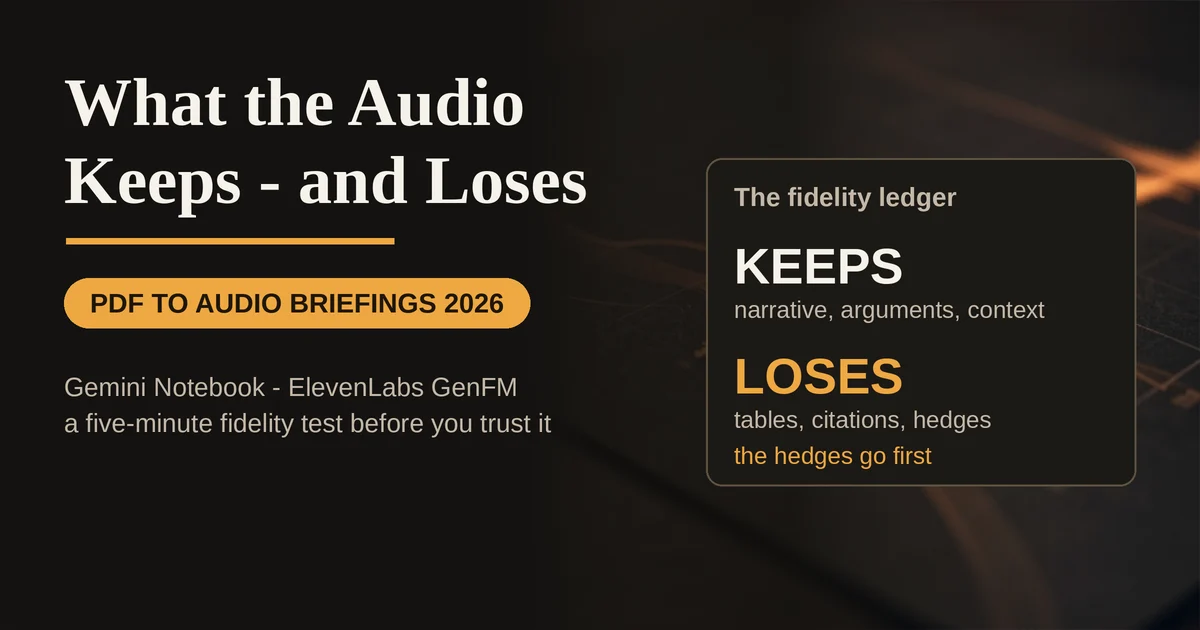
Every tool in this category runs the same basic pipeline: extract the text, have a model compress it into a script, then speak the script with neural voices. The compression step is where fidelity goes to die, and it is not random. Some things are lost predictably, in this order:
Tables and figures. A results table with three conditions and confidence intervals cannot be spoken. The model either narrates one headline number or skips the table entirely. If the evidence in your paper lives in a table, assume it is gone.
Precise citations. Two-host episodes rarely read out "Smith et al., 2024, N=312." You get "researchers found." That is fine for a walk, useless if you need to trace the claim back to a source.
Hedging language. This is the biggest one. Papers say "suggests," "is associated with," "in this cohort." Audio scripts trend toward "shows" and "proves," because confident sentences make better listening. A 30 percent correlation under lab conditions and a 30 percent effect in a real population are very different facts, and they sound identical in a podcast.
Equations and code. Multi-line derivations and code listings do not survive audio at all. If your document is mostly math, audio is the wrong format, full stop.
Google is refreshingly blunt about this on its own Audio Overview help page: the overviews are "designed to be an objective reflection of your source content," but they are AI-generated and "may contain inaccuracies or audio glitches." Translation: the voices are grounded in your document, and the compression is still lossy. Both things are true.
The three output formats worth knowing
The September 2026 tool landscape has settled into three distinct ways to consume a document by ear. Knowing which one you are generating matters more than which app you use.
The briefing. A short, single-voice rundown of key takeaways. Gemini Notebook's version is called The Brief: one speaker delivers the core points of a document in under two minutes. This is the right format for triage, deciding whether a paper deserves a real read, or for a morning catch-up on an industry report you only need at headline depth.
The deep dive. The two-host conversation that made the category famous. Gemini Notebook's Deep Dive format has two AI hosts unpack and connect topics from your sources, and you can steer it with a focus prompt ("concentrate on the methodology section" or "explain this at an undergraduate level"). Google says overviews can now be generated in more than 80 languages. This format is the most engaging and also the most aggressively compressed: a 40-page paper becomes a discussion, not a reading.
The study guide and Q&A layer. This is where the category quietly got much better for actual learning. Gemini Notebook generates study guides with key terms and sample quiz and essay questions, plus flashcards and quizzes you can edit, and its interactive mode lets you join an Audio Overview mid-episode and ask the hosts questions, with answers grounded in your sources. The chat layer answers questions with citations back to exact quotes. Audio gets you oriented; the Q&A layer is what lets you verify and retain.
The tool landscape in September 2026
Gemini Notebook (formerly NotebookLM). Still the default answer for most people. Upload PDFs, Google Docs, slides, websites, and YouTube videos into notebooks, then generate briefings, deep dives, study guides, and quizzes from the same sources. The free tier is genuinely usable: up to 100 notebooks with 50 sources each, 50 chat queries a day, and a few Audio Overviews daily, per Google's education documentation. Google's September 2026 update added an audio recorder for lectures, real-time voice conversations with your notebooks, and interactive learning overviews that weave summaries together with quizzes and flashcards, with a full announcement on the Google blog. Audio Overviews have also spread into the main Gemini app, so you can generate one without ever opening a notebook. US college students can currently claim a year of Google AI Pro (normally priced at $19.99 a month) for free, which quadruples the usage limits.
ElevenLabs GenFM. The voice-quality pick. GenFM lives inside the ElevenReader app and turns PDFs, articles, ebooks, and YouTube links into two-host conversations in 32 languages. If robotic narration is what puts you off audio learning, this is the one that fixes it. The trade-off: it is a listening experience first, with a weaker study-and-verify layer around it than Gemini Notebook offers.
Study suites (Turbo AI, NoteGPT, Quizlet and friends). These treat audio as one output in a study workflow. You upload a lecture deck or chapter and get notes, flashcards, a quiz, and a podcast from the same file, which is exactly the right instinct: listen first, then retrieve. Turbo AI, for example, lists its monthly plan at $19.99 (around $10 billed annually, vendor-reported), with the podcast being one feature among many. If you only want audio, these are more tool than you need; if you are preparing for an exam, the retrieval layer is the part that actually moves grades. For a deeper look at what makes generated flashcards and quizzes worth trusting, see our guide to AI study tools that turn lectures and PDFs into practice material.
The DIY route. Extract the text, have a chatbot rewrite it as a spoken script, run it through a text-to-speech API. You gain total control over pacing and emphasis and lose all convenience. Verbatim TTS (just reading the PDF aloud) is the one route that loses nothing, and it is the right choice for accessibility and close reading rather than review.
The fidelity test: run one dense paper through it
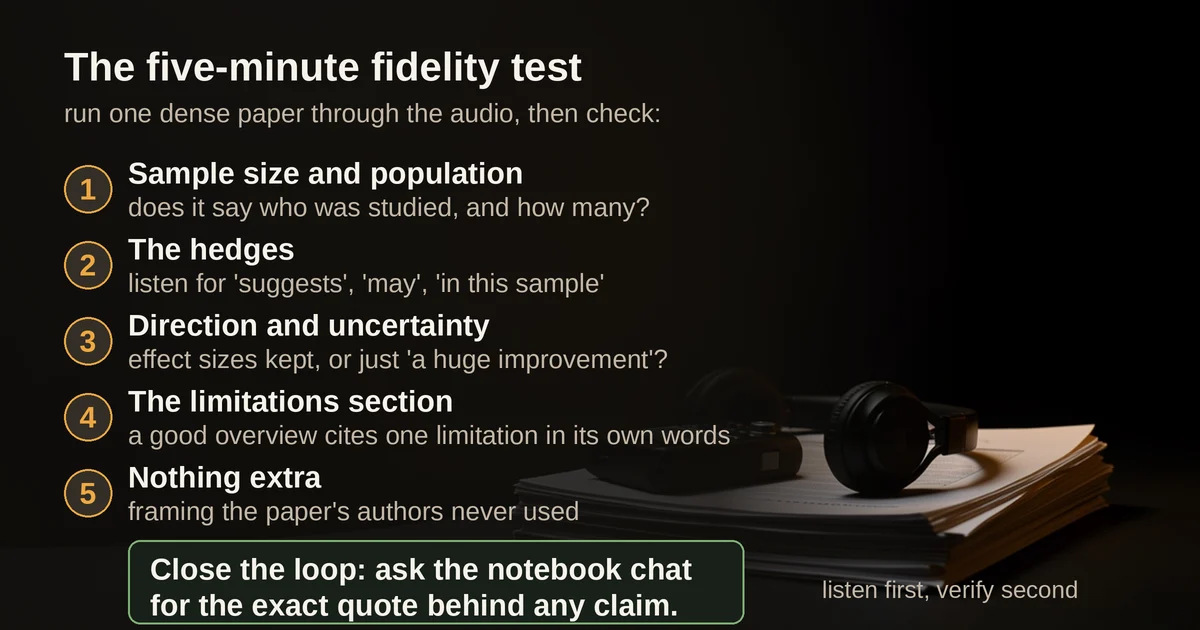
- Sample size and population. Does the episode state who was studied and how many? If the hosts say "people who did X improved" without an N, the first thing a skeptical listener needs is already gone.
- The hedges. Listen for "suggests," "may," "in this sample." If every sentence landed as a confident finding, the script flattened the paper's epistemics.
- Direction and uncertainty. Does the episode keep effect sizes and their direction? "Roughly 30 percent, but the range was wide" is faithful. "A huge improvement" is a vibe.
- The limitations section. Every dense paper has one, usually near the end. A good overview references at least one limitation in its own words.
- Nothing extra. Ask yourself whether anything in the episode appears nowhere in the paper. Grounded tools rarely invent facts, but conversational formats can add framing the authors never used.
Then close the loop with the Q&A layer: ask the notebook chat to cite the exact quote behind any claim you plan to repeat. If the citation comes back clean, the audio earned your trust. If you are starting from video material rather than PDFs, the same verification discipline applies, and our guide to turning YouTube videos into notes you can actually trust covers that side of the workflow.
When to skip audio entirely: financial tables, code, legal clause lists, anything where the exact numbers or wording are the point. Audio is for orientation, arguments, and narrative. It is the wrong medium for reference material.
FAQ
Is a PDF to audio tool just a PDF summarizer with voices? No, and the difference matters. A text summary keeps citations, numbers, and hedging in a format you can skim and re-check. Audio renders a summary once, linearly, with no way to scan back. That makes it better for engagement and worse for verification, which is why the citation-backed Q&A layer in tools like Gemini Notebook is not a bonus feature but the safety net for the whole format.
Can I do this for free in 2026? Yes, comfortably for light use. Gemini Notebook's free tier includes daily Audio Overview generations, study guides, and chat with citations. ElevenReader's GenFM is free with usage limits. You only need a paid plan if you are generating briefings daily at volume, and student offers, like the current year of Google AI Pro for US college students, shrink that gap further.
The verdict
Generated audio briefings are genuinely good at what they were built for: turning dead commuting time into first-pass exposure to material you would otherwise never open. Treat them as the orientation layer of a study or research workflow, not as the workflow itself. Generate the audio, listen on the walk, then go back to the document with the Q&A layer and verify the two or three claims you actually intend to use. The tools that make that second step easy, Gemini Notebook above all, are the ones worth your time. The ones that only hand you an MP3 are selling you a summary you cannot check.
Pricing and plan details are as published by the vendors around September 2026 and can change; confirm on the official sites before subscribing.