A lecture ends with the sentence that matters most. Twenty minutes on the causes of the 2008 financial crisis, and then the professor says: "That model works in stable markets. It breaks down exactly when banks need it most, which is why regulators stopped relying on it."
You paste the video into an AI summarizer. The summary that comes back is clean, confident, and neatly bulleted. It covers the model, the assumptions, the equations. And it says nothing about the breakdown. No warning, no hedge, no "except." The single most examinable sentence in the entire lecture is gone, and nothing in the output looks wrong.
That is the failure mode nobody puts in their top-ten summarizer roundup. These tools rarely invent facts for lectures with clean audio; the caption track is right there and the model reads it. What they do instead is prune. A summary is a compression algorithm, and compression optimizes for what is central, repeated, and stated plainly. Caveats are none of those things. A condition that applies to one claim, mentioned once, in a subordinate clause, is precisely the kind of sentence that compression deletes first.
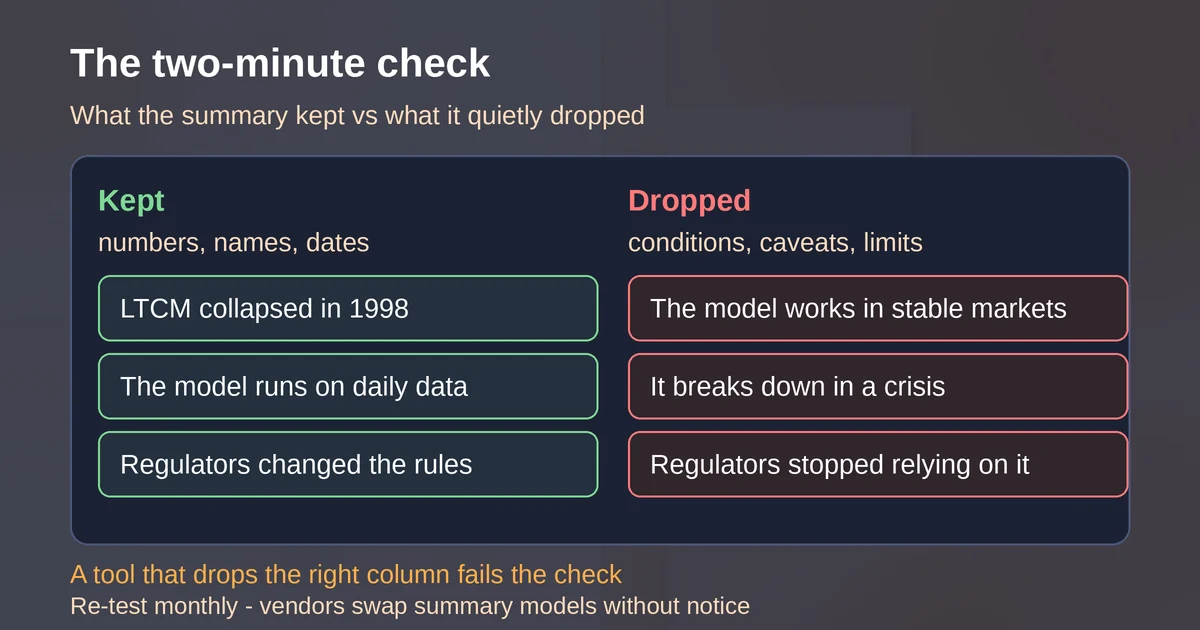
So you get notes that are accurate and misleading at the same time. Every number survives because numbers are easy to extract. The qualifiers around the numbers, the "only in this case," the "we could not verify," the "this failed in the 2008 backtest," quietly evaporate. That is far more dangerous for studying than an obvious hallucination, because you would catch the hallucination. You will not catch the omission until the exam asks exactly what the caveat was.
Why the transcript is your control
Here is the shift in mindset that fixes this: the transcript is not a byproduct of the video. It is the evidence, and the summary is just a claim about the evidence.
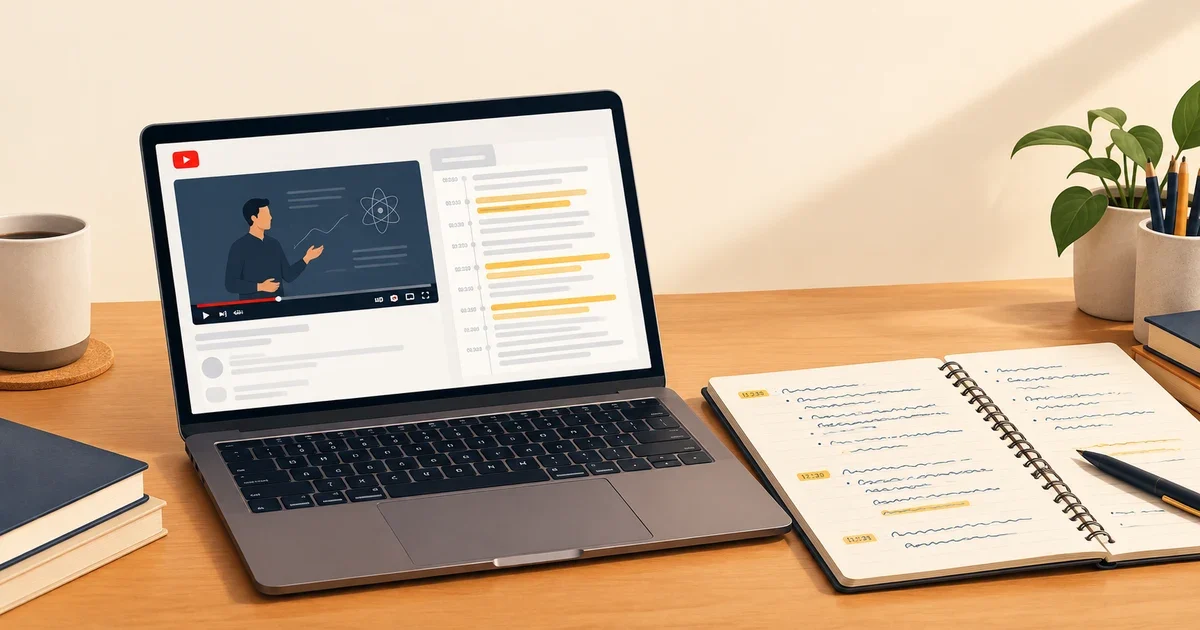
You already have the evidence, free, inside YouTube. Open the video on desktop, expand the description, and select Show transcript. (YouTube moved this control into the expanded description; if you are hunting in the three-dot menu, that is why you cannot find it.) A panel opens with the full caption text, one timestamped line at a time. Click any line to jump the video to that moment.
Treat that panel the way a fact-checker treats a primary document. Every claim in your notes should be traceable to a timestamp. "LTCM collapsed in 1998" is not a note; "at 14:32, she says LCTM collapsed in 1998" is a note. The timestamp does two things: it lets you re-verify in seconds later, and it forces you to notice whether the sentence you were copying was actually the sentence that was said.
One honest limit first: the transcript itself is not ground truth. YouTube's automatic captions are generated by machine learning, and YouTube's own documentation says they "might misrepresent the spoken content due to mispronunciations, accents, dialects, or background noise." Auto-captions may not even exist yet for freshly uploaded videos, because processing time depends on audio complexity. So when the transcript looks garbled at the exact moment the summary makes a surprising claim, do not arbitrate with the summary. Jump the video to the timestamp and listen. The player is the final court of appeal; the transcript is the clerk's record.
The two-minute check, before any tool earns a spot in your workflow
Do not trust a summarizer because a blog ranked it. Trust it because it passed a test this week, on your material. Here is the test; it takes about two minutes of setup and it is reusable for the rest of the semester.
- Pick a 15 to 25-minute lecture you have actually watched. Something where you know the content well enough to notice a lie.
- Find one sentence with a number plus a condition, and one explicit caveat, restriction, or "this does not apply when" statement. Note their timestamps.
- Run the video through your summarizer of choice.
- Ask exactly two questions. Did the number survive? Did the condition survive with it?
A tool that keeps the number and drops the condition has failed the test for study purposes, however good its prose is. A tool that keeps both, with timestamps pointing at them, has earned one week of your trust. Re-test monthly: these products change summarizer models, prompts, and pricing quietly, and a tool that passed in August can fail in October without any announcement.
This sounds paranoid. It is less work than re-watching a 40-minute lecture because you realized your notes were quietly wrong about the one thing the exam covered.
Path 1: Gemini Notebook with a YouTube source
Google's NotebookLM was renamed Gemini Notebook on July 16, 2026, and the tool now syncs with the Gemini app, with notebooks also planned to appear inside AI Mode in Search. The rename is branding; the workflow is the one that has made this the default first recommendation for lecture notes. It is free at the tier most students need, and you can follow our Gemini Notebook research guide for the broader setup.
The mechanics, per Google's source documentation: you add a YouTube URL as a source, and Gemini Notebook imports the caption transcript. Then you interrogate it. That is the crucial difference from a one-shot summarizer. You are not accepting a summary; you are cross-examining a witness that has read the transcript.
The prompts that produce notes instead of vapor:
- "List every claim in this lecture that comes with a condition, restriction, or exception. Quote the exact wording and give the timestamp." This is the single highest-value prompt in this entire article, because it weaponizes the model against the failure mode from the intro.
- "What does the speaker say is NOT known, not settled, or where do they explicitly express uncertainty?"
- "Extract the numbered examples and worked cases with their timestamps."
- "Write study questions in the style of an exam that tests edge cases, not definitions."
Then the two-minute check still applies. Gemini Notebook cites the transcript when it answers, which makes verification fast: click the citation, read the line, and compare against what the summary claims the line means.
Know the hard limits before you blame yourself for errors:
- Only public videos with a captions track (creator-uploaded or YouTube auto-generated) can be imported. No captions, no source.
- Only the text transcript is imported. If the professor wrote the caveat on a slide and never said it aloud, Gemini Notebook does not know it exists. Neither does any transcript-based tool; that gap is invisible in the output.
- Videos uploaded less than 72 hours ago may not be importable yet.
- Each source is capped at 500,000 words, which no lecture will ever hit; free accounts get up to 50 sources per notebook.
- If the video is later deleted or made private, the source vanishes from your notebook within 30 days. If you are building a semester notebook around one professor's channel, export what matters.
Imports also fail more often than Google's tone suggests: third-party testing in 2026 reported that direct YouTube imports succeeded roughly 60% of the time in their runs, with vague error messages and occasional multi-day stalls. When the URL import refuses to work, the fallback is manual: copy the transcript from the Show transcript panel, paste it as a text source. Clunky, but it converts the 40% failure case into a non-issue.
One honest warning about the tool's strongest feature. Audio Overviews, the generated podcast discussions, are wonderful for a commute review, but they are a re-narration of the transcript, not an additional source of truth. If the caveat never made it into the notes, the two podcast hosts will confidently discuss the lecture without it, which makes omission feel like consensus. Never treat a generated podcast as a fact-checker; it is downstream of the same transcript.
Path 2: one dedicated summarizer, re-tested
Gemini Notebook is a research environment, not a quick triage tool. Sometimes you want a summary in the YouTube tab, right now, to decide whether this 90-minute talk deserves your evening. That is the dedicated summarizer's job. All three below were alive and actively maintained as of September 2026, which is not something you should assume; this category has a high corpse count.
Glasp is the one to beat on trust, and the reason is structural: it shows you the transcript and the summary in the same panel. The free plan includes three basic summaries per day with no account, each with clickable timestamps, and, unusually, you choose the model behind the summary, ChatGPT, Claude, Gemini, Grok, or Mistral, and can edit the summarization prompt itself. That last part matters for the omission problem: you can write a custom prompt like "include every exception, condition, and caveat the speaker states, verbatim, with timestamps," and Glasp will run it. For videos with no captions, it can transcribe the audio itself, 30 minutes per month on the free plan. Paid plans raise the limits; Pro runs $15 per month, or $12.50 if billed annually. If you take exactly one thing from this section: Glasp's model choice plus editable prompt is the closest thing to a summarizer you can actually audit.
NoteGPT is the study-kit option: timestamped summaries, mind maps, flashcards, AI chat over the video, and it can transcribe caption-less videos itself (up to 120 minutes on the entry paid plan). The free tier is 15 quotas a month, enough for a test run, and paid plans start at $9.99 per month. Worth knowing: it changed prices in September 2026, which makes it a live demonstration of the re-test rule. A service that adjusts its pricing mid-semester can adjust its summary model too.
Eightify is the fastest to install and use: a Chrome extension that drops "8 key ideas" onto any video page. The eight-ideas format is its strength and its weakness, because a fixed-size summary must delete roughly 99% of a long lecture, and it will choose deletions you would not. One caution from user reports: the free tier can hit its weekly cap and stop without a clear message, so "it stopped working" may mean "you used it up." Its pricing structure changes often enough that I would not print numbers here; check the extension listing before paying for anything.
Whichever one you pick, pick one. The point of the dedicated summarizer is triage, deciding whether to spend 90 minutes, not replacing the 90 minutes. And every one of these tools goes through the two-minute check before it touches a lecture you actually need to know.
Building the actual notes
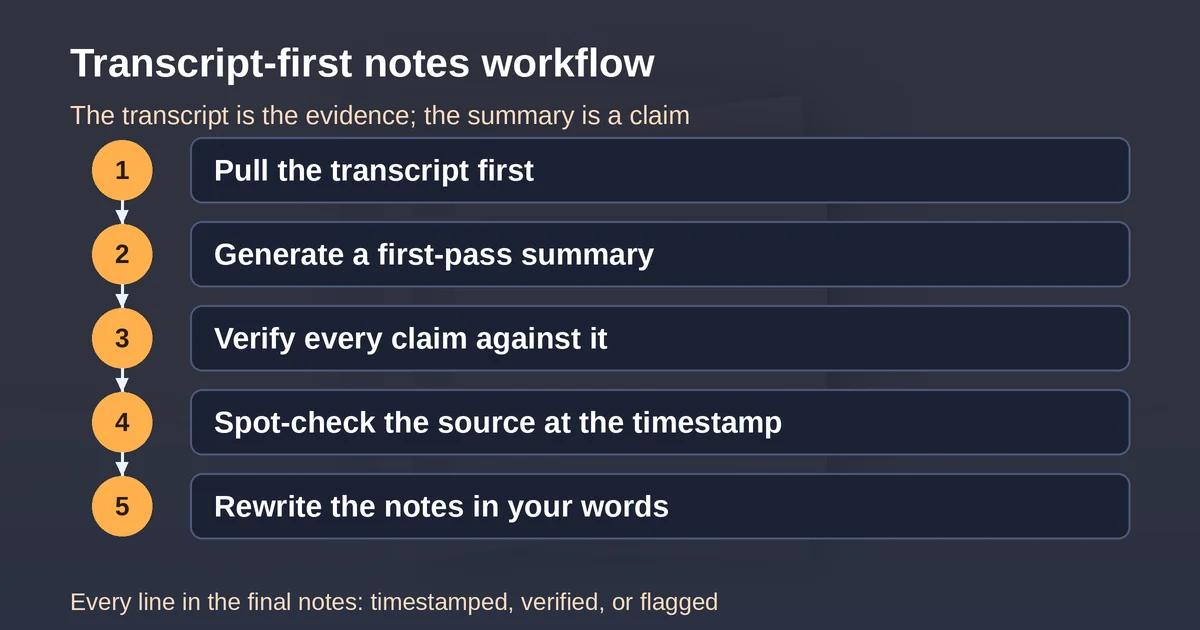
Once a tool has passed the check on a lecture, turn the output into notes you own. The workflow that holds up:
- Pull the transcript first. Show transcript, copy the text. This is your control document; keep it in the same note as the summary.
- Generate the first pass in Gemini Notebook or your summarizer, using the caveat-extraction prompt from earlier, not just "summarize this."
- Verify against the control. For each claim in the first pass, find the timestamp in the transcript. Keep the claim, delete the claim, or fix the claim. Anything you cannot locate gets flagged as unverified, not silently kept.
- Spot-check the control itself. Where the transcript is garbled or the claim is load-bearing, play the timestamp. The transcript is a layer of machine-generated text, not gospel; the same skepticism you apply to the summary applies one level down, which is the same discipline that protects you from confident AI answers everywhere else, hallucinations included.
- Write the final notes by hand, at least partly. Condense in your own words, in your own structure. The value of notes is not the storage; it is that the act of rewriting forces you to decide what each sentence means. If you skip this step you have a very fast filing system and no learning.
The result is notes where every line is either timestamped, verified, or explicitly flagged. Slower than copy-paste, dramatically faster than re-watching the lecture every time you study.
What this workflow is not for
One boundary, stated plainly: none of this is for faking having watched something. If your course requires watching a film, a recorded lecture, or a training video, and the watching is the assignment, a summary does not satisfy it, and the two-minute check is not a loophole. Instructors ask about exactly the things summaries drop: the aside in minute six, the professor's reaction to the counterexample, the visual on the slide. Use this workflow to study and index material you are genuinely engaging with, the same way you would use an index and a highlighter alongside actually reading the book. If the point of the assignment is exposure, there is no tool for that; there is only the play button.
FAQ
Which AI summarizer is most accurate for YouTube lectures?
There is no stable answer, which is the real answer. Accuracy changes when vendors swap models, and a roundup's "most accurate" is a snapshot. As of September 2026, Gemini Notebook with a YouTube source is the strongest for study notes because answers cite the transcript, and Glasp is the strongest dedicated summarizer because you can audit and customize it. Re-run the two-minute check monthly on whatever you use.
Does Gemini Notebook (formerly NotebookLM) watch the video?
No. It imports the caption transcript only, per Google's documentation. Spoken content only; on-screen text a professor never reads aloud is invisible to it. It also requires the video to be public and captioned, and it only imports the transcript text, never the audio or visuals. For a fuller walkthrough of the tool, see our Gemini Notebook research guide.
Pricing and plan details are as published by the vendor around September 2026 and can change, and in at least one case in this article, changed during the month itself. Confirm on the official site before paying.