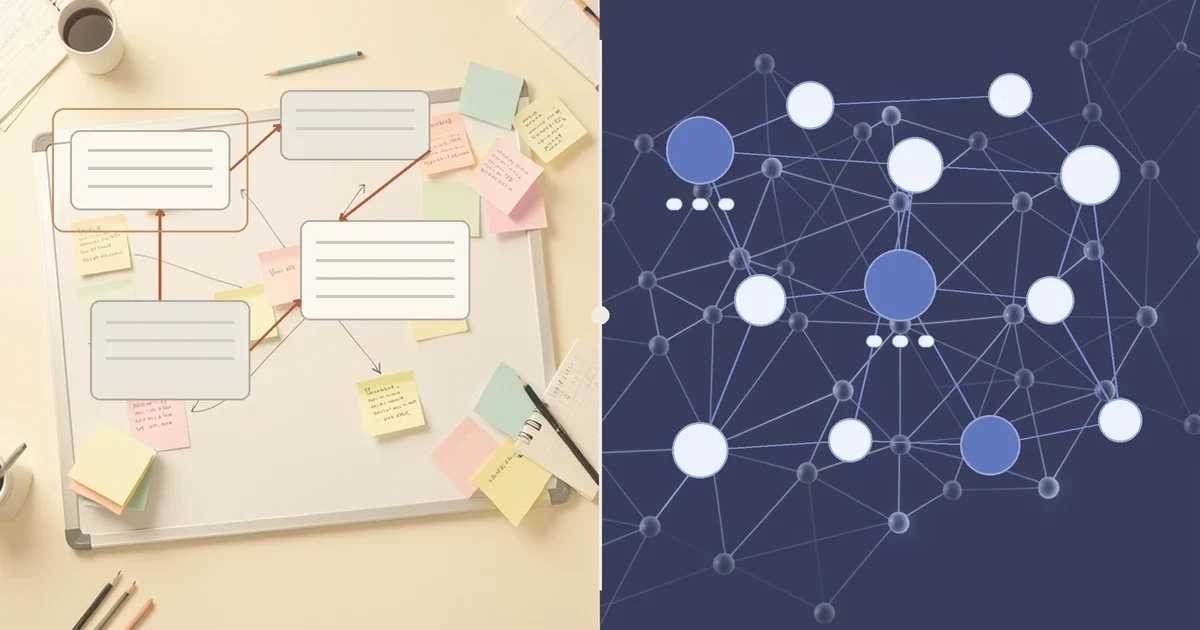
Every note-taking app is a theory of thinking wearing a user interface. Most of them just never say it out loud. Heptabase and Capacities do, and they preach two genuinely different theories: one says your mind works in space, the other says it works in categories. Pick the wrong one and you will fight your own notes app for years, no matter how good its AI features are.
Heptabase is an infinite whiteboard where you drag cards around and discover what your ideas mean by looking at how they sit next to each other. Capacities has no folders at all: everything you save becomes a typed object, a Book, a Person, a Project, with properties and links, and meaning emerges from how objects connect. Both added serious AI in 2025 and 2026. But the AI landed on very different foundations, and that changes who each tool is actually for.
Two theories of your brain, in one comparison
| Heptabase | Capacities | |
|---|---|---|
| Core unit | Card on an infinite whiteboard | Typed object (Book, Person, Project, custom) |
| Where meaning lives | Spatial arrangement, sections, arrows | Properties, links, object schemas |
| Structure style | You draw the map yourself | The type system shapes it |
| Free plan | No, 7-day trial | Yes, free forever core |
| Entry paid tier | Pro $8.99/month annual | Pro $9.99/month |
| AI approach | AI Tutor, credit-metered agent | Embedded assistant, monthly AI budget |
| Agent access | CLI + MCP for Claude Code, Codex, Cursor | API 2.0 + MCP connectors |
Both vendors change prices often, so double-check before subscribing.
Heptabase: thinking is spatial, so structure is something you draw
Heptabase starts from a simple bet: you understand a topic when you can lay it out on a table and rearrange it. Its infinite whiteboards hold cards that can appear on multiple boards at once, sections that group them, arrows that connect anything to anything, and mindmaps that fold into the canvas. A PhD literature review, a product launch plan, or the architecture of a book chapter all end up as physical arrangements you can pan across and zoom out of. The same card can live on your "dissertation methods" board and your "to read" board, so you never fork content.
The cost of that freedom is that nobody hands you a structure. Heptabase does not ask "what type is this?" when you capture something. You drop a card, and later you place it somewhere meaningful. People who think visually call this the whole point. People who want their app to impose order call it homework.
The AI arrived in two distinct waves, and the shape of both respects the canvas. The AI Tutor, launched in March 2026, is the more radical one: point it at a topic and it reads across your whiteboards, generates a course-style syllabus, creates lesson content, and shows you a diff of every edit it wants to make before anything lands. It is built like a research supervisor, not a chatbot. Agent Mode followed in May 2026 and keeps expanding: the agent can create and edit cards, read images and mention links inside your notes, edit tags and tag databases, and even rearrange whiteboard layout.
Pricing is credit-based, which matters more here than in most apps. Heptabase's plans run Pro at $8.99/month billed yearly with 100 AI credits and Gemini models only, Premium at $17.99/month yearly with 1,800 credits and access to GPT, Claude, and Gemini plus the AI Tutor, and Premium+ at $53.99/month yearly with 8,100 credits. That December 2025 restructure also retired the old lifetime license, so there is no free plan, only a 7-day trial that runs on Premium-level credits. Heavy PDF researchers are the ones who actually need Premium, because it unlocks unlimited PDF uploads and OCR parsing. Casual users who just want the whiteboard with light AI will find 100 credits thin but workable, and Premium's fallback of unlimited basic read-only models after credits run out keeps search and questions alive all month.
Capacities: thinking is categorical, so structure is something you define
Capacities bets the other way. It agrees with philosophers of mind who argue cognition runs on types and relations, and it deletes folders entirely. When you save something, you decide what it is: a Book, a Person, a Meeting, a Paper, or a custom type you invented with its own properties and template. Link a Book to a Person and the Person's page now shows every book they appear in. The graph view renders this as a network, but the real work happens in the schema, not the picture.
This is the Zettelkasten tradition with a database engine underneath, and it pays off most for people managing growing libraries of references, contacts, and projects over years. The discipline is front-loaded: define good types once, and every future capture inherits the structure. Skip that step and Capacities degrades into a pretty notes app with extra clicks.
Its AI is embedded in the data model rather than layered on top, and that produces features Heptabase cannot easily copy. The assistant runs inline in any object: it drafts a follow-up from a Meeting object, autofills properties (create a Movie and it fills director, cast, and synopsis), and chats over your whole space with grounded answers. Per the Release 68 notes, it now handles multi-step work by proposing creates, updates, and deletes that you approve before they land, with undo available after each reply. Smart queries use semantic search, so "notes about machine learning" surfaces content tagged neural networks even without the literal phrase. Media analysis turns photos and weblinks into searchable, described objects, which quietly extends the object model to visual material.
Capacities pricing is friendlier at the bottom and fuzzier at the top. The Basic plan is free forever with unlimited spaces, objects, and custom types, sync, and full export, and the vendor has put that promise in writing. Pro at $9.99/month adds the AI assistant, smart queries, task management, and calendar integration. Believer, from $12.49/month, is a support-the-team tier with beta access. AI usage is metered by a monthly budget rather than published credit counts: base plans are sized for light daily use, and the Plus add-on at $8.33/month billed annually buys a much larger budget with top-ups. There is no lifetime option here either.
Where both tools are converging: your notes as agent territory
The most interesting 2026 development is that both apps stopped treating AI as a chat window and started treating your knowledge base as something external agents should be able to work on.
Heptabase shipped a CLI that lets Claude Code, Codex, and Cursor read and edit your whiteboards, cards, and PDF parsing results from the command line, then added MCP support in August 2026 for reading and writing cards, journals, and even whiteboard layout from outside the app. Capacities shipped its own REST API 2.0 with OAuth and a TypeScript SDK (Release 67), after adding AI Chat Connectors that let ChatGPT, Claude, and Cursor read and write your objects via MCP. If you are already living in an agentic coding workflow, both tools now meet you there, and this alone justifies revisiting either app if you wrote it off a year ago.
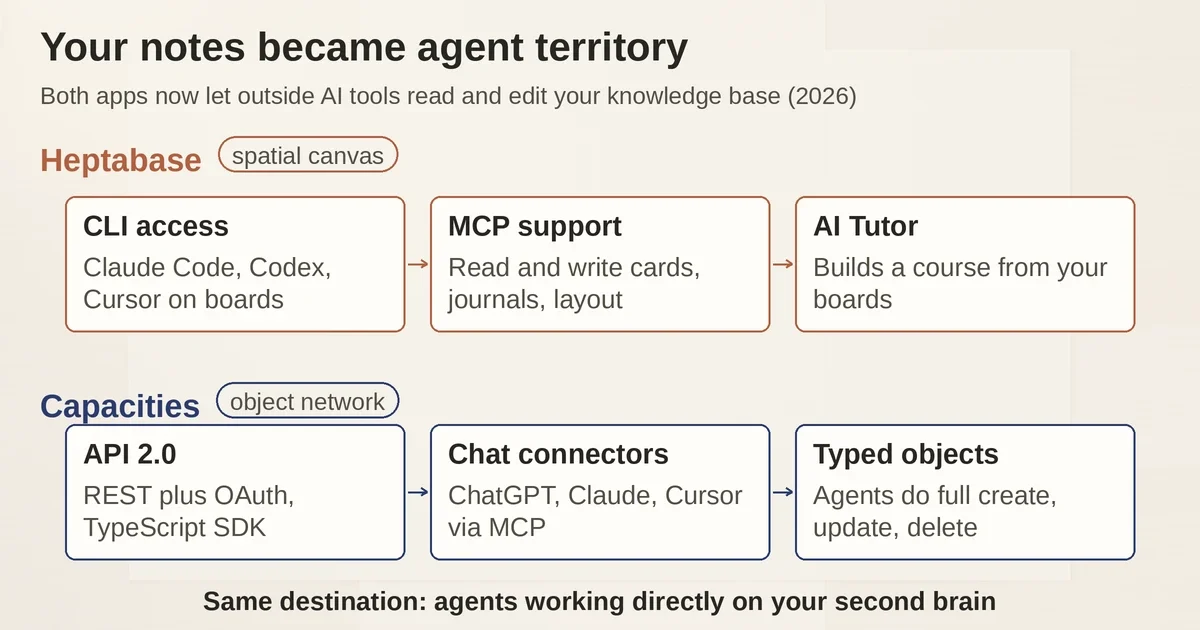
The difference in flavor remains: Heptabase's integrations emphasize exploring a spatial canvas, while Capacities' emphasize programmatic CRUD over typed objects. If your second brain is mostly a research corpus you query from other AI tools, Capacities' API surface is more natural. We have covered this pattern before in our guide to building a useful AI second brain from notes, PDFs, and voice memos.
Who each tool is actually for
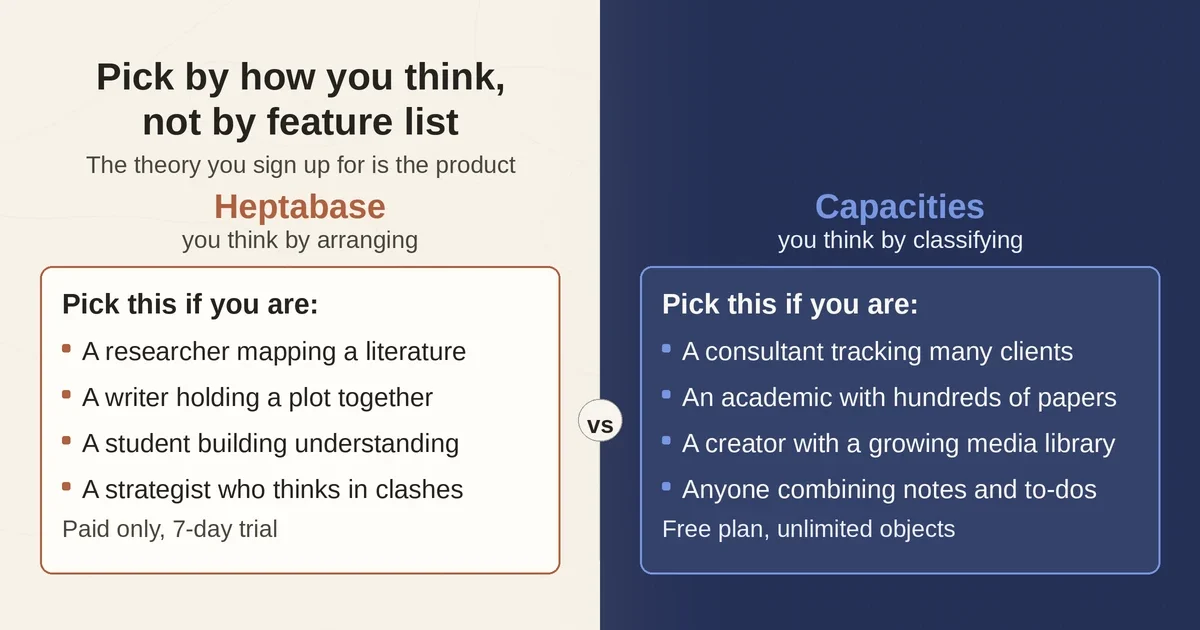
Pick Heptabase if your work has a geometry. You are a researcher mapping a literature, a writer holding a plot's structure in your head, a student building a genuine understanding of a syllabus, or a strategist who thinks in "these three things clash here." You accept a paid-only tool and a learning curve, and you want AI that teaches and arranges rather than files. The AI Tutor is the single most distinctive feature between the two products: no other major PKM tool has anything quite like a tutor that reads your own knowledge base and builds a course out of it.
Pick Capacities if your work has a catalog. You are a consultant tracking clients and meetings, an academic managing hundreds of papers and authors, a creator with a growing media library, or anyone whose notes need to stay retrievable by type and property for years. You want a real free tier, gentler onboarding, and AI that quietly fills in metadata instead of asking you to draw. Its task and calendar features also make it the better single-app choice if you want notes and to-dos in one place.
If you are comparing strictly as a research assistant, a third option beats both for pure source-grounded Q&A: NotebookLM, which we covered in our research guide. But for building durable personal knowledge, these two are the serious specialists.
The verdict
In 2026 the choice is honest and simple. If you think by arranging, pay for Heptabase; the spatial model is unmatched and the AI Tutor is worth the Premium tier for anyone doing structured learning. If you think by classifying, start on Capacities' free plan; you will know within a month whether the object model clicks, and Pro is the upgrade if AI assistant and queries earn their keep. The worst outcome is picking by feature list, since both have AI, links, graph views, and agent access now. The theory of thinking you sign up for is the actual product. Choose that first, and the features will follow.
Pricing and plan details are as published by the vendors around September 2026 and can change. Confirm on the official sites before subscribing.
FAQ
Is Heptabase or Capacities better for a second brain? Capacities, if your second brain is a long-term library you want to query by type and retrieve from. Heptabase, if your second brain is a thinking surface where you actively arrange ideas. Capacities has a free plan to start on; Heptabase does not.
Can I use Heptabase or Capacities for free? Capacities yes: its Basic plan is free forever with unlimited objects and custom types. Heptabase offers only a 7-day trial, then a paid subscription.
Pricing and plan details are as published by the vendor around September 2026 and can change - confirm on the official site.