Context Clue

Transform business documents into actionable insights with AI analysis

Monthly Visits: 1.3K
Custom
API Available
Visit Website
Context Clue

What is Context Clue?

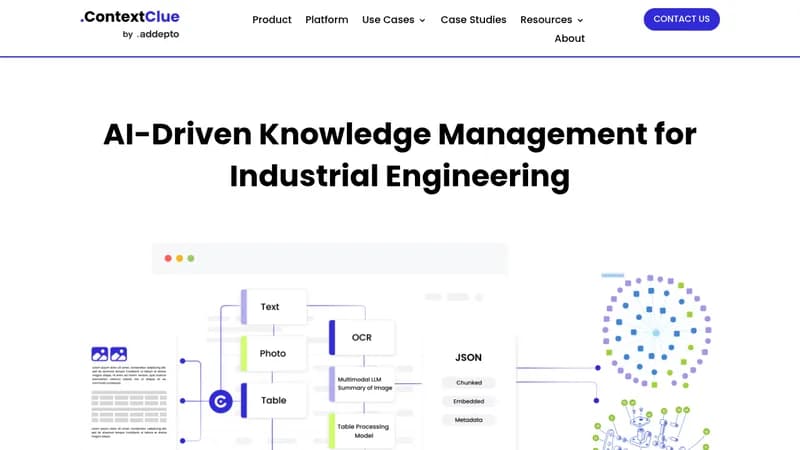
ContextClue helps businesses make sense of their data by connecting to existing tools and automatically analyzing documents, code, and reports. It saves teams hours by summarizing contracts, generating reports, and answering complex questions using your company's own knowledge base. The tool works with both open-source and commercial AI models to fit different security and budget needs.

Key Features of Context Clue

  1. 1

    Semantic Search

    Find context-aware information beyond simple keyword matching

  2. 2

    Auto-Documentation

    Generate technical docs and migration plans from codebases

  3. 3

    Template Reports

    Create branded sales proposals and presentations in one click

  4. 4

    Multi-LLM Support

    Switch between GPT, Llama, Mistral or custom AI models

  5. 5

    On-Premise Deployment

    Keep full data control with local/server installation

Context Clue AI Tool Use Cases

  • 📑
    Generate technical documentation from code
  • 📊
    Automate sales reports and client presentations
  • 🔍
    Accelerate research with smart semantic search
  • 🛠️
    Simplify code migration and modernization
  • 📝
    Summarize legal contracts and meeting notes

FAQs from Context Clue

What makes ContextClue different from ChatGPT?

Focuses on business document analysis with enterprise security and integration capabilities rather than general conversation

Can I use my own AI models?

Yes, supports both open-source (Llama/Mistral) and commercial models (GPT/Bedrock)

How does data security work?

Data never leaves your infrastructure - deployed on your servers or cloud environment

Pros & Cons of Context Clue

Pros (4)

  • Enterprise-grade security with on-premise deployment options
  • Flexible integration with existing tools like Slack/Teams
  • Modular architecture for custom implementations
  • Supports both open-source and commercial LLMs

Cons (1)

  • Limited out-of-box integrations beyond core platforms

More Info About Context Clue

Who is using context clue?

This tool is best for:

  1. Business Analysts
  2. IT Departments
  3. Marketing/Sales Teams
  4. Manufacturing Firms

Context Clue's Tags

Explore more niche AI tool websites by clicking on a tag* (works only if it has enough tools).

Integrate Context Clue With These Apps

Context Clue can be integrated with these apps and services:

  • Slack
  • Microsoft Teams
  • Confluence (in progress)
  • Jira (in progress)

Context Clue Social Media

Visit Context Clue on social media to stay updated with the latest news and features.

Website Analytics of Context Clue

Context Clue Website Traffic & SEO Analysis:

Recent data shows that Context Clue has 1.3K monthly visits (-20.6% decrease from the previous month), 40.0% bounce rate, and average 2.09 pages per visit.
Traffic is primarily driven by 6 different sources, with users from 4 countries worldwide, led by India contributing 49% of total traffic. SEO performance is shown by 5 tracked keywords, with "what's fine tuneing" being the top-performing keyword with 90 monthly searches. See below for more info.

Monthly Visits

1.3K

(-20.6%)

Pages per Visit

2.09

Bounce Rate

40.0%

Average Time on Site

21s

Traffic Trend(Apr 2025 - Oct 2025)

Loading chart...

Top Keywords

SEO KeywordVolumeCPC
what's fine tuneing
90-
data annotation
168.1K$1.74
automation
74.3K$2.62
knowledge graph
31.6K$2.94
fine tuning
19.2K$2.61

Traffic Sources Distribution

Traffic Share by Source

Loading chart...

Source Breakdown Details

SourceTraffic Share
Direct
42%
Search
39%
Social
4%
Referrals
13%
Paid Referrals
2%

Global Traffic Distribution

Traffic Share by Country

Loading chart...

Geographic Breakdown Details of top 4 countries

Country NameTraffic Share
India49%
Pakistan32%
United Kingdom11%
United States8%
Analytics data is estimated (from third-party analytics providers) and for reference only.

🚀 Context Clue Launch Badge

Promote your Toolbit Launch by using the badge on your website. It can be inserted on your home page or footer easily.

How to use: Simply copy and paste the embed code into your homepage or footer HTML to display it instantly and build community support.

ToolBit badge

Reviews for Context Clue