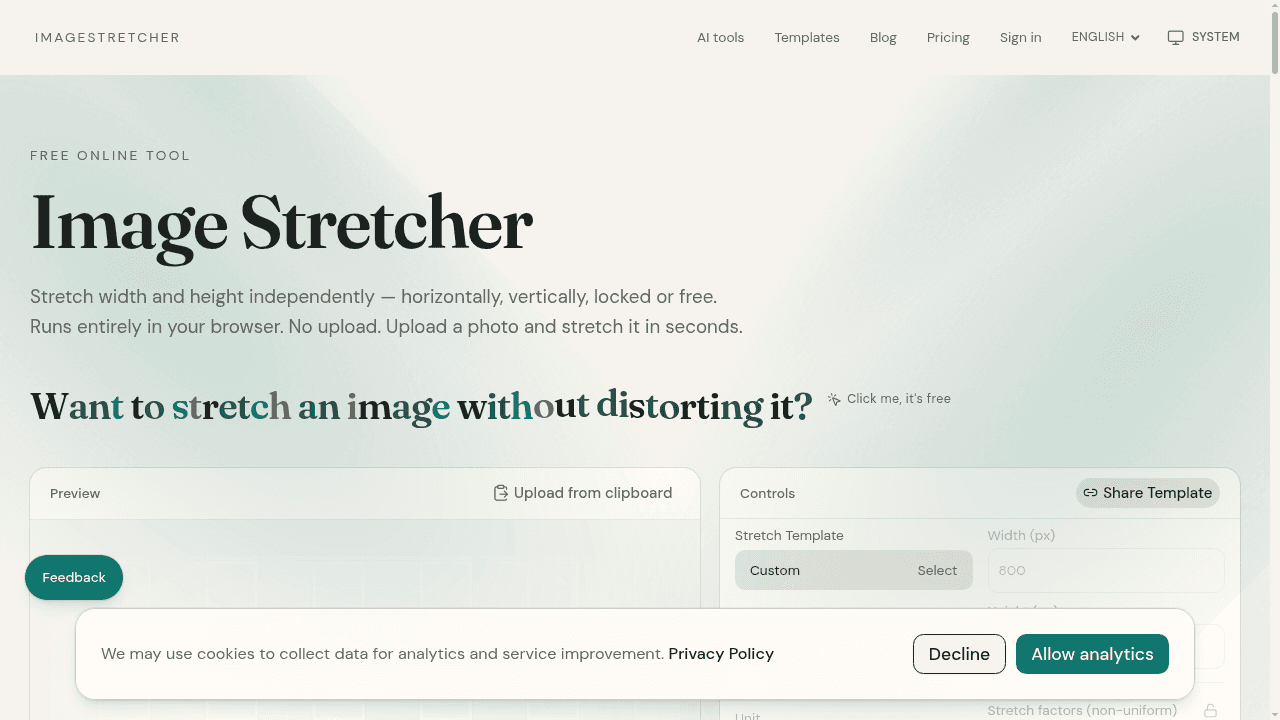
ImageStretcher is a free, browser-based tool that lets users stretch image width and height independently — horizontally, vertically, locked, or free. All processing runs locally in the browser with no file upload, no account, and no subscription. Users can open common image formats (PNG, JPEG, WebP, GIF), set exact pixel sizes or adjust horizontal and vertical scale factors, preview changes live on a canvas, and export the result as PNG, JPEG, or WebP.
Key Features
- Independent width and height stretching with optional aspect ratio lock
- Live canvas preview before download
- Export to PNG, JPEG, or WebP with a quality slider for JPEG/WebP
- Preset aspect ratios (1:1, 4:5, 3:4, 16:9, 9:16, 21:9) and platform-specific sizes for TikTok, Instagram, Facebook, YouTube, and print
- Clipboard paste, drag-and-drop, or file picker upload
- Optional AI image expander for generating new borders without warping the subject
Use Cases
- Social media banners and channel covers requiring non-standard aspect ratios
- Product photos for marketplace frames where cropping would remove important content
- Thumbnails and previews for video, newsletters, and app tiles
- Memes and playful formats requiring deliberate distortion
- Aspect ratio fills for slides and stories
Privacy
No images are uploaded to a server for stretch, crop, or download operations. Files remain on the user's device. AI tools send a smaller copy only when generating. Share link uploads are optional and capped separately.