The recording you most need to transcribe is often the one you least want to upload.
An off-the-record conversation with a source. A research interview with a participant who consented to your study, not to a data center. A client call under NDA. Every mainstream transcription service, Otter included, asks you to hand that file to somebody else's servers and trust their retention policy, their breach statistics, and whoever they train next. For a lot of interviews that is a perfectly reasonable trade. For some of them it is not, and you usually know which kind you are holding before the recording stops.
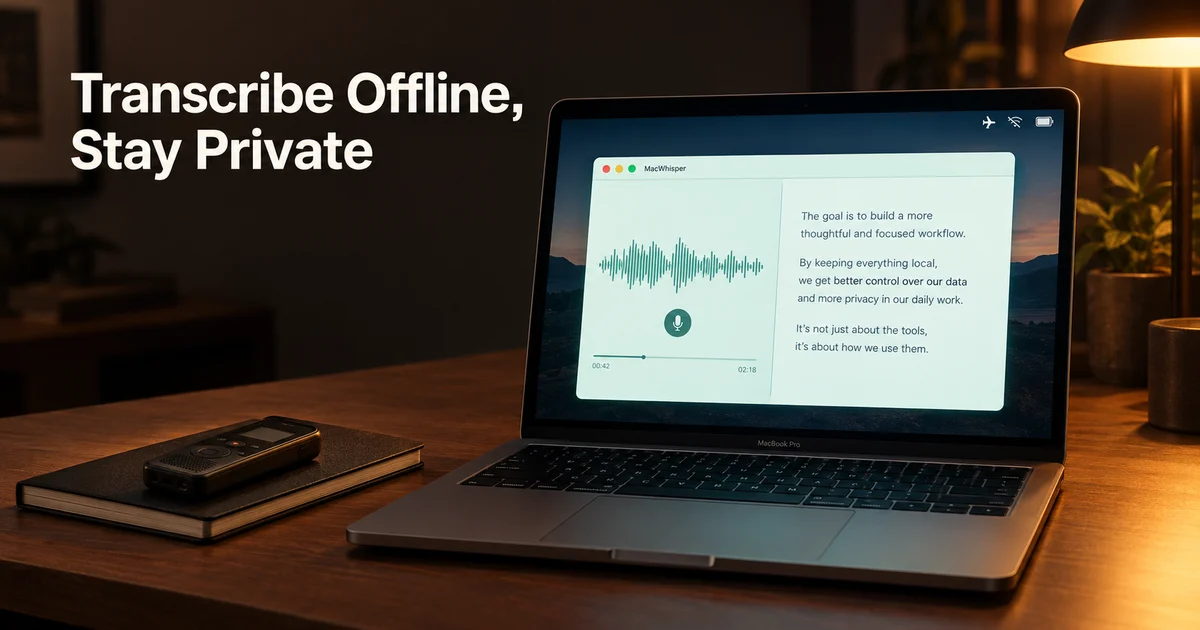
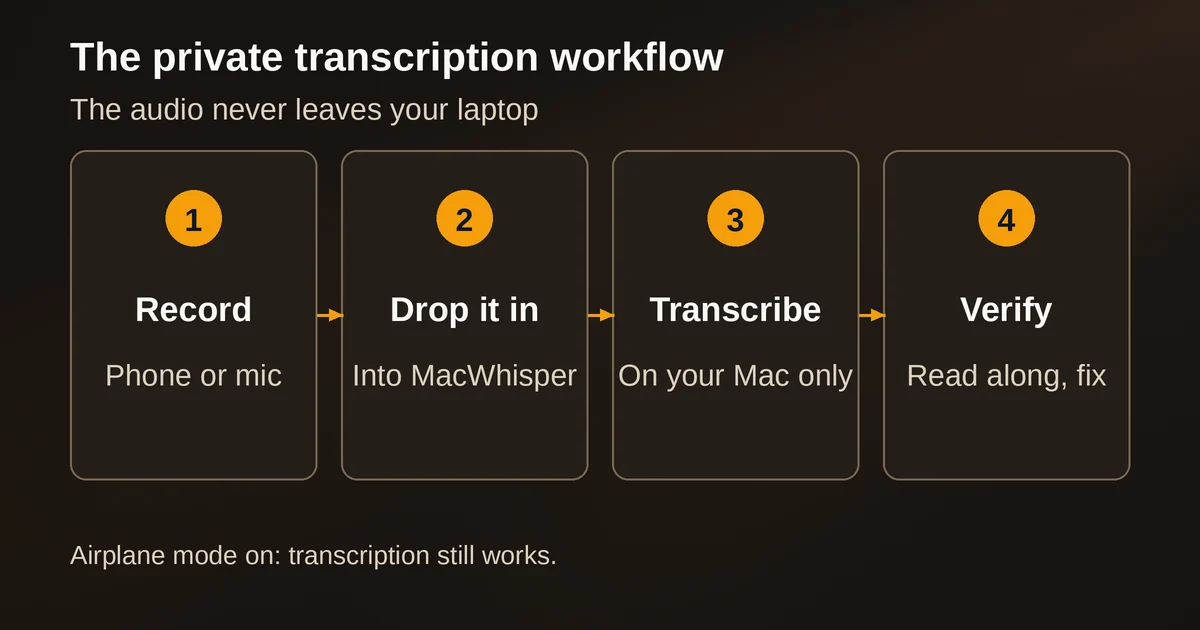
MacWhisper is the tool that exists for the second kind. It is a Mac app, built by the one-person studio Good Snooze, that runs OpenAI's Whisper speech recognition models entirely on your machine. The audio file never leaves your laptop. You can put the thing in airplane mode and it still works, because the actual transcription is happening on your GPU, not in somebody's cloud.
That privacy is the headline, but the practical story is more interesting: local transcription in 2026 is no longer the compromise it used to be. The biggest Whisper model runs well on a modern MacBook, the app has proper speaker labeling, and the quality gap between a free local transcript and a paid cloud one has narrowed to the point where the decision is about workflow and risk, not raw accuracy. Here is how to get it right, where it still falls over, and how to know when you should just use a cloud tool anyway.
When local transcription actually matters
Let us be honest about frequency first. Most interviews are fine in the cloud. If you recorded a podcast guest who knew they were being recorded for publication, a browser-based transcriber is faster to start, needs no model downloads, and handles speaker separation out of the box. Do not turn your whole workflow into a security exercise if the content is not sensitive.
Local transcription earns its keep in specific, recognizable situations:
- Unattributed or background sources. A reporter keeping a source's identity out of any third-party system is not paranoia, it is source protection. A recording that exists on your disk and nowhere else cannot be subpoenaed from a vendor, leaked from a vendor, or slurped into a vendor's training data.
- Research with consent constraints. If your IRB or ethics review promised participants that recordings stay with the researcher, uploading to a consumer transcription service quietly breaks that promise. An offline pipeline keeps you compliant without arguing with a compliance department about a vendor's DPA.
- Legal and client material. Anything covered by privilege or an NDA is a poor candidate for a random SaaS free tier whose terms you have not read.
- Fieldwork without reliable internet. Local transcription works on a plane, in a village with one bar of signal, and in a coffee shop Wi-Fi hotspot you do not trust for other reasons.
There is also a mundane advantage people underrate: cost and queue freedom. A one-time license means a batch of 40 research interviews does not become a credit card conversation, and there is no upload wait, no per-minute metering, no rate limit.
Getting set up, and which model to download
MacWhisper is distributed two ways, and the differences matter. The direct download, sold through the developer's Gumroad page, is a one-time lifetime license with a real free tier. The App Store edition, confusingly listed as "Whisper Transcription," uses subscriptions. The App Store build also omits a few things (system-wide dictation, meeting auto-detection, the command line interface) that App Store rules make awkward. For an interview workflow, the direct download is the one people actually want.
Install it, and the first thing the app asks about is your model. This is the one genuinely technical decision in the whole process, so here is the plain version.
Whisper comes in several sizes, and MacWhisper lets you pick from the whole ladder: Tiny, Base, Small, Medium, and Large (v2 and v3), plus Nvidia's Parakeet v2 and v3 models on Apple Silicon, which trade a little accuracy for dramatically more speed. The tradeoff is always the same shape: bigger models are more accurate and slower, and they need more disk and memory. The numbers below come from OpenAI's own model documentation and the whisper.cpp project MacWhisper builds on:
| Model | Parameters | Disk (whisper.cpp) | What to expect |
|---|---|---|---|
| Tiny | 39M | ~75 MiB | Fast, rough. Fine for a quick skim of what was said. |
| Base | 74M | ~142 MiB | Still fast, noticeably fewer mistakes than Tiny. |
| Small | 244M | ~466 MiB | The free tier's workhorse. Decent for clear one-on-one audio. |
| Medium | 769M | ~1.5 GiB | Real accuracy for messy audio. Noticeably slower. |
| Large-v3 | 1550M | ~2.9 GiB | The accuracy ceiling. What you want for quotes you will publish. |
| Parakeet v2/v3 | varies | varies | Fastest on Apple Silicon; vendor-reported speeds up to 300x realtime. |
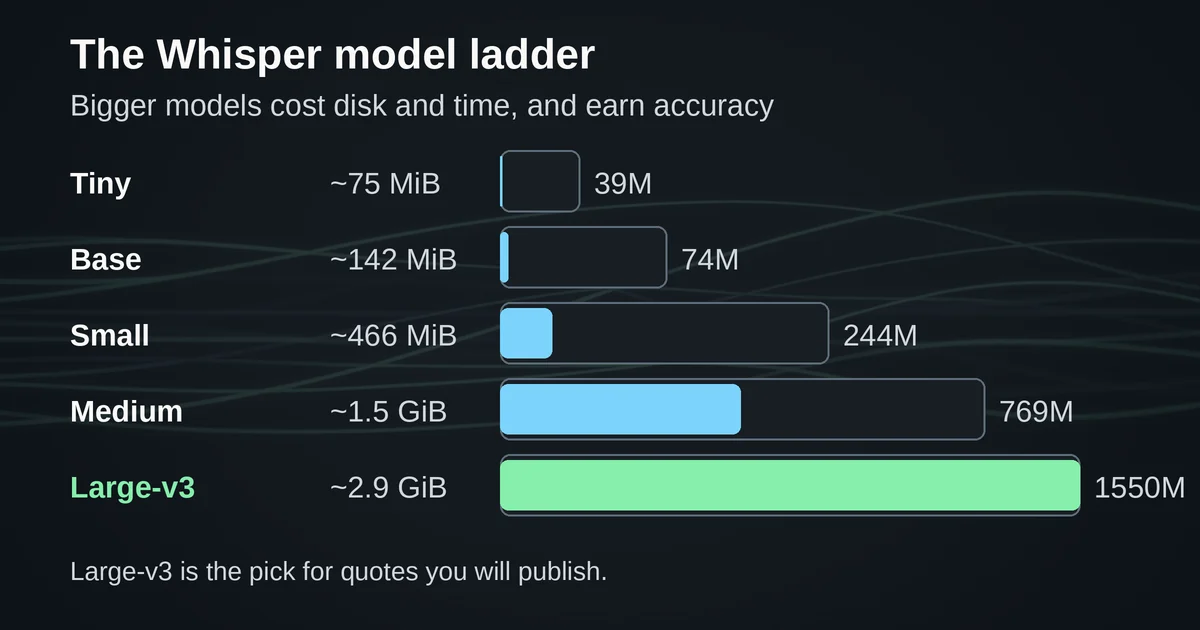
The practical guidance is simpler than the table. For English-only interviews, download Large-v3 and stop thinking about it, then keep Small around for quick drafts. On an M-series MacBook, Large-v3 transcribes far faster than the audio's runtime; the developer's own materials claim up to around 30x realtime for Whisper models, which matches the experience of a 45-minute interview finishing in a couple of minutes. Treat those speed figures as vendor-reported, since they vary by chip, but even the pessimistic case is fast enough that you will not be waiting.
Two footnotes. First, Intel Macs are the exception: they lack the machine learning hardware that makes Apple Silicon quick, and MacWhisper's own documentation is blunt that local transcription is significantly slower there, to the point of recommending cloud providers instead. Second, if transcription suddenly feels slow on an M-series Mac, the app may have dropped into a compatibility mode after a crash; the fix lives in Settings, under Advanced, WhisperKit.
One trick worth knowing before your first real interview: MacWhisper supports custom prompts for transcription. Whisper models can be nudged with a prompt, so if you know the names of the people speaking, the organization, or the technical terms likely to come up, feeding them in beforehand measurably improves how those words come out. It feels like cheating. It is not.
The test you should run before you trust it
Do not let the first transcription of a source's voice also be your quality check. Run the app through a rehearsal first, because it has a specific, learnable failure pattern.
Take a five-minute recording of yourself and a colleague, ideally saying names and jargon out loud. Then transcribe it twice: once with Small, once with Large-v3. What you will see, roughly in this order:
- Proper nouns are the first casualty. Company names, place names, product names, and personal names are where every Whisper size stumbles first. This is not a MacWhisper flaw; it is a known property of the model family, and it is the single biggest reason a transcript needs a human pass before quotes are used.
- The smaller model hallucinates more. OpenAI's own model card is unusually candid about this: Whisper, trained on noisy weakly supervised data, sometimes outputs text that was never spoken at all, and can fall into repetition loops. The smaller the model, the more often this happens, and it gets worse with accented speech and background noise. On quiet studio audio, Small and Large-v3 look close. On a phone recording in a café, the gap widens fast.
- Crosstalk scrambles everyone. Two people talking over each other is the hardest case for the whole model family, local or cloud.
That is the honest picture, and it is why the workflow recommendation is: transcribe with Large-v3, then read along while playing the audio. MacWhisper syncs playback to the transcript, so clicking a sentence jumps to that moment in the recording, and fixing a garbled name takes seconds. The export side is genuinely good: plain text, Markdown, Word, PDF, SRT and VTT subtitles, JSON, CSV, and a reusable custom format builder that can slot names and timestamps into whatever template your editor or dissertation prefers.
Names, accents, and speaker labels
The three things journalists and researchers ask about most are the three things worth being precise about.
Speaker labels. Since version 12, MacWhisper has automatic speaker recognition: it groups the transcript by who said what. The catch is the model list. Local speaker recognition only works with models running on the WhisperKit engine, on M-series Macs, and the compatible ones carry a green Speaker Recognition badge in the model picker. (Cloud providers ElevenLabs and Deepgram also do it, but that defeats the point for sensitive audio.) In practice it is good, not magical: it occasionally splits one person into two speakers or merges a fast exchange, and the app gives you rename, merge, and reassign tools for exactly that cleanup, down to keyboard shortcuts for flipping a segment between speakers.
Accents. Whisper handles a wide range of Englishes and 100-plus other languages far better than older speech stacks, but OpenAI's own evaluation data shows accuracy varies widely by language, and strong regional accents plus noisy audio remain the weak end of that curve. Large-v3 buys you real headroom here. If your interview pool is multilingual, the big model is not optional.
Names. This is the unfixable one, and pretending otherwise is how errors end up in print. Expect to correct names by hand in almost every transcript, and use the custom prompt trick above to reduce how often. A quote that goes into publication should always be checked against the audio, no matter what produced the transcript. That was true of human transcription services too; it is still true now, just faster.
The moment a cloud tool is still the right call
Local is not a religion, and some situations genuinely favor cloud services:
- You are on Windows or Intel hardware and the wait for local transcription would exceed the length of your coffee break.
- Meetings where the bot joins anyway. If everyone is on a recorded Zoom call with consent announced, a platform-native transcription feature or a meeting assistant that captures automatically is less friction than remembering to record system audio yourself.
- Audio that needs cleaning before it can be transcribed at all. Badly degraded recordings sometimes come out better through a cloud provider with heavier preprocessing, though the honest answer for truly ruined audio is that nothing salvages it fully.
- Real-time needs on modest hardware. Live captions while a conversation happens are the most demanding use case, and cloud models are often the only ones that stay up on older machines.
The privacy question flips back the other way the moment a source could be endangered rather than merely embarrassed. That is the actual dividing line this article exists for: not "cloud bad, local good," but "does this specific recording carry a risk that justifies five minutes of setup?"
If you are not on a Mac
MacWhisper is Apple-only, and no official Windows or Linux version exists. Your options are decent, just less polished:
- Meetily is the closest analog: an open-source, privacy-first meeting assistant with local transcription, speaker diarization, and optional Ollama-powered summaries, and unlike MacWhisper it runs on macOS, Windows, and Linux. Its focus is meetings rather than interview files, but the transcription engine underneath is the same family. We cover it in depth in our guide to private meeting transcription.
- whisper.cpp is the engine itself, free and MIT-licensed. It is a command-line tool: convert your recording to 16 kHz mono WAV with ffmpeg, download a model, and run it on any Windows, Linux, or macOS machine, including surprisingly modest ones. If you are comfortable in a terminal, this is the zero-cost, zero-subscription route, and the whisper.cpp repository documents the whole process.
MacWhisper is, in effect, a very good native wrapper around this ecosystem. That is not a knock. The wrapper is where most of the value is for people who transcribe interviews for a living rather than for fun.
What it costs, honestly
The Gumroad edition prices Pro as a one-time purchase with lifetime updates, currently €59, with a 25% discount for students, journalists, and nonprofits on request, and a 7-day refund window if it does not work for your audio. The free tier is a real tool, not a demo: local transcription with the smaller models, the full editor, and basic exports. If your interviews are clean one-on-one recordings and you tolerate occasional errors, you may never pay. The App Store edition prices the same Pro features as subscriptions instead, from monthly to a lifetime in-app purchase.
Against the alternatives, the pricing model is the argument: transcription minutes on cloud services add up fast across a research project or a reporting cycle, and a one-time license that never sees your audio is a different product category from a metered pipeline that does.
Pricing and plan details are as published by the vendor around September 2026 and can change - confirm on the official site. One warning worth repeating from the developer's own site: fake MacWhisper websites exist and some distribute malware. The official domain is macwhisper.com, and purchases go through Gumroad or the App Store, nothing else.
Two questions people actually search
Is MacWhisper accurate enough for quotes?
With Large-v3 on decent audio, yes for the words, no for the names. The model's official documentation itself flags hallucination and repetition as known limitations, so the professional workflow is transcribe, then verify quotes against synced audio. Budget a pass over the transcript the way you would with any service, human or AI.
MacWhisper or Otter?
Different tools. Otter is a cloud meeting assistant: automatic, collaborative, constantly improving, and it sees every word you give it. MacWhisper is a local transcription app: private, one-time-cost, and dependent on your hardware. If your recordings are meetings you would not mind a vendor hosting, Otter is more convenient. If even one interview this month needs to stay off other people's servers, MacWhisper is the one that can promise that, because the promise is structural, not contractual.