



Design-to-CodeFront-end DevelopmentAutomated Coding

imgcook

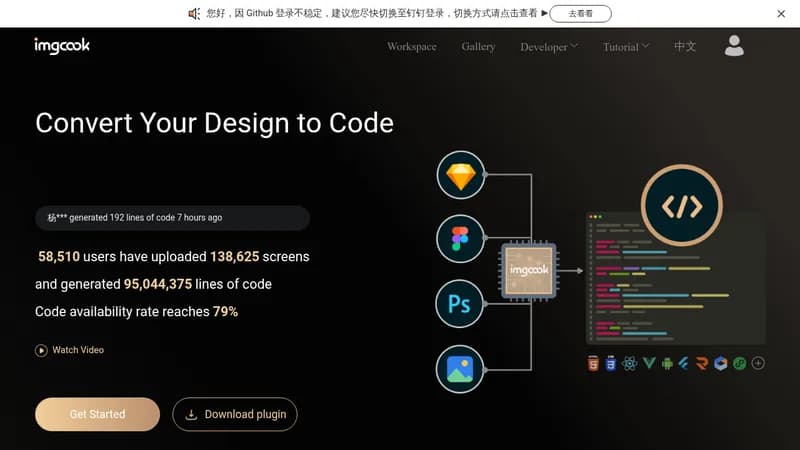
Convert design files into production-ready code automatically

Monthly Visits: 901
Visit Website
imgcook

What is imgcook?

imgcook helps you turn your design files from tools like Sketch or Photoshop into clean, maintainable code with just a few clicks. It supports multiple code languages and integrates seamlessly into your development workflow, saving you time and reducing manual effort. This tool is especially useful for front-end teams looking to speed up their R&D processes and improve collaboration between designers and developers.

Key Features of imgcook

  1. 1

    Plugin Export

    Download plugins to export designs directly from tools like Sketch

  2. 2

    Multi-DSL Support

    Generate code in 10+ languages including React, Vue, and Rax

  3. 3

    Intelligent Layout

    Produces clean, maintainable code with semantic classnames

  4. 4

    Custom Plugins

    Extend functionality with custom code processing plugins

  5. 5

    CLI Integration

    Seamlessly integrate generated code into local projects

imgcook AI Tool Use Cases

  • 🛠️
    Convert Sketch designs to React code
  • 🖼️
    Generate Vue components from image uploads
  • ⚙️
    Automate R&D workflows with CLI integration
  • 🔧
    Customize code output for specific needs

FAQs from imgcook

How do I export designs using the imgcook plugin?

Download the plugin from the imgcook website and use it in design tools like Sketch or Photoshop to export designs directly.

What types of code can imgcook generate?

imgcook supports 10 DSLs including React, Rax, Vue, and applet, and allows customization for any code needs.

How can I integrate imgcook into my R&D process?

Use imgcook CLI, custom plugins, or the VS Code extension to seamlessly integrate generated code into your projects.

Pros & Cons of imgcook

Pros (4)

  • High code availability rate of 79% for generated code
  • Supports multiple design types and code languages
  • Seamlessly integrates into R&D processes with plugins and CLI
  • Used by large companies like Alibaba to improve efficiency

Cons (2)

  • Relies on specific design tools and platforms, which may limit some users
  • Might have a learning curve for customizing DSLs and plugins

More Info About imgcook

Who is using imgcook?

This tool is best for:

  1. Front-end developers
  2. UI/UX designers
  3. Software development teams

imgcook's Tags

Explore more niche AI tool websites by clicking on a tag* (works only if it has enough tools).

#DesignToCode #CodeGeneration#FrontendDevelopment#AutomatedCoding#imgcook

Integrate imgcook With These Apps

imgcook can be integrated with these apps and services:

  • Sketch
  • Photoshop
  • VS Code
  • DingTalk

Website Analytics of imgcook

imgcook Website Traffic & SEO Analysis:

Recent data shows that imgcook has 901 monthly visits (-77.0% decrease from the previous month), 59.0% bounce rate, and average 1.53 pages per visit.
Traffic is primarily driven by 6 different sources, with users from 2 countries worldwide, led by United States contributing 88% of total traffic. SEO performance is shown by 5 tracked keywords, with "imgcook" being the top-performing keyword with 90 monthly searches. See below for more info.

Monthly Visits

901

(-77.0%)

Pages per Visit

1.53

Bounce Rate

59.0%

Average Time on Site

17s

Traffic Trend(Aug 2025 - Oct 2025)

Loading chart...

Top Keywords

SEO KeywordVolumeCPC
imgcook
90-
imgcook官网
0-
taobao
1.4M$0.70
图片转链接
920-
r/img
250-

Traffic Sources Distribution

Traffic Share by Source

Loading chart...

Source Breakdown Details

SourceTraffic Share
Direct
41%
Search
28%
Social
7%
Referrals
24%
Paid Referrals
1%

Global Traffic Distribution

Traffic Share by Country

Loading chart...

Geographic Breakdown Details of top 2 countries

Country NameTraffic Share
United States88%
Japan12%
Analytics data is estimated (from third-party analytics providers) and for reference only.

🚀 imgcook Launch Badge

Promote your Toolbit Launch by using the badge on your website. It can be inserted on your home page or footer easily.

How to use: Simply copy and paste the embed code into your homepage or footer HTML to display it instantly and build community support.

ToolBit badge

Reviews for imgcook


