Photo ColorizationAI Image EnhancementMemory Restoration

Kolorize

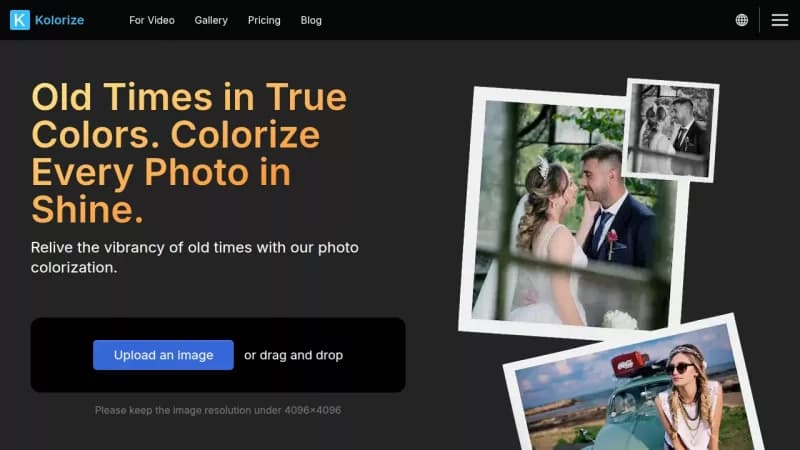
Colorize black-and-white photos with AI precision

Monthly Visits: 114.3K
Freemium
Free Version
Visit Website
Kolorize

What is Kolorize?

Kolorize uses advanced AI to add vibrant colors to your old black-and-white photos, making them look realistic and full of life. You can upload your images, let the AI work its magic in seconds, and preview the results before deciding to download. It's an easy way to revive memories without any technical skills, and you only pay when you're happy with the outcome.

Key Features of Kolorize

  1. 1

    AI Precision

    Uses advanced AI for accurate and realistic photo colorization

  2. 2

    Unlimited Trials

    Try colorizing photos multiple times for free until satisfied

  3. 3

    Quality Retention

    Preserves original photo details without compromising integrity

  4. 4

    Data Security

    Ensures secure file handling with encryption and automatic deletion

  5. 5

    Easy Process

    Simple three-step upload, AI processing, and preview system

Kolorize AI Tool Use Cases

  • 🖼️
    Colorize old family photos
  • 📸
    Restore vintage snapshots
  • 🎨
    Revive monochrome memories
  • 💾
    Download colorized images for sharing

FAQs from Kolorize

What file formats are supported in Kolorize?

JPEG, PNG, WebP, GIF, and AVIF formats are supported, and downloaded files are in JPG format after processing.

Is the colorization accurate?

It uses statistical principles for a reasonable approximation but may not achieve 100% accuracy, as colors are based on probability.

How much time does it take to colorize a photo?

Typically 3 to 8 seconds, depending on the image size and detail.

What is a credit and how is it used?

Credits are used to download processed images, with each download costing one credit, and they are valid for two years.

Can I use Kolorize for commercial purposes?

Yes, all colorized results can be used anywhere, including for commercial use.

Pros & Cons of Kolorize

Pros (4)

  • AI-powered for high-quality colorization results
  • Free to use with unlimited trials before payment
  • Maintains original photo details and quality
  • Secure and private file handling with encryption

Cons (3)

  • Color accuracy is probabilistic and not always exact
  • Processing time can vary from 3 to 8 seconds based on image size
  • Maximum image resolution limited to 4096x4096 pixels

More Info About Kolorize

Who is using kolorize?

This tool is best for:

  1. Photography enthusiasts
  2. Family historians
  3. Content creators with vintage imagery

Kolorize's Tags

Explore more niche AI tool websites by clicking on a tag* (works only if it has enough tools).

#OldPhotos#MemoryRevival#Kolorize#AIColorization#PhotoColorization

Website Analytics of Kolorize

Kolorize Website Traffic & SEO Analysis:

Recent data shows that Kolorize has 114.3K monthly visits (21.0% increase from the previous month), 36.0% bounce rate, and average 2.55 pages per visit.
Traffic is primarily driven by 6 different sources, with users from 5 countries worldwide, led by United States contributing 24% of total traffic. SEO performance is shown by 5 tracked keywords, with "kolorize" being the top-performing keyword with 1.6K monthly searches. See below for more info.

Monthly Visits

114.3K

(+21.0%)

Pages per Visit

2.55

Bounce Rate

36.0%

Average Time on Site

1m 30s

Traffic Trend(Jul 2025 - Oct 2025)

Loading chart...

Top Keywords

SEO KeywordVolumeCPC
kolorize
1.6K$0.42
colorize ai
1.7K$1.67
colorize photo
9.7K$0.42
ai colorize
900$2.37
colorize a photo ai free
0-

Traffic Sources Distribution

Traffic Share by Source

Loading chart...

Source Breakdown Details

SourceTraffic Share
Direct
35%
Search
56%
Social
4%
Referrals
4%
Paid Referrals
1%

Global Traffic Distribution

Traffic Share by Country

Loading chart...

Geographic Breakdown Details of top 5 countries

Country NameTraffic Share
United States24%
Brazil23%
Finland9%
Germany7%
France7%
Analytics data is estimated (from third-party analytics providers) and for reference only.

🚀 Kolorize Launch Badge

Promote your Toolbit Launch by using the badge on your website. It can be inserted on your home page or footer easily.

How to use: Simply copy and paste the embed code into your homepage or footer HTML to display it instantly and build community support.

ToolBit badge

Reviews for Kolorize