Toolbit.ai
Toolbit.ai
Audio ProductionVoice GenerationText to Speech

MicMonster

Transform any text into natural-sounding audio with AI

Freemium
Free Version
Visit Website
MicMonster

What is MicMonster?

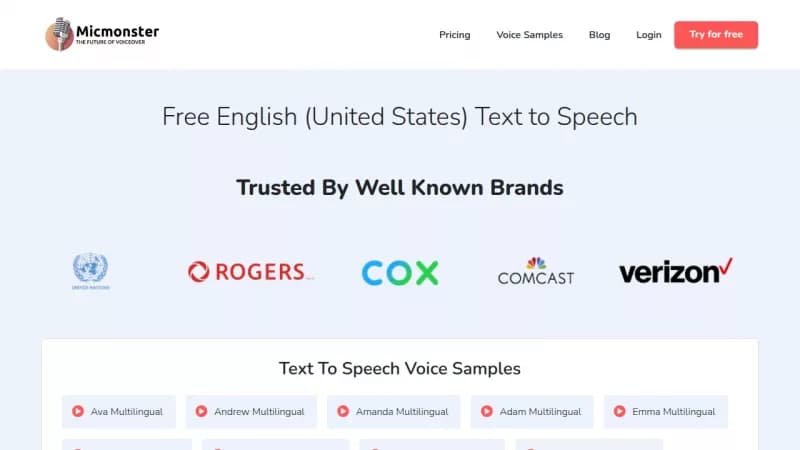
MicMonster uses advanced AI to convert written text into realistic speech that sounds like a human voice. It supports over 140 languages and various accents, making it easy to create voiceovers for videos, presentations, and more. The tool is user-friendly, allowing you to preview audio before downloading, and it's trusted by many brands for professional use.

Key Features of MicMonster

  1. 1

    Natural Voices

    Generate realistic human-like audio from any text

  2. 2

    Multi-language

    Convert text in 140 languages with various accents

  3. 3

    Voice Customization

    Adjust speed, pitch, and volume for better output

  4. 4

    Preview Audio

    Listen to full audio before downloading the file

  5. 5

    Voice Styles

    Add emotions to make voiceovers more engaging

MicMonster AI Tool Use Cases

  • 🎥
    Create YouTube voiceovers
  • 📚
    Produce educational content audio
  • 💼
    Generate business presentations
  • 🔊
    Make multilingual audio files

FAQs from MicMonster

Is MicMonster powered by a realistic text-to-speech engine?

Yes, MicMonster is powered by the most realistic text-to-speech engine. Using the advanced editor (available only for pro), you can make voices more realistic by controlling tonality such as speed, pitch, volume, and emphasis.

How many languages does MicMonster support?

MicMonster supports 140 languages, including popular languages with multiple accents.

Can I use the generated audio files on YouTube?

Yes, you can use the generated file on YouTube.

Are male and female voices available for all languages?

Yes, male and female voices are available for all languages, and child voices are available for some languages.

Pros & Cons of MicMonster

Pros (4)

  • High-quality, natural-sounding voices
  • Extensive language support with 140 options
  • Easy-to-use interface with preview feature
  • Trusted by reputable brands and users

Cons (2)

  • Advanced editing features only in Pro version
  • Pricing may be a barrier for some users

More Info About MicMonster

Who is using micmonster?

This tool is best for:

  1. Content creators
  2. Educators
  3. Small business owners

MicMonster's Tags

Explore more niche AI tool websites by clicking on a tag* (works only if it has enough tools).

#TextToSpeech #AIAudio #VoiceOver#NaturalVoices#MicMonster

🚀 MicMonster Launch Badge

Promote your Toolbit Launch by using the badge on your website. It can be inserted on your home page or footer easily.

How to use: Simply copy and paste the embed code into your homepage or footer HTML to display it instantly and build community support.

ToolBit badge

Reviews for MicMonster

MicMonster: Reviews, Features, Pros & Cons, Alternatives