


Content RewritingPlagiarism AvoidanceWriting Assistance

Paraphraser.io

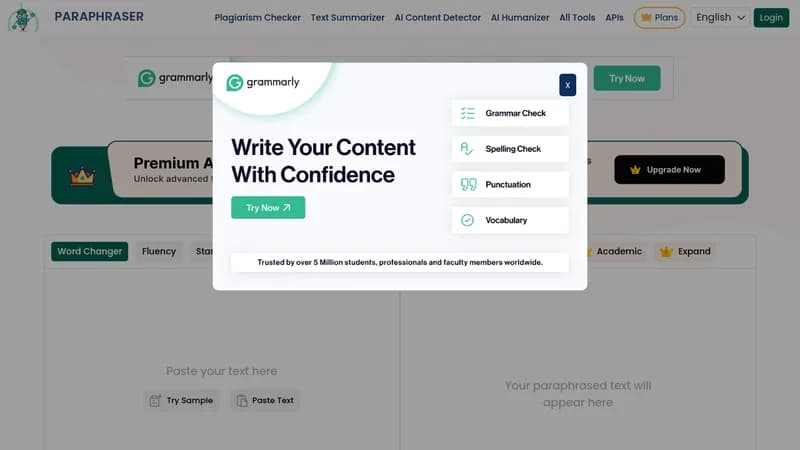
Rephrase text accurately with AI while preserving original meaning

Monthly Visits: 1.4M
Freemium
Free Version
API Available
Visit Website
Paraphraser.io

What is Paraphraser.io?

This tool uses AI to rewrite any text quickly and accurately, helping you avoid plagiarism and improve clarity. It's perfect for students, professionals, and writers who need to save time on editing and make their content stand out. You can use it for essays, reports, blogs, and more with various modes to fit your needs.

Key Features of Paraphraser.io

  1. 1

    Multiple Modes

    Offers over 10 paraphrasing styles for different writing needs

  2. 2

    Human Output

    Generates natural, readable text that sounds like a human wrote it

  3. 3

    Freeze Words

    Lets you keep specific words unchanged during paraphrasing

  4. 4

    Real-time Paraphrasing

    Paraphrase speech or audio inputs instantly as you speak

  5. 5

    Image Text Extraction

    Extract and rewrite text from images or screenshots easily

Paraphraser.io AI Tool Use Cases

  • πŸ“š
    Rewrite academic assignments
  • ✍️
    Improve blog articles
  • πŸ“Š
    Create professional reports
  • πŸ“±
    Generate social media posts

FAQs from Paraphraser.io

Does using a paraphrasing tool count as plagiarism?

No, our tool provides unique, plagiarism-free content while preserving the original meaning.

Can paraphrasing tools be used in legal writing?

Yes, but use responsibly by checking for plagiarism and citing sources to avoid ethical issues.

How does the paraphrasing tool work?

It uses advanced AI algorithms to rephrase text with various modes for different writing needs, making it sound human-like.

Pros & Cons of Paraphraser.io

Pros (4)

  • Generates high-quality, readable content
  • Ensures plagiarism-free output
  • User-friendly and easy to navigate
  • Fast processing with multiple modes

Cons (3)

  • Free version has a 600-word limit
  • Requires internet connection for use
  • Ethical use depends on proper citation to avoid issues

Paraphraser.io's Pricing Plans

Free

free
$0

Features

  • 600 words limit per paraphrase
  • Access to basic paraphrasing modes
  • No daily usage limits
For the latest pricing info, pleaseΒ visit the official website

More Info About Paraphraser.io

Who is using paraphraser.io?

This tool is best for:

  1. Students
  2. Content Writers
  3. Academic Professionals
  4. Marketers

Paraphraser.io's Tags

Explore more niche AI tool websites by clicking on a tag* (works only if it has enough tools).

#WritingAssistant #PlagiarismFree #ContentRewriting#AIParaphraser#AcademicTool

Website Analytics of Paraphraser.io

Paraphraser.io Website Traffic & SEO Analysis:

Recent data shows that Paraphraser.io has 1.4M monthly visits (17.8% increase from the previous month), 50.0% bounce rate, and average 3.16 pages per visit.
Traffic is primarily driven by 6 different sources, with users from 5 countries worldwide, led by Indonesia contributing 63% of total traffic. SEO performance is shown by 5 tracked keywords, with "parafrase" being the top-performing keyword with 137.6K monthly searches. See below for more info.

Monthly Visits

1.4M

(+17.8%)

Pages per Visit

3.16

Bounce Rate

50.0%

Average Time on Site

2m 12s

Traffic Trend(Jul 2025 - Oct 2025)

Loading chart...

Top Keywords

SEO KeywordVolumeCPC
parafrase
137.6K$0.07
cek plagiarisme
37.0K$0.08
parafrase ai
70.1K$0.08
paraphrase
356.0K$0.16
parafrase online
33.0K$0.07

Traffic Sources Distribution

Traffic Share by Source

Loading chart...

Source Breakdown Details

SourceTraffic Share
Direct
24%
Search
72%
Social
1%
Referrals
3%

Global Traffic Distribution

Traffic Share by Country

Loading chart...

Geographic Breakdown Details of top 5 countries

Country NameTraffic Share
Indonesia63%
Philippines3%
India2%
Ukraine2%
United States2%
Analytics data is estimated (from third-party analytics providers) and for reference only.

πŸš€ Paraphraser.io Launch Badge

Promote your Toolbit Launch by using the badge on your website. It can be inserted on your home page or footer easily.

How to use: Simply copy and paste the embed code into your homepage or footer HTML to display it instantly and build community support.

ToolBit badge

Reviews for Paraphraser.io