Puzzle

Automate bookkeeping with AI-powered accuracy for startups

Monthly Visits: 42.8K
Visit Website
Puzzle

What is Puzzle?

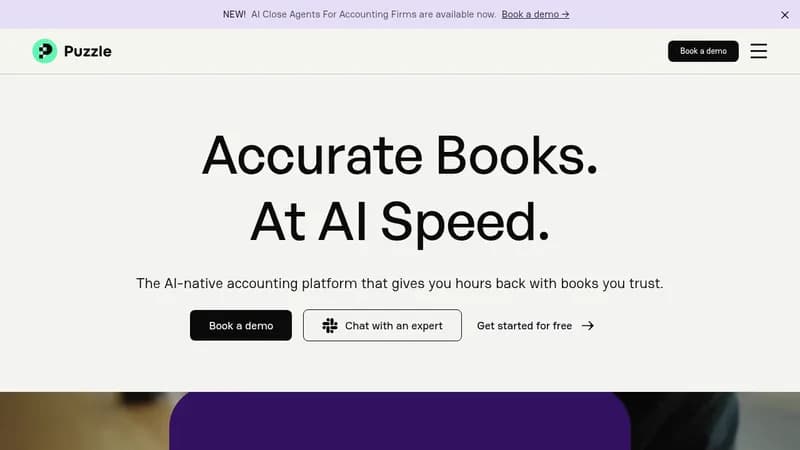
Puzzle is an AI-native accounting tool that learns your business and automates up to 95% of bookkeeping tasks, saving you hours each month. It provides real-time financial data and insights, helping you close books faster and focus on growth. With integrations to modern tools, it ensures your finances are always accurate and tax-ready.

Key Features of Puzzle

  1. 1

    AI Categorization

    Automatically categorizes transactions with up to 95% accuracy over time.

  2. 2

    Variance Analysis

    Flags unexpected expenses and provides spending insights in seconds.

  3. 3

    Accrual Automation

    Manages accrual accounting without manual spreadsheets or work.

  4. 4

    Accuracy Reviews

    Continuously monitors financial statements for errors and anomalies.

  5. 5

    Real-time Integrations

    Connects with tools like Stripe and Brex for up-to-date data.

Puzzle AI Tool Use Cases

  • 📊
    Automate bookkeeping tasks
  • 💼
    Prepare for tax filings
  • 📈
    Analyze financial variances
  • 🤝
    Collaborate with accounting teams

FAQs from Puzzle

Why is Puzzle better than Quickbooks?

Puzzle automates repetitive tasks, provides real-time data, and offers insights like cash runway and accrual automation in a single solution.

Does Puzzle replace my bookkeeper?

No, it automates up to 95% of tasks but still requires professional review for complex finances.

How does Puzzle keep me tax-ready?

It provides accurate real-time data and has a network of tax experts for assistance.

Can I get started on my own?

Yes, with self-service setup or help from Puzzle's network of experts.

Pros & Cons of Puzzle

Pros (4)

  • Saves up to 50% time on bookkeeping compared to QuickBooks
  • Provides provable accuracy with AI learning over time
  • Offers real-time financial insights and data
  • Easy integration with modern business tools

Cons (2)

  • Still requires professional review for complex financial matters
  • May not be suitable for all business sizes or types

More Info About Puzzle

Who is using puzzle?

This tool is best for:

  1. Startups
  2. Small businesses
  3. Bookkeepers
  4. CPA firms

Puzzle's Tags

Explore more niche AI tool websites by clicking on a tag* (works only if it has enough tools).

#StartupFinance#TaxPreparation#AutomateBookkeeping#PuzzleAccounting#AINativeAccounting

Integrate Puzzle With These Apps

Puzzle can be integrated with these apps and services:

  • Stripe
  • Brex
  • Ramp
  • Rippling
  • Gusto

Website Analytics of Puzzle

Puzzle Website Traffic & SEO Analysis:

Recent data shows that Puzzle has 42.8K monthly visits (-11.1% decrease from the previous month), 42.0% bounce rate, and average 7.47 pages per visit.
Traffic is primarily driven by 6 different sources, with users from 5 countries worldwide, led by United States contributing 76% of total traffic. SEO performance is shown by 5 tracked keywords, with "puzzle accounting" being the top-performing keyword with 1.9K monthly searches. See below for more info.

Monthly Visits

42.8K

(-11.1%)

Pages per Visit

7.47

Bounce Rate

42.0%

Average Time on Site

3m 42s

Traffic Trend(Jul 2025 - Oct 2025)

Loading chart...

Top Keywords

SEO KeywordVolumeCPC
puzzle accounting
1.9K$22.22
i want to track my money going in and out of my bank account
600-
puzzle io
870$6.00
puzzle
192.4K$0.55
puzzle financial
320$23.37

Traffic Sources Distribution

Traffic Share by Source

Loading chart...

Source Breakdown Details

SourceTraffic Share
Direct
64%
Search
27%
Social
2%
Referrals
6%
Paid Referrals
1%

Global Traffic Distribution

Traffic Share by Country

Loading chart...

Geographic Breakdown Details of top 5 countries

Country NameTraffic Share
United States76%
Canada3%
Kenya3%
Brazil2%
India2%
Analytics data is estimated (from third-party analytics providers) and for reference only.

🚀 Puzzle Launch Badge

Promote your Toolbit Launch by using the badge on your website. It can be inserted on your home page or footer easily.

How to use: Simply copy and paste the embed code into your homepage or footer HTML to display it instantly and build community support.

ToolBit badge

Reviews for Puzzle