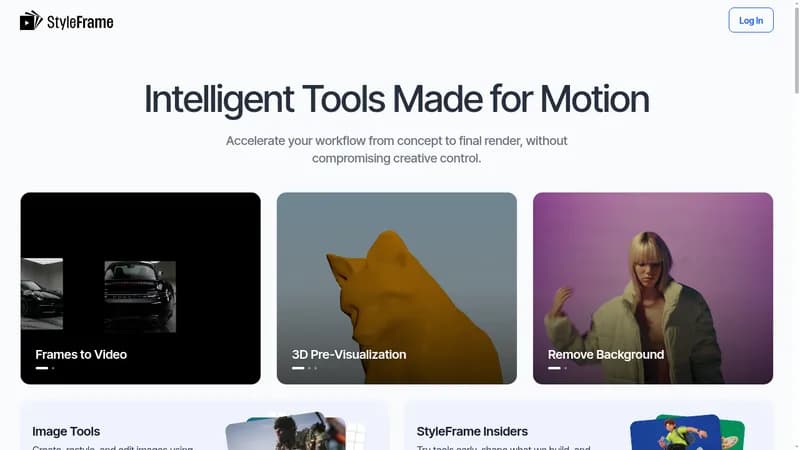
StyleFrame is an AI-powered platform designed for motion graphics and animation professionals. It offers a suite of tools to accelerate the workflow from concept to final render, covering video creation, restyling, and post-production, as well as image creation and editing. The platform provides tools such as Frames to Video (generating videos from images with keyframes and prompt control), Turntable (creating 360° rotating videos from a single image), 3D Pre-Visualization (testing materials and lighting), Ink and Paint (styling and colorizing line art animations), 2D to 3D (applying 3D lighting and depth to 2D animations), Remove Background (masking subjects in video), Upscaler (increasing resolution), and various image tools for generation, restyling, and editing via natural language. StyleFrame emphasizes creative control and professional-quality output, and does not train AI on user input data. It is built for professional artists and aims to integrate with existing animation tooling, including an upcoming After Effects plugin.
Key Features
- Video creation from images, prompts, or keyframes
- Video restyling using style references
- Post-production tools: background removal, upscaling
- Image creation, restyling, and editing
- Turntable generation for 360° product views
- 2D to 3D animation conversion
- Ink and Paint for line art colorization
- No training on user data
Who It’s For
- Professional artists and animators
- Motion designers
- Post-production studios
- E-commerce and product visualization teams
Key Benefits
- Does not train AI on user input videos or images
- Offers creative control with keyframes, prompt builder, and duration control
- Provides a wide range of tools for video and image creation, restyling, and editing
- Supports commercial use of output under paid plans