Subtranslate AI

Translate subtitles with AI-powered accuracy and cultural nuance

Monthly Visits: 33.8K
Tiered Subscription
Free Version
Visit Website
Subtranslate AI

What is Subtranslate AI?

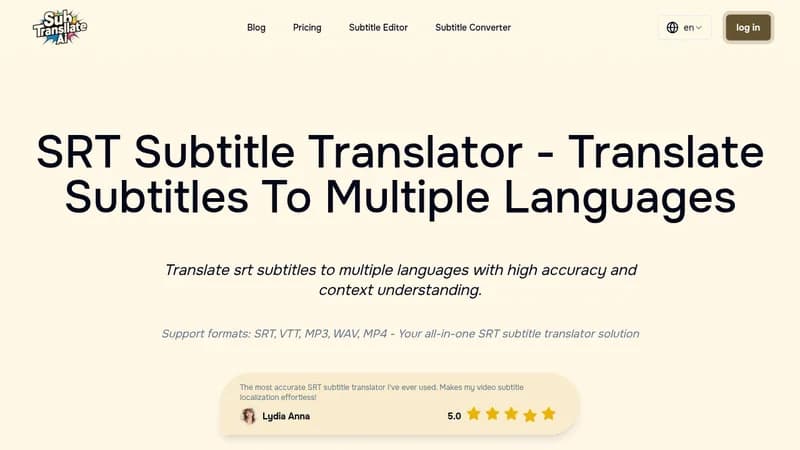
Subtranslate AI helps content creators automatically translate subtitles for videos and audio files with superior accuracy. Unlike basic tools, it understands context and cultural nuances, making translations sound natural. Supports popular formats like SRT, VTT, MP3, and MP4 while handling technical jargon.

Key Features of Subtranslate AI

  1. 1

    Context-Aware Translation

    AI understands conversation flow and cultural references for natural subtitles

  2. 2

    Multi-Format Support

    Handles SRT files, videos, and audio formats in one platform

  3. 3

    Batch Processing

    Translate multiple files and languages simultaneously for efficiency

  4. 4

    Custom Terminology

    Maintain brand voice with specialized translation instructions

  5. 5

    Fast Turnaround

    Quick processing reduces time from translation to publication

Subtranslate AI Tool Use Cases

  • 🌍
    Localize YouTube videos for international viewers
  • 🎓
    Create multilingual educational course materials
  • 📈
    Adapt marketing videos for global campaigns
  • 🎬
    Translate film/TV show subtitles accurately

Pros & Cons of Subtranslate AI

Pros (4)

  • AI maintains context across sentences for natural translations
  • Supports direct translation of audio/video files without manual subtitles
  • Customizable terminology for brand-specific or technical content
  • Batch processing handles multiple files and languages simultaneously

Cons (2)

  • Free plan has significant limitations on file types and processing speed
  • No mention of collaborative features for team workflows

Subtranslate AI's Pricing Plans

Free Plan

monthly
$0

Features

  • SRT/VTT/STL input only
  • 90 subtitle limit per file
  • No translation history

Starter Plan

monthly

Features

  • 60-minute audio/video limit
  • 5 simultaneous files/languages
  • 15-day file storage

Premium Plan

monthly

Features

  • 180-minute audio/video limit
  • Custom translation instructions
  • 10 simultaneous files/languages
For the latest pricing info, please visit the official website

More Info About Subtranslate AI

Who is using subtranslate ai?

This tool is best for:

  1. Video content creators
  2. Global marketing teams
  3. Online educators
  4. Indie filmmakers

Subtranslate AI's Tags

Explore more niche AI tool websites by clicking on a tag* (works only if it has enough tools).

#AITranslation #GlobalAudience#SubtitleTranslation

Website Analytics of Subtranslate AI

Subtranslate AI Website Traffic & SEO Analysis:

Recent data shows that Subtranslate AI has 33.8K monthly visits (-2.3% decrease from the previous month), 50.0% bounce rate, and average 1.70 pages per visit.
Traffic is primarily driven by 6 different sources, with users from 5 countries worldwide, led by Korea, Republic of contributing 15% of total traffic. SEO performance is shown by 5 tracked keywords, with "ai srt translator" being the top-performing keyword with 320 monthly searches. See below for more info.

Monthly Visits

33.8K

(-2.3%)

Pages per Visit

1.70

Bounce Rate

50.0%

Average Time on Site

33s

Traffic Trend(Apr 2025 - Oct 2025)

Loading chart...

Top Keywords

SEO KeywordVolumeCPC
ai srt translator
320-
subtransalte
300-
перевод субтитров онлайн
40-
srt 자막 번역 ai
1.4K$0.74
ai 자막파일 번역
290-

Traffic Sources Distribution

Traffic Share by Source

Loading chart...

Source Breakdown Details

SourceTraffic Share
Direct
30%
Search
57%
Social
3%
Referrals
9%
Paid Referrals
1%

Global Traffic Distribution

Traffic Share by Country

Loading chart...

Geographic Breakdown Details of top 5 countries

Country NameTraffic Share
Korea, Republic of15%
Hong Kong7%
Italy7%
Germany6%
Indonesia6%
Analytics data is estimated (from third-party analytics providers) and for reference only.

🚀 Subtranslate AI Launch Badge

Promote your Toolbit Launch by using the badge on your website. It can be inserted on your home page or footer easily.

How to use: Simply copy and paste the embed code into your homepage or footer HTML to display it instantly and build community support.

ToolBit badge

Reviews for Subtranslate AI