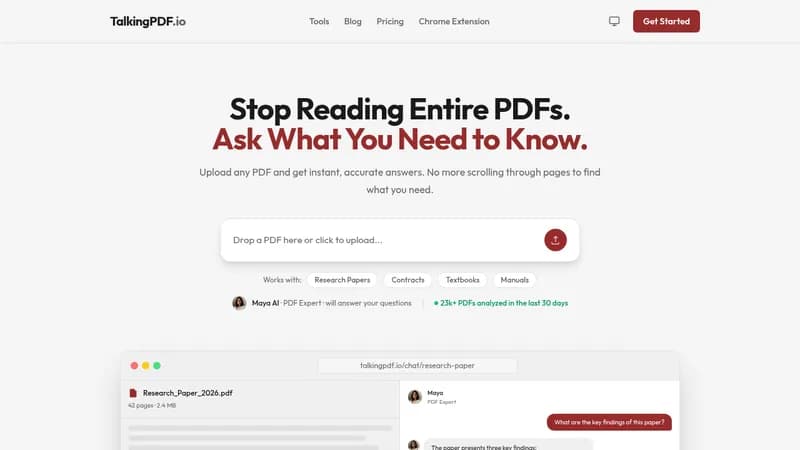
TalkingPDF is an AI-powered tool that lets you upload PDFs and ask questions in natural language, receiving instant answers with page references. It eliminates the need to manually scroll through documents by providing accurate, contextual responses. The tool supports a wide range of document types including research papers, contracts, textbooks, manuals, and scanned PDFs via OCR. It also handles multi-language documents, allowing users to ask questions in one language and get answers in another. TalkingPDF is designed for professionals, students, and researchers who need to quickly extract information from lengthy PDFs.
Key Features
- Instant PDF Understanding: Upload any PDF and start chatting immediately. The AI understands the document context instantly.
- Natural Conversations: Ask questions in plain English and get accurate, contextual answers.
- Lightning Fast: Get answers in seconds, not hours.
- Secure & Private: Documents are encrypted and data is not shared with third parties.
- Smart Search: Find specific information across multiple PDFs with intelligent semantic search.
- Study Assistant: Perfect for students and researchers to get summaries, explanations, and insights.
How It Works
- Upload your PDF by dragging and dropping or clicking to browse.
- Ask questions naturally, like chatting with a colleague who has read the entire document.
- Receive accurate, sourced answers with page references in seconds.
TalkingPDF is available as a web app and a Chrome extension, with a free plan for basic use and premium plans for unlimited access and advanced features.