Tom's Planner

Create easy Gantt charts for effortless project planning

Monthly Visits: 115.9K
Freemium
Free Version
Visit Website
Tom's Planner

What is Tom's Planner?

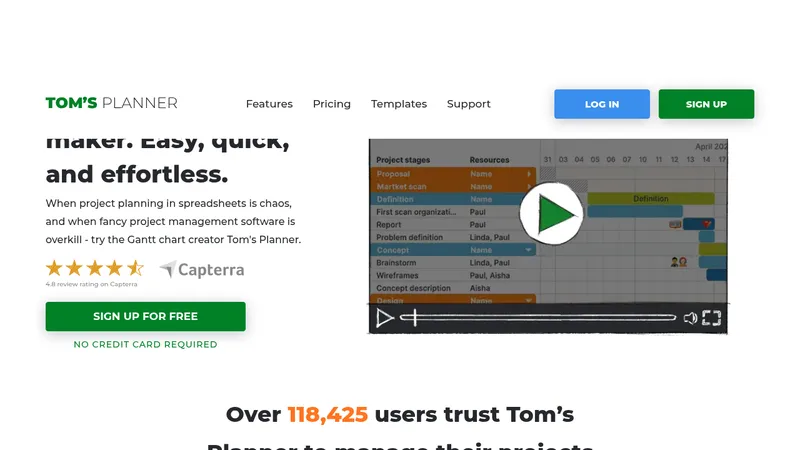
Tom's Planner is a user-friendly online tool that lets you build Gantt charts with a simple drag-and-drop interface, so you don't need any technical skills or training. It helps you plan projects, track progress, and collaborate with your team in real-time, making it easier to hit deadlines and avoid confusion. With features like AI-assisted chart generation and flexible templates, it saves time and reduces the stress of managing complex schedules.

Key Features of Tom's Planner

  1. 1

    Drag & Drop

    Easily add and adjust tasks with mouse movements

  2. 2

    AI Assist

    Generate custom Gantt charts from project descriptions

  3. 3

    Progress Tracking

    Monitor project status with customizable visual indicators

  4. 4

    Dependencies

    Link tasks to show relationships and keep plans updated

  5. 5

    Quick Filter

    Instantly find details by filtering resources or dates

Tom's Planner AI Tool Use Cases

  • 🏗️
    Plan construction projects
  • 🎉
    Organize event timelines
  • 📊
    Manage marketing campaigns
  • 💼
    Coordinate team workloads

FAQs from Tom's Planner

What is the difference between making a Gantt chart in Excel and using Tom’s Planner?

Tom’s Planner offers a user-friendly, drag-and-drop interface that simplifies creation and allows seamless online collaboration, unlike Excel which is time-consuming and prone to errors.

Can I share my Gantt chart with others?

Yes, you can invite collaborators or publish via a public URL, but a paid account is required for sharing.

Does Tom’s Planner support exporting Gantt charts as PDFs or other formats?

Yes, you can export to PDF, image, Microsoft Project, Excel, and JSON, but exporting requires a paid account.

How do I get started with Tom’s Planner?

You can explore the tool, use templates, or have AI-assist generate a chart; no installation needed, and short videos are available for guidance.

Pros & Cons of Tom's Planner

Pros (4)

  • Intuitive drag-and-drop interface with no learning curve
  • Free collaboration for team members to view and contribute
  • AI-powered custom chart generation for quick setup
  • No installation required and works on any browser

Cons (3)

  • Exporting and advanced sharing features require a paid plan
  • Limited functionality on mobile devices for detailed editing
  • May lack some advanced features compared to bloated competitors

Tom's Planner's Pricing Plans

Personal

ongoing
Free

Features

  • One Gantt chart

Professional

Features

  • Multiple Gantt charts
  • Print, export, and share online

Unlimited

Features

  • Multiple Gantt charts
  • Print, export, and share online
  • Download charts offline
For the latest pricing info, please visit the official website

More Info About Tom's Planner

Who is using tom's planner?

This tool is best for:

  1. Project Managers
  2. Small Business Owners
  3. Freelancers
  4. Event Planners

Tom's Planner's Tags

Explore more niche AI tool websites by clicking on a tag* (works only if it has enough tools).

#TeamCollaboration #ProjectManagement #TomsPlanner#GanttChartSoftware#EasyPlanning

Platforms & Device Support

Use Tom's Planner on your favorite device - available across multiple platforms for flexibility.

Desktop App

Mac
✓ Available
Windows
✓ Available
Linux
✓ Available

Website Analytics of Tom's Planner

Tom's Planner Website Traffic & SEO Analysis:

Recent data shows that Tom's Planner has 115.9K monthly visits (20.4% increase from the previous month), 45.0% bounce rate, and average 1.99 pages per visit.
Traffic is primarily driven by 6 different sources, with users from 5 countries worldwide, led by United States contributing 29% of total traffic. SEO performance is shown by 5 tracked keywords, with "tomsplanner" being the top-performing keyword with 360 monthly searches. See below for more info.

Monthly Visits

115.9K

(+20.4%)

Pages per Visit

1.99

Bounce Rate

45.0%

Average Time on Site

48s

Traffic Trend(Aug 2025 - Oct 2025)

Loading chart...

Top Keywords

SEO KeywordVolumeCPC
tomsplanner
360-
toms planner
430$1.34
tom planner
360-
phase by phase project chart online
620-
example home construciton gantt
210-

Traffic Sources Distribution

Traffic Share by Source

Loading chart...

Source Breakdown Details

SourceTraffic Share
Direct
49%
Search
41%
Social
2%
Referrals
8%
Paid Referrals
1%

Global Traffic Distribution

Traffic Share by Country

Loading chart...

Geographic Breakdown Details of top 5 countries

Country NameTraffic Share
United States29%
Poland9%
Netherlands8%
United Kingdom6%
Canada4%
Analytics data is estimated (from third-party analytics providers) and for reference only.

🚀 Tom's Planner Launch Badge

Promote your Toolbit Launch by using the badge on your website. It can be inserted on your home page or footer easily.

How to use: Simply copy and paste the embed code into your homepage or footer HTML to display it instantly and build community support.


ToolBit badge

Reviews for Tom's Planner