AI Workflow AutomationNo-Code AI PlatformBusiness Productivity Tool

UNOY

Orchestrate AI agents to automate workflows and enhance productivity

Monthly Visits: 4.9K
API Available
Visit Website
UNOY

What is UNOY?

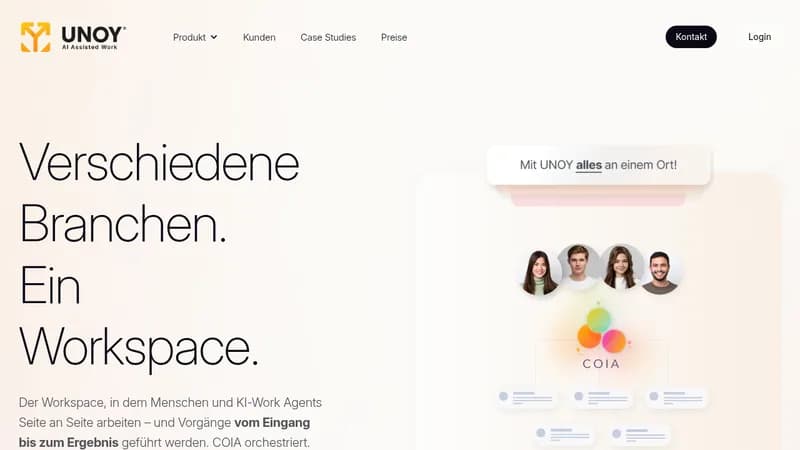
UNOY is an AI-powered workspace where humans and AI agents collaborate seamlessly to handle tasks from start to finish. It automates routine work in the background and helps you tackle complex projects by preparing results for your review. This means you spend less time on admin and more on strategic decisions that drive your business forward.

Key Features of UNOY

  1. 1

    COIA Orchestrator

    Central AI coordinator that plans tasks and manages specialized agents

  2. 2

    Work Agents

    No-code agents automate tasks like data management and workflows

  3. 3

    Brain Systems

    Context-aware AI that understands short, mid, and long-term knowledge

  4. 4

    Integrations

    Connects with Microsoft, Google, and other systems seamlessly

  5. 5

    Governance

    Built-in transparency, security, and audit trails for compliance

UNOY AI Tool Use Cases

  • ⚖️
    Review legal contracts
  • 🔍
    Conduct due diligence
  • 📚
    Perform legal research
  • ✉️
    Send demand letters
  • 💰
    Manage claims and collections

FAQs from UNOY

How does UNOY work?

You set a goal, COIA plans the path, Work Agents execute tasks, and you decide on the results.

Do I need programming skills to use UNOY?

No, it's designed as a no-code platform that relies on domain knowledge instead of IT skills.

What systems does UNOY integrate with?

It connects with Microsoft Office, Google Workspace, email, and various third-party systems like ERP and CRM.

Is UNOY secure and compliant?

Yes, it features GDPR compliance, certified data centers, role-based access, and end-to-end encryption.

Pros & Cons of UNOY

Pros (4)

  • Automates both routine and complex tasks efficiently
  • No-code setup allows easy use without IT skills
  • Seamlessly integrates with popular business tools
  • Includes built-in security and compliance features

Cons (3)

  • May require initial setup and training for optimal use
  • Limited to specified integrations and systems
  • Could be costly for very small businesses

More Info About UNOY

Who is using unoy?

This tool is best for:

  1. Law Firms
  2. Legal Departments
  3. Business Professionals
  4. Project Managers

UNOY's Tags

Explore more niche AI tool websites by clicking on a tag* (works only if it has enough tools).

Integrate UNOY With These Apps

UNOY can be integrated with these apps and services:

  • Microsoft Office
  • Google Workspace
  • Email Systems
  • ERP Systems
  • CRM Systems
  • HR Systems
  • Payroll Systems
  • Excel
  • CSV
  • XML
  • IMP

Website Analytics of UNOY

UNOY Website Traffic & SEO Analysis:

Recent data shows that UNOY has 4.9K monthly visits (116.1% increase from the previous month), 11.0% bounce rate, and average 13.34 pages per visit.
Traffic is primarily driven by 6 different sources, with users from 2 countries worldwide, led by Austria contributing 95% of total traffic. SEO performance is shown by 5 tracked keywords, with "respond ai" being the top-performing keyword with 810 monthly searches. See below for more info.

Monthly Visits

4.9K

(+116.1%)

Pages per Visit

13.34

Bounce Rate

11.0%

Average Time on Site

9m 45s

Traffic Trend(Jul 2025 - Oct 2025)

Loading chart...

Top Keywords

SEO KeywordVolumeCPC
respond ai
810-
ai email reply
760$3.49
email reply ai
620$3.51
fairplane
450$6.98
legal engineering
270-

Traffic Sources Distribution

Traffic Share by Source

Loading chart...

Source Breakdown Details

SourceTraffic Share
Direct
67%
Search
15%
Social
4%
Referrals
13%
Paid Referrals
1%

Global Traffic Distribution

Traffic Share by Country

Loading chart...

Geographic Breakdown Details of top 2 countries

Country NameTraffic Share
Austria95%
Germany5%
Analytics data is estimated (from third-party analytics providers) and for reference only.

🚀 UNOY Launch Badge

Promote your Toolbit Launch by using the badge on your website. It can be inserted on your home page or footer easily.

How to use: Simply copy and paste the embed code into your homepage or footer HTML to display it instantly and build community support.

ToolBit badge

Reviews for UNOY