Social Media ManagementSocial Media AnalyticsContent Publishing

Vista Social

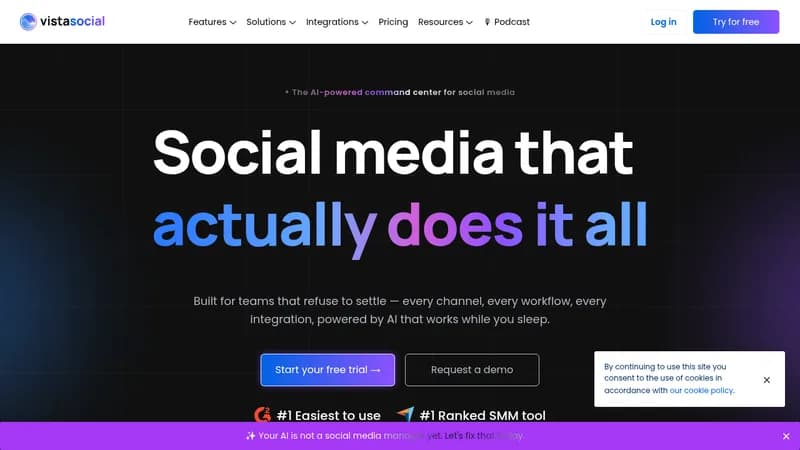
Automate social media management and engagement with AI-powered tools

Monthly Visits: 244.4K
Subscription
Visit Website
Vista Social

What is Vista Social?

Vista Social helps brands and agencies handle all their social media tasks in one easy-to-use platform. You can schedule posts, respond to comments, and track performance without switching between apps. With AI features, it saves time by generating content and automating replies, so you can focus on growing your audience.

Key Features of Vista Social

  1. 1

    AI Publishing

    Generate and schedule social media posts using AI assistance

  2. 2

    Unified Inbox

    Manage all comments and messages from one central dashboard

  3. 3

    Analytics

    Track social media performance and create detailed reports easily

  4. 4

    Social Listening

    Monitor brand mentions and industry conversations across platforms

  5. 5

    DM Automation

    Automate responses to direct messages for better engagement

Vista Social AI Tool Use Cases

  • 📅
    Schedule and publish social media content
  • 💬
    Manage customer comments and messages
  • 📊
    Analyze campaign performance and reports
  • 🔍
    Monitor brand mentions and trends
  • 🤖
    Automate DM responses for lead generation

Pros & Cons of Vista Social

Pros (4)

  • All-in-one platform for comprehensive social media management
  • AI-powered features for efficient content creation and automation
  • User-friendly interface praised for ease of use
  • Cost-effective with unlimited users on some plans

Cons (2)

  • May have a learning curve for beginners new to social media tools
  • Primarily designed for businesses, not ideal for individual personal use

More Info About Vista Social

Who is using vista social?

This tool is best for:

  1. Agencies
  2. Freelancers
  3. Small Businesses
  4. Enterprises

Vista Social's Tags

Explore more niche AI tool websites by clicking on a tag* (works only if it has enough tools).

#SocialMediaManagement #AIContent #BrandEngagement#ContentScheduling#VistaSocial

Integrate Vista Social With These Apps

Vista Social can be integrated with these apps and services:

  • Facebook
  • Instagram
  • LinkedIn
  • X (Twitter)
  • Threads
  • TikTok
  • Bluesky
  • YouTube
  • Snapchat

Platforms & Device Support

Use Vista Social on your favorite device - available across multiple platforms for flexibility.

Mobile App

iPhone
Get App
Android Phones
Get App

Vista Social Social Media

Visit Vista Social on social media to stay updated with the latest news and features.

Website Analytics of Vista Social

Vista Social Website Traffic & SEO Analysis:

Recent data shows that Vista Social has 244.4K monthly visits (-0.7% decrease from the previous month), 42.0% bounce rate, and average 3.94 pages per visit.
Traffic is primarily driven by 6 different sources, with users from 5 countries worldwide, led by United States contributing 41% of total traffic. SEO performance is shown by 5 tracked keywords, with "vista social" being the top-performing keyword with 9.8K monthly searches. See below for more info.

Monthly Visits

244.4K

(~0%)

Pages per Visit

3.94

Bounce Rate

42.0%

Average Time on Site

2m 39s

Traffic Trend(Aug 2025 - Oct 2025)

Loading chart...

Top Keywords

SEO KeywordVolumeCPC
vista social
9.8K$6.06
usd to vnd
240.3K$0.69
vistasocial
4.4K$8.22
tumblr
1.9M$3.57
shareasale
59.0K$3.68

Traffic Sources Distribution

Traffic Share by Source

Loading chart...

Source Breakdown Details

SourceTraffic Share
Direct
50%
Search
41%
Social
2%
Referrals
6%
Paid Referrals
1%

Global Traffic Distribution

Traffic Share by Country

Loading chart...

Geographic Breakdown Details of top 5 countries

Country NameTraffic Share
United States41%
United Kingdom10%
Canada3%
Switzerland3%
Italy2%
Analytics data is estimated (from third-party analytics providers) and for reference only.

🚀 Vista Social Launch Badge

Promote your Toolbit Launch by using the badge on your website. It can be inserted on your home page or footer easily.

How to use: Simply copy and paste the embed code into your homepage or footer HTML to display it instantly and build community support.

ToolBit badge

Reviews for Vista Social