AutomationWeb DevelopmentWebsite Conversion Tools

WP Pro Converter

Automate WordPress conversion while preserving original design

Monthly Visits: 9
Tiered
Visit Website
WP Pro Converter

What is WP Pro Converter?

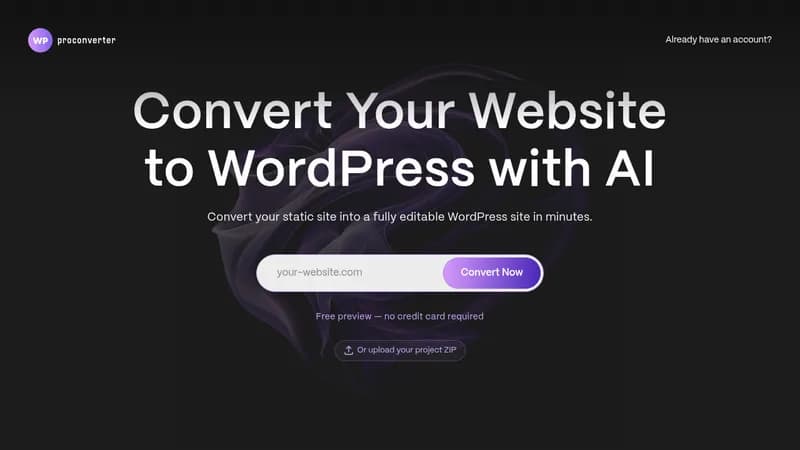
WP Pro Converter transforms static HTML websites into functional WordPress themes using AI automation. It preserves your original design while adding dynamic content management capabilities. Every conversion gets human verification to ensure quality results.

Key Features of WP Pro Converter

  1. 1

    AI Conversion

    Automates WordPress theme creation from HTML structures

  2. 2

    Design Preservation

    Maintains original website aesthetics during conversion

  3. 3

    Human Verification

    Expert review ensures quality before delivery

  4. 4

    Dynamic Content

    Creates editable WordPress admin areas automatically

  5. 5

    Enterprise Customization

    Handles complex sites with custom requirements

WP Pro Converter AI Tool Use Cases

  • ๐Ÿ–ฅ๏ธ
    Convert static HTML sites to WordPress
  • ๐Ÿ› ๏ธ
    Create dynamic content management areas
  • ๐Ÿš€
    Migrate legacy websites to modern CMS
  • โš™๏ธ
    Optimize site performance during conversion

FAQs from WP Pro Converter

What makes WP Pro Converter different?

Combines AI automation with human verification for faster, reliable conversions compared to manual processes.

Is the generated code clean?

Code preserves original structure and is generally efficient, though minor adjustments might be needed for specific requirements.

Can I edit the converted code?

Yes, full access to generated code for customization after conversion.

Does it work with React/Angular sites?

JavaScript frameworks may require manual adjustments for full compatibility.

Pros & Cons of WP Pro Converter

Pros (4)

  • Combines AI speed with human quality assurance
  • Preserves original design integrity
  • Offers custom enterprise solutions
  • One-time payment with no subscriptions

Cons (3)

  • Manual payment/approval process required
  • Limited plugin compatibility guarantees
  • JavaScript frameworks need manual adjustments

WP Pro Converter's Pricing Plans

Starter

one-time
$89

Features

  • Convert up to 5 pages
  • 2 dynamic areas
  • Pixel-perfect conversion
  • Expert-reviewed

Pro

one-time
$159

Features

  • Convert up to 12 pages
  • 6 dynamic areas
  • Visual assets optimization
  • Data migration

Enterprise

one-time
custom

Features

  • Unlimited pages & dynamic areas
  • HTML/CSS updates on request
  • Priority support
  • Custom feature implementation
For the latest pricing info, pleaseย visit the official website

More Info About WP Pro Converter

Who is using wp pro converter?

This tool is best for:

  1. Website owners with static sites
  2. Freelance web developers
  3. Digital agencies
  4. WordPress professionals

WP Pro Converter's Tags

Explore more niche AI tool websites by clicking on a tag* (works only if it has enough tools).

#WebsiteMigration#WordPressConversion#CMSIntegration

๐Ÿš€ WP Pro Converter Launch Badge

Promote your Toolbit Launch by using the badge on your website. It can be inserted on your home page or footer easily.

How to use: Simply copy and paste the embed code into your homepage or footer HTML to display it instantly and build community support.

ToolBit badge

Reviews for WP Pro Converter