


Picture this: you snap your living room, an app restyles it with a sofa you could order tonight, and the window has quietly moved. That moved window is the first thing to check. For most rooms, the best AI room design app is ReimagineHome: it is built to keep your walls and windows, and its first 5 designs are free. Pick IKEA Kreativ to stay free, Planner 5D for a layout you can measure, Interior AI for lots of styles and Virtual Staging AI for home listings.
Keep or repaint: the one thing to check first
Each mode in an AI room design app either keeps the bones of your room or paints a new room over your photo, so find out which one you are getting before you fall for a result.
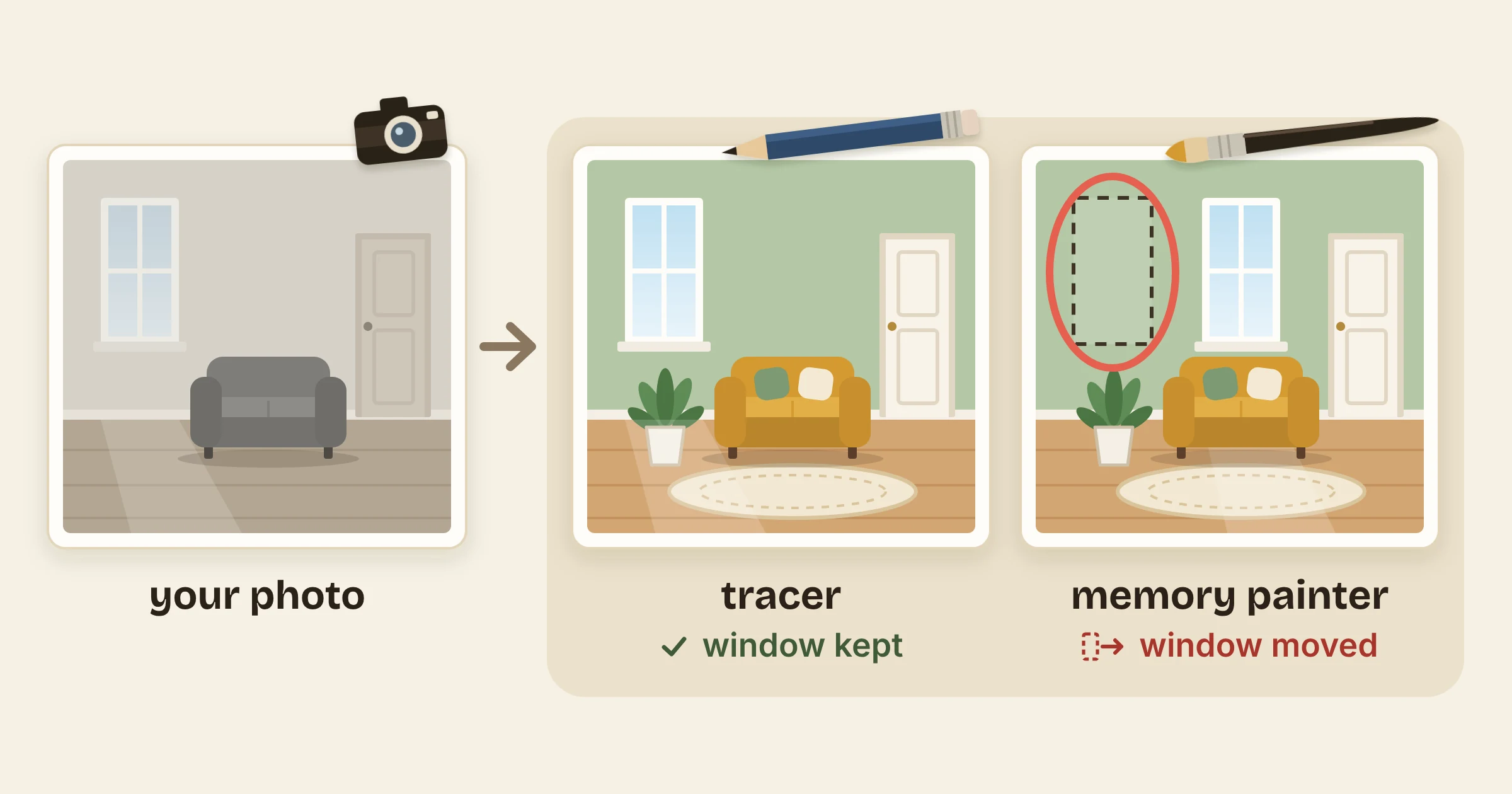
Think of two artists. The first traces your walls, windows and doors, then changes only the colors and furniture. The second glances at your photo and paints from memory, so the result can look lovely while the window wanders off.
Interior AI gives you both artists. Its site says its 3D Vision mode "tries to maintain the interior of your current room while changing its style." Its menu also has a mode called "Style transfer (keep interior same)".
Those are the tracers. Its Creative mode is the memory painter, giving "more wild ideas but they will follow your home's construction less."
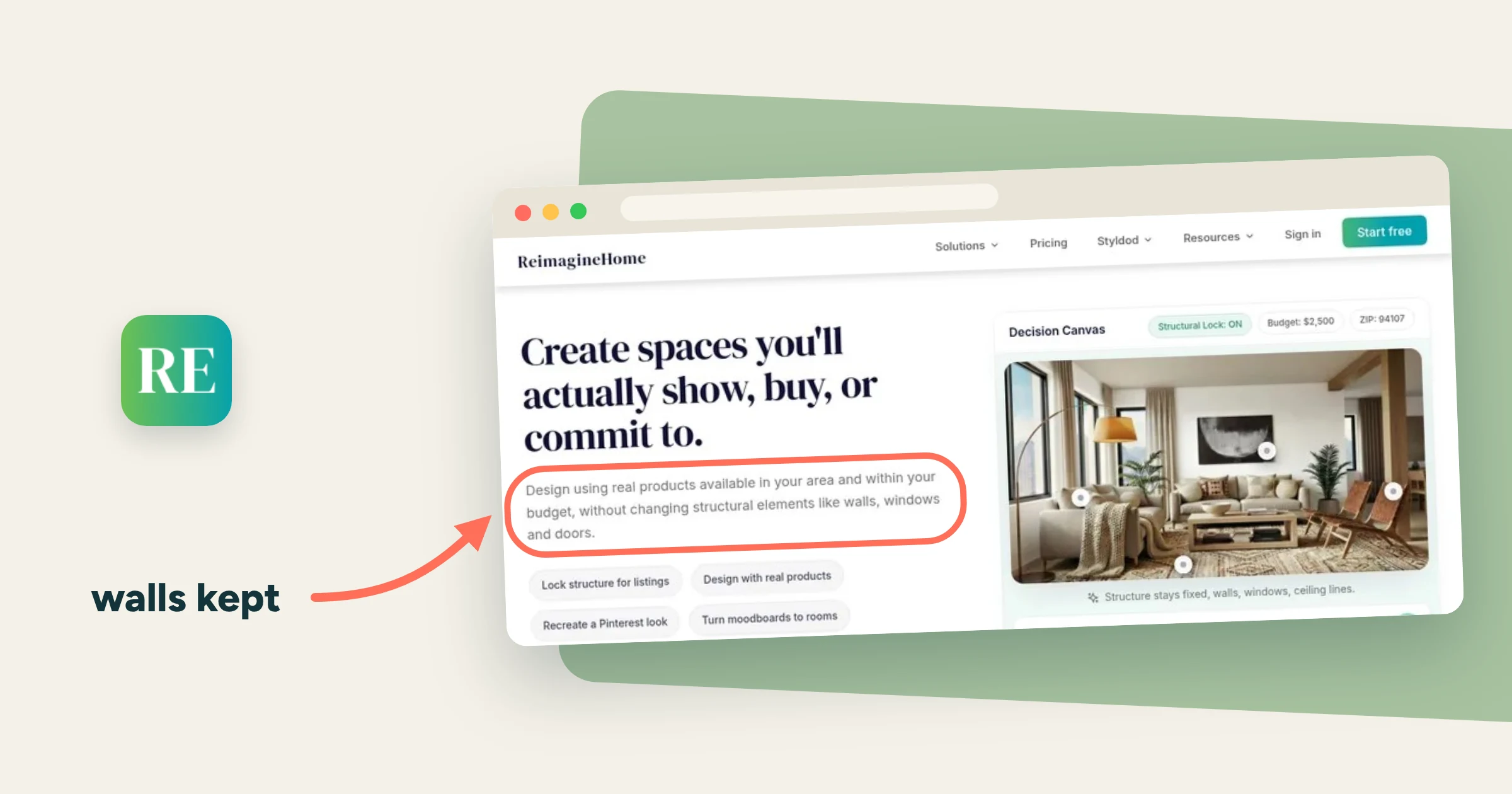
ReimagineHome is a tracer by design: its homepage says it is "Designed to preserve walls, windows and doors."
Even a tracer is not a tape measure. Interior AI says the resemblance "depends on the quality of photo you upload and which design mode you select." Planner 5D warns that "Image proportions can shift," and tells you to confirm sizes in an editable 2D and 3D project.
This is where the two artists stop being a good picture of the job. Both hand you a picture, not a measurement. Treat every result as a mood board (a collage of ideas you like) and measure before you buy, because a sofa that fits the picture can still block your door.
The 5 best AI room design apps at a glance
Each pick wins at a different job, so find your job in the first column and read across.
| Best for | App | What it keeps of your room | Free option |
|---|---|---|---|
| Restyling and shopping the look | ReimagineHome | Built to keep walls, windows and doors | 5 free designs, no sign-up |
| Trying IKEA pieces at home | IKEA Kreativ | Your own photo, with your furniture erased | Free |
| Flipping through many styles | Interior AI | Depends on the mode you pick | Check its site; no refunds |
| A layout you can measure | Planner 5D | A floor plan becomes an editable 3D project | Free plan, plus 25 welcome AI credits |
| Staging photos to sell or rent | Virtual Staging AI | Says it leaves the layout untouched | Free upload, no sign-up; paid from $16 a month for 6 images |
IKEA Kreativ is free outright, and Planner 5D has a free plan. ReimagineHome and Virtual Staging AI let you try before you pay. Interior AI is the one to price-check first.
ReimagineHome: keep your room, shop real furniture
ReimagineHome is the safe first try because it changes what is in your room, not the room itself. By default it works within your existing layout, focusing on staging (furniture and decor), finishes, lighting and objects. It changes the structure "Only if you ask."
Its handiest trick is fixing one thing at a time. You can refine "furniture but not layout; color but not everything" without starting over.
Love the rug but hate the chair? Swap only the chair.
Then comes the shopping. ReimagineHome says the products in its designs are "real products you can actually buy." You can add the whole set to your cart in one go and check out on Amazon or Shopify, buying straight from the seller.
Know how it gets paid. ReimagineHome "earns a commission on qualifying purchases made through our designs," at no extra cost to you. That does not change your price, but it is a good reason to compare a few shops before you buy.
The free part is generous. You get 5 free designs with no sign-up or payment. Its pricing page says new users get the "same AI, same quality as paid plans."
The catch is in the plans. The Essential plan lists "No Real Shoppable Products," so if shopping is the point, check that your plan includes it.
The Pro plan includes 200 credits per month. The page did not list clear dollar prices when this post was checked, so look there before you pay.
Pick it if you want your own room, restyled, with a shopping list attached.
IKEA Kreativ: free, if you only want IKEA pieces
IKEA Kreativ is a free virtual room designer that shows IKEA furniture and decor in your own space before you buy. The catch is in the name: every piece comes from the IKEA catalog. You can use it in the IKEA app on iOS or Android, or on IKEA.com.
The photo route takes three steps:
- Snap or upload a photo of your room in the IKEA app, or upload one on the web.
- Erase the furniture you already have.
- Add and swap in new pieces from the catalog until the room feels right.
Scanning the whole room is a different route, and it needs the right device. It works only in the IKEA app on LiDAR-enabled devices, like iPhone Pro or iPad Pro. LiDAR is a small sensor that measures distance with light.
Scanning starts with logging in to an IKEA Family account. The eraser works here too, so you do not need to move anything before you scan.
No LiDAR? On the web, the room builder lets you type in your room's dimensions instead, with no scan needed.
IKEA lists some things as not supported yet. Textiles such as curtains, pillows, blankets and tablecloths are on that list. So is full kitchen design, for which IKEA points you to its Kitchen planner.
Pick it if you already like IKEA and want a free look before you buy.
Interior AI: 50+ styles, if you pick the right mode
Interior AI is the app for trying on lots of looks: upload a photo of your room, pick a style and get a redesign. After sign-up, its studio offers 30+ room types and 50+ interior styles. It says one design takes about 25 seconds at current processing times.
Four things to know before you start:
- Pick the mode first. For your real room, use 3D Vision or style transfer, the tracing modes. Save Creative for wild ideas you will not copy exactly.
- Shoot straight on. It recommends photos taken straight toward a wall or window. Angled photos work, but it says they perform worse.
- Expect some misses. From its own experience, it says about 90% of renders (the finished pictures) will be good enough and 10% very good. That is the company's count, not an independent test.
- Know there are no refunds. It says it cannot offer refunds, because the cost of generating AI images is extremely high.
Its prices were not clear when this post was checked, so look at the current plans on its site before you pay.
Pick it if you want to flip through many styles and you are fine paying with no refund.
Planner 5D: when you need a layout you can measure
Planner 5D is the pick when your question is will this sofa fit? rather than will this look nice? It asks for one of two things: a photo of your room or a floor plan. A photo gives you restyled design images. A floor plan becomes an editable 3D project, a model of your room that you can keep changing.

This is where the two artists finally step aside. A floor plan is a blueprint, and blueprints have sizes. That is why Planner 5D's own advice is to check dimensions and placement in the project, not in the pretty picture.
Then come the helpers. Its Smart Wizard arranges furniture around spacing, movement and usability. In plain terms: room to walk and room to use things.
In the editor, you can tell Copilot (its AI helper) what to change, such as move the sofa under the window or try another finish. Home Scan records your space with a supported iOS device with LiDAR, or an Android device with ARCore (Google's tool for placing virtual objects in your camera view).
The Free plan lets you draw and furnish rooms in 2D and 3D. New accounts get 25 welcome AI credits, and its AI Studio, on the web and iPad, uses AI credits. Its paid prices are not covered here, so check its site if you outgrow the free plan.
Pick it if you are about to buy big furniture and need real sizes.
Virtual Staging AI: for selling or renting a home
Virtual Staging AI does one job: it makes listing photos look furnished. That is called virtual staging, which means adding digital furniture to a photo so buyers can picture living there.
The company says you upload a picture and it adds furniture within seconds, with a redesign taking 15 seconds. It handles furnished and unfurnished photos.
It can remove existing furniture and add new pieces with one click. It also claims its AI "Leaves room layout untouched," which would make it a tracer. That is the company's own claim, not an independent test.
You can upload an image free, with no sign-up and no credit card. Paid use starts at $16 a month for 6 staged images. This post did not check rules on labelling staged photos, so ask your listing site or agent before you post one.
Pick it if you are selling or renting and need empty rooms to look lived in.
Try it tonight: one photo, two free apps
Here is a plan for one evening: one living-room photo, two free apps and a tape measure.
- Take the photo. Stand back and shoot straight toward a wall or window. Interior AI recommends this, and it costs nothing to do it for every app.
- Restyle it in ReimagineHome. Use your 5 free designs, with no sign-up. Try one style, then change only the furniture until you like it.
- Swap in IKEA pieces. Upload the same photo to IKEA Kreativ, erase your sofa and try a few from the catalog.
- Spot the moved window. Count the windows and doors in each result and compare them with your real room.
- Measure before you buy. Say your favorite result puts a long sofa under the window. Measure that wall first, because image proportions can shift.
By bedtime you have two looks, a shortlist and real numbers, and you have not paid anything.
Do AI interior design apps work? Quick answers
They are good at ideas and weak at exact sizes, so use the app for the first and a tape measure for the second.
Do AI interior design apps work?
For ideas, mostly yes. Interior AI says most of its renders are good enough, though that is its own count. It also says the match with your room depends on your photo and the mode you choose.
For sizes, treat every result as a picture and measure.
Which AI room design app is free?
IKEA Kreativ is free, but it only shows IKEA pieces. Planner 5D has a Free plan for drawing and furnishing rooms in 2D and 3D. ReimagineHome gives 5 free designs, and Virtual Staging AI lets you upload an image free.
What should a professional designer use?
Spacely AI is aimed at professionals who make renders, revise designs and win client approval. It says it turns a sketch, 3D model or room photo into a photorealistic render in under 60 seconds. It also offers a free trial with no credit card.
Should I pay for one yet?
Not yet. Take one straight-on photo, run it through a free option first, and treat every result as a mood board until you have measured. Pay only when you know which job you need done: shopping, measuring or staging.
Prices and free limits here were checked on each vendor's own pages in November 2026, and they change often.