

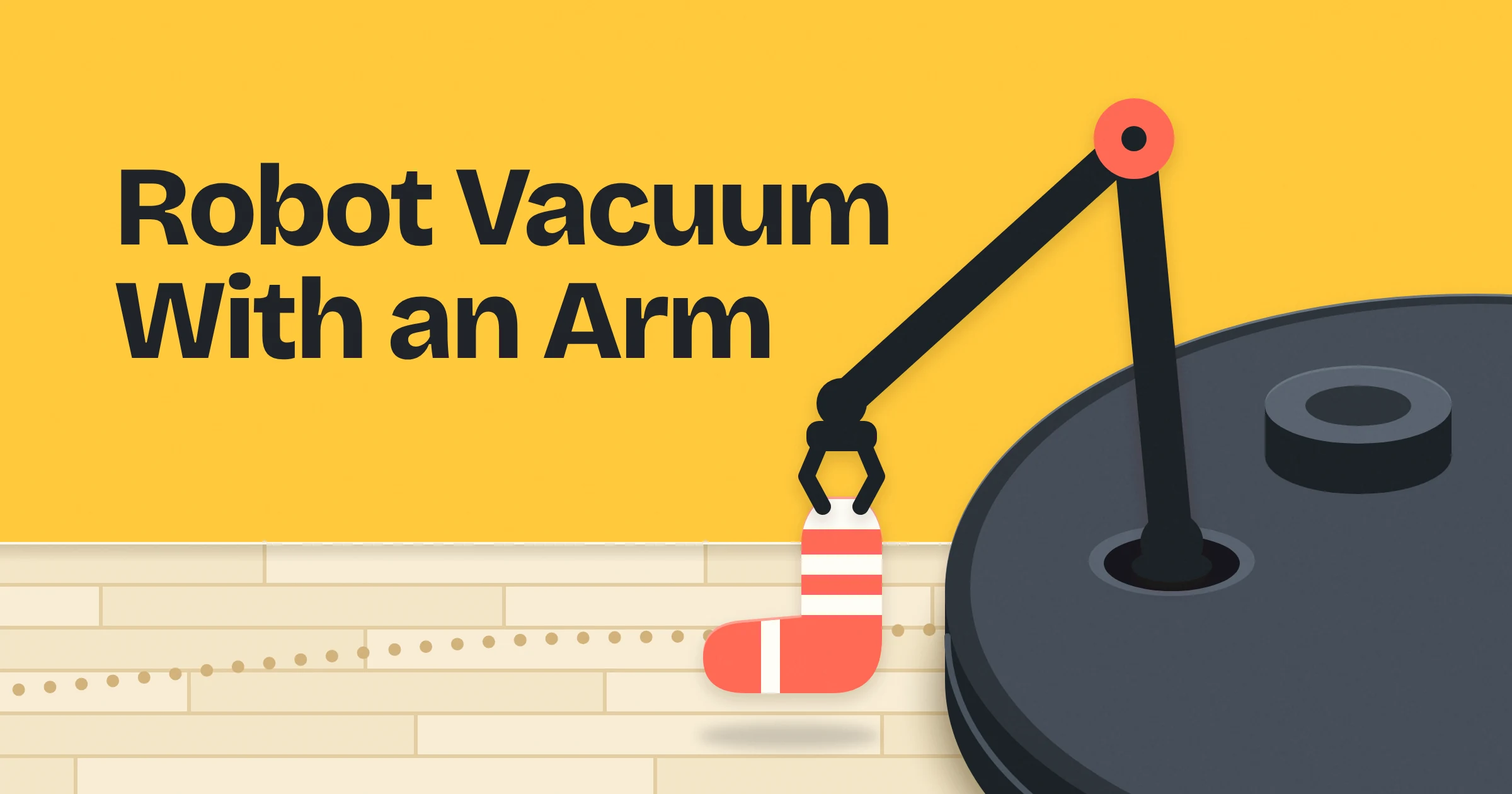
Picture a sock left in the hallway. A normal robot vacuum steers around it, but a robot vacuum with an arm unfolds a small claw, lifts the sock and drops it where you asked. That is the promise.
Today the Roborock Saros Z70 is the one arm model confirmed to have gone on sale. Roborock says it can currently tidy four kinds of light items under 300g, like socks and sandals, and testers found it hit-or-miss. Dreame's Cyber10 Ultra, which Dreame says can lift 500 grams, is not confirmed in stores.
Which robot vacuum has an arm?
Two robot vacuums with arms matter right now, and only one of them is confirmed on sale.
The first is the Roborock Saros Z70. Roborock calls it the first mass-produced robot vacuum with a foldable five-axis arm. That five-axis label means the arm can bend and twist in five separate ways, a bit like a human arm.
Roborock announced it at CES 2025 (a big yearly tech trade show). TechRadar says it went on sale in the US and Australia in May 2025.
The second is Dreame's Cyber10 Ultra. Dreame brought its arm vacuum back to CES 2026, and Engadget reports that its earlier prototype is now a real product. Dreame calls it the industry's first robot vacuum that uses cleaning tools on its own.
| Detail | Roborock Saros Z70 | Dreame Cyber10 Ultra |
|---|---|---|
| Status | Went on sale in the US and Australia in May 2025 | Announced, not confirmed in stores |
| Shown at | CES 2025 | CES 2026 |
| Arm lifts up to | 300g (Roborock) | 500 grams, about 1 pound (Dreame) |
| Price | $2,599 list (£1,799, AU$3,999) | About €1799 (about $2,100), expected |
| Maker's big claim | First mass-produced robot vacuum with a foldable five-axis arm | First robot vacuum that uses cleaning tools on its own |
TechRadar's figure is a list price, and real prices move. Dreame's was only an expected price.
At CES, Dreame also said it was aiming for an August 2026 release. No source checked for this post confirms the robot has reached stores.
One name not to mix up: Dreame's Cyber X is a separate stair-climbing robot that Dreame presented as a concept.
How does the robot decide what to grab?
The robot cleans first and notes what is on the floor. Then it checks each object against a list and a weight limit, and carries the ones it may move to a drop-off spot.
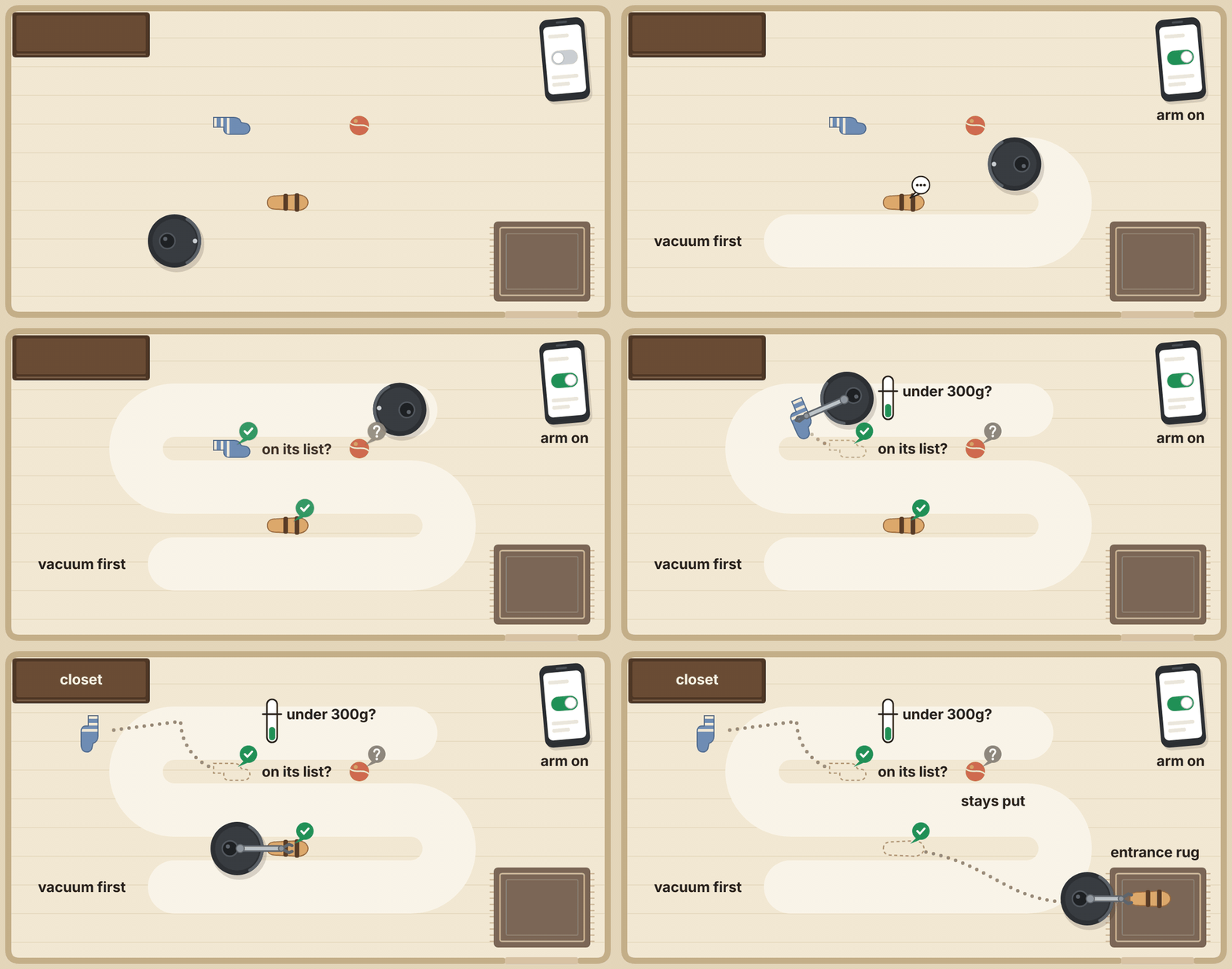
Think of an arcade claw machine that picks its own prizes. Here is the routine on the Saros Z70.
- You switch it on. The arm features, which Roborock calls OmniGrip, are off by default. You turn them on in the Roborock app and tell the arm exactly what you want it to do.
- It vacuums and takes notes. The robot first makes a normal vacuum-only pass over the floor. During that first clean, it spots and marks the objects it thinks it can lift.
- It checks its list. Roborock says 108 objects are pre-programmed into the robot, and you can label up to 50 more in the app. This is the AI part: it matches what the camera sees to objects it knows, like your phone's photo app finding every picture of your dog.
- It circles back and lines up. It has two cameras, one at the front and one on the arm. The arm also has precision sensors and an LED light (a tiny lamp) to work out where it is. 9to5Google sums up the move: detect the item, get into position, then unfold the arm.
- It checks the weight. A built-in weight sensor stops the arm from lifting anything over 300g, Roborock says.
- It drops the item off. Roborock's own example sends socks toward the closet and sandals toward the entrance rug.
Here is where the claw-machine picture breaks. An arcade claw waits for you to steer it, while this one chooses its own targets.
It is also a far narrower skill than the all-round learning in our guide to how humanoid robots learn. For you, that means setup is part of the deal, and an object it does not know just stays put.
What can a robot vacuum arm pick up?
Roborock says the Saros Z70's arm can pick up socks, sandals, crumpled tissues and towels, as long as each weighs under 300g. That is the current list on Roborock's Saros Z70 page.
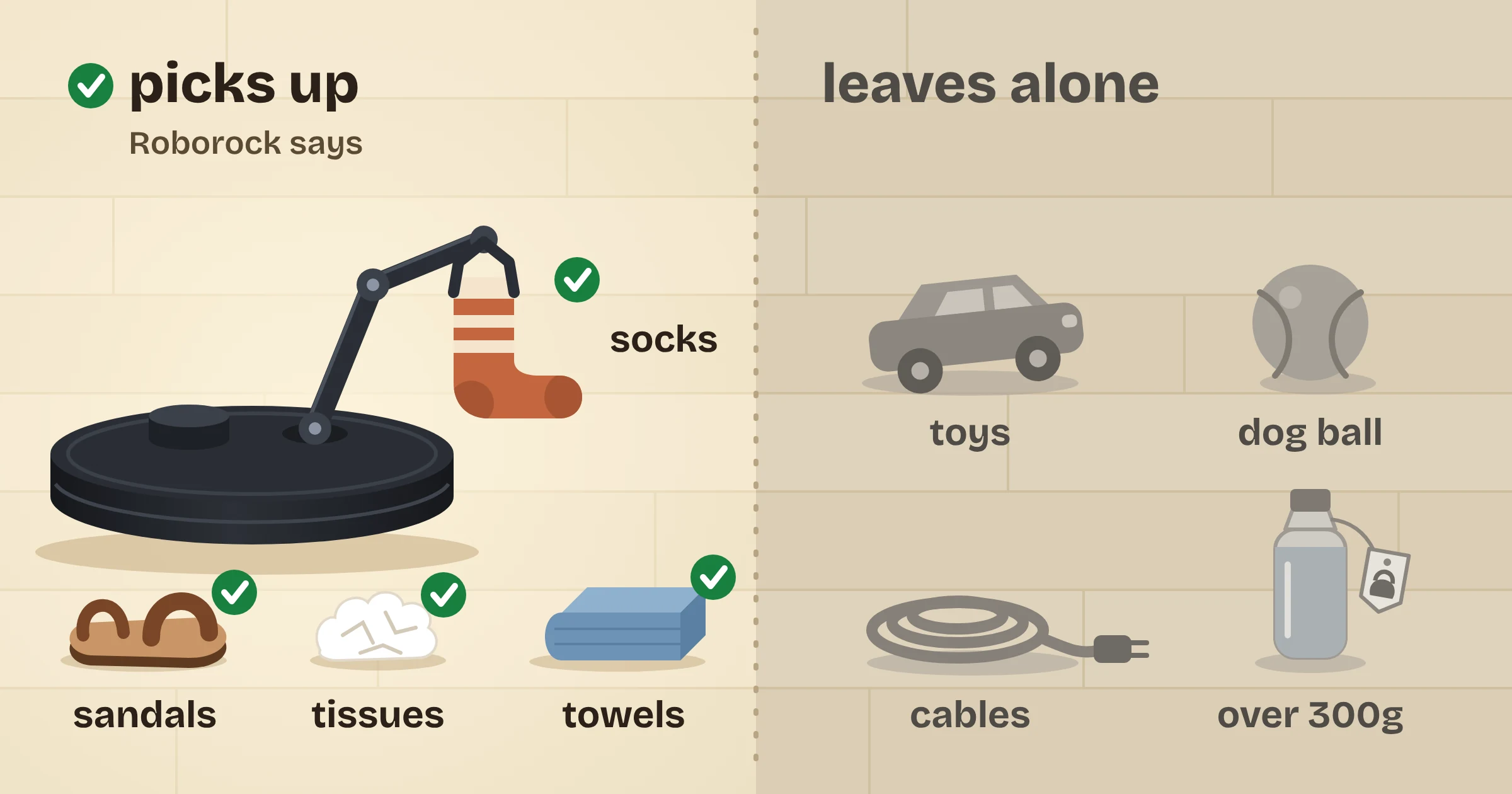
On the list, per Roborock:
- Socks
- Sandals
- Crumpled tissues
- Towels
Off the list, per 9to5Google's review and Roborock's weight limit:
- A kid's toy
- A dog's ball
- A cable
- Anything over 300g
Other arm jobs, per Roborock:
- Moving obstacles out of the way, so it can clean the spots they were blocking.
- Manual control. The Roborock app lets you steer the arm and the robot by hand.
Promised, not here yet: Roborock says new items will be added over time through firmware updates. Firmware is the robot's built-in software, and updates arrive over the internet.
Light matters too. Roborock's own fine print says "Actual performance may vary due to environmental factors." TechRadar found the object labels "fairly accurate in bright light," so a bright room seems to help.
Why this matters: if your floors are mostly toys and cables, the arm will not help much yet.
What happened when testers tried it at home
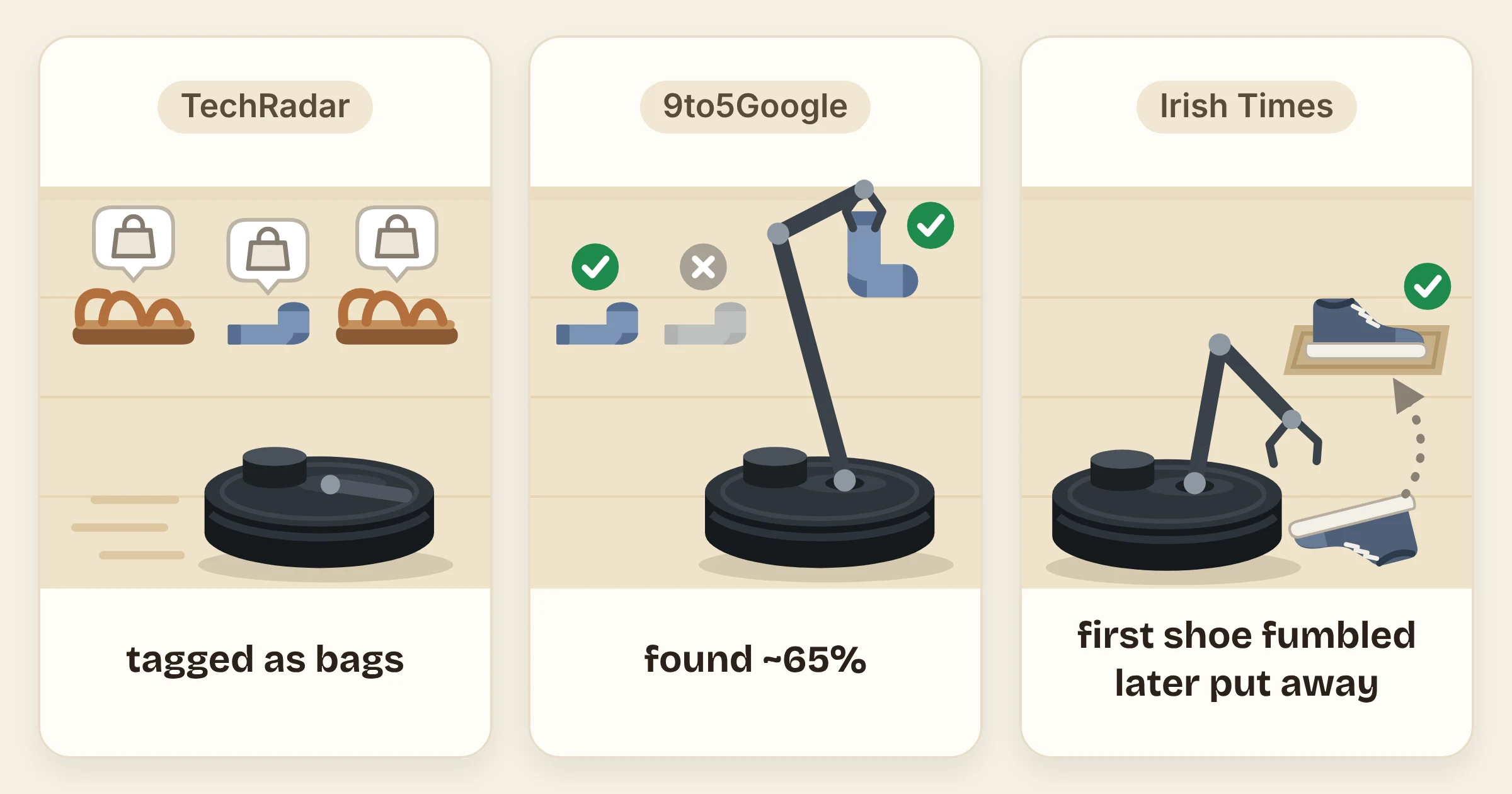
Three reviewers tried the Saros Z70 at home, and none of them found the arm reliable yet.
The CES demo was an easier test. At CES 2025, Engadget saw a pre-production unit running a pre-programmed route in a hotel suite. Real homes are messier.
TechRadar and the bag mix-up. TechRadar's reviewer put it plainly: "I couldn't get it to automatically tidy away anything at all." At one point, the robot labelled two sandals and a sock as "Carry out bags" and left them alone.
When it did grab, things went sideways. It failed to grip a strappy sandal. It lifted another sandal and swung it into a doorstop.
It picked up socks, then set them down 14 inches from where they started. The reviewer's lesson: tell the arm exactly what you want it to do, or it does nothing.
There is a fallback. In manual mode, you drive the robot like a remote-control car, using its camera view on your phone. That is the claw machine again, with your phone as the joystick.
9to5Google and the sock. 9to5Google left a sock on the floor, and the robot often ignored it. It found the sock roughly 65% of the time, about two tries in three.
Sometimes it picked the sock up and just roamed around the room with it. Putting things away never really worked for the reviewer's sneakers.
The Irish Times and the shoe. The Irish Times reviewer wrote: "The first time it encountered a shoe, things didn't go too well." After that rocky start, it dropped shoes in the right place more than once.
It still missed some grabs and now and then got itself tangled up. The speed verdict was blunt: "You would, however, be quicker doing it yourself."
So expect misses. For now, plan to keep an eye on the arm while it works.
Dreame Cyber10 Ultra: demo or ready to buy?
The Cyber10 Ultra has been shown working, but no source checked for this post confirms you can buy it yet.
What does Dreame promise? An arm that extends from the top of the vacuum and ends in a claw for scooping things up. In Dreame's announcement, the company says it has four joints and five degrees of freedom (five ways to bend and turn). It reaches up to 33 cm past the vacuum's edge.
Dreame also says it lifts up to 500 grams, about 1 pound, and can grab vacuum nozzles and brush attachments from its base station.
How does it see? Dreame says the arm carries RGB cameras (normal color cameras) and infrared cameras (which can see in low light). Together they give it 360-degree vision. It adds that two cameras on the body work like a pair of eyes, mapping your home in 3D to dodge cords and furniture.
What did a reporter actually see? In Engadget's short CES 2026 demo, the robot picked up balls and placed them in a basket. Engadget did not get to see it lift anything heavier or grab its cleaning attachments. Small twist: 9to5Google says the Saros Z70 won't pick up a dog's ball.
Is it a good cleaner too? On paper. Engadget says it mops and can climb small steps up to 6cm (about 2.4 inches). Notebookcheck lists Dreame's figure of 30,000 Pa of suction (pascals, a measure of how hard it pulls), with two spinning mops.
None of the sources here tested it in a home.
When, and for how much? At CES, Dreame had no exact release date. It said it was aiming for August 2026, at an expected price around €1799 (about $2,100). Treat both as plans until a store lists it.
Is a robot vacuum with an arm worth it?
For most people, not yet. Buy one only if you want a top-end cleaner anyway and see the arm as a bonus.
The vacuum itself earns praise. TechRadar rated the Saros Z70's cleaning, navigation and control as outstanding. Roborock lists 22,000 Pa of suction and a body 7.98 cm tall, its slimmest design yet.
The arm is the weak spot. TechRadar says it is limited in what it can do on its own. The Irish Times said the arm, "when it works, is a useful addition although not essential," and noted that Roborock sells cheaper cleaners that clean just as well.
Buy now if:
- You want a top cleaner anyway.
- Someone at home has limited mobility. TechRadar's reviewer thinks the arm could be very useful for them.
Wait if:
- Tidying is the main reason. TechRadar suggests waiting for a later generation for reliable arm performance.
- You don't need the arm. Then TechRadar's advice is to "give it a wide berth," meaning stay well away.
- The price is a stretch. 9to5Google's reviewer expects these robots to get cheaper and much better with time.
Before you pay, check:
- Today's price and stock on Roborock's US store, against the $2,599 list price.
- Roborock's current object list, since Roborock says new items will be added by update.
- Safety. You can pause it by hand at any time, and it has a child lock and a safety stop button.
- Cameras. If anyone views them remotely, the robot announces it loudly and at regular intervals.
- Repairs. When the robot was announced, TechCrunch said questions remained about how well the arm works and how easy it is to fix.
If you do buy one, switch the arm on in the app on day one and tell it exactly what you want the arm to do. Otherwise, you own a very good vacuum with an arm folded away.
Prices here are the list price from TechRadar's May 2025 review and the price Dreame expected at CES 2026; we re-read both sources in November 2026. Store prices change often, especially around holiday sales, so confirm on the seller's page before you pay.