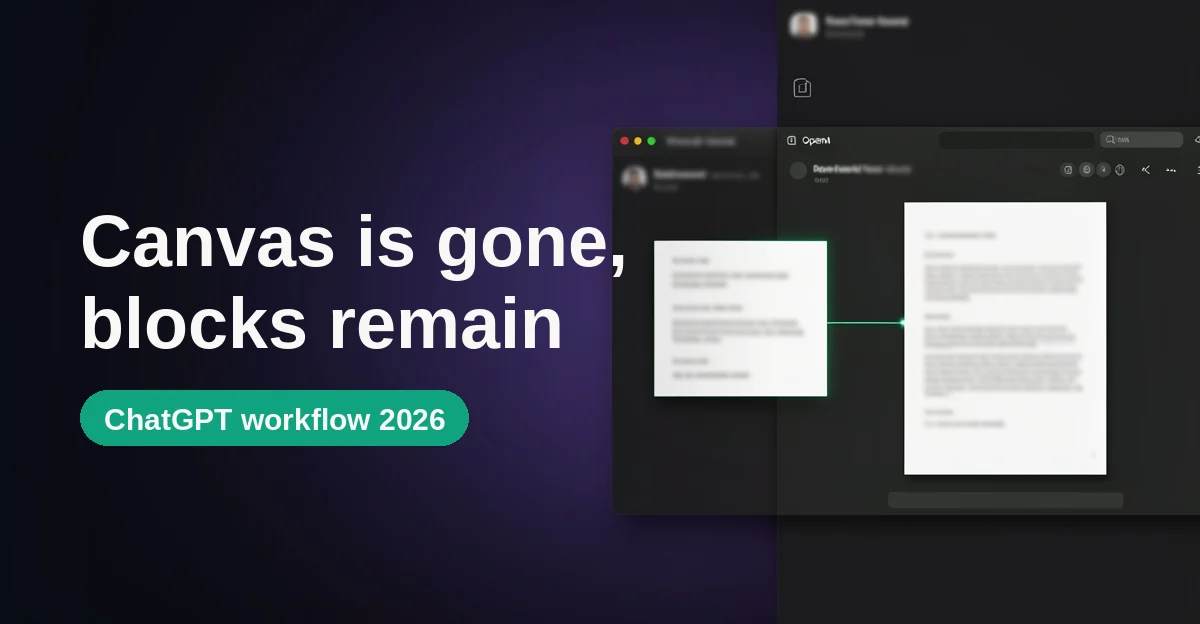
If you went looking for ChatGPT Canvas recently and found nothing, you are not losing your mind. OpenAI removed it. The change was tucked into a model update rather than announced with its own headline, which is why most of the guides still ranking for "ChatGPT Canvas" describe an app that no longer exists. Some of them even tell you to open the model picker and select GPT-4o, a model that was retired from ChatGPT on February 13, 2026.
Here is the short version of what happened, straight from OpenAI's own release notes: on May 28, 2026, alongside a GPT-5.5 Instant update, "canvas will no longer be available in GPT-5.5 Instant or GPT-5.5 Thinking. Writing and coding functionality is now supported directly in chat responses through writing blocks and code blocks." Paid users got a temporary escape hatch through legacy models, but every model documented as running canvas has since been retired, so that door has effectively closed.
That sounds like a downgrade. Mostly, it isn't. The workflow Canvas existed for, brainstorm in conversation, draft in an editable surface, keep your source material in one place, survived the transition. The container changed. This guide walks through that workflow as it actually works in September 2026, shows where the new surfaces still fight you, and compares the result with Claude's artifacts and projects so you can pick the right tool rather than just cheer for one.
The three surfaces: chat, blocks, and a Project
Canvas was ChatGPT's answer to a real problem: a chat transcript is a terrible place to hold a document. You ask for a draft, it prints into the scroll, you ask for one change, and the whole thing regenerates below the fold while the version you were reading disappears upward. Canvas fixed that by opening a separate panel that held the draft still while you kept talking.
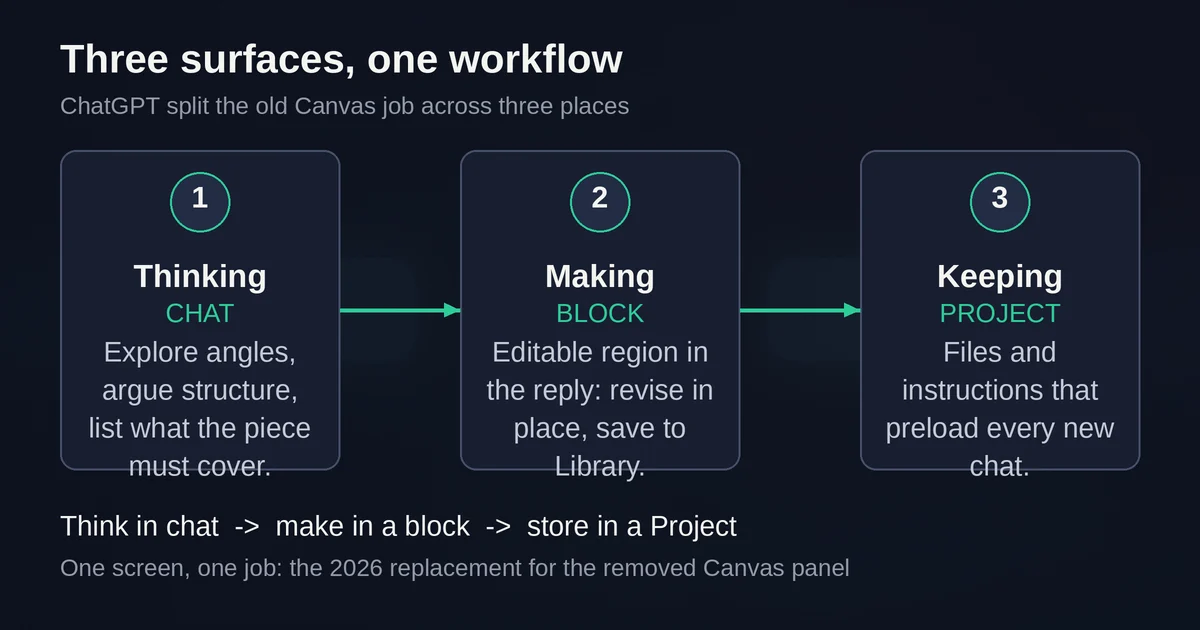
OpenAI's bet in 2026 is that you no longer need a separate panel. Instead, the assistant now uses three surfaces, and knowing which one you're in is most of the skill:
The chat thread is for thinking. Exploring an angle, arguing about structure, listing what a piece needs to cover, interrogating a dataset. Nothing here needs to hold still; it's conversation, and the transcript is exactly the right shape for it.
Writing blocks and code blocks are for making. When ChatGPT produces text you're likely to revise, like an email draft, a one-page brief, or a blog section, it now places it in a writing block: an editable region right in the response. Code lands in a code block with its own controls. You can type directly into either one, select a passage and ask for a change to just that passage, expand long pieces to a full-screen editor, and save documents to your Library so they outlive the conversation.
A Project is for keeping. Projects, available on all plans including Free, are named workspaces that group related chats, uploaded reference files, and project-level instructions in one place. This is where your source material belongs: the brand guidelines, the research PDFs, the messy notes document. Start a new chat inside the project and that context is already loaded.
The handoff between the three is the actual technique. Brainstorm the structure in chat until you know what you're building. Ask for the draft as a block, and edit it in place. Keep every file the work depends on inside a Project so you're not re-pasting context next week. One screen, one job.
A writing pass, honestly described
Say you're writing a product announcement. Here's the pass as it works today.
You open a chat and think out loud: audience, the three things the announcement must say, what to leave out. At this stage, plain chat is the right surface. If you tried to draft here you'd get prose scrolling into the void.
Then you ask: "Turn these notes into a one-page draft." ChatGPT places the draft in a writing block. This is where the block earns its keep. Per OpenAI's help article on writing blocks and code blocks, you can select the block and edit text directly, ask ChatGPT to revise selected text or the entire draft, undo or redo recent AI-assisted edits, and open the piece in a full-screen editor. Blocks support headings, bold and italic, links, lists, and checklists.
The move that matters is the targeted edit. Select the one paragraph whose ending falls flat, ask for a sharper close, and the revision happens there, not as a full reprint. That was Canvas's best trick, and it survived.
What did not survive: the shortcut menu. Canvas had one-click actions for adjusting length, changing reading level, adding polish, porting code to another language. Those are now sentences you type. "Cut this to 400 words for a technical audience" replaces two buttons. Not worse, exactly, but it means the feature meets you only as far as your prompts do.
The ending move is a copy, download, or save to Library. For anything longer than a throwaway, save it to your Library, then put the source material in a Project so the next session starts warm.
A code pass, honestly described
The code side of the 2026 surface is the stronger half. Code blocks were upgraded in two steps documented in ChatGPT's release notes: a February 19, 2026 update made them interactive (write and edit text in-line, preview diagrams and mini apps directly in chat, review code in split-screen views), and a February 27 update added image export for flowcharts, diagrams, and data visualizations built in code blocks.
A realistic pass on a small web widget:
- Prototype in the block. Ask for a single self-contained HTML file. It lands in a code block with a language label, a copy action, and edit controls. Supported blocks can be edited directly or opened full screen.
- Preview without leaving. Blocks that support it offer a Code and Preview toggle. Supported previews include HTML pages, React components, SVG images, Mermaid diagrams, and Vega or Vega-Lite charts. If the Preview button doesn't appear, that block doesn't support one, a hint that you asked for something the renderer can't show.
- Run Python in place. Supported Python code blocks have a Run action that opens a code workspace with console output. Everything runs sandboxed, and ChatGPT asks permission before a preview connects to outside resources.
- Get it out. Copy the code or share a read-only link. The old Canvas download button is gone; copying is the route that works everywhere.
The honest limits: "supported" is doing heavy lifting in that list. Direct editing and sharing vary by plan, device, workspace settings, model, and rollout, so your block may show fewer controls than a colleague's. And a revision arrives as a new block in the thread, not as an in-place update of the one you were reading. For iterating on one file, that's friction. For anything bigger than a file or two, the right answer is Codex or a real IDE, not any chat surface.
Where the new surface still fights you
The container changed and most of the capability survived. Three things genuinely regressed:
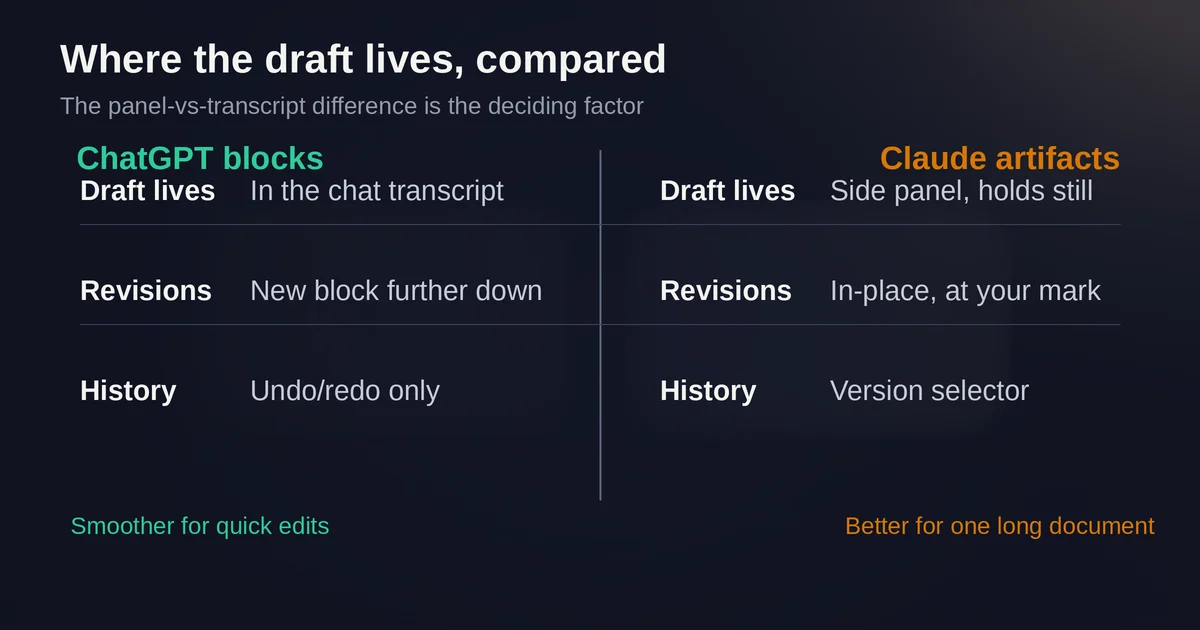
The draft scrolls. Canvas and Claude's artifacts both hold the document still in a panel beside the conversation. A block lives in the transcript, so your working copy drifts up the screen and each revision appears as a new block further down. The full-screen editor helps, but the side-by-side view of draft and discussion is gone.
No version history to speak of. Canvas had a back button through previous versions. Blocks have undo and redo for recent AI-assisted edits, which is not the same thing. If a revision makes things worse and you've made several edits since, you're scrolling the transcript hunting for the older block.
Availability lottery. OpenAI states plainly that available actions vary by plan, device, workspace settings, model, and rollout. Feature-detecting what your own account can do is now part of the workflow.
One more trap worth naming: if you follow a tutorial that says "select GPT-4o in the model picker," close the tab. GPT-4o left ChatGPT in February 2026, and the release notes track a steady parade of retirements since, including GPT-4.5 in June and o3 in August 2026. Anything written before May 2026 about this feature is describing a museum piece.
Claude's artifacts and projects, for the comparison shopper
If your actual need is a side panel that holds a document still while you converse, Claude still has one. Per Anthropic's artifacts documentation, when Claude creates substantial content it opens in a dedicated window to the right of the chat. For Markdown documents you can highlight a passage, click Edit with Claude, and the edit lands exactly where you marked it. There's a version selector for stepping back, an artifacts section in the sidebar, and publish-to-link sharing. Artifacts work on Free through Enterprise plans, with a capabilities toggle your admin may have disabled.
Claude's projects mirror ChatGPT's: knowledge files, project instructions, and chats in one workspace, with free accounts capped at five projects. One caveat from Anthropic's projects docs: context is not shared across chats within a project unless the material is added to the project knowledge base. ChatGPT projects behave similarly; the file cabinet, not the conversation, is what persists.
If you want the full side-by-side of the two assistants, our Claude vs ChatGPT comparison covers capability and pricing, and our complete guide to Claude goes deeper on Anthropic's side of the fence.
So the September 2026 decision, in one paragraph. ChatGPT's inline blocks make the draft part of the conversation, which is smoother for quick edits and messy for holding a long document still. Claude keeps the separate panel, which is better for iterating on one artifact with full version history, at the cost of a second thing to manage.
Two questions people actually ask
Was ChatGPT Canvas removed? Yes. Per the May 28, 2026 release note, canvas is no longer available in GPT-5.5 Instant or GPT-5.5 Thinking, and writing and coding now happen through writing blocks and code blocks. Paid users had temporary access through legacy models, but those models have since been retired from ChatGPT, so there is no setting that brings the panel back.
When do I use a block, and when do I use a Project? Use a block when the output is the point: a draft or a script you're about to edit and take elsewhere. Use a Project when the inputs are the point: reference files and instructions you'll return to across many chats. A block holds one piece of work; a Project holds the context that keeps generating work. They're complements, not rivals, and the strongest workflow uses both: Project for the source material, block for each deliverable.
Verdict
Canvas is gone, and the workflow it was built for is still standing. The 2026 surfaces trade a dedicated panel for inline blocks, and the trade is genuinely better for short-to-medium drafting and genuinely worse for long-document iteration with version history. The technique that remains is the one worth keeping anyway: think in chat, make in a block, store in a Project. That's not a workaround for a removed feature. It's the workflow, and it survives the next interface shake-up too.
If you're choosing between assistants for this kind of work, the panel-vs-transcript difference is the deciding factor, not model quality, and it's worth ten minutes in each before you commit.
Pricing and plan details are as published by the vendor around September 2026 and can change - confirm on the official site.